npm install vue-baidu-map —save
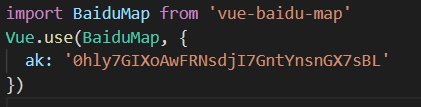
//全局注册 main.jsimport BaiduMapfrom 'vue-baidu-map'Vue.use(BaiduMap, {ak:'你申请的key'})
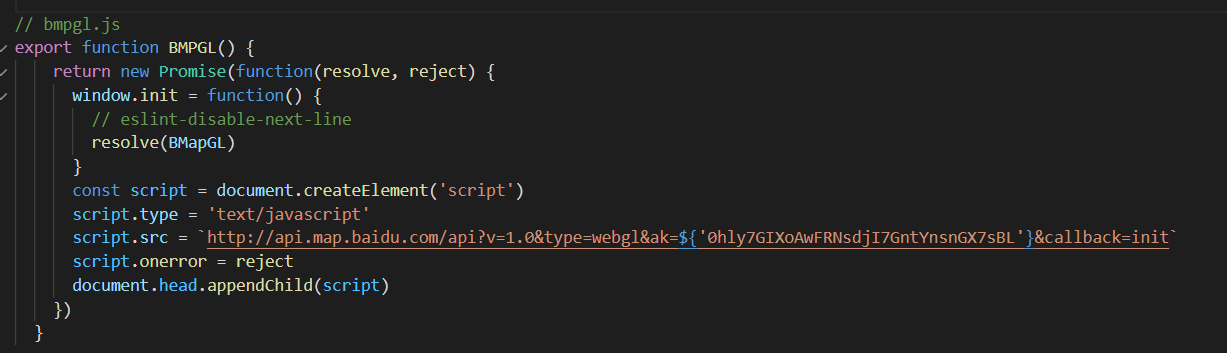
// bmpgl.jsexport function BMPGL() {return new Promise(function(resolve, reject) {window.init = function() {// eslint-disable-next-lineresolve(BMapGL)}const script = document.createElement('script')script.type = 'text/javascript'script.src = `http://api.map.baidu.com/api?v=1.0&type=webgl&ak=${'0hly7GIXoAwFRNsdjI7GntYnsnGX7sBL'}&callback=init`script.onerror = rejectdocument.head.appendChild(script)})}

使用示例直接把我method都放上来吧,之前写的,不太想找啦
methods: {showP() {this.$router.push('/newpopup')this.badges=falseconsole.log(this.badges);},onSelect(action) {Toast(action.text);},init() {// 传入密钥获取地图回调。BMPGL().then((BMapGL) => {// 创建地图实例let map = new BMapGL.Map('allmap')// 创建点坐标 axios => res 获取的初始化定位坐标let point = new BMapGL.Point(118.294346,32.289725)let point1 = new BMapGL.Point(118.33035,32.28887)var marker = new BMapGL.Marker(point1) // 创建标注map.addOverlay(marker) // 将标注添加到地图中var circle = new BMapGL.Circle(point1, 6, { strokeColor: 'Red', strokeWeight: 6, strokeOpacity: 1, Color: 'Red', fillColor: '#f03' })map.addOverlay(circle)// 初始化地图,设置中心点坐标和地图级别map.centerAndZoom(point, 14)// 开启鼠标滚轮缩放map.enableScrollWheelZoom(true)var locationControl = new BMapGL.LocationControl({// 控件的停靠位置(可选,默认左上角)anchor: BMAP_ANCHOR_BOTTOM_LEFT,// 控件基于停靠位置的偏移量(可选)offset: new BMapGL.Size(10, 10)})// 将控件添加到地图上map.addControl(locationControl)var scaleCtrl = new BMapGL.ScaleControl({// 控件的停靠位置(可选,默认左上角)anchor: BMAP_ANCHOR_BOTTOM_LEFT,// 控件基于停靠位置的偏移量(可选)offset: new BMapGL.Size(70, 0)})map.addControl(scaleCtrl)// 添加定位事件locationControl.addEventListener("locationSuccess", function(e) {var address = ''address += e.addressComponent.provinceaddress += e.addressComponent.cityaddress += e.addressComponent.districtaddress += e.addressComponent.streetaddress += e.addressComponent.streetNumberalert("当前定位地址为:" + address)})locationControl.addEventListener("locationError",function(e) {alert(e.message)})var points = [];for (var i = 0; i < this.path.length; i++) {points.push(new BMapGL.Point(this.path[i].lng, this.path[i].lat));}function ZoomControl() {this.defaultAnchor = BMAP_ANCHOR_TOP_LEFT;this.defaultOffset = new BMapGL.Size(20, 20)}function ClearControl() {this.defaultAnchor = BMAP_ANCHOR_TOP_RIGHT;this.defaultOffset = new BMapGL.Size(0, 20)}function CircleControl() {this.defaultAnchor = BMAP_ANCHOR_TOP_RIGHT;this.defaultOffset = new BMapGL.Size(60, 0)}function locatedControl() {this.defaultAnchor = BMAP_ANCHOR_TOP_RIGHT;this.defaultOffset = new BMapGL.Size(20, 130)}//通过JavaScript的prototype属性继承于BMap.ControllocatedControl.prototype = new BMapGL.Control();ZoomControl.prototype = new BMapGL.Control();ClearControl.prototype = new BMapGL.Control();CircleControl.prototype = new BMapGL.Control();//自定义控件必须实现自己的initialize方法,并且将控件的DOM元素返回//在本方法中创建个div元素作为控件的容器,并将其添加到地图容器中locatedControl.prototype.initialize = function(map) {var div = document.createElement('div');//添加文字说明div.appendChild(document.createTextNode('宝贝位置'));// 设置样式div.style.textAlign = "center";div.style.fontSize = "15px";div.style.width = "60px";div.style.height = "25px";div.style.cursor = "pointer";div.style.padding = "7px 10px";div.style.boxShadow = "0 2px 6px 0 rgba(27, 142, 236, 0.5)";div.style.borderRadius = "5px";div.style.backgroundColor = "white";// 绑定事件,点击一次放大两级div.onclick = function(e){let point1 = new BMapGL.Point(118.33035,32.28887)map.centerAndZoom(point1);var marker = new BMapGL.Marker(point1) // 创建标注map.addOverlay(marker) // 将标注添加到地图中var circle = new BMapGL.Circle(point1, 6, { strokeColor: 'Red', strokeWeight: 6, strokeOpacity: 1, Color: 'Red', fillColor: '#f03' })map.addOverlay(circle)}// 添加DOM元素到地图中map.getContainer().appendChild(div);// 将DOM元素返回return div;}ClearControl.prototype.initialize = function(map) {//创建一个dom元素var div = document.createElement('div');//添加文字说明div.appendChild(document.createTextNode('清空'));// 设置样式div.style.textAlign = 'center'div.style.fontSize = "15px";div.style.width = "40px";div.style.height = "25px";div.style.cursor = "pointer";div.style.padding = "7px 10px";div.style.boxShadow = "0 2px 6px 0 rgba(27, 142, 236, 0.5)";div.style.borderRadius = "5px";div.style.backgroundColor = "white";// 绑定事件,点击一次放大两级div.onclick = function(e){map.clearOverlays();}// 添加DOM元素到地图中map.getContainer().appendChild(div);// 将DOM元素返回return div;}CircleControl.prototype.initialize = function(map) {//创建一个dom元素var div = document.getElementById("btn");var div2 = document.getElementById("xlk")//添加文字说明// div2.appendChild(document.createTextNode('围栏范围'));// //设置样式// div2.style.fontSize = "15px";// div2.style.width = "60px";// div2.style.height = "25px";// div2.style.cursor = "pointer";// div2.style.padding = "7px 10px";// div2.style.boxShadow = "0 2px 6px 0 rgba(27, 142, 236, 0.5)";// div2.style.borderRadius = "5px";// div2.style.backgroundColor = "white";var fw = 3000div2.onclick = function(e) {console.log(fw);if (fw==1000) {fw = 3000}else if(fw==3000) {fw=5000console.log(fw);}else if(fw==5000){fw=1000}}// 绑定事件,点击一次放大两级div.onclick = function(e){var circle = new BMapGL.Circle(new BMapGL.Point(118.303976,32.294609),fw,{fillColor:"blue", strokeWeight: 1 ,fillOpacity: 0.3, strokeOpacity: 0.3});map.addOverlay(circle);function addMarker(points) {var marker = new BMapGL.Marker(points)// //循环建立标注点// for(var i=0, pointsLen = points.length; i<pointsLen; i++) {// var marker = new BMap.Marker(points[i]); //将点转化成标注点map.addOverlay(marker); //将标注点添加到地图上//添加监听事件(function() {var thePoint = points;marker.addEventListener("click",function() {showInfo(this,thePoint);});})();// }}function showInfo(thisMarker,point) {//判断点是否在if(BMapLib.GeoUtils.isPointInCircle(point,circle)){var infoWindow = new BMapGL.InfoWindow("孩子在围栏内");thisMarker.openInfoWindow(infoWindow); //图片加载完后重绘infoWindow}else{var infoWindow = new BMapGL.InfoWindow("孩子不在围栏内");thisMarker.openInfoWindow(infoWindow); //图片加载完后重绘infoWindowNotify({ type: 'warning', message: '孩子不在围栏内' });}}addMarker(new BMapGL.Point(118.330997,32.275866));addMarker(new BMapGL.Point(118.33035,32.28887));}map.getContainer().appendChild(div);map.getContainer().appendChild(div2);// 将DOM元素返回return div,div2;}ZoomControl.prototype.initialize = function(map) {//创建一个dom元素var div = document.createElement('div');//添加文字说明div.appendChild(document.createTextNode('历史轨迹'));// 设置样式div.style.fontSize = "15px";div.style.width = "60px";div.style.height = "25px";div.style.cursor = "pointer";div.style.padding = "7px 10px";div.style.boxShadow = "0 2px 6px 0 rgba(27, 142, 236, 0.5)";div.style.borderRadius = "5px";div.style.backgroundColor = "white";// 绑定事件,点击一次放大两级div.onclick = function(e){// var points = [];// for (var i = 0; i < path.length; i++) {// points.push(new BMapGL.Point(path[i].lng, path[i].lat));// }var myP1 = new BMapGL.Point(118.294346,32.289725); //起点zvar myP2 = new BMapGL.Point(118.33035,32.28887); //终点window.run = function() {var driving = new BMapGL.WalkingRoute(map); // 驾车实例driving.search(myP1, myP2);driving.setSearchCompleteCallback(function() {var pts = driving.getResults().getPlan(0).getRoute(0).getPath(); // 通过驾车实例,获得一系列点的数组var paths = pts.length; // 获得有几个点var pl = new BMapGL.Polyline(pts);map.addOverlay(pl)var carMk = new BMapGL.Marker(pts[0], { icon: myIcon });map.addOverlay(carMk);var i = 0;function resetMkPoint(i) {carMk.setPosition(pts[i]);if (i < paths) {setTimeout(function() {i++;resetMkPoint(i);}, 100);}}setTimeout(function() {resetMkPoint(5);}, 100);});};// var pl = new BMapGL.Polyline(points);// map.setHeading(64.5); // 左右偏移设置// map.setTilt(73); // 上下偏移设置// map.addOverlay(pl);var myIcon = new BMapGL.Icon("https://img0.baidu.com/it/u=800885108,2483076055&fm=26&fmt=auto&gp=0.jpg", new BMapGL.Size(40, 60), { // 小车图片offset: new BMap.Size(0, -5), //相当于CSS精灵imageOffset: new BMapGL.Size(0, 0) //图片的偏移量。为了是图片底部中心对准坐标点。});// window.run = function () {// var paths = points.length// var carMk = new BMapGL.Marker(points[0], { icon: myIcon });// map.addOverlay(carMk);// var i =0;// function resetMkPoint(i) {// carMk.setPosition(points[i]);// if (i < paths) {// setTimeout(function() {// i++;// resetMkPoint(i);// }, 1000);// }// }// setTimeout(function() {// resetMkPoint(5);// }, 1000);// }setTimeout(function() {run();}, 500);}// 添加DOM元素到地图中map.getContainer().appendChild(div);// 将DOM元素返回return div;}//创建控件元素var ClearCtrl = new ZoomControl();var myZoomCtrl = new ClearControl();var CircleCtrl = new CircleControl();var locatedCtrl = new locatedControl();//添加到地图中map.addControl(myZoomCtrl);map.addControl(ClearCtrl);map.addControl(CircleCtrl);map.addControl(locatedCtrl)}).catch((err) => {console.log(err)})}}

若有收获,就点个赞吧
0 人点赞


