引入echarts
import * as echarts from 'echarts'
创建function
定义echarts的Id
设置配置
说一下配置吧,
background,series,title,需要说的是series
clockWise:伸缩动画顺时针
radius:设置大小,设置宽度
itemStyle:图形样式
shadowColor:阴影颜色
shadowBlur:阴影模糊度,类似于特效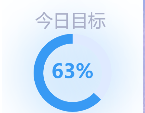
label:标签
labelline:折线偏移量
hoverAnimation:hover动画
normal/emphasis:两个条形的样式
yourchart.setOption({backgroundColor: '#fff',title: [{text:'今日目标',left: '45%',top: '10%',textAlign: 'center',textStyle: {fontWeight: 'normal',fontSize: '18',color:'#AAAFC8',textAlign: 'center',},}],//第一个图表series: [{name: '今日目标',type: 'pie',clockWise: false,radius: [30, 40],itemStyle: {normal: {color:"#389af4",shadowColor: '#389af4',shadowBlur: 0,label: {show: false},labelLine: {show: false},}},hoverAnimation: false,center: ['50%', '65%'],data: [{value: branch,label: {normal: {formatter: function(params){return params.value+'%';},position: 'center',show: true,textStyle: {fontSize: '20',fontWeight: 'bold',color: '#389af4'}}},}, {value: 100 -branch,name: 'invisible',itemStyle: {normal: {color: '#dfeaff'},emphasis: {color: '#dfeaff'}}}]}]})
有一个传值的问题是,我的步数是在methods里更改了步数,那么,这个方法要放在created里执行,要比子组件的mounted早执行,否则传值只能传到第一个初始的值,就是NAN空值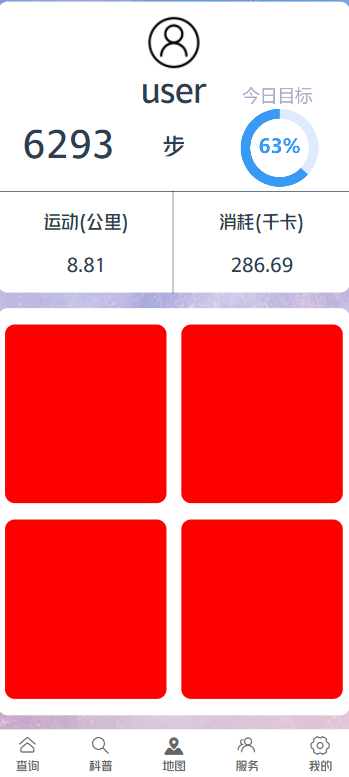
关于组件传值:
使用的方法是父传子:从父组件直接获取到子组件(还可以传方法)
var branch =parseInt(this.$parent.steps)//this.$parent.steps
还有一种父传子的方法就是,
父组件写::notice传值,子组件写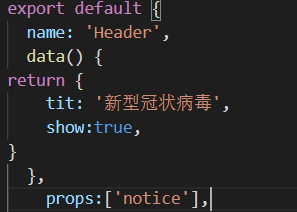 props放在data外面
子传父:
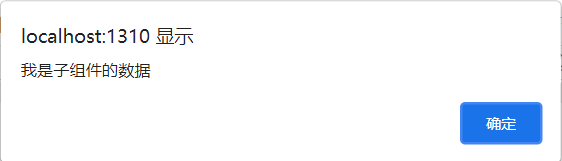
//子组件data(){return{childValue: '我是子组件的数据'}//methodsthis.$emit('childByValue', this.childValue)//父组件//v-on监听<Steps v-on:childByValue="childByValue"></Steps>//methodschildByValue: function (childValue) {// childValue就是子组件传过来的值this.name = childValuealert(this.name);},

优化后的界面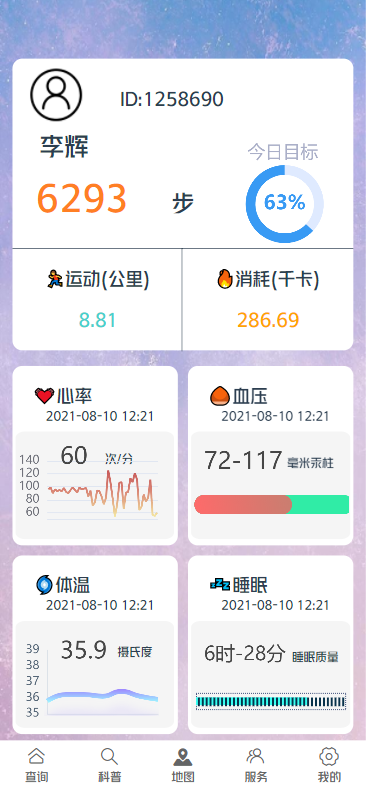

若有收获,就点个赞吧
0 人点赞


