自动生成mvp代码过程中,需要根据输入决定模块的名称跟注释等,所以使用弹窗的方式获取。
一、新建Dialog文件
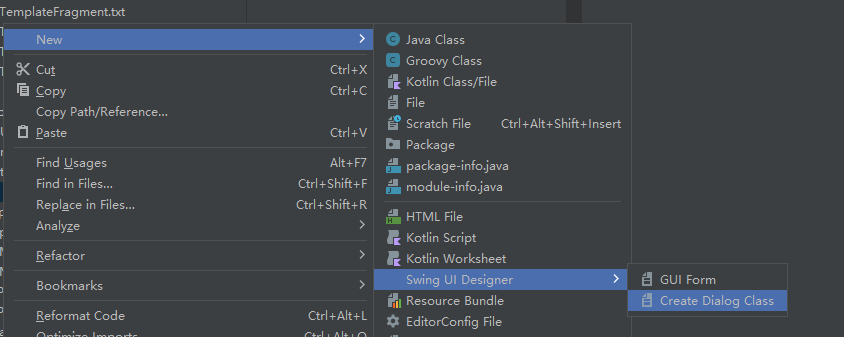
 会添加两个文件,一个是java代码文件,一个是dialog的布局问题
二、布置Dialog布局
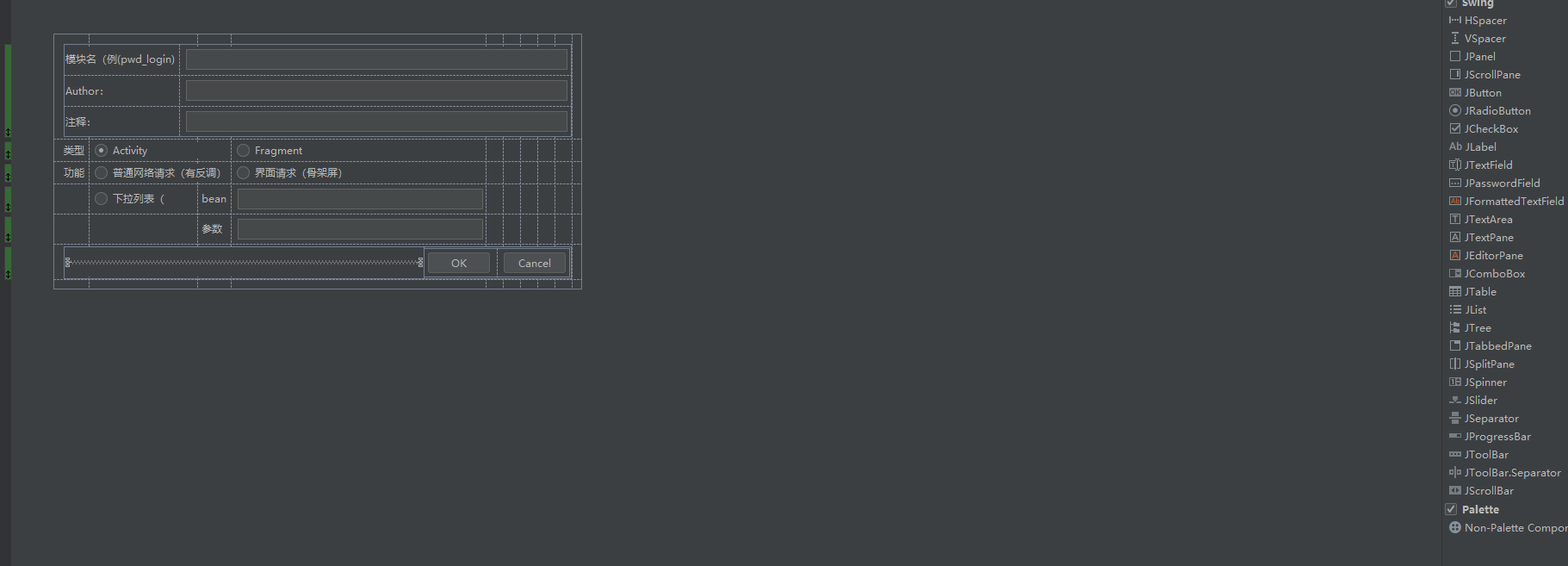
打开Dialog.form文件,会出现布局页面,直接拖动右边的控件即可。
三、代码文件
import javax.swing.*;import java.awt.event.*;import java.util.ArrayList;import java.util.HashMap;import java.util.Map;public class MvpDialog extends JDialog {private JPanel contentPane;private JButton buttonOK;private JButton buttonCancel;private JTextField textField1;private JTextField textField2;private JTextField textField3;private JRadioButton activityRadioButton;private JRadioButton fragmentRadioButton;private DialogCallback mCallback;public MvpDialog(DialogCallback callback) {mCallback = callback;setTitle("Mvp create Helper");setContentPane(contentPane);setModal(true);getRootPane().setDefaultButton(buttonOK);setSize(400, 310);setLocationRelativeTo(null);buttonOK.addActionListener(new ActionListener() {public void actionPerformed(ActionEvent e) {onOK();}});buttonCancel.addActionListener(new ActionListener() {public void actionPerformed(ActionEvent e) {onCancel();}});// call onCancel() when cross is clickedsetDefaultCloseOperation(DO_NOTHING_ON_CLOSE);addWindowListener(new WindowAdapter() {public void windowClosing(WindowEvent e) {onCancel();}});// call onCancel() on ESCAPEcontentPane.registerKeyboardAction(new ActionListener() {public void actionPerformed(ActionEvent e) {onCancel();}}, KeyStroke.getKeyStroke(KeyEvent.VK_ESCAPE, 0), JComponent.WHEN_ANCESTOR_OF_FOCUSED_COMPONENT);}private void onOK() {int type=0;if(activityRadioButton.isSelected()){type=0;}else if(fragmentRadioButton.isSelected()){type=1;}// add your code hereif (null != mCallback) {mCallback.ok(textField1.getText().trim(), textField2.getText().trim(),textField3.getText().trim(),type);}dispose();}private void onCancel() {// add your code here if necessarydispose();}public static void main(String[] args) {MvpDialog dialog = new MvpDialog(new DialogCallback() {@Overridepublic void ok(String moduleName,String author, String intro,int type) {System.out.println("输出:" + author + "," + moduleName);}});dialog.pack();dialog.setVisible(true);System.exit(0);}public interface DialogCallback {void ok(String moduleName, String author, String intro, int type);}}
这里最终的代码文件,通过接口回调的方式把数据返回来,主要更改onOk接口接口。

若有收获,就点个赞吧
0 人点赞


