day45
说明
在html删除并在数据库里删除
首先创建一个容器 在容器创建movies数据库 在库里创建一个top250的表
再从图形化界面的compass软件导入json文件(top250的)
页面直接渲染
在前面的登录注册逻辑里有提到的art-template 渲染
导入: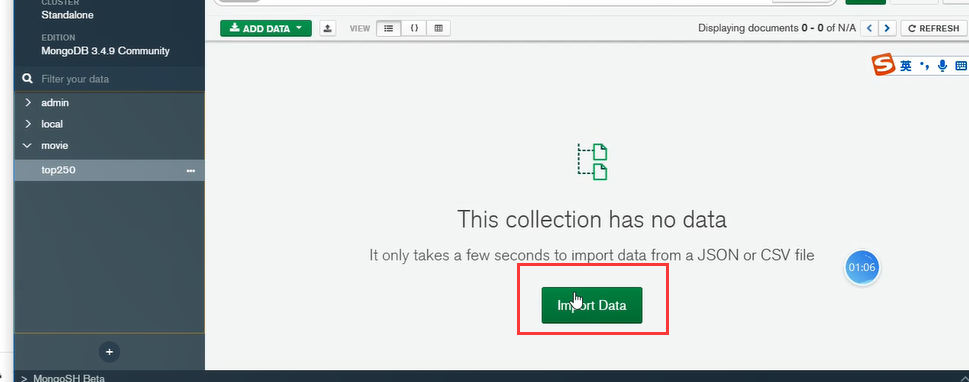
top250.json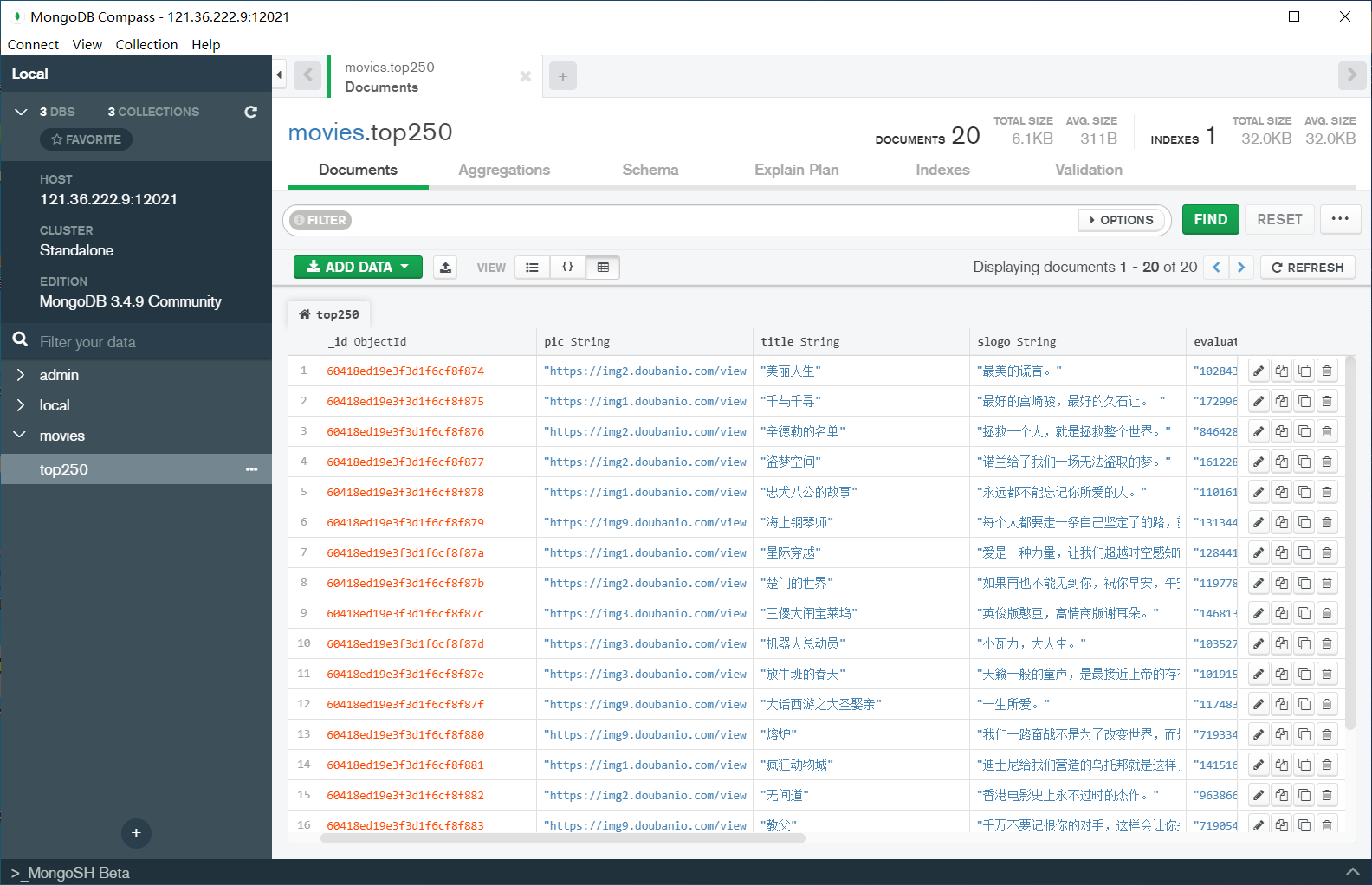
config index.js
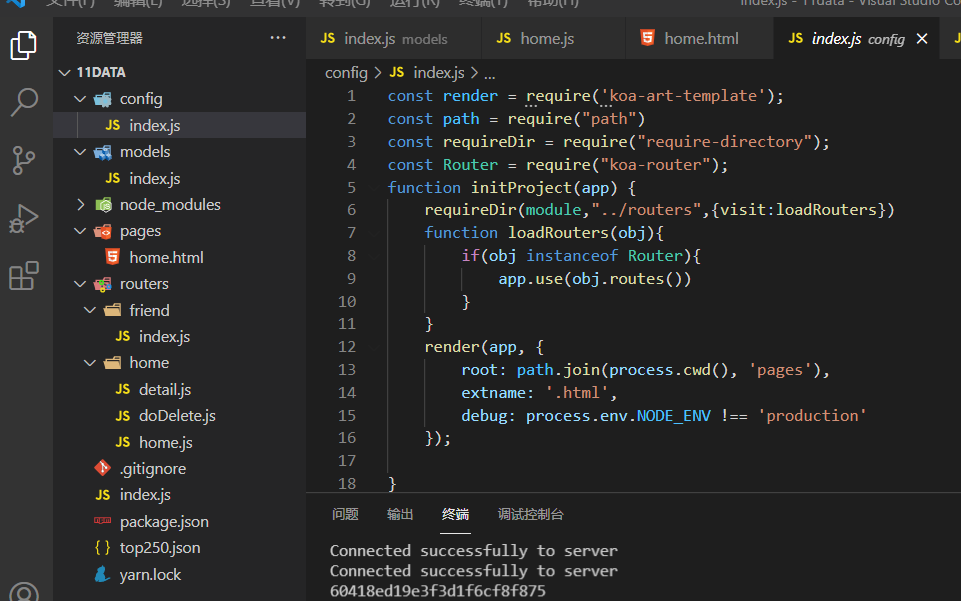
const render = require('koa-art-template');const path = require("path")const requireDir = require("require-directory");const Router = require("koa-router");function initProject(app) {requireDir(module,"../routers",{visit:loadRouters})function loadRouters(obj){if(obj instanceof Router){app.use(obj.routes())}}render(app, {root: path.join(process.cwd(), 'pages'),extname: '.html',debug: process.env.NODE_ENV !== 'production'});}module.exports = initProject;
models index.js
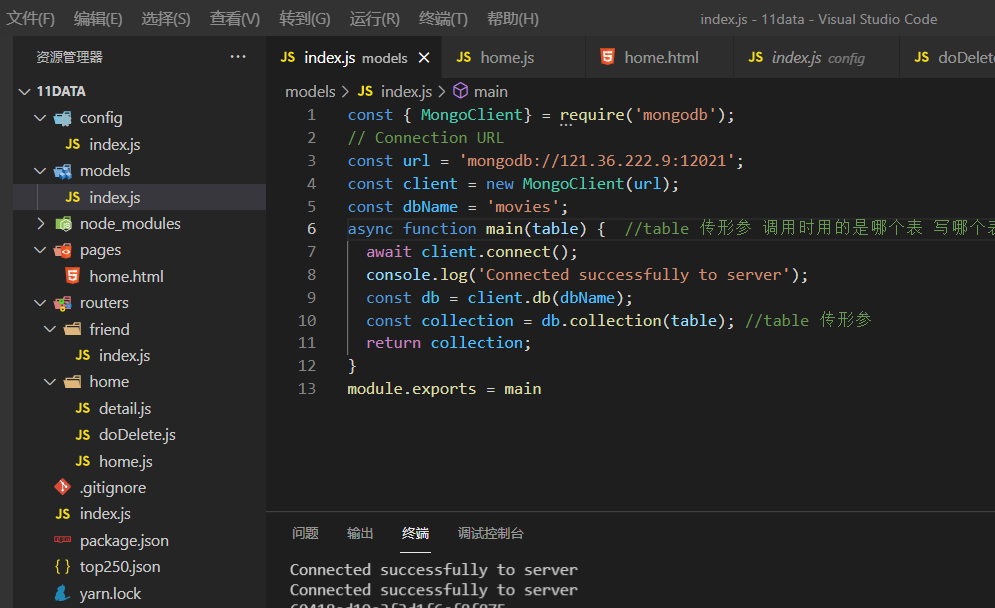
const { MongoClient} = require('mongodb');// Connection URLconst url = 'mongodb://121.36.222.9:12021';const client = new MongoClient(url);const dbName = 'movies';async function main(table) { //table 传形参 调用时用的是哪个表 写哪个表await client.connect();console.log('Connected successfully to server');const db = client.db(dbName);const collection = db.collection(table); //table 传形参return collection;}module.exports = main
routers
home/detail.js
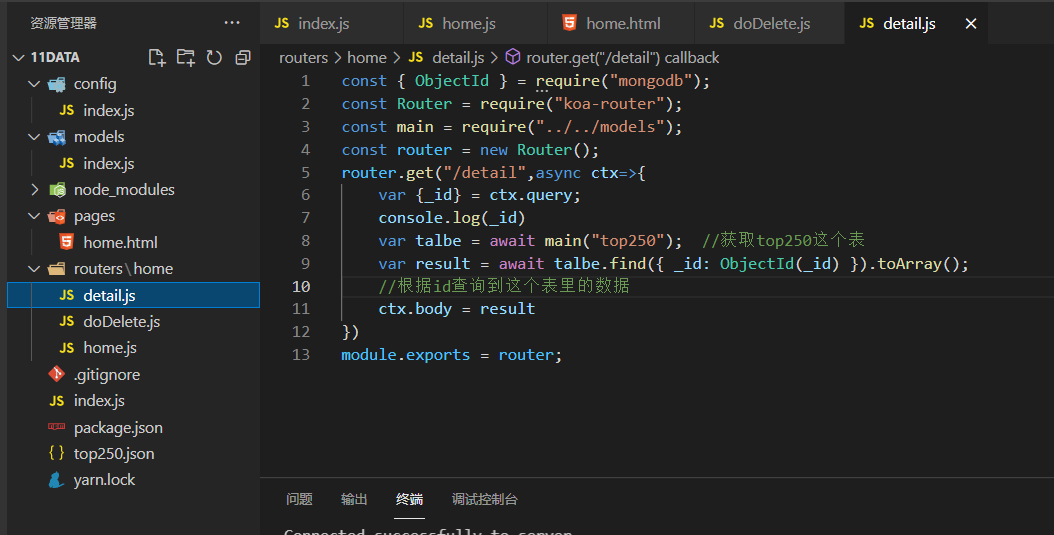
const { ObjectId } = require("mongodb");
const Router = require("koa-router");
const main = require("../../models");
const router = new Router();
router.get("/detail",async ctx=>{
    var {_id} = ctx.query;
    console.log(_id)
    var talbe = await main("top250");  //获取top250这个表
    var result = await talbe.find({ _id: ObjectId(_id) }).toArray();
    //根据id查询到这个表里的数据
    ctx.body = result
})
module.exports = router;
home/Delete.js

const router = require("koa-router")();
const main = require("../../models")  //导入数据库
const {ObjectId} = require("mongodb");
router.get("/doDelete",async ctx=>{
    // console.log(ctx.query)  获取a链接点击过来的后面路由传过来的值
    var {_id,title} = ctx.query;
    var table = await main("top250"); //获取top250这个表
    /* 删除数据库中对应的字段 */
    // var res =await  table.deleteOne({title:title})   根据title值删
    var res = await table.deleteOne({ _id: ObjectId(_id) })
    //根据id值删 由于表里的id前面有个ObjectId 可以在图形化界面Compass软件的表里看 所以这里要加一个ObjectId
    console.log(res)
    await ctx.redirect("/home")  //删除后跳转回home页面

})
module.exports = router;
home/home.js
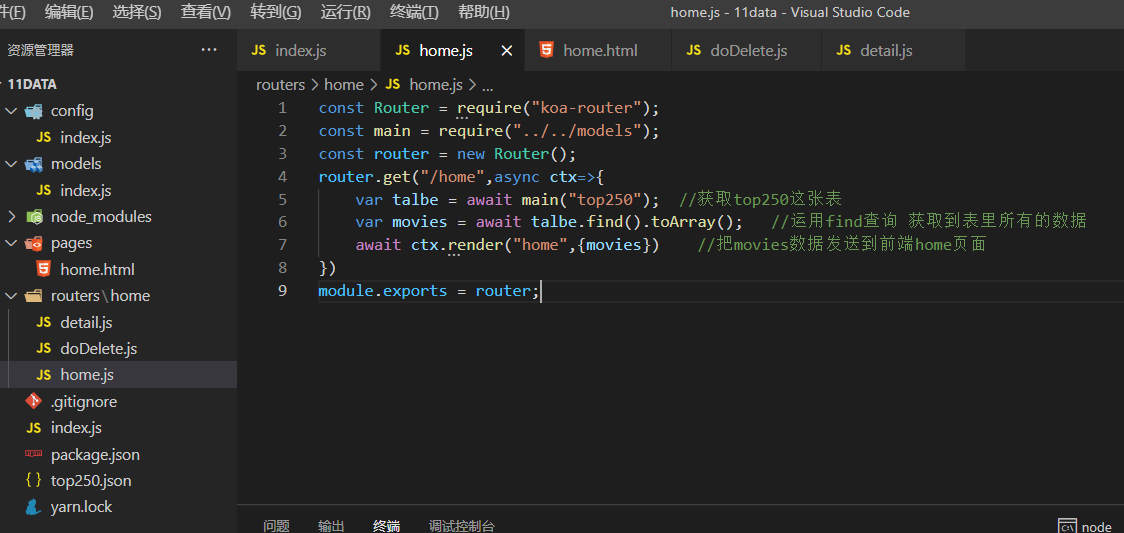
const Router = require("koa-router");
const main = require("../../models");
const router = new Router();
router.get("/home",async ctx=>{
    var talbe = await main("top250");  //获取top250这张表
    var movies = await talbe.find().toArray();   //运用find查询 获取到表里所有的数据
    await ctx.render("home",{movies})    //把movies数据发送到前端home页面
})
module.exports = router;
page

home.html
<!DOCTYPE html>
<html lang="en">
<head>
    <meta charset="UTF-8">
    <meta http-equiv="X-UA-Compatible" content="IE=edge">
    <meta name="viewport" content="width=device-width, initial-scale=1.0">
    <title>Document</title>
    <style>
        .pic{
            width:50px;
        }
    </style>
    <meta name="referrer" content="no-referrer" />
    <!-- 因为访问的是豆瓣的图片的服务器 报403错误 加一个这个就可以访问了 -->
    <link rel="stylesheet" href="https://stackpath.bootstrapcdn.com/bootstrap/3.4.1/css/bootstrap.min.css"/>
</head>
<body>
    <div class="container">

        <table class="table table-hover">
            <thead>
                <tr>
                    <th>编号</th>
                    <th>_id</th>
                    <th>pic</th>
                    <th>title</th>
                    <th>slogo</th>
                    <th>评价</th>
                    <th>评分</th>
                    <th>是否收藏</th>
                    <th>删除</th>
                </tr>
            </thead>
            <tbody>
                <!-- 渲染页面数据 -->
                {{each movies}}
                  <!-- 循环movies这个数据 -->
                <tr>
                    <td>{{$index+1}}</td>
                    <td>{{@ $value._id}}</td>
                    <!-- @ 去掉双引号 -->
                    <td><img class="pic" src="{{@ $value.pic}}" alt=""></td>
                    <td>{{$value.title}}</td>
                    <td><a href="/detail?_id={{@ $value._id}}">{{$value.slogo}}</a></td>
                     <!-- 点击跳转到detail页面 传了一个id值 根据id跳到对应的detail -->
                    <td>{{$value.evaluate}}</td>
                    <td>{{$value.rating}}</td>
                    <td>{{$value.collected}}</td>
                    <td><a href="/doDelete?_id={{@ $value._id}}&title={{$value.title}}" class="btn btn-danger">删除</a></td>
                        <!-- 点击删除 传点击的id值或者title值 -->
                </tr>
                {{/each}}
            </tbody>
        </table>


    </div>

</body>
</html>

若有收获,就点个赞吧
0 人点赞


