向mongodb数据库添加一条数据
insertOne
/models/index.jsconst { MongoClient} = require('mongodb');// Connection URLconst url = 'mongodb://124.71.174.116:10040';const client = new MongoClient(url);const dbName = 'Student';async function main() {await client.connect();console.log('Connected successfully to server');const db = client.db(dbName);const collection = db.collection('member');return collection;}module.exports = main;
router.get("/add",async ctx=>{
    var  collection = await main();
    var obj = {
        name:"吴章",
        age:17
    }
    var res = await collection.insertOne(obj);
    console.log(res)
})
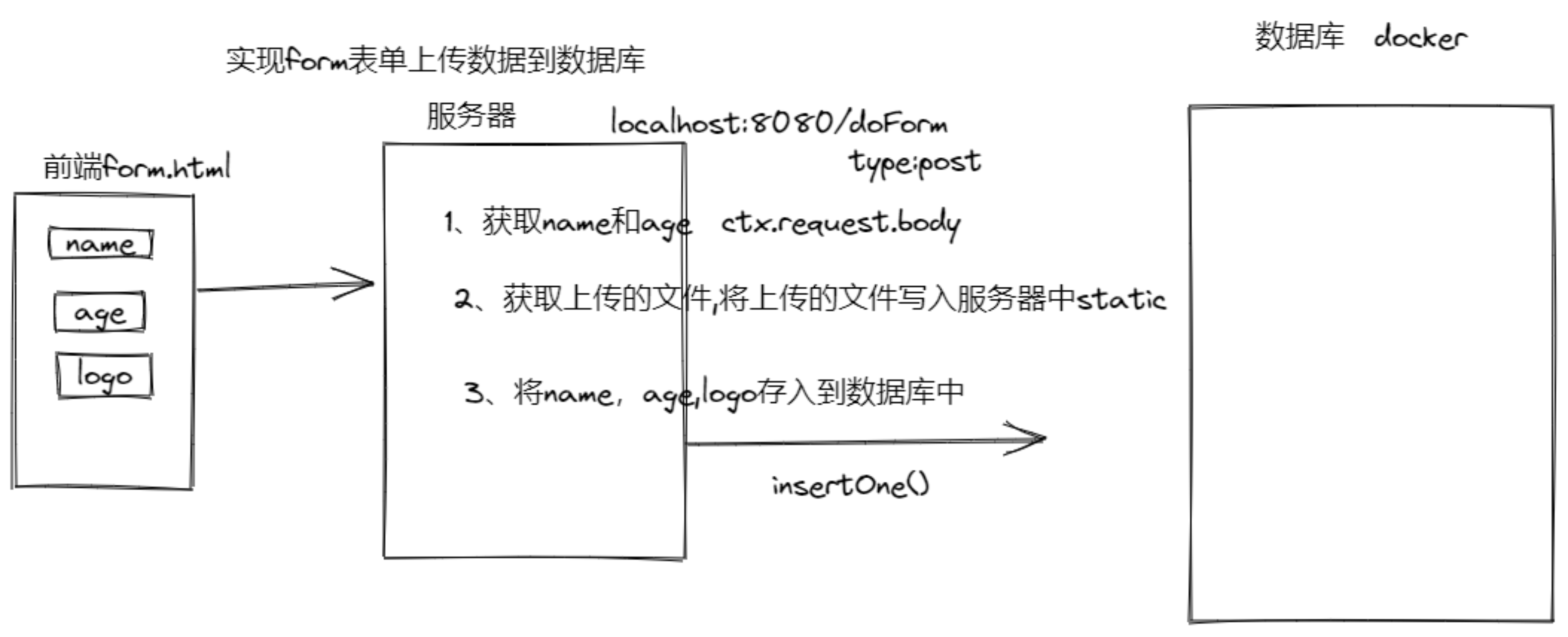
首先要在linux创建好容器
怎样开启容器
一、前端form表单(使用了bootstrapcdn)
<head>
    <link rel="stylesheet" href="https://stackpath.bootstrapcdn.com/bootstrap/3.4.1/css/bootstrap.min.css"/>
</head>
<body>
    <div class="container">

        <form action="http://localhost:8080/doForm"
        enctype="multipart/form-data"
        method="POST" role="form">
            <legend>添加小组成员</legend>
            <div class="form-group">
                <label for="">名字</label>
                <input type="text" class="form-control"
                name="name" placeholder="请输入组员的名字">
            </div>
            <div class="form-group">
                <label for="">年龄</label>
                <input type="text" class="form-control"
                 name="age" placeholder="请输入组员的年龄">
            </div>
            <div class="form-group">
                <label for="">上传头像</label>
                <input type="file" class="form-control"
                 name="logo" >
            </div>
            <button type="submit" class="btn btn-primary">添加</button>
        </form>

    </div>
</body>
</html>

二、服务器代码
moudels index.js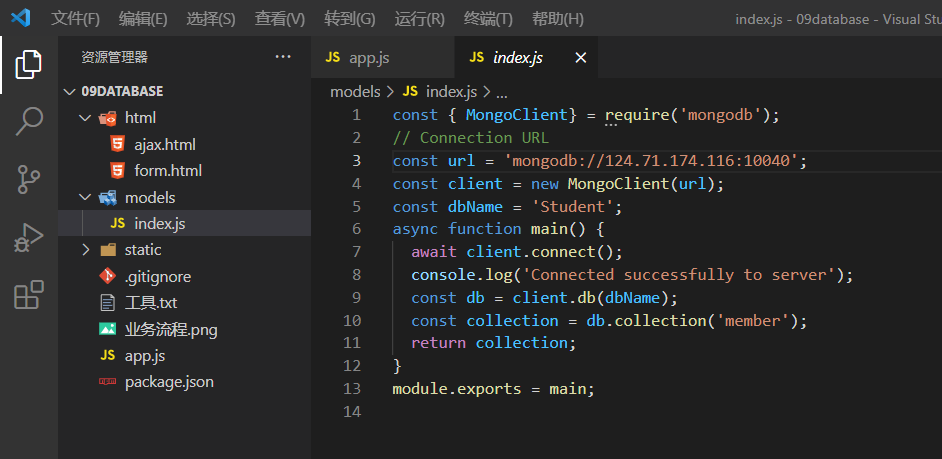
const { MongoClient} = require('mongodb');
// Connection URL
const url = 'mongodb://124.71.174.116:10040';   //自己的云地址+端口号
const client = new MongoClient(url);
const dbName = 'Student';
async function main() {
  await client.connect();
  console.log('Connected successfully to server');
  const db = client.db(dbName);
  const collection = db.collection('member');
  return collection;
}
module.exports = main;
yarn add koa koa-router koa-static koa-body
app.js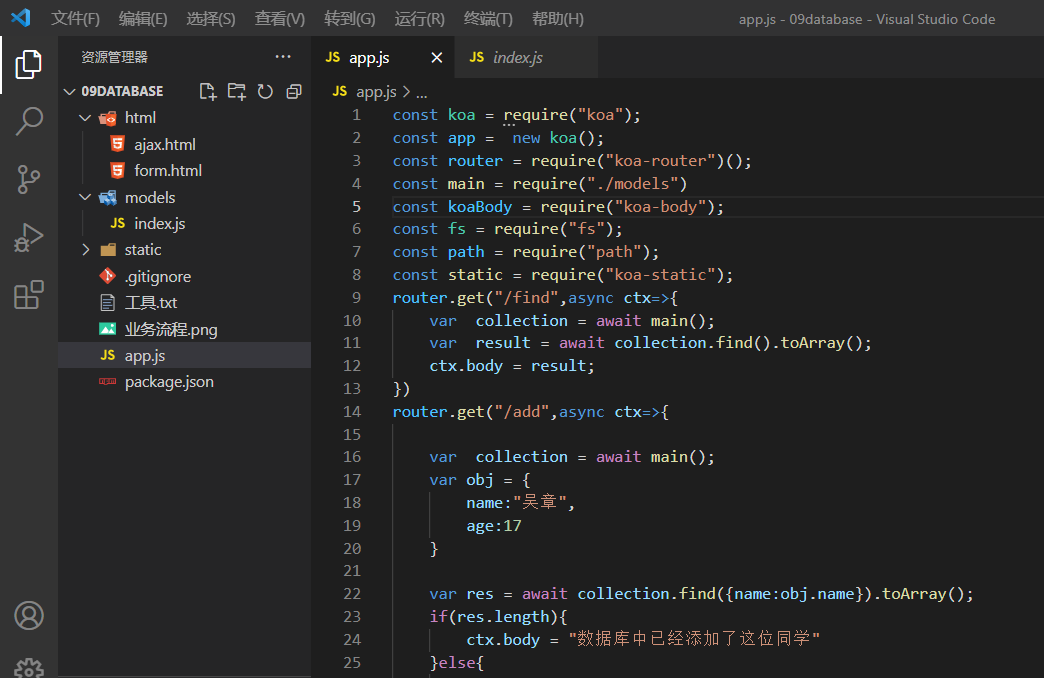
const koa = require("koa");
const app =  new koa();
const router = require("koa-router")();
const main = require("./models")
const koaBody = require("koa-body");
const fs = require("fs");
const path = require("path");
const static = require("koa-static");
router.get("/find",async ctx=>{       //接口界面
    var  collection = await main();
    var  result = await collection.find().toArray();  //拿到数据
    ctx.body = result;
})
router.get("/add",async ctx=>{          //无form时的举例 和后面结果无关
    var  collection = await main();
    var obj = {
        name:"吴章",
        age:17
    }

    var res = await collection.find({name:obj.name}).toArray();
    if(res.length){
        ctx.body = "数据库中已经添加了这位同学"
    }else{
        var result =  await collection.insertOne(obj);
        console.log(result)
    }
})
router.post("/doForm",async ctx=>{
    var {name,age} = ctx.request.body;   //获取输入的数据
    age = Number(age);
    var filename = ctx.request.files.logo.path    //获取文件的地址
    /* 1、创建一个可读流  读取文件名*/
    var reader = fs.createReadStream(filename);
    /* 2、设置上传的文件名  设置它将放在我们的static文件下  basename获取文件名  */
    var uploadFile = `./static/${path.basename(filename)}`;
    /* 3、创建一个可写流 */
    var writer = fs.createWriteStream(uploadFile);
    /* 4、通过管道将可读流写入可写流 */
    reader.pipe(writer);
    // console.log(ctx.origin)
    var logo = ctx.origin +"/"+path.basename(filename);
    //ctx.origin获取服务器ip  这里拼起来就是文件的url
    const collection = await main();   //获取数据库
    await collection.insertOne({name,age,logo});    //insertOne() 上传到服务器
    await ctx.redirect("/find")   //跳转到find界面
})
app.use(koaBody({           //配置上传的文件大小 如果要获取的东西不是文件只是文字里面填空的就可以了
    multipart: true,            //这个一定要放在这个最前面
    formidable: {
        maxFileSize: 200 * 1024 * 1024,      //设置默认上传文件的大小
         // 保留文件扩展名
        keepExtensions: true
    }
}))
app.use(static(path.join(__dirname,"static")))   //静态资源可读  __dirname当前目录下的static
app.use(async (ctx,next)=>{                       //中间件:路由开始到路由结束的中间 就是中间件
    ctx.set("Access-Control-Allow-Origin","*");   //放一个中间件  每个函数执行的时候就都会执行这个跨域函数 就都跨域了
    await next();   //没有这个await next() 就不会往下执行了
})
app.use(router.routes());
app.listen(8080);

若有收获,就点个赞吧
0 人点赞


