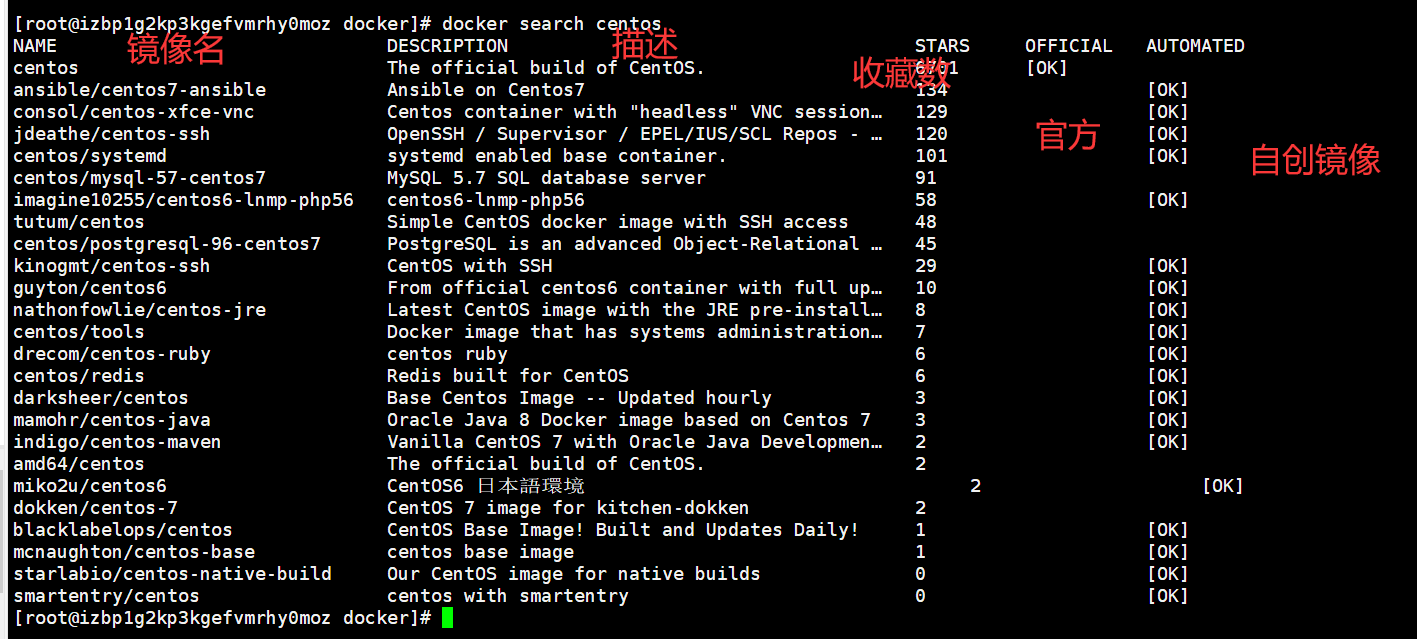
搜索收藏大于等于600
docker search mysql -f stars=600
搜索官方镜像
docker search -f is-official=ture mysql
- **2·拉取镜像**```shell格式:docker pull [镜像名]#实例[root@izbp1g2kp3kgefvmrhy0moz docker]# docker pull php#状态Using default tag: latestlatest: Pulling from library/php#镜像层e1acddbe380c: Pull completec4909824c2d9: Pull completee3d250e5f539: Pull completebb8ea4156ce7: Pull complete34e4e1d7f729: Pull complete77bbbc0a3c59: Pull complete27ee9de78aa4: Pull completeeef1f4b56a78: Pull complete4aa663197de6: Pull complete#镜像ID号:全世界唯一Digest: sha256:72ae12b2e98dba2268d439d15aa541081b28d16b60a703f0a493d3db772e04fb#镜像下载状态Status: Downloaded newer image for php:latest#镜像的全称(镜像的tag)docker.io/library/php:latest
3·查看镜像列表
# 格式docker images 或者 docker image ls# 参数-q : 只显示镜像ID[root@izbp1g2kp3kgefvmrhy0moz ~]# docker images -qa8313b2619038136c3db6bb9d1165f221234300e315adb2f[root@izbp1g2kp3kgefvmrhy0moz ~]# docker images -q phpa8313b261903[root@izbp1g2kp3kgefvmrhy0moz ~]# docker images -aqa8313b2619038136c3db6bb9d1165f221234300e315adb2f

4·获取镜像详细信息
#格式docker inspect [镜像名]
5·删除镜像 ```shell docker rmi [参数] [镜像名]
参数
-f : ```

若有收获,就点个赞吧
0 人点赞


