本文介绍 Plugin 的编写以及 bulidSrc 的使用
Plugin基本的写法
在 build.gradle 下
class PluginDemo implements Plugin<Project> {@Overridevoid apply(Project project) {println 'hi !!!'}}apply plugin: PluginDemo
Terminal 窗口执行 ./gradlew 得到如下结果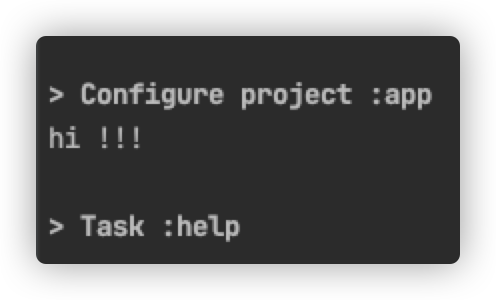
Extension
同样在 build.gradle 下
class ExtensionDemo {def extensionName = 'test'}
总体代码:
class PluginDemo implements Plugin<Project> {@Overridevoid apply(Project project) {def extension = project.extensions.create('testExtension',ExtensionDemo)println "hi ${extension.extensionName}!"}}class ExtensionDemo {def extensionName = 'test'}apply plugin: PluginDemo
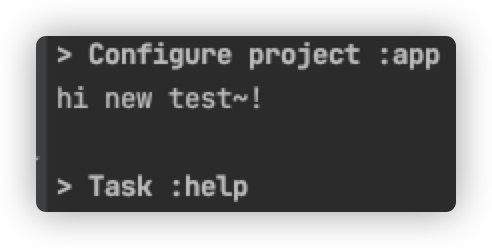
执行 ./gradlew 得出结果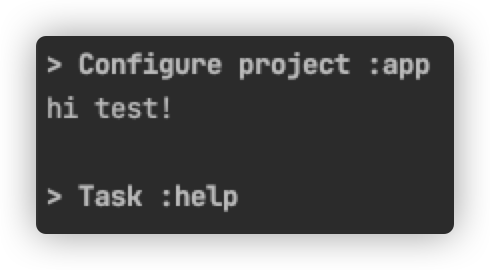
这时就可以在gradle文件下引用 testExtension 了
// 在project.extensions.create()方法中注册了testExtension这个扩展// 这段代码在apply plugin: PluginDemo后面testExtension {extensionName 'new test'}
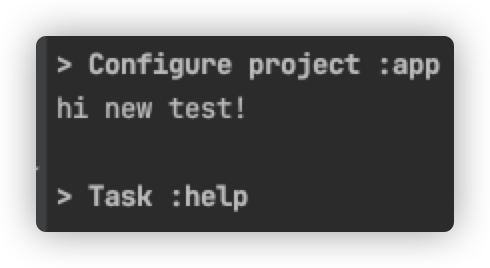
这时候执行,会发现在 Terminal 窗口里打印的依然是 hi test! 而不是 hi new test!
这是因为代码执行顺序问题,赋予新的值的时候已经执行完println,所以无法打印hi new test!
只需要加上afterEvaluate{}便可:
def extension = project.extensions.create('testExtension',ExtensionDemo)// 表示在最后执行project.afterEvaluate {println "hi ${extension.extensionName}!"}
插件写在 buildSrc 下
如果每一个插件都像上述这种写法,必然会无法管理和难读(假设项目要定义起码三个插件)
所以插件应该写在 buildSrc 下
插件的本质:把逻辑独立的代码抽取和封装
关于buildSrc目录
这是 gradle 的一个特殊目录,这个目录的 build.gradle 会自动被执行,即使不配置进 settings.gradle。(实际上在 gradle 的 6.0 之后, buildSrc 已经成为了一个保留字,你在 settings.gradle 里配置的项目已经不允许叫 buildSrc )
buildSrc 所配置出来的 Plugin 会被自动添加到编译过程中的每一个 project 的 classpath,因此它们才可以直接使用 apply plugin: ‘xxx’ 的方式来便捷应用这些 plugin
在项目新建一个 Module 取名为 bulidSrc
新建后一般会报错 ‘buildSrc’ cannot be used as a project name as it is a reserved name
需要在 settings.gradke里把 include ':buildSrc'去掉即可
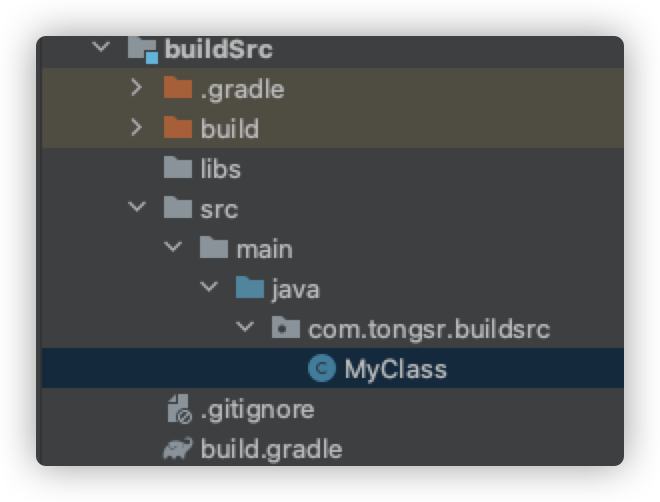
- 把之前写的
PluginDemo和ExtensionDemo写在 bulidSrc 下 - 在 main 目录下新建 *.properties 文件
- 把 main 下的 java 目录改成 groovy
如图: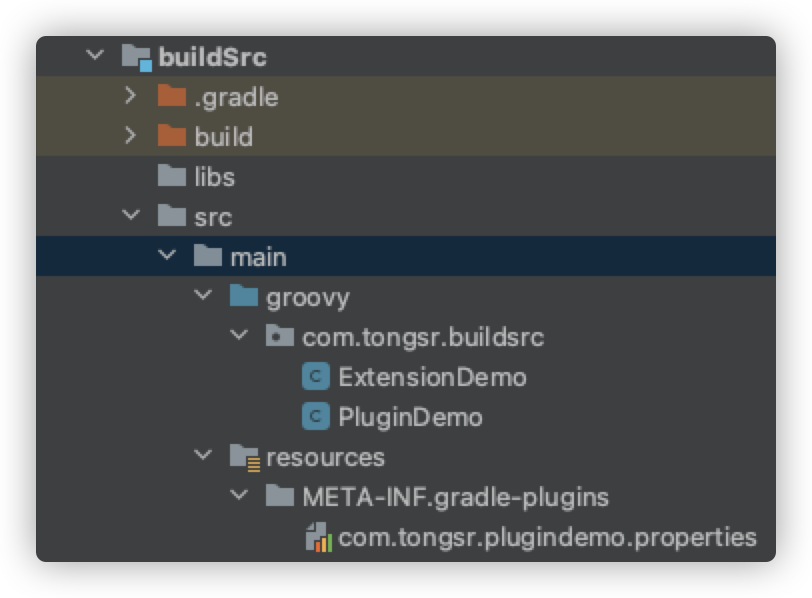
resources/META-INF/gradle-plugins/*.properties中的 是插件的名称,例如 `.properties是com.tongsr.plugindemo.properties` ,最终在应用插件是的代码就应该是: ```groovy apply plugin: ‘com.tongsr.plugindemo’
testExtension { extensionName ‘new test~’ }
- *.properties 中只有一行,格式是:```groovyimplementation-class=com.tongsr.buildsrc.PluginDemo
Plugin 和 Extension 写法和在 build.gradle 里的写法一样
Transform
是什么:是由 Android 提供了,在项目构建过程中把编译后的文件(jar 文件和 class 文件)添加自定义的中间处理过程的工具
怎么写
- 先加上依赖 ```groovy // 因为 buildSrc 需要自己添加仓库 repositories { google() jcenter() }
dependencies { implementation ‘com.android.tools.build:gradle:7.0.4’ }
- 然后继承 `com.android.build.api.transform.Transform` ,创建 一个子类:```groovyclass TransformDemo extends Transform {// 构造方法TransformDemo() {}// 对应的 task 名 @OverrideString getName() {return 'tongsrTransform'}// 你要对那些类型的结果进行转换(是字节码还是资源文件?)@OverrideSet<QualifiedContent.ContentType> getInputTypes() {return TransformManager.CONTENT_CLASS}// 适用范围包括什么(整个 project 还是别的什么?)@OverrideSet<? super QualifiedContent.Scope> getScopes() {return TransformManager.SCOPE_FULL_PROJECT}@Overrideboolean isIncremental() {return false}// 具体的「转换」过程@Overridevoid transform(TransformInvocation transformInvocation) throws TransformException,InterruptedException, IOException {def inputs = transformInvocation.inputsdef outputProvider = transformInvocation.outputProviderinputs.each {// jarInputs:各个依赖所编译成的 jar 文件it.jarInputs.each {// dest: /app/build/intermediates/transforms/tongsrTransform/ ...File dest = outputProvider.getContentLocation(it.name, it.contentTypes,it.scopes, Format.JAR)FileUtils.copyFile(it.file, dest)}// derectoryInputs:本地 project 编译成的多个 class 文件存放的目录it.directoryInputs.each {// dest: /app/build/intermediates/transforms/tongsrTransform/ ...File dest = outputProvider.getContentLocation(it.name, it.contentTypes,it.scopes, Format.DIRECTORY)FileUtils.copyDirectory(it.file, dest)}}}}
- 还能做什么:修改字节码 上面的这段代码只是把编译完的内容原封不动搬运到目标位置,没有实际用处。要修改字节码,需要引入其他工具,例如 javassist。 javassist 的使用教程在网上有很多,可以搜索一下
用buildSrc管理项目版本
目的:管理项目第三方SDK以及Module之间的版本号等
- 新建一个 buildSrc,和前文叙述无差别
- 把 build.gradle 改成 build.gradle.kts
- 在 java 目录下新建一个 Dependencies 类 ```kotlin object Libs { const val CORE = “androidx.core:core-ktx:1.7.0” }
object Version { const val MIN_SDK = 21 }
4. Sync项目后,在 app 的 build.gradle 引用定义好的 Libs 和 Version,这里做个简单示例```groovyandroid {compileSdk 31defaultConfig {applicationId "com.tongsr.mytest"minSdk Version.MIN_SDK // 注意这里targetSdk 31versionCode 1versionName "1.0"testInstrumentationRunner "androidx.test.runner.AndroidJUnitRunner"}}dependencies {implementation Libs.CORE // 注意这里implementation 'androidx.appcompat:appcompat:1.4.1'implementation 'com.google.android.material:material:1.5.0'implementation 'androidx.constraintlayout:constraintlayout:2.1.3'testImplementation 'junit:junit:4.+'androidTestImplementation 'androidx.test.ext:junit:1.1.3'androidTestImplementation 'androidx.test.espresso:espresso-core:3.4.0'}
用Kotlin DSL构建Android项目
同样也是利用 buildSrc 来管理项目,不同的点是用 Kotlin DSL 代替 Groovy
把所有的 .gradle 文件换成 .kts 文件。把 Groovy 的语法换成 Kotlin 语法

若有收获,就点个赞吧
0 人点赞


