1、open():
Python中的内置函数open会打开一个文件,并且返回一个文件对象。
尝试一:
# Python的文件操作
f = open(“12345.txt”, “r”)
print(f)
结果:
F:\PycharmWorkSpace\菜鸟教程,Python实例\venv\Scripts\python.exe F:/Pycharm_WorkSpace/菜鸟教程,Python实例/13文件IO.py
Traceback (most recent call last):
File “F:\PycharmWorkSpace\菜鸟教程,Python实例\13文件IO.py”, line 2, in
f = open(“12345.txt”, “r”)
FileNotFoundError: [Errno 2] No such file or directory: ‘12345.txt’
Process finished with exit code 1
思考:
知道了,Python打开的文件需要创建在项目里: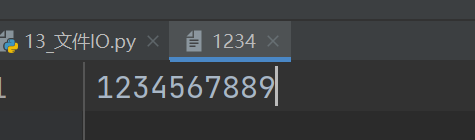
结果:
F:\PycharmWorkSpace\菜鸟教程,Python实例\venv\Scripts\python.exe F:/Pycharm_WorkSpace/菜鸟教程,Python实例/13文件IO.py
<_io.TextIOWrapper name='1234' mode='r' encoding='cp936'>
Process finished with exit code 0
2、创建文本文件:
file = open(“12345”, “w”)
file.write(“Hello!”)
file.close()
会在项目里创建一个文件,并写入内容: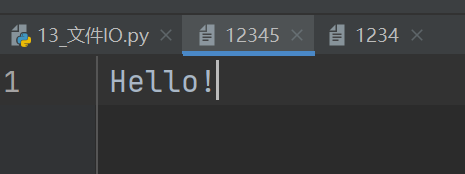
3、读取文本文件:
先创建一个文本文件:
file = open(“ReadTheFile”, “w”)
file.write(“Hello!”)
file.write(“My name is Zhang Yupei”)
file.write(“I am 23 years old this year.”)
file.write(“I am a girl.”)
file.close()
查看结果:
啊这,不换行啊。修改代码,重新生成: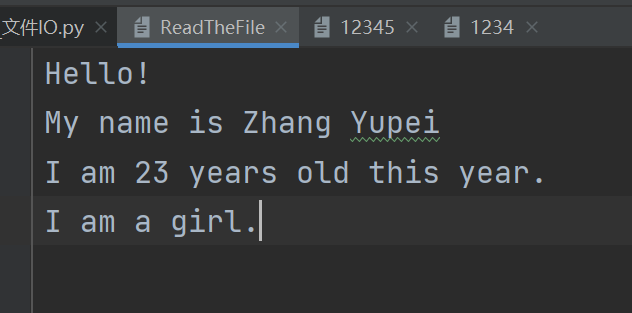
1)读所有内容,read()
f = open(“ReadTheFile”, “r”)
print(f.read())
结果:
F:\PycharmWorkSpace\菜鸟教程,Python实例\venv\Scripts\python.exe F:/Pycharm_WorkSpace/菜鸟教程,Python实例/13文件IO.py
Hello!
My name is Zhang Yupei
I am 23 years old this year.
I am a girl.
2)读部分内容,read(n)
f = open(“ReadTheFile”, “r”)
print(f.read(15))
结果:
F:\PycharmWorkSpace\菜鸟教程,Python实例\venv\Scripts\python.exe F:/Pycharm_WorkSpace/菜鸟教程,Python实例/13文件IO.py
Hello!
My name
3)一行一行读,readline()
若只使用一次,则只读取第一行:
f = open(“ReadTheFile”, “r”)
print(f.readline())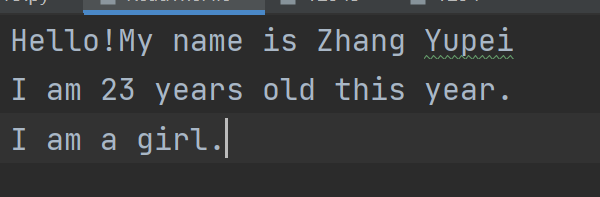
结果:
Hello!My name is Zhang Yupei
再一次:
f = open(“ReadTheFile”, “r”)
print(f.readline())
print(f.readline())
print(f.readline())
结果:
Hello!My name is Zhang Yupei
I am 23 years old this year.
I am a girl.
【注】:每一行输出之后,都会再空一行。
4)返回每行数据,readlines()
f = open(“ReadTheFile”, “r”)
print(f.readlines())
结果:
[‘Hello!\n’, ‘My name is Zhang Yupei\n’, ‘I am 23 years old this year.\n’, ‘I am a girl.’]
5)循环显示文件对象
f = open(“ReadTheFile”, “r”)
for line in f:
print(line)
f.close()
结果:
Hello!
My name is Zhang Yupei
I am 23 years old this year.
I am a girl.
Process finished with exit code 0

若有收获,就点个赞吧
0 人点赞


