index:
<!DOCTYPE html><html lang="en" xmlns:th="http://www.thymeleaf.org"><head><meta charset="UTF-8"><title>Title</title></head><body><h1>首页</h1><a th:href="@{/testModelAndView}">获取request域中的数据</a><br></body></html>
controller:
package com.way.controller;import com.way.pojo.User;import org.springframework.stereotype.Controller;import org.springframework.web.bind.annotation.RequestMapping;import org.springframework.web.servlet.ModelAndView;import javax.servlet.http.HttpServletRequest;@Controllerpublic class MyController2 {@RequestMapping(value = "/testModelAndView")public ModelAndView testModelAndView(){ModelAndView modelAndView = new ModelAndView();//保存到request中modelAndView.addObject("key1","helloRequest1");modelAndView.addObject("key2","helloRequest2");//转发到target页面modelAndView.setViewName("target");return modelAndView;}}
target页面:
<!DOCTYPE html>
<html lang="en" xmlns:th="http://www.thymeleaf.org">
<head>
    <meta charset="UTF-8">
    <title>Title</title>
</head>
<body>
    <h1>target页面</h1>
    <p th:text="${key1}"></p><!--testScope:是controller中request域中的key1的value-->
    <p th:text="${key2}"></p><!--testScope:是controller中request域中的key2的value-->
</body>
</html>
浏览器输出: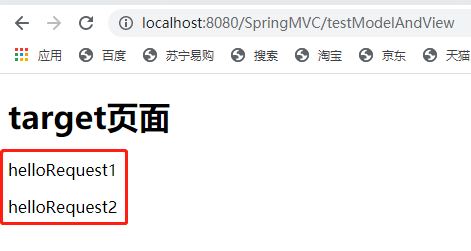

若有收获,就点个赞吧
0 人点赞


