1、直接配置数据库信息
(1)配置德鲁伊连接池
(2)引入德鲁伊连接池依赖 jar 包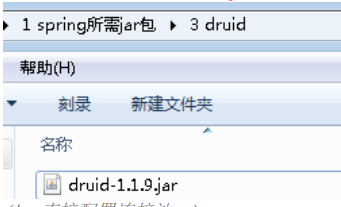
<!--直接配置连接池--><bean id="dataSource" class="com.alibaba.druid.pool.DruidDataSource"><property name="driverClassName" value="com.mysql.jdbc.Driver"></property><property name="url" value="jdbc:mysql://localhost:3306/userDb"></property><property name="username" value="root"></property><property name="password" value="root"></property></bean>
2、引入外部属性文件配置数据库连接池
(1)创建外部属性文件,properties 格式文件,写数据库信息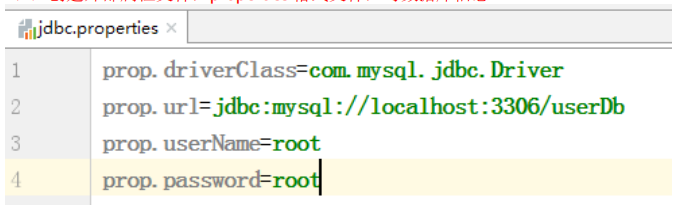
(2)把外部 properties 属性文件引入到 spring 配置文件中* 引入 context 名称空间<beans xmlns="http://www.springframework.org/schema/beans"xmlns:xsi="http://www.w3.org/2001/XMLSchema-instance"xmlns:p="http://www.springframework.org/schema/p"xmlns:util="http://www.springframework.org/schema/util"xmlns:context="http://www.springframework.org/schema/context"xsi:schemaLocation="http://www.springframework.org/schema/beanshttp://www.springframework.org/schema/beans/spring-beans.xsdhttp://www.springframework.org/schema/utilhttp://www.springframework.org/schema/util/spring-util.xsdhttp://www.springframework.org/schema/contexthttp://www.springframework.org/schema/context/spring-context.xsd"><!--引入外部属性文件--><context:property-placeholder location="classpath:jdbc.properties"/><!--配置连接池--><bean id="dataSource" class="com.alibaba.druid.pool.DruidDataSource"><property name="driverClassName" value="${prop.driverClass}"></property><property name="url" value="${prop.url}"></property><property name="username" value="${prop.userName}"></property><property name="password" value="${prop.password}"></property></bean>

若有收获,就点个赞吧
0 人点赞


