1. 插入数据
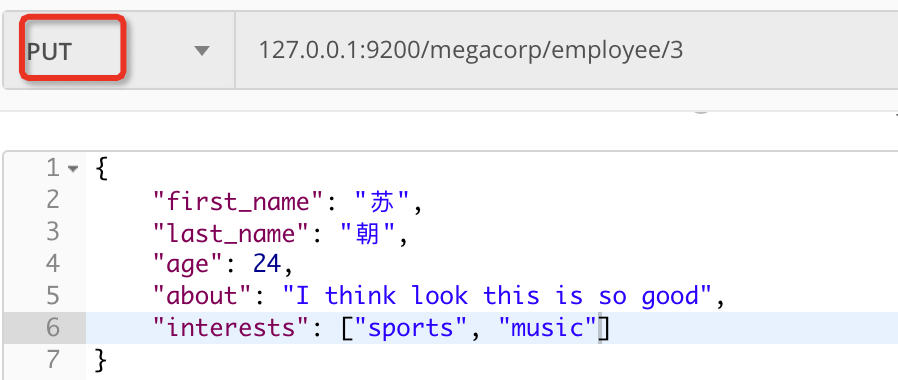
put请求, 插入的数据为json格式
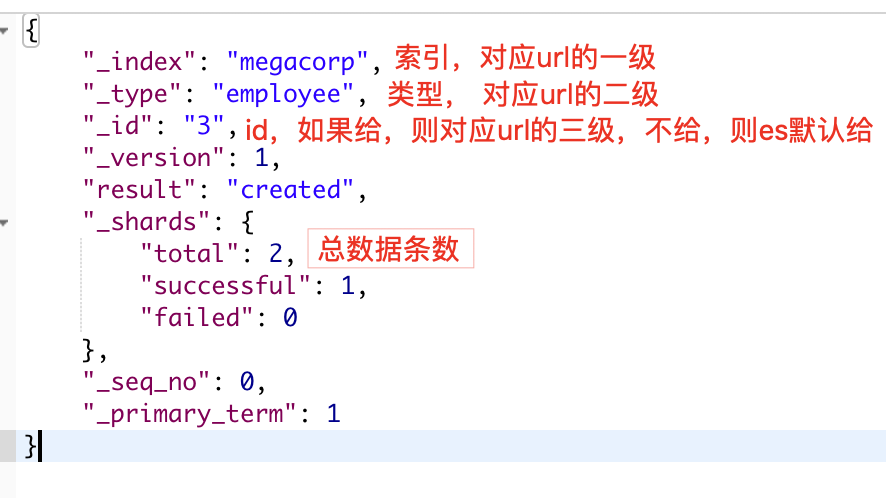
返回格式
2.查询数据
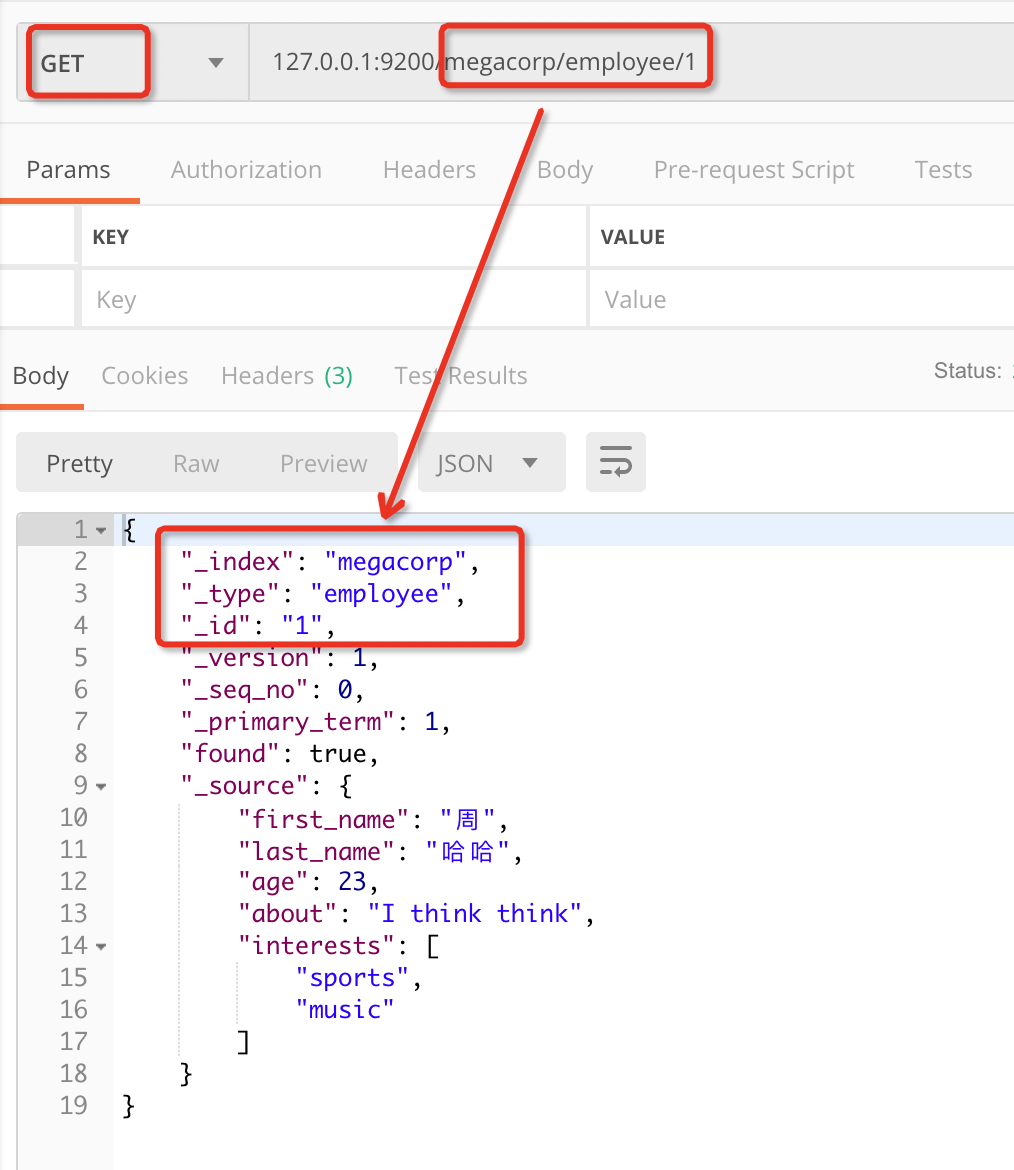
1. 查询一条
2. 查询全部

你可以看到我们依然使用megacorp索引和employee类型,但是我们在结尾使用关键字_search来取代原来的文档ID。响应内容的hits数组中包含了我们所有的三个文档。默认情况下搜索会返回前10个结果
返回格式
{"took": 36,"timed_out": false,"_shards": {"total": 5, //总条数"successful": 5,"skipped": 0,"failed": 0},"hits": {"total": 4,"max_score": 1,"hits": [{"_index": "megacorp","_type": "employee","_id": "2","_score": 1,"_source": {"first_name": "周","last_name": "鹏","age": 23,"about": "I think look this is so good","interests": ["sports","music","look book"]}},{"_index": "megacorp","_type": "employee","_id": "4","_score": 1,"_source": {"first_name": "苏","last_name": "哈哈","age": 24,"about": "I think look this is so good","interests": ["sports","music"]}},{"_index": "megacorp","_type": "employee","_id": "1","_score": 1,"_source": {"first_name": "周","last_name": "哈哈","age": 23,"about": "I think think","interests": ["sports","music"]}},{"_index": "megacorp","_type": "employee","_id": "3","_score": 1,"_source": {"first_name": "苏","last_name": "朝","age": 24,"about": "I think look this is so good","interests": ["sports","music"]}}]}}
3. 模糊查询
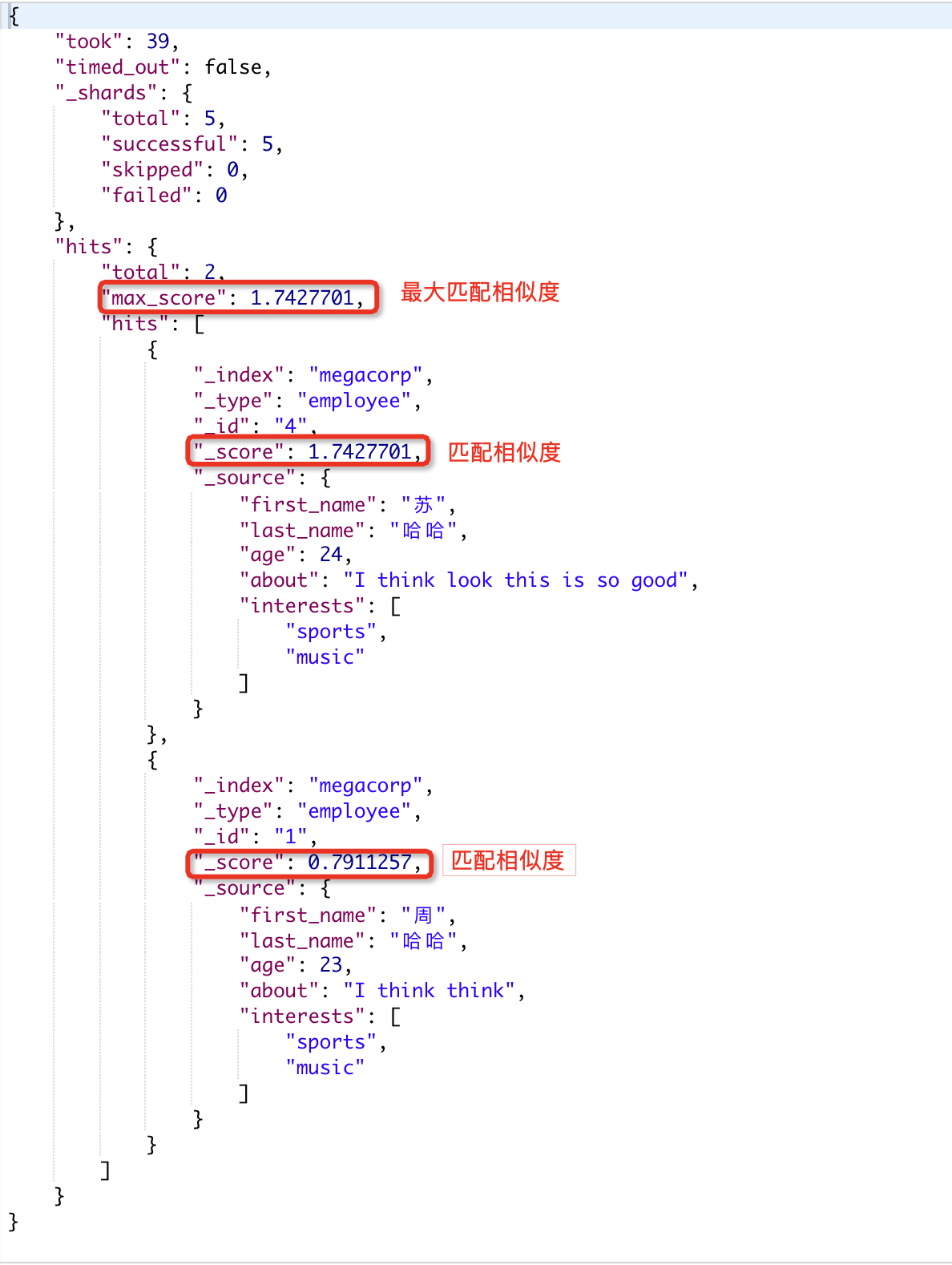
查询 last_name是 哈哈 的

只需要在search后面,把查询的参数传递给 q=
4. 使用DSL语句查询
1. 使用match 查询 last_name是 哈哈 的
请求体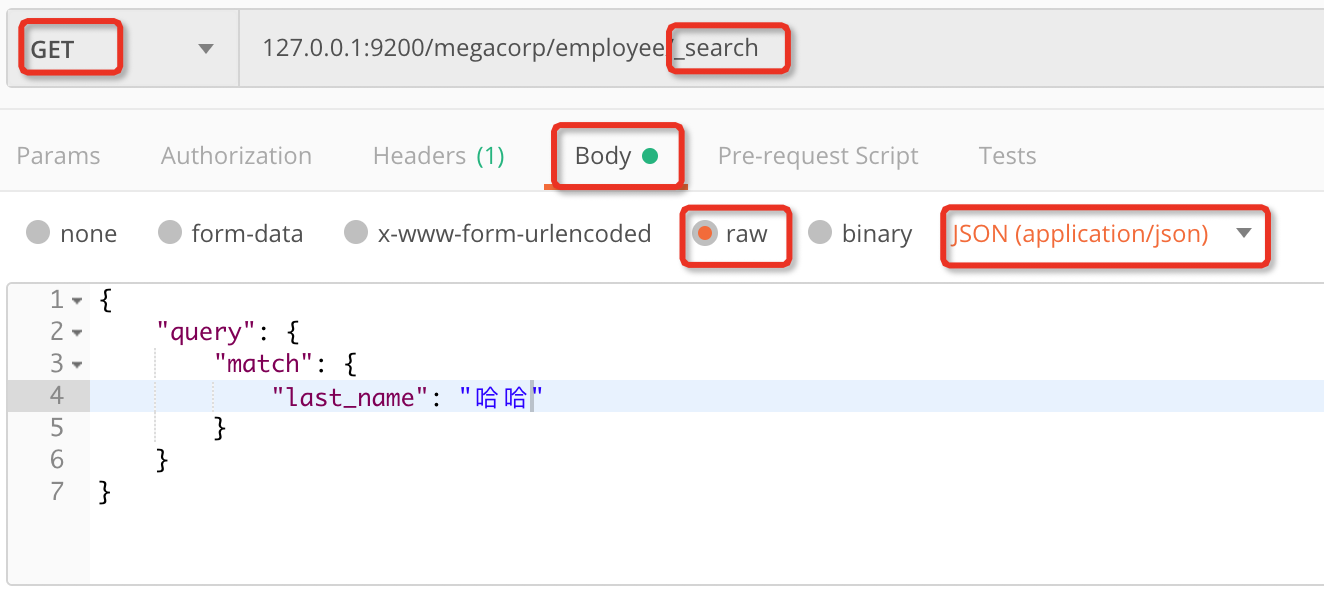
我们不在使用查询字符串(query String)作为参数, 而是使用请求体代替,这个请求体使用json表示,其中使用了 match语句
2. 更复杂的搜索
依旧搜索last_name为哈哈的员工,但是只要年龄大于23岁的,语句将添加 过滤器(filter)**,**他使得我们高效率的执行一个结构化搜索。
查找es进程
ps -ef | grep elastic
关闭es进程
kill -9 2382(进程号)

若有收获,就点个赞吧
0 人点赞


