除了可以索引,更新,和删除单个的文档之外,Elasticsearch 还提供了使用 _bulk API 来执行上面任何操作的批量方式的能力。这个功能是非常重要,它提供了一种非常有效的机制,以尽可能减少网络返回且尽可能快的执行多个操作。
作为一个简单的例子,在一个批量操作中下面调用且索引了两个文档(ID 1 - John Doe 和 ID 2 - Jane Doe):
curl -XPOST 'localhost:9200/customer/external/_bulk?pretty&pretty' -d'{"index":{"_id":"1"}}{"name": "John Doe" }{"index":{"_id":"2"}}{"name": "Jane Doe" }
这个例子使用一个批量操作更新了第一个文档(ID 为 1),然后删除了第二个文档(ID 为 2) :
~$ curl -X POST "localhost:9200/megacorp/employee/_bulk?pretty" -H 'Content-Type: application/json' -d'{"update": {"_id": 3}}{"doc": {"last_name": "散散"}}{"delete": {"_id": 5}}{"create":{"_id": 5}}{"first_name":"张", "last_name":"三","age":23, "about":"I think this is test", "interests": ["sports", "music"]}'
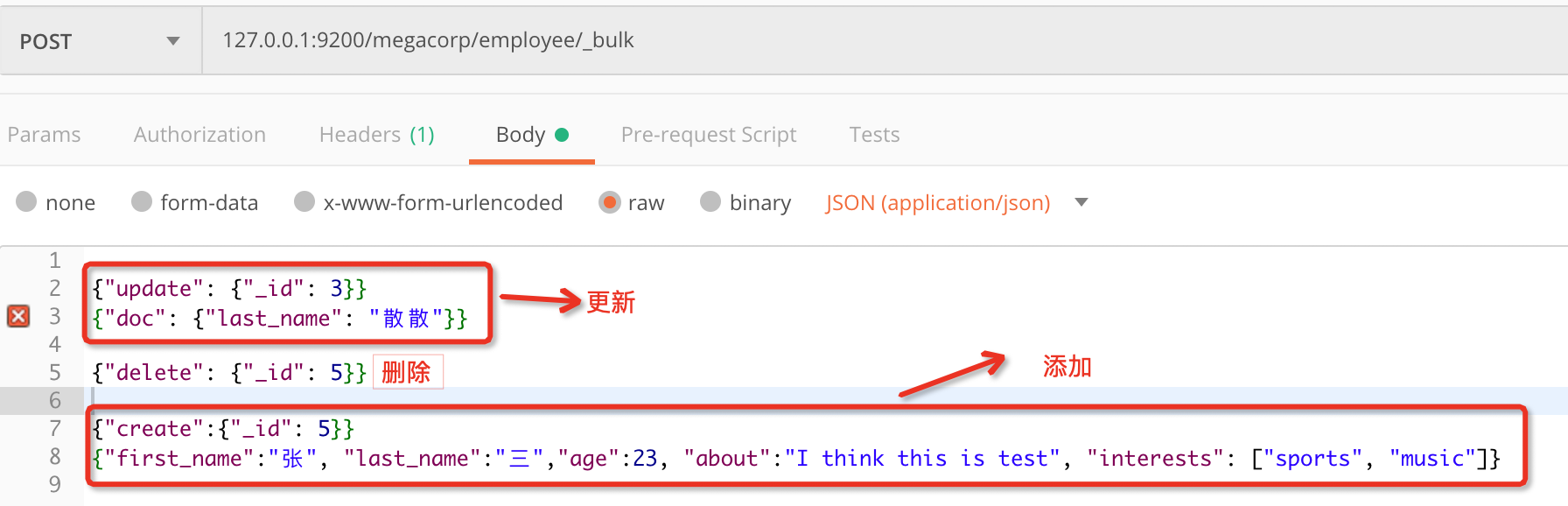
返回结果:
{"took": 18,"errors": false,"items": [{"update": {"_index": "megacorp","_type": "employee","_id": "3","_version": 5,"result": "noop","_shards": {"total": 2,"successful": 1,"failed": 0},"status": 200}},{"delete": {"_index": "megacorp","_type": "employee","_id": "5","_version": 5,"result": "deleted","_shards": {"total": 2,"successful": 1,"failed": 0},"_seq_no": 5,"_primary_term": 3,"status": 200}},{"create": {"_index": "megacorp","_type": "employee","_id": "5","_version": 6,"result": "created","_shards": {"total": 2,"successful": 1,"failed": 0},"_seq_no": 6,"_primary_term": 3,"status": 201}}]}
请注意上面的删除操作,在它后面没有相关的源文档,因为删除操作只需要文档的 ID 来删除。
该 bulk API 以此按顺序执行所有的 action(动作)。如果一个单个的动作因任何原因而失败,它将继续处理它后面剩余的动作。当 bulk API 返回时,它将提供每个动作的状态(与发送的顺序相同),所以您可以检查是否一个指定的动作是不是失败了。
我在使用该命令的时候不知道是我自己的原因还是什么,当我使用postman 去执行命令的时候,总是报错,然后我使用命令行的形式在终端执行,成功后再用postman执行竟然成功了。

若有收获,就点个赞吧
0 人点赞


