使用GT
VS17以上
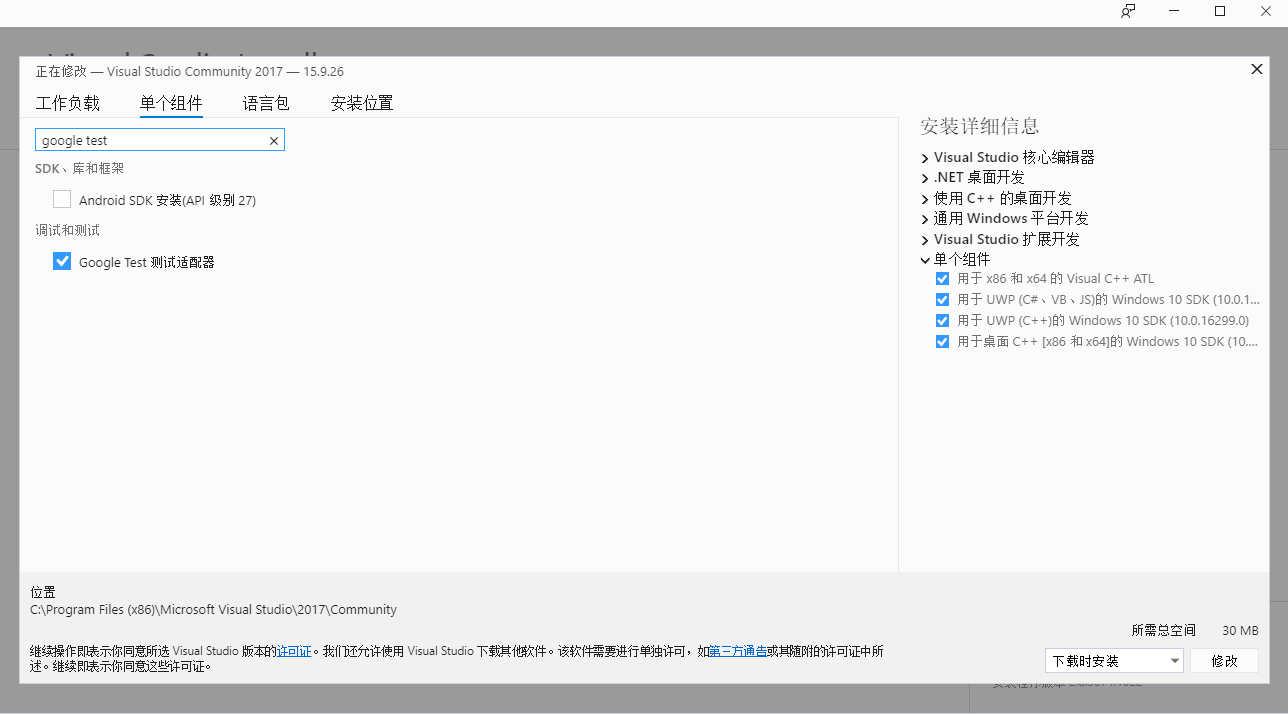
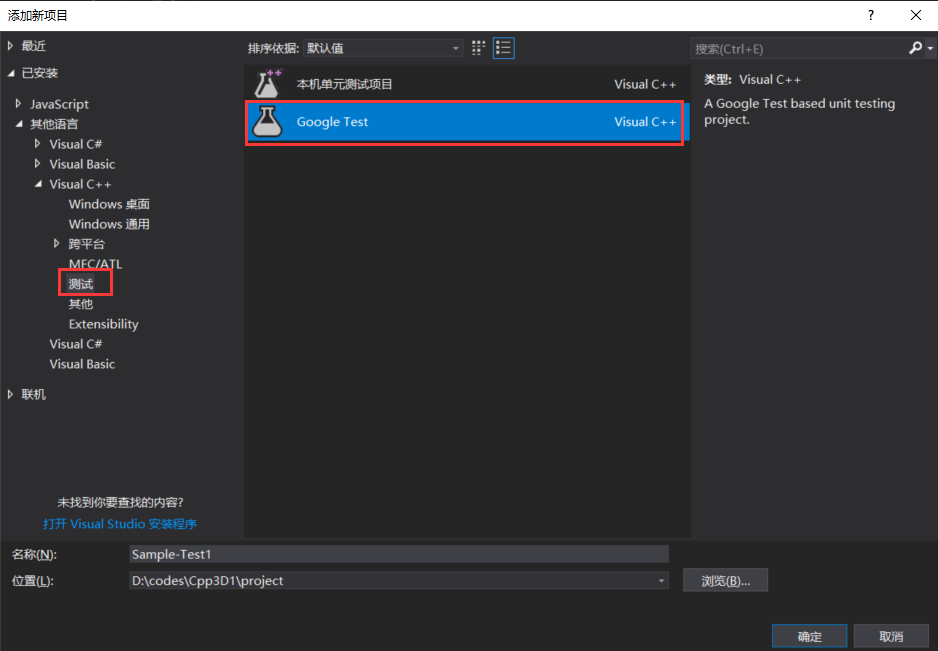
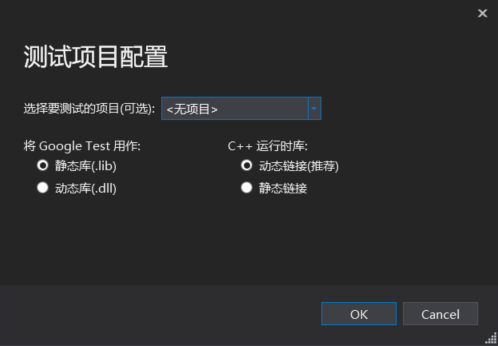
NuGet
nuget程序包源:https://www.nuget.org/api/v2/curated-feeds/microsoftdotnet/
安装:右键项目 > Manage NuGet Packages… > 搜Googletest > 安装googletest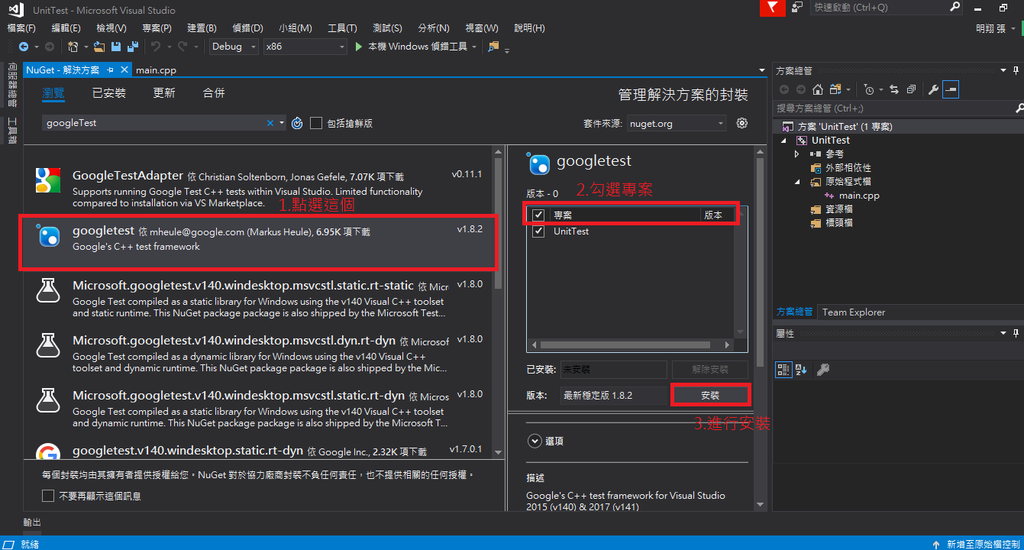
自己加入Google test的包
添加项目引用
- 右键google test工程 > 添加引用 > 点击要引用的工程
- 自己配置include和lib等
测试资源管理器

1. 全部运行以发现所有的测试内容
2. 全部运行之后,可以单击其中一个,完成单例测试
多次运行
当然Google Test 有很多自己的设置,我们可以进入Tools > Options > Test Adapter for Google Test对Google Test添加一些额外的选项。更多详细信息访问Google Test官方文档。到这里基本上已经完成了创建Google Test工程的步骤了。
这里分享一下个人在使用时遇到的问题,比如说Google Test一个优点是可以实现多次测试,这个次数,是可以在Test Adapter for Google Test > Google Test > Test execution > Number of test repetition里面进行设置的。 这里我设置为3次。然而当我们点击Local Windows Debugger运行了之后发现弹出了Console窗口只显示了一次测试结果。如下图所示: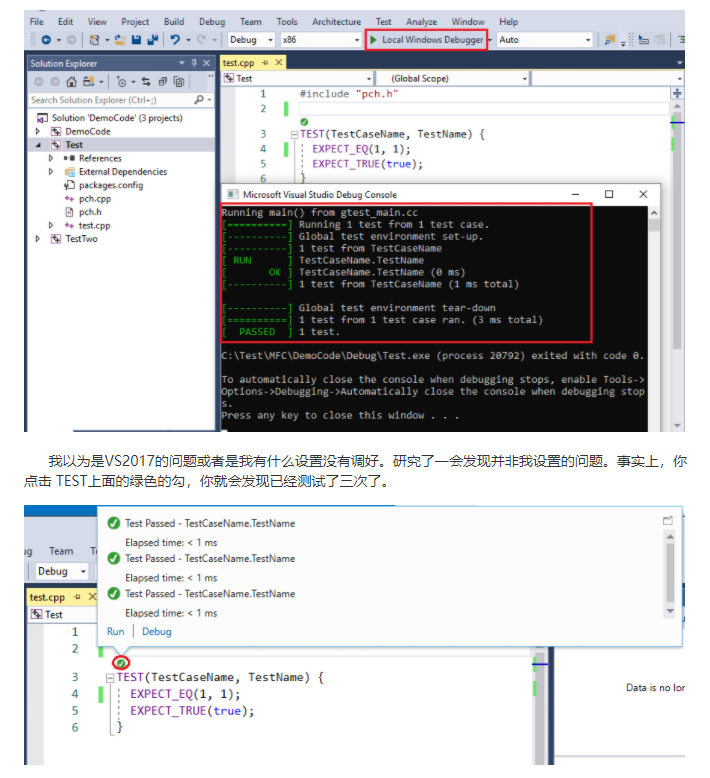

若有收获,就点个赞吧
0 人点赞


