前言:
我们面对生产环境和开发环境时,都需要不同的配置来满足我们的需求,因此,我们不能单单的再一个文件上改来改去,我们应该把这两个拆分开来,并提取出公共部分来便于我们的配置。
const path = require("path")const HtmlWebpackPulgin = require("html-webpack-plugin")const MiniCssExtractPlugin = require("mini-css-extract-plugin")const CssMinimizerPlugin = require("css-minimizer-webpack-plugin");const TerserPlugin = require("terser-webpack-plugin");module.exports = (env) => {console.log(env);return {// 通过 env 来区分 生产环境 和 开发环境mode: env.production ? 'production' : 'development',entry: {index: './src/index.js',another: './src/another-module.js',},output: {filename: 'scripts/[name].[contenthash].js',path: path.resolve(__dirname, './dist'),clean: true,assetModuleFilename: 'images/[contenthash][ext]',publicPath: "http://localhost:8080/"},devtool: 'inline-source-map',plugins: [new HtmlWebpackPulgin({template: './index.html',filename: 'app.html',inject: 'body'}),new MiniCssExtractPlugin({filename: 'style/[contenthash].css'}),new CssMinimizerPlugin()],devServer: {static: './dist',hot: true,},module: {rules: [{test: /\.js$/,exclude: /(node_modules|bower_components)/,use: {loader: 'babel-loader',options: {presets: ['@babel/preset-env'],plugins: ['@babel/plugin-transform-runtime']}}},{test: /\.jpg$/i,type: 'asset/resource',generator: {filename: 'images/[contenthash][ext]'}},]},optimization: {minimize: true,minimizer: [new CssMinimizerPlugin(),new TerserPlugin()],runtimeChunk: 'single',splitChunks: {cacheGroups: {vendor: {test: /[\\/]node_modules[\\/]/,name: 'vendors',chunks: 'all',},},},}}}
1.提取webpack的公共配置部分
我们先把 两种环境中 相同的部分提取出来
const path = require("path")const HtmlWebpackPulgin = require("html-webpack-plugin")const MiniCssExtractPlugin = require("mini-css-extract-plugin")module.exports = {entry: {index: './src/index.js',another: './src/another-module.js',},output: {path: path.resolve(__dirname, '../dist'),clean: true,assetModuleFilename: 'images/[contenthash][ext]',},plugins: [new HtmlWebpackPulgin({template: './index.html',filename: 'app.html',inject: 'body'}),new MiniCssExtractPlugin({filename: 'style/[contenthash].css'}),],module: {rules: [{test: /\.js$/,exclude: /(node_modules|bower_components)/,use: {loader: 'babel-loader',options: {presets: ['@babel/preset-env'],plugins: ['@babel/plugin-transform-runtime']}}},{test: /\.jpg$/,type: 'asset/resource',generator: {filename: 'images/[contenthash][ext]'}},]},optimization: {splitChunks: {cacheGroups: {vendor: {test: /[\\/]node_modules[\\/]/,name: 'vendors',chunks: 'all',},},},}}
2.编写development环境
module.exports = {mode: 'development',output: {filename: 'scripts/[name].js',},devtool: 'inline-source-map',devServer: {static: './dist',hot: true,},}
3.编写production环境
const CssMinimizerPlugin = require("css-minimizer-webpack-plugin");const TerserPlugin = require("terser-webpack-plugin");module.exports = {mode: 'production',output: {filename: 'scripts/[name].[contenthash].js',publicPath: "http://localhost:8080/"},optimization: {minimize: true,minimizer: [new CssMinimizerPlugin(),new TerserPlugin()],runtimeChunk: 'single',},// 配置如何展示性能提示。// 例如,如果一个资源超过 250kb,webpack 会对此输出一个警告来通知你。// performance.hints:关闭可以取消提示performance: {hints: false}}
4.使用merge合并两个环境
const { merge } = require('webpack-merge')const commonConfig = require('./webpack.config.common')const productionConfig = require('./webpack.config.prod')const developmentConfig = require('./webpack.config.dev')module.exports = (env) => {switch (true) {case env.development:return merge(commonConfig, developmentConfig)case env.production:return merge(commonConfig, productionConfig)default:return new Error('No matching configuration was found')}}
5.使用npm脚本快速启动
"scripts": {"start": "npx webpack serve --open -c ./config/webpack.config.js --env development","build": "npx webpack -c ./config/webpack.config.js --env production"},
输入 npm run start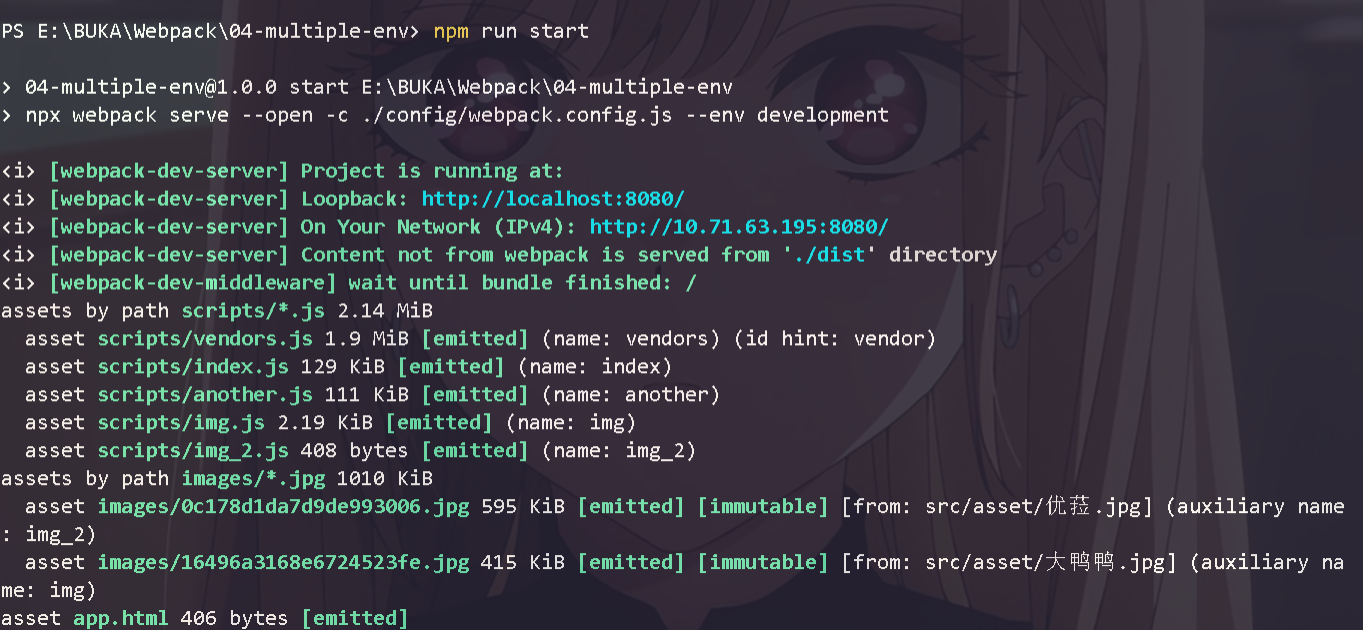
输入 npm run build
都运行成功,拆分环境成功

若有收获,就点个赞吧
0 人点赞


