傻瓜式教程
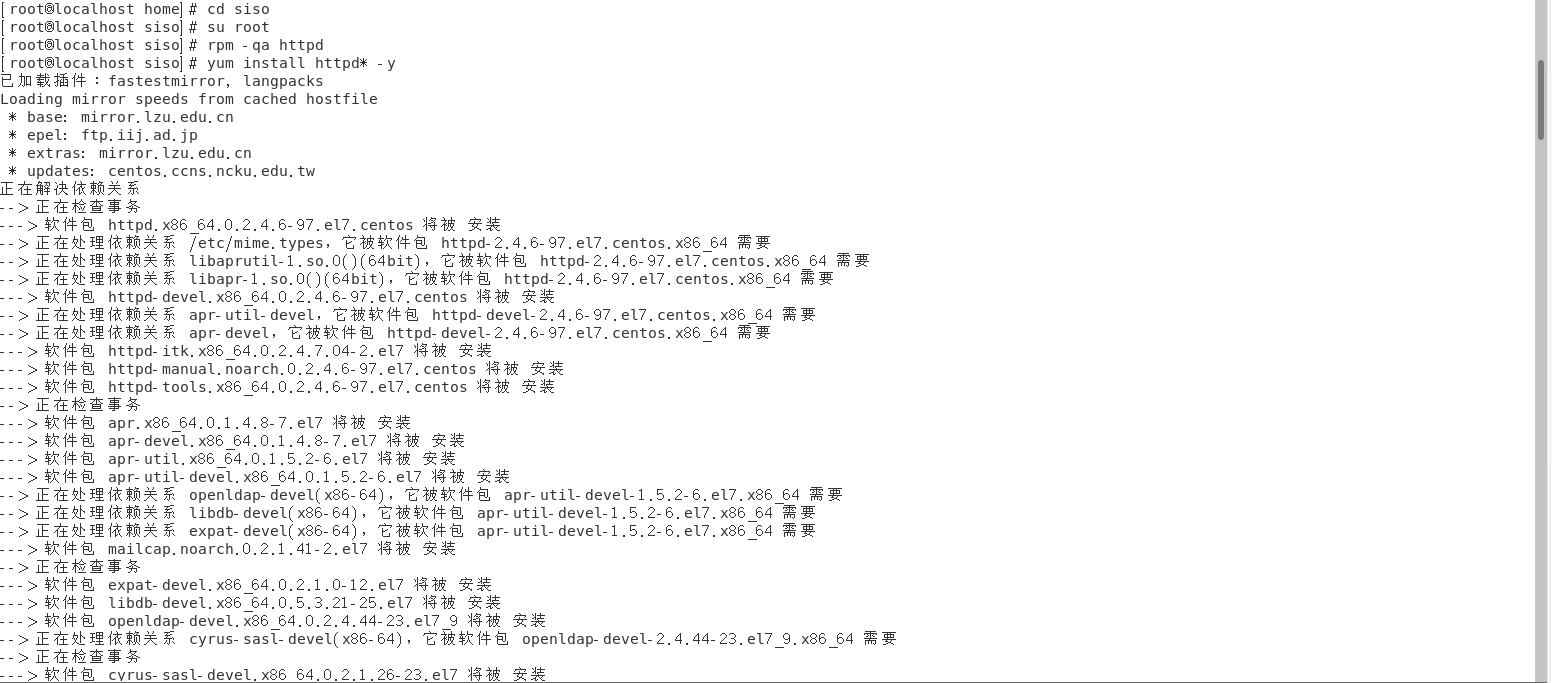
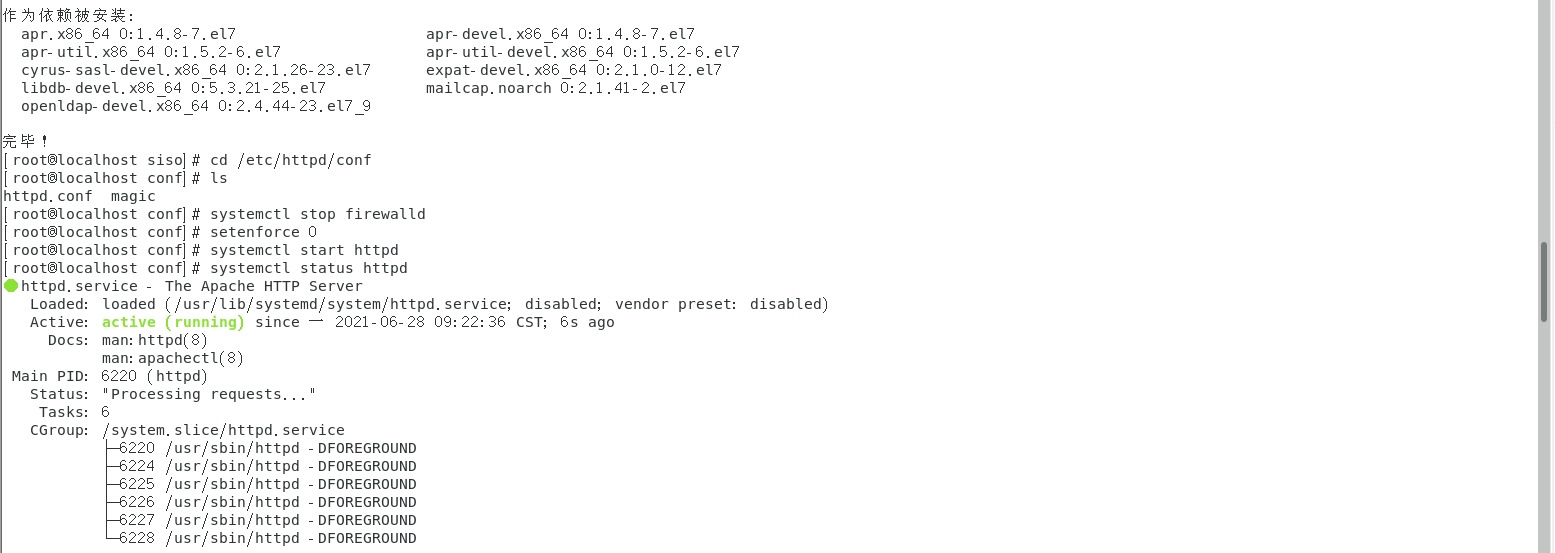
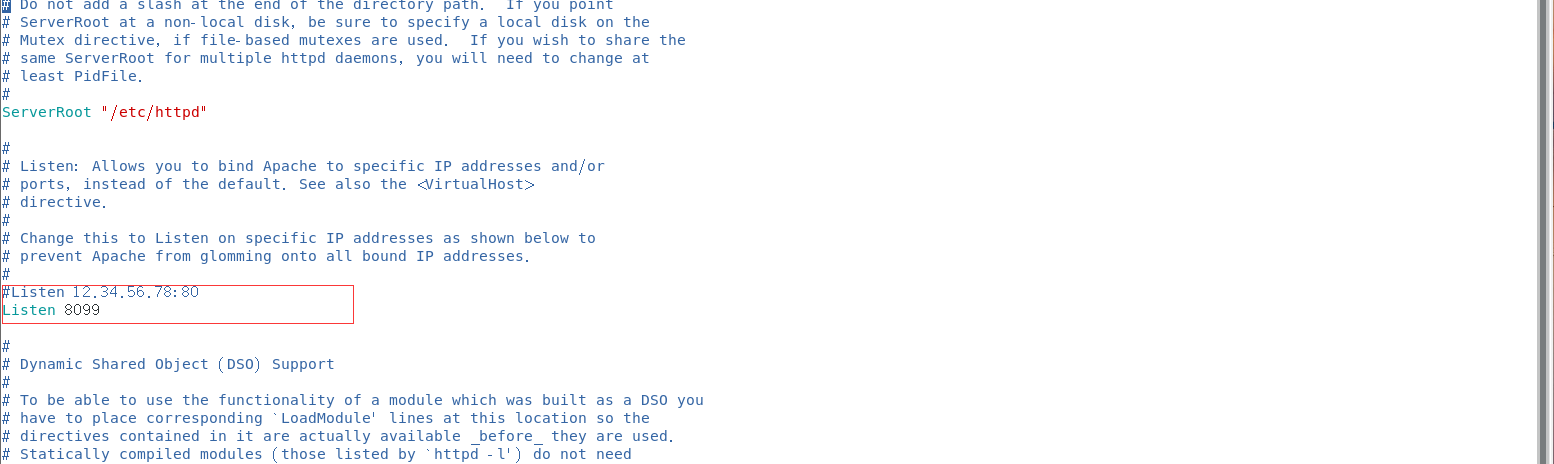
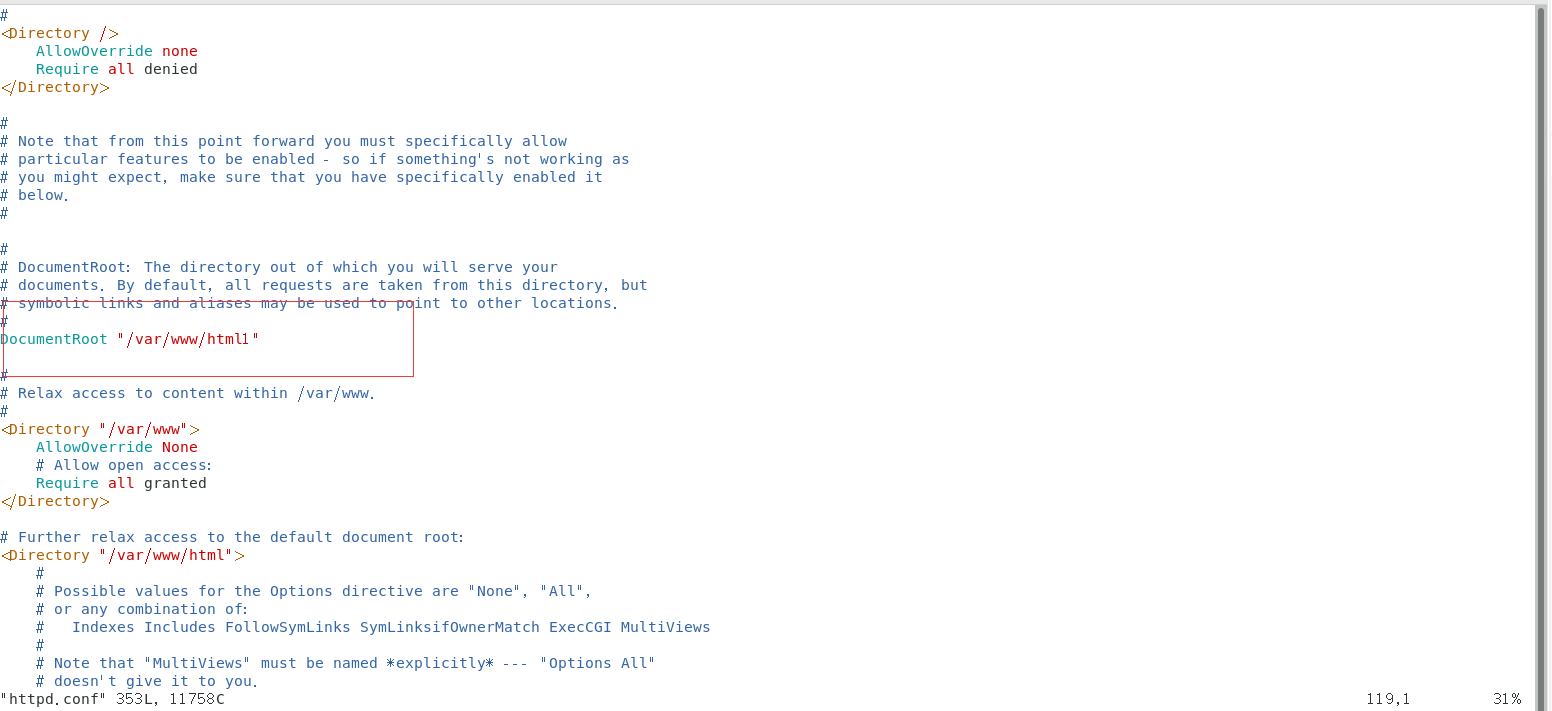
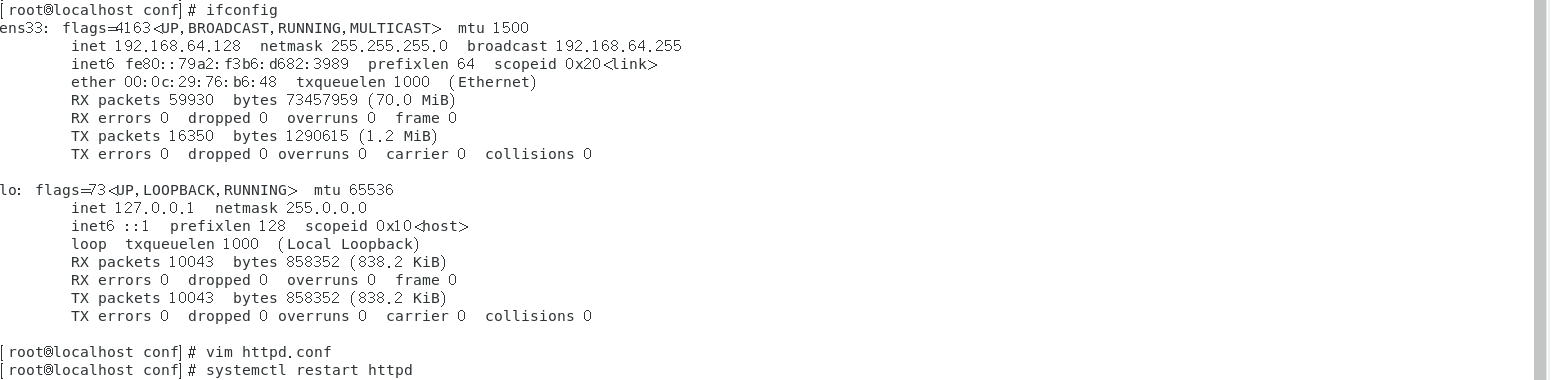
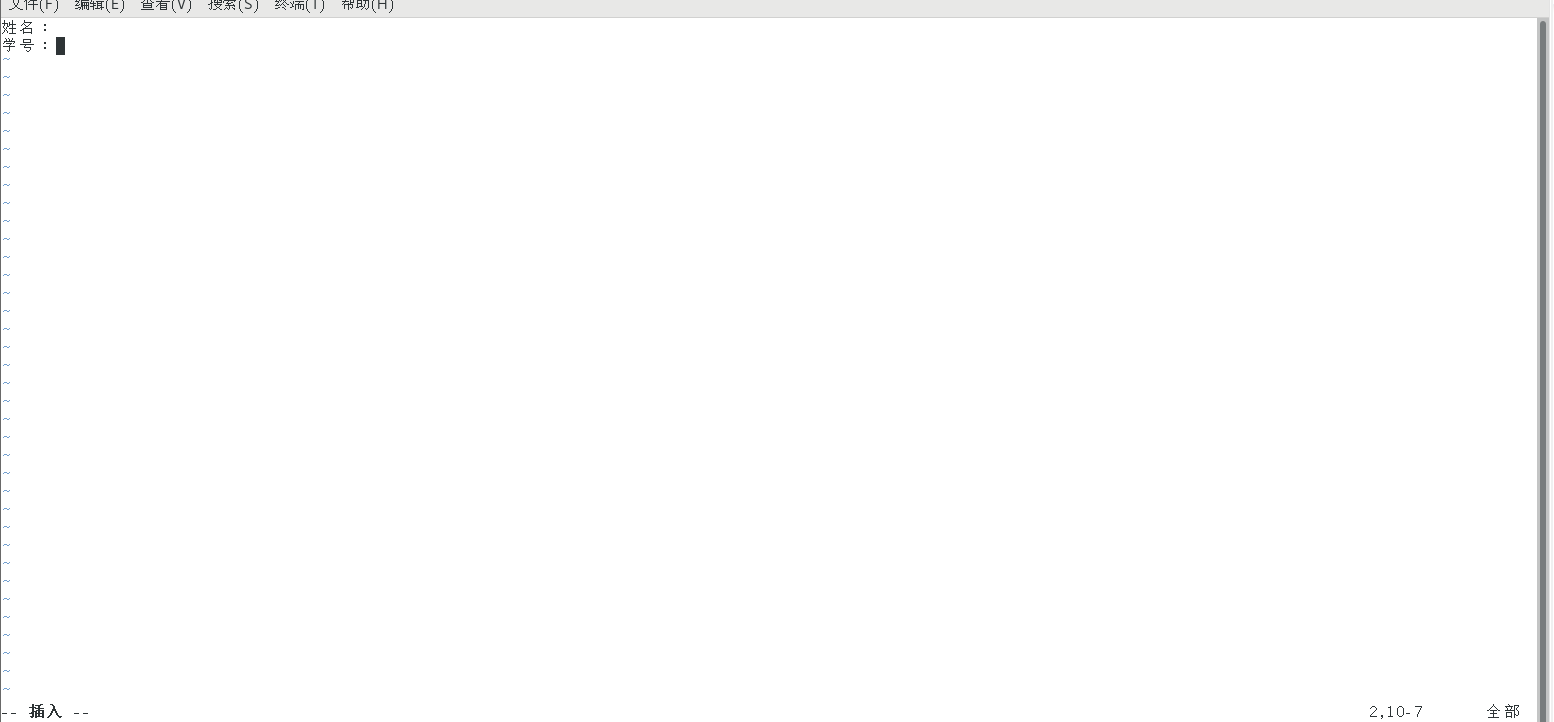
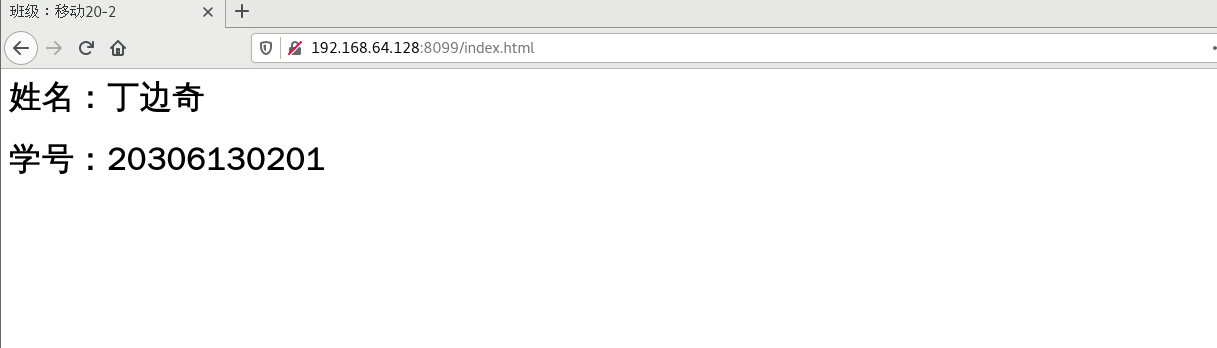
# 切换至超管su root# 查看是否安装有httpdrpm -qa httpd# 安装httpdyum install httpd* -y# 关闭防火墙system stop firewalld# 关闭selinuxsetenforce 0# 启动服务器systemctl start httpd# 查看服务器运行状态systemctl status httpd# 进入/etc/httpd/conf 目录下 配置端口号8099 和 网页主页html1cd /etc/httpd/conflsvim httpd.conf# 按i插入数据# 提示:将最后一行includeOptional #注释掉 将documentroot 目录html改为html1# 将listen端口号改为8099# esc 返回只读状态# 修改后:wq保存,重启服务器systemctl restart httpd# 查看本机ipifconfig# 打开浏览器输入本机ip + 端口号:8099网址格式:ip:8099# 进入到/var/www/html1 先新建html1cd /var/www/mkdir html1cd html1# 新建.html后缀 index文件touch index.htmlvim index.html# 在里面输入自己的学号和班级# 按i 插入数据# 按esc 返回# 在此状态按:wq 保存退出# 会到浏览器刷新就可以看到你的信息啦
图例



若有收获,就点个赞吧
0 人点赞


