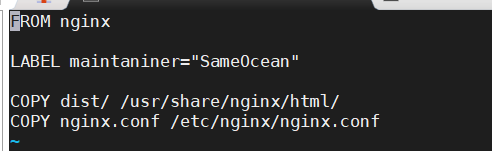
1、前端vue项目使用nginx代理构建docker镜像进行项目启动,方便后续统一整合在同一个docker-compose.yml文件。Dockerfile文件:
FROM nginx
LABEL maintaniner=”SameOcean”
COPY dist/ /usr/share/nginx/html/
COPY nginx.conf /etc/nginx/nginx.conf
2、编辑nginx.conf配置,主要修改监听ip、端口、及映射ip及api前缀:
worker_processes auto;
error_log /var/log/nginx/error.log warn;
#pid logs/nginx.pid;
events {
worker_connections 1024;
}
http {
include mime.types;
default_type application/octet-stream;
#log_format main ‘$remote_addr - $remote_user [$time_local] “$request” ‘
# ‘$status $body_bytes_sent “$http_referer” ‘
# ‘“$http_user_agent” “$http_x_forwarded_for”‘;
log_format access ‘$remote_addr - $remote_user [$time_local] “$request” ‘
‘$status $body_bytes_sent “$http_referer” ‘
‘“$http_user_agent” “$http_x_forwarded_for”‘;
log_format error ‘$remote_addr - $remote_user [$time_local] “$request” ‘
#access_log logs/access.log main;
#access_log /var/log/nginx/host.access.log main;
sendfile on;
#tcp_nopush on;
#keepalive_timeout 0;
keepalive_timeout 65;
gzip on;
client_max_body_size 20m;
server {
listen 18084;
server_name 119.3.59.89;
#charset koi8-r;
#access_log logs/host.access.log main;
location / {
root /usr/share/nginx/html;
index index.html index.htm;
try_files $uri $uri/ /index.html;
}
location /prod-api/ {
proxy_pass http://127.0.0.1:18085/;
proxy_set_header Host $http_host;
proxy_set_header X-Real-IP $remote_addr;
proxy_set_header REMOTE-HOST $remote_addr;
proxy_set_header X-Forwarded-For $proxy_add_x_forwarded_for;
}
#error_page 404 /404.html;
# redirect server error pages to the static page /50x.html
#
error_page 500 502 503 504 /50x.html;
location = /50x.html {
root html;
}
# proxy the PHP scripts to Apache listening on 127.0.0.1:80
#
#location ~ .php$ {
# proxy_pass http://127.0.0.1;
#}
# pass the PHP scripts to FastCGI server listening on 127.0.0.1:9000
#
#location ~ .php$ {
# root html;
# fastcgi_pass 127.0.0.1:9000;
# fastcgi_index index.php;
# fastcgi_param SCRIPT_FILENAME /scripts$fastcgi_script_name;
# include fastcgi_params;
#}
# deny access to .htaccess files, if Apache’s document root
# concurs with nginx’s one
#
#location ~ /.ht {
# deny all;
#}
}
}
3、编辑docker-compose文件:
version: “3”
services:
novel-vue:
restart: always
build:
context: ./
dockerfile: Dockerfile
image: novel-vue:1.0.0
container_name: novel-vue
ports:
- 18084:18084
volumes:
- ./nginx.conf:/etc/nginx/nginx.conf
- ./dist/:/user/share/nginx/html/
4、vue项目build后,dist及目录下上传到当前文件夹即可,运行docker-compose启动命令;

若有收获,就点个赞吧
0 人点赞


