filebeat下载官网:https://www.elastic.co/cn/downloads/beats/filebeat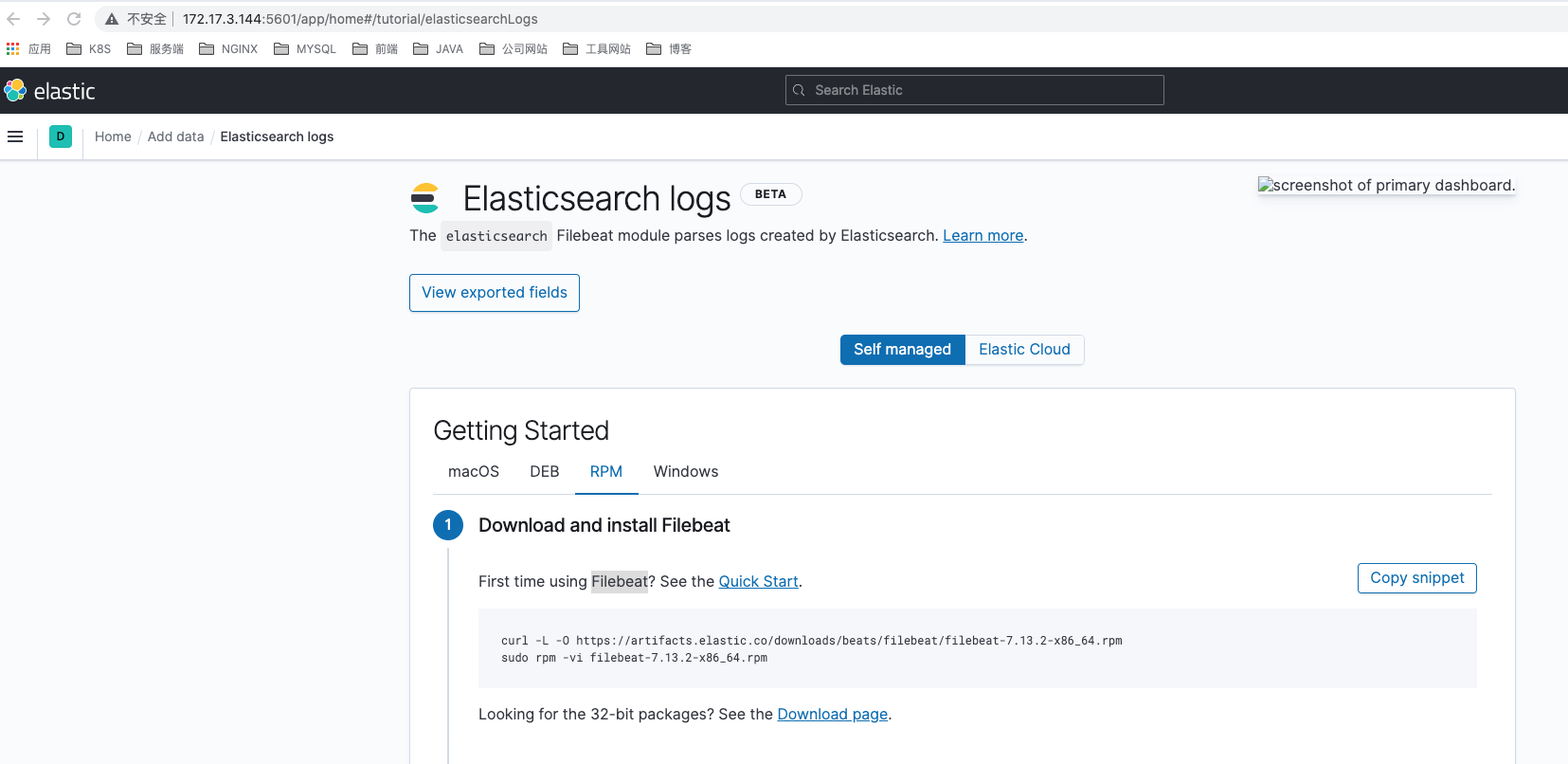
EFK最后一步filebeat的安装是最简单的,只需要安装kibana上面提示的操作安装即可。
1、Download and install Filebeat
curl -L -O https://artifacts.elastic.co/downloads/beats/filebeat/filebeat-7.13.2-x86_64.rpmsudo rpm -vi filebeat-7.13.2-x86_64.rpm
2、Edit the configuration
Modify /etc/filebeat/filebeat.yml to set the connection information:
output.elasticsearch:hosts: ["<es_url>"]username: "elastic"password: "<password>"setup.kibana:host: "<kibana_url>"
Where
3、Enable and configure the elasticsearch module
sudo filebeat modules enable elasticsearch
Modify the settings in the /etc/filebeat/modules.d/elasticsearch.yml file.
4、Start Filebeat
The setup command loads the Kibana dashboards. If the dashboards are already set up, omit this command.
$ filebeat setupOverwriting ILM policy is disabled. Set `setup.ilm.overwrite: true` for enabling.Index setup finished.Loading dashboards (Kibana must be running and reachable)Loaded dashboardsSetting up ML using setup --machine-learning is going to be removed in 8.0.0. Please use the ML app instead.See more: https://www.elastic.co/guide/en/machine-learning/current/index.htmlLoaded machine learning job configurationsLoaded Ingest pipelines$ service filebeat startStarting filebeat (via systemctl): [ OK ]

若有收获,就点个赞吧
0 人点赞


