克隆初始repo:
# react-mini是分支名 #最后的.表示在当前文件夹创建(不新建文件夹)git clone --single-branch -b react-mini https://github.com/safak/youtube.git .
安装依赖:
yarn或npm install
从google fonts引入urbanist字体:(line8/line12)
<!DOCTYPE html><html lang="en"><head><meta charset="utf-8" /><meta name="viewport" content="width=device-width, initial-scale=1" /><meta name="description" content="Web site created using create-react-app" /><link href="https://fonts.googleapis.com/css2?family=Urbanist:wght@100;200;300;400;500;600;700;800;900&display=swap" rel="stylesheet"><style>* {margin: 0;font-family: 'Urbanist', sans-serif;}</style><title>React App</title></head><body><noscript>You need to enable JavaScript to run this app.</noscript><div id="root"></div></body></html>
Navbar
在src下新建pages文件夹,新建Home.jsx
安装vscode插件ES7+ React/Redux/React-Native snippets,输入rafce可快速建立react箭头函数模板。其他常用插件还有auto close tag、git lens
import React from "react";const Home = () => {return <div>Home</div>;};export default Home;
在App.jsx中引入
import Home from "./pages/Home";const App = () => {return <Home />;};export default App;
在src下新建components文件夹,新建Navbar.jsx,并在Home.jsx中引入。
import React from "react";import Navbar from "../components/Navbar";const Home = () => {return (<div><Navbar /></div>);};export default Home;
安装styled-components
yarn add styled-components
然后使用flex布局使其均匀分布 (line10-11, line14-22)
设置三个容器的
flex: 1比设置width: 33.3%要更加精确
import React from "react";import styled from "styled-components";const Container = styled.div`height: 60px;`;const Wrapper = styled.div`padding: 10px 20px;display: flex;justify-content: space-between;`;const Left = styled.div`flex: 1;`;const Center = styled.div`flex: 1;`;const Right = styled.div`flex: 1;`;const Navbar = () => {return (<Container><Wrapper><Left>Lorem ipsum dolor sit amet consectetur adipisicing elit. Possimus,molestiae. Beatae, excepturi esse tempora nesciunt rerum labore vitaequo dolor adipisci aperiam eos, ea consectetur odio nisi, repudiandaeharum perferendis.</Left><Center>Center</Center><Right>right</Right></Wrapper></Container>);};export default Navbar;

安装material-ui:
yarn add @material-ui/core @material-ui/icons
再布局好其他元素,此时的文档树结构为:
.├── README.md├── package.json├── public│ └── index.html├── src│ ├── App.jsx│ ├── components│ │ └── Navbar.jsx│ ├── index.js│ └── pages│ └── Home.jsx└── yarn.lock
import { Badge } from "@material-ui/core";import { Search, ShoppingCartOutlined } from "@material-ui/icons";import React from "react";import styled from "styled-components";const Container = styled.div`height: 60px;`;const Wrapper = styled.div`padding: 10px 20px;display: flex;align-items: center;justify-content: space-between;`;const Left = styled.div`flex: 1;display: flex;align-items: center;`;const Language = styled.span`font-size: 14px;cursor: pointer;`;const SearchContainer = styled.div`border: 1px solid lightgray;display: flex;align-items: center;margin-left: 25px;padding: 5px;`;const Input = styled.input`border: none;`;const Center = styled.div`flex: 1;text-align: center;`;const Logo = styled.h1`font-weight: bold;`;const Right = styled.div`flex: 1;display: flex;align-items: center;justify-content: flex-end;`;const MenuItem = styled.div`font-size: 14px;cursor: pointer;margin-left: 25px;`;const Navbar = () => {return (<Container><Wrapper><Left><Language>EN</Language><SearchContainer><Input /><Search style={{ color: "gray", fontSize: 16 }} /></SearchContainer></Left><Center><Logo>LAMA.</Logo></Center><Right><MenuItem>Register</MenuItem><MenuItem>Sign in</MenuItem><MenuItem><Badge badgeContent={4} color="primary"><ShoppingCartOutlined /></Badge></MenuItem></Right></Wrapper></Container>);};export default Navbar;
最后效果:
Announcement
在components下创建Announcement.jsx并在Home.jsx中引入:
import styled from "styled-components";const Container = styled.div`height: 30px;background-color: teal;color: white;display: flex;align-items: center;justify-content: center;font-size: 14px;font-weight: 500;`;const Announcement = () => {return <Container>Super Deal! Free Shipping on Orders Over $50</Container>;};export default Announcement;
最后效果:
Slider
在components下创建Slider.jsx并在Home.jsx中引入:
import { ArrowLeftOutlined, ArrowRightOutlined } from "@material-ui/icons";import styled from "styled-components";const Container = styled.div`width: 100%;height: 100vh;display: flex;position: relative;overflow: hidden;`;const Arrow = styled.div`width: 50px;height: 50px;background-color: #fff7f7;border-radius: 50%;display: flex;align-items: center;justify-content: center;cursor: pointer;opacity: 0.5;// 箭头垂直居中:position: absolute;top: 0;bottom: 0;margin: auto;left: ${(props) => props.direction === "left" && "10px"};right: ${(props) => props.direction === "right" && "10px"};// 防止Wrapper的transform:translateX()将arrow覆盖z-index: 2;`;const Wrapper = styled.div`height: 100%;display: flex;`;const Slide = styled.div`width: 100vw;height: 100vh;display: flex;align-items: center;background-color: ${(props) => props.bg};`;const ImgContainer = styled.div`height: 100%;flex: 1;`;const Image = styled.img`height: 80%;`;const InfoContainer = styled.div`flex: 1;padding: 50px;`;const Title = styled.h1`font-size: 70px;`;const Desc = styled.p`margin: 50px 0px;font-size: 20px;font-weight: 500;letter-spacing: 3px;`;const Button = styled.button`padding: 10px;font-size: 20px;background-color: transparent;cursor: pointer;`;const Slider = () => {const handleClick = (direction) => {};return (<Container>{/* 传参数要用箭头函数 */}<Arrow direction="left" onClick={() => handleClick("left")}><ArrowLeftOutlined /></Arrow><Wrapper><Slide bg="#cde2e9"><ImgContainer><Image src="https://static.nike.com.hk/resources/product/DV3317-494/DV3317-494_BL1.png" /></ImgContainer><InfoContainer><Title>SUMMER SEAL</Title><Desc>DON'T COMPROMISE ON STYLE! GET FLAT 30% OFF FOR NEW ARRIVALS.</Desc><Button>SHOW NOW</Button></InfoContainer></Slide><Slide bg="#8c9cb2"><ImgContainer><Image src="https://static.nike.com.hk/resources/product/DH7615-101/DH7615-101_BL1.png" /></ImgContainer><InfoContainer><Title>SUMMER SEAL</Title><Desc>DON'T COMPROMISE ON STYLE! GET FLAT 30% OFF FOR NEW ARRIVALS.</Desc><Button>SHOW NOW</Button></InfoContainer></Slide><Slide bg="#e1ddaa"><ImgContainer><Image src="https://static.nike.com.hk/resources/product/DJ6014-100/DJ6014-100_BL1.png" /></ImgContainer><InfoContainer><Title>SUMMER SEAL</Title><Desc>DON'T COMPROMISE ON STYLE! GET FLAT 30% OFF FOR NEW ARRIVALS.</Desc><Button>SHOW NOW</Button></InfoContainer></Slide></Wrapper><Arrow direction="right" onClick={() => handleClick("left")}><ArrowRightOutlined /></Arrow></Container>);};export default Slider;
在src下新建data.js:
export const sliderItems = [{id: 1,img: "https://static.nike.com.hk/resources/product/DV3317-494/DV3317-494_BL1.png",title: "SUMMER SALE",desc: "DON'T COMPROMISE ON STYLE! GET FLAT 30% OFF FOR NEW ARRIVALS.",bg: "#cde2e9",},{id: 2,img: "https://static.nike.com.hk/resources/product/DH7615-101/DH7615-101_BL1.png",title: "SUMMER SALE",desc: "DON'T COMPROMISE ON STYLE! GET FLAT 30% OFF FOR NEW ARRIVALS.",bg: "#8c9cb2",},{id: 3,img: "https://static.nike.com.hk/resources/product/DJ6014-100/DJ6014-100_BL1.png",title: "SUMMER SALE",desc: "DON'T COMPROMISE ON STYLE! GET FLAT 30% OFF FOR NEW ARRIVALS.",bg: "#e1ddaa",},];
然后替换数据:
...const Wrapper = styled.div`height: 100%;display: flex;transition: all 1s ease;transform: translateX(${(props) => props.slideIndex * -100}vw);`;...const Slider = () => {const [slideIndex, setSlideIndex] = useState(0);const handleClick = (direction) => {if (direction === "left") {setSlideIndex(slideIndex > 0 ? slideIndex - 1 : 2);} else {setSlideIndex(slideIndex < 2 ? slideIndex + 1 : 0);}};return (<Container>{/* 传参数要用箭头函数 */}<Arrow direction="left" onClick={() => handleClick("left")}><ArrowLeftOutlined /></Arrow><Wrapper slideIndex={slideIndex}>{sliderItems.map((item) => (<Slide bg={item.bg} key={item.id}><ImgContainer><Image src={item.img} /></ImgContainer><InfoContainer><Title>{item.title}</Title><Desc>{item.desc}</Desc><Button>SHOW NOW</Button></InfoContainer></Slide>))}</Wrapper><Arrow direction="right" onClick={() => handleClick("right")}><ArrowRightOutlined /></Arrow></Container>);};export default Slider;
完成效果:
Category
在data.js中添加Category数据:
...export const categories = [{id: 1,img: "https://static.nike.com.hk/resources/product/DV0683-419/DV0683-419_BL1.png",title: "T-shirt",},{id: 2,img: "https://static.nike.com.hk/resources/product/DQ0231-100/DQ0231-100_BL1.png",title: "Shoes",},{id: 3,img: "https://static.nike.com.hk/resources/product/DV3193-010/DV3193-010_BL1.png",title: "Pants",},];
在components文件夹下创建Categories.jsx和CategoryItem.jsx,并在Home.jsx引入Categories.jsx:
import styled from "styled-components";import { categories } from "../data";import CategoryItem from "./CategoryItem";const Container = styled.div`display: flex;padding: 20px;justify-content: space-between;`;const Categories = () => {return (<Container>{categories.map((item) => (<CategoryItem item={item} />))}</Container>);};export default Categories;
import styled from "styled-components";const Container = styled.div`flex: 1;margin: 3px;/* height: 70vh; */position: relative;`;const Image = styled.img`//不然其父容器Container的flex:1不生效,因为图片会撑大父容器width: 100%;/* height: 100%;object-fit: cover; */`;const Info = styled.div`position: absolute;top: 0;left: 0;width: 100%;height: 100%;display: flex;flex-direction: column;align-items: center;justify-content: center;`;const Title = styled.h1`color: white;margin-bottom: 20px;`;const Button = styled.button`border: none;padding: 10px;background-color: white;color: gray;font-weight: 600;cursor: pointer;`;const CategoryItem = ({ item }) => {return (<Container><Image src={item.img} /><Info><Title>{item.title}</Title><Button>SHOP NOW</Button></Info></Container>);};export default CategoryItem;
完成效果: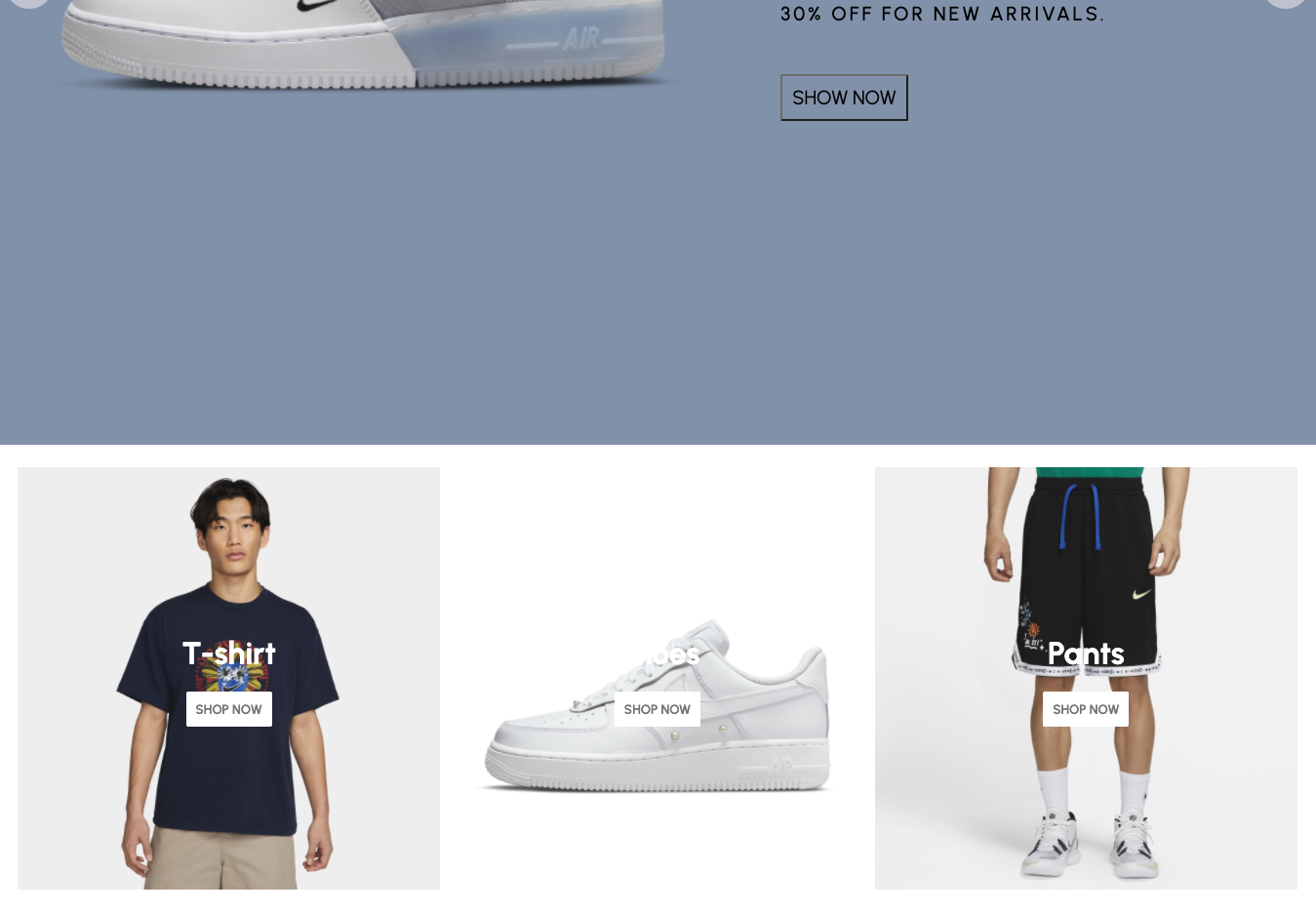
Products
在data.js中添加products信息:
export const popularProducts = [{id: 1,img: "https://static.nike.com.hk/resources/product/AR5005-549/AR5005-549_BL1.png",},{id: 2,img: "https://static.nike.com.hk/resources/product/DV3449-010/DV3449-010_BL1.png",},{id: 3,img: "https://static.nike.com.hk/resources/product/DM0013-100/DM0013-100_BL1.png",},{id: 4,img: "https://static.nike.com.hk/resources/product/DC3237-100/DC3237-100_BL1.png",},{id: 5,img: "https://static.nike.com.hk/resources/product/DH7579-100/DH7579-100_BL1.png",},{id: 6,img: "https://static.nike.com.hk/resources/product/DH7161-065/DH7161-065_BL1.png",},];
在components文件夹下新建Products.jsx和Product.jsx:
import styled from "styled-components";import { popularProducts } from "../data";import Product from "./Product";const Container = styled.div`padding: 20px;display: flex;flex-wrap: wrap;justify-content: space-between;`;const Products = () => {return (<Container>{popularProducts.map((item) => (<Product item={item} key={item.id} />))}</Container>);};export default Products;
import {FavoriteBorderOutlined,SearchOutlined,ShoppingCartOutlined,} from "@material-ui/icons";import styled from "styled-components";const Info = styled.div`opacity: 0;width: 100%;height: 100%;position: absolute;top: 0;left: 0;background-color: rgba(0, 0, 0, 0.2);z-index: 3;display: flex;align-items: center;justify-content: center;transition: all 0.5s ease;cursor: pointer;`;const Container = styled.div`flex: 1;margin: 5px;min-width: 280px;height: 350px;display: flex;align-items: center;justify-content: center;background-color: #f5fbfd;position: relative;&:hover ${Info} {opacity: 1;}`;const Circle = styled.div`width: 200px;height: 200px;border-radius: 50%;background-color: white;// important!position: absolute;`;const Image = styled.img`height: 75%;// 避免被上面的Circle挡住z-index: 2;`;const Icon = styled.div`width: 40px;height: 40px;border-radius: 50%;background-color: white;display: flex;align-items: center;justify-content: center;margin: 10px;transition: all 0.5s ease;&:hover {background-color: #e9f5f5;transform: scale(1.1);}`;const Product = ({ item }) => {return (<Container><Circle /><Image src={item.img} /><Info><Icon><ShoppingCartOutlined /></Icon><Icon><SearchOutlined /></Icon><Icon><FavoriteBorderOutlined /></Icon></Info></Container>);};export default Product;
完成效果:
Newsletter
在components文件夹下新建Newsletter.jsx:
import { Send } from "@material-ui/icons";import styled from "styled-components";const Container = styled.div`height: 60vh;background-color: #fcf5f5;display: flex;align-items: center;justify-content: center;flex-direction: column;`;const Title = styled.h1`font-size: 70px;margin-bottom: 20px;`;const Desc = styled.div`font-size: 24px;font-weight: 300;margin-bottom: 20px;`;const InputContainer = styled.div`width: 50%;height: 40px;background-color: white;display: flex;justify-content: space-between;border: 1px solid lightgray;`;const Input = styled.input`border: none;flex: 8;padding-left: 20px;`;const Button = styled.button`flex: 1;border: none;background-color: teal;color: white;`;const Newsletter = () => {return (<Container><Title>Newsletter</Title><Desc>Get timely updates from your favorite products.</Desc><InputContainer><Input placeholder="Your email" /><Button><Send /></Button></InputContainer></Container>);};export default Newsletter;
完成效果: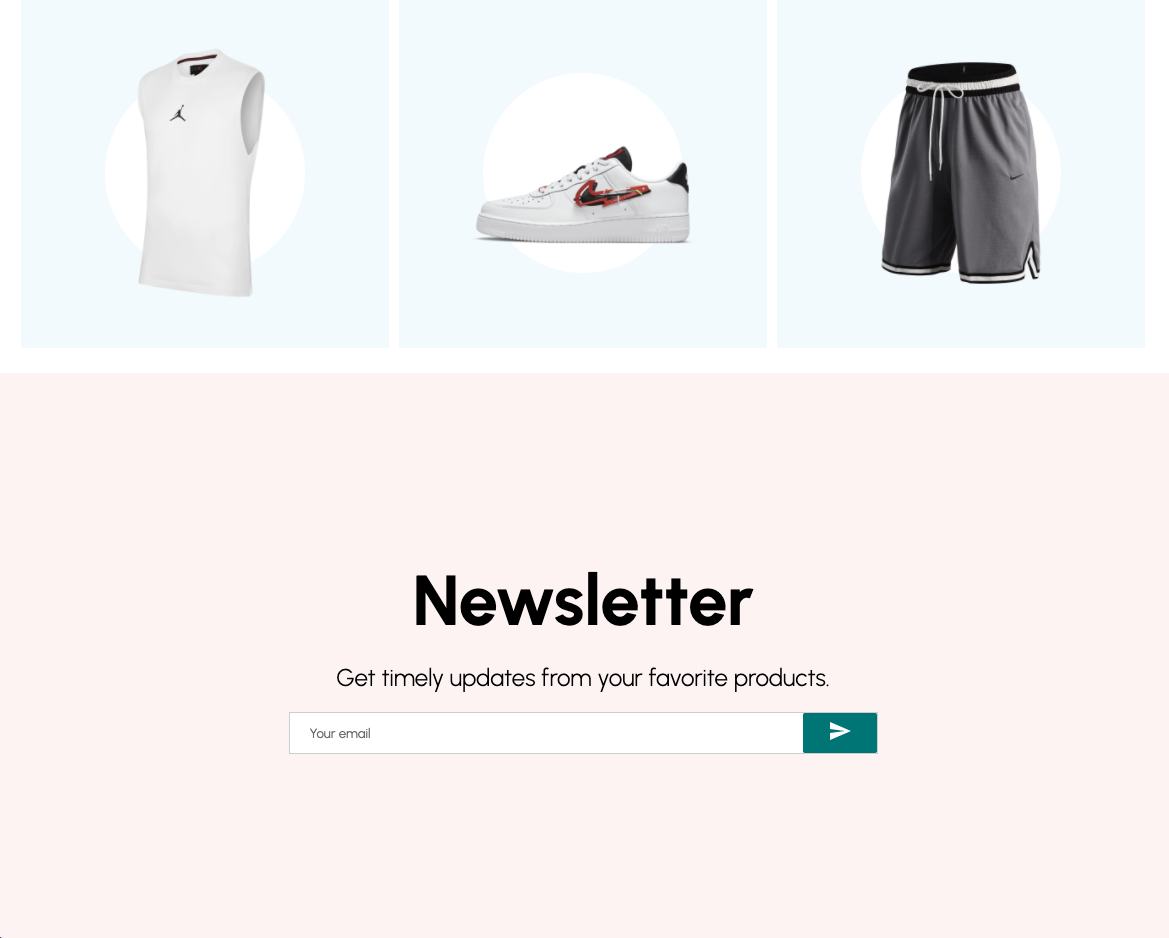
Footer
在components文件夹下新建Footer.jsx:
import {Facebook,Instagram,MailOutline,Phone,Pinterest,Room,Twitter,} from "@material-ui/icons";import styled from "styled-components";const Container = styled.div`display: flex;`;const Left = styled.div`flex: 1;display: flex;flex-direction: column;padding: 20px;`;const Logo = styled.h1``;const Desc = styled.p`margin: 20px 0px;`;const SocialContainer = styled.div`display: flex;`;const SocialIcon = styled.div`width: 40px;height: 40px;border-radius: 50%;color: white;background-color: ${(props) => props.color};display: flex;align-items: center;justify-content: center;margin-right: 20px;`;const Center = styled.div`flex: 1;padding: 20px;`;const Title = styled.h3`margin-bottom: 30px;`;const List = styled.ul`margin: 0;padding: 0;list-style: none;display: flex;flex-wrap: wrap;`;const ListItem = styled.li`width: 50%;`;const Right = styled.div`flex: 1;padding: 20px;`;const ContactItem = styled.div`margin-bottom: 20px;display: flex;align-items: center;`;const Payment = styled.img`width: 200px;`;const Footer = () => {return (<Container><Left><Logo>LAMA.</Logo><Desc>Lorem ipsum, dolor sit amet consectetur adipisicing elit. Iste esseenim, maiores perspiciatis optio veritatis consectetur adipisci, eaquemolestias quod, ab debitis at corporis velit odio molestiae? Aliquam,molestias exercitationem!</Desc><SocialContainer><SocialIcon color="#3b5999"><Facebook /></SocialIcon><SocialIcon color="#e4405f"><Instagram /></SocialIcon><SocialIcon color="#55acee"><Twitter /></SocialIcon><SocialIcon color="#e60023"><Pinterest /></SocialIcon></SocialContainer></Left><Center><Title>Useful Links</Title><List><ListItem>Home</ListItem><ListItem>Cart</ListItem><ListItem>Man Fashion</ListItem><ListItem>Woman Fashion</ListItem><ListItem>Accessories</ListItem><ListItem>My Account</ListItem><ListItem>Order Tracking</ListItem><ListItem>Wishlist</ListItem><ListItem>Terms</ListItem></List></Center><Right><Title>Contact</Title><ContactItem><Room style={{ marginRight: "10px" }} />622 Dixie Path, South Tobinchester 98336</ContactItem><ContactItem><Phone style={{ marginRight: "10px" }} />+86 123 456 78</ContactItem><ContactItem><MailOutline style={{ marginRight: "10px" }} />contact@lama.io</ContactItem><Payment src="https://th.bing.com/th/id/R.3b4d8519e606ab343119f65f4dbf6c94?rik=ScHdmWbvIvBl2g&pid=ImgRaw&r=0" /></Right></Container>);};export default Footer;
完成效果: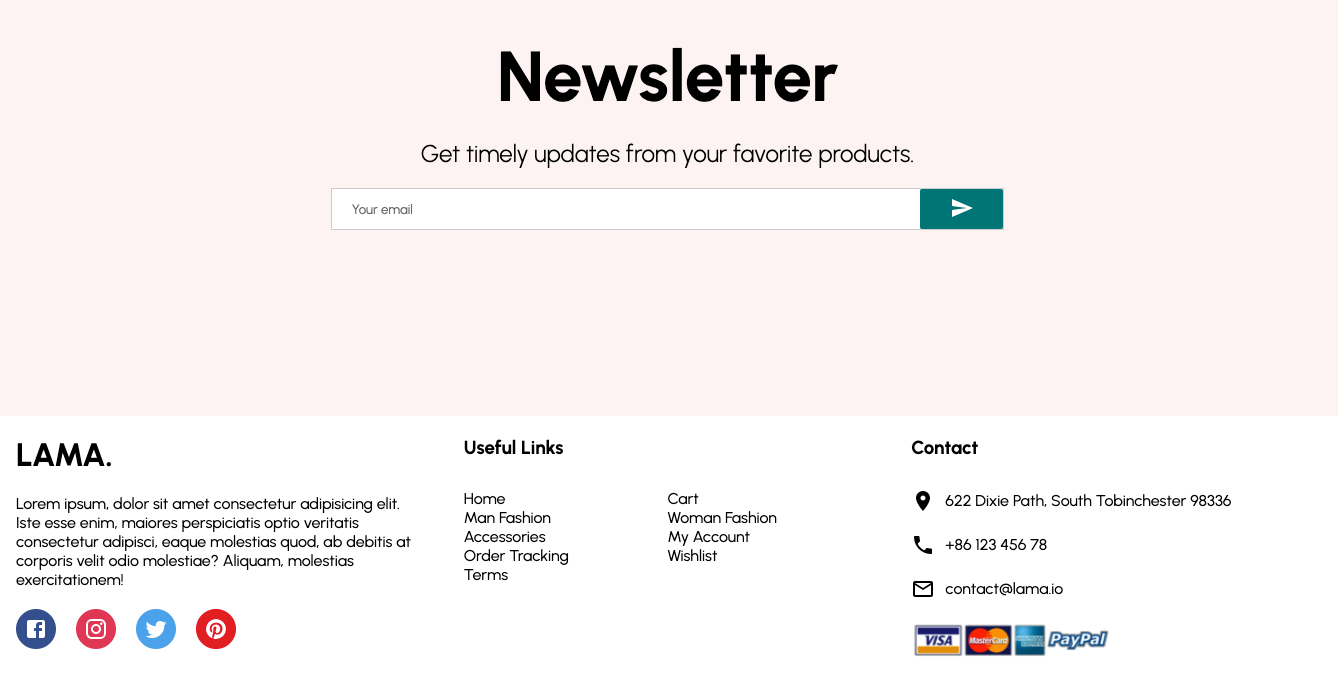
至此,主页就做完了。此时的目录结构:
.├── README.md├── package.json├── public│ └── index.html├── src│ ├── App.jsx│ ├── components│ │ ├── Announcement.jsx│ │ ├── Categories.jsx│ │ ├── CategoryItem.jsx│ │ ├── Footer.jsx│ │ ├── Navbar.jsx│ │ ├── Newsletter.jsx│ │ ├── Product.jsx│ │ ├── Products.jsx│ │ └── Slider.jsx│ ├── data.js│ ├── index.js│ └── pages│ └── Home.jsx└── yarn.lock
Product Page
在pages下新建ProductList.jsx和Product.jsx:
import styled from "styled-components";import Navbar from "../components/Navbar";import Announcement from "../components/Announcement";import Products from "../components/Products";import Newsletter from "../components/Newsletter";import Footer from "../components/Footer";const Container = styled.div``;const Title = styled.h1`margin: 20px;`;const FilterContainer = styled.div`display: flex;justify-content: space-between;`;const Filter = styled.div`margin: 20px;`;const FilterText = styled.span`font-size: 20px;font-weight: 600;margin-right: 20px;`;const Select = styled.select`padding: 10px;margin-right: 20px;`;const Option = styled.option``;const ProductList = () => {return (<Container><Announcement /><Navbar /><Title>Dresses</Title><FilterContainer><Filter><FilterText>Filter Products:</FilterText><Select><Option disabled selected>Color</Option><Option>White</Option><Option>Black</Option><Option>Red</Option><Option>Blue</Option><Option>Yellow</Option><Option>Green</Option></Select><Select><Option disabled selected>Size</Option><Option>XS</Option><Option>S</Option><Option>M</Option><Option>L</Option><Option>XL</Option></Select></Filter><Filter><FilterText>Sort Products:</FilterText><Select><Option selected>Newest</Option><Option>Price (asc)</Option><Option>Price (desc)</Option></Select></Filter></FilterContainer><Products /><Newsletter /><Footer /></Container>);};export default ProductList;
效果:(在App.jsx中把Home组件换成相应组件进行预览)
import { Add, Remove } from "@material-ui/icons";import styled from "styled-components";import Announcement from "../components/Announcement";import Footer from "../components/Footer";import Navbar from "../components/Navbar";import Newsletter from "../components/Newsletter";const Container = styled.div``;const Wrapper = styled.div`padding: 50px;display: flex;`;const ImgContainer = styled.div`flex: 1;`;const Image = styled.img`width: 100%;/* height: 90vh;object-fit: cover; */`;const InfoContainer = styled.div`flex: 1;padding: 0px 50px;`;const Title = styled.h1`font-weight: 200;`;const Desc = styled.p`margin: 20px 0px;`;const Price = styled.span`font-weight: 100;font-size: 40px;`;const FilterContainer = styled.div`width: 50%;margin: 30px 0px;display: flex;justify-content: space-between;`;const Filter = styled.div`display: flex;align-items: center;`;const FilterTitle = styled.span`font-size: 20px;font-weight: 200;`;const FilterColor = styled.div`width: 20px;height: 20px;border-radius: 50%;background-color: ${(props) => props.color};margin: 0px 5px;cursor: pointer;`;const FilterSize = styled.select`margin-left: 10px;padding: 5px;`;const FilterSizeOption = styled.option``;const AddContainer = styled.div`width: 50%;display: flex;align-items: center;justify-content: space-between;`;const AmountContainer = styled.div`display: flex;align-items: center;font-weight: 700;`;const Amount = styled.span`width: 30px;height: 30px;border-radius: 10px;border: 1px solid teal;display: flex;align-items: center;justify-content: center;margin: 0px 5px;`;const Button = styled.button`padding: 15px;border: 2px solid teal;background-color: white;cursor: pointer;font-weight: 500;&:hover {background-color: #f8f4f4;}`;const Product = () => {return (<Container><Announcement /><Navbar /><Wrapper><ImgContainer><Image src="https://static.nike.com.hk/resources/product/DH7133-013/DH7133-013_BL1.png" /></ImgContainer><InfoContainer><Title>Denim Jumpsuit</Title><Desc>Lorem ipsum dolor sit amet, consectetur adipiscing elit. Donecvenenatis, dolor in finibus malesuada, lectus ipsum porta nunc, atiaculis arcu nisi sed mauris. Nulla fermentum vestibulum ex, egettristique tortor pretium ut. Curabitur elit justo, consequat idcondimentum ac, volutpat ornare.</Desc><Price>$ 20</Price><FilterContainer><Filter><FilterTitle>Color</FilterTitle><FilterColor color="black" /><FilterColor color="darkblue" /><FilterColor color="gray" /></Filter><Filter><FilterTitle>Size</FilterTitle><FilterSize><FilterSizeOption>XS</FilterSizeOption><FilterSizeOption>S</FilterSizeOption><FilterSizeOption>M</FilterSizeOption><FilterSizeOption>L</FilterSizeOption><FilterSizeOption>XL</FilterSizeOption></FilterSize></Filter></FilterContainer><AddContainer><AmountContainer><Remove /><Amount>1</Amount><Add /></AmountContainer><Button>ADD TO CART</Button></AddContainer></InfoContainer></Wrapper><Newsletter /><Footer /></Container>);};export default Product;
效果:
Register and Login page
在pages文件夹下新建Register.jsx和Login.jsx:
import styled from "styled-components";const Container = styled.div`width: 100vw;height: 100vh;background: linear-gradient(rgba(255, 255, 255, 0.5),rgba(255, 255, 255, 0.5)),url("https://static.nike.com.hk/resources/template/kvFullNewModule1/20200722195508.jpg")center;background-size: cover;display: flex;align-items: center;justify-content: center;`;const Wrapper = styled.div`width: 40%;padding: 20px;background-color: white;`;const Title = styled.h1`font-size: 24px;font-weight: 300;`;const Form = styled.form`display: flex;flex-wrap: wrap;`;const Input = styled.input`flex: 1;min-width: 40%;margin: 20px 10px 0px 0px;padding: 10px;`;const Agreement = styled.span`font-size: 12px;margin: 20px 0px;`;const Button = styled.button`width: 40%;border: none;padding: 15px 20px;background-color: teal;color: white;cursor: pointer;`;const Register = () => {return (<Container><Wrapper><Title>CREATE AN ACCOUNT</Title><Form><Input placeholder="name" /><Input placeholder="last name" /><Input placeholder="username" /><Input placeholder="email" /><Input placeholder="password" /><Input placeholder="confirm password" /><Agreement>By creating an account, I consent to the processing of my personaldata in accordance with the <b>PRIVACY POLICY</b></Agreement><Button>CREATE</Button></Form></Wrapper></Container>);};export default Register;
效果:
import styled from "styled-components";const Container = styled.div`width: 100vw;height: 100vh;background: linear-gradient(rgba(255, 255, 255, 0.5),rgba(255, 255, 255, 0.5)),url("https://static.nike.com.hk/resources/template/kvFullNewModule1/20200722195508.jpg")center;background-size: cover;display: flex;align-items: center;justify-content: center;`;const Wrapper = styled.div`width: 25%;padding: 20px;background-color: white;`;const Title = styled.h1`font-size: 24px;font-weight: 300;`;const Form = styled.form`display: flex;flex-direction: column;`;const Input = styled.input`flex: 1;min-width: 40%;margin: 10px 0;padding: 10px;`;const Button = styled.button`width: 40%;border: none;padding: 15px 20px;background-color: teal;color: white;cursor: pointer;margin-bottom: 10px;`;const Link = styled.a`margin: 5px 0px;font-size: 12px;text-decoration: underline;cursor: pointer;`;const Login = () => {return (<Container><Wrapper><Title>SIGN IN</Title><Form><Input placeholder="username" /><Input placeholder="password" /><Button>LOGIN</Button><Link>DO NOT YOU REMEMBER THE PASSWORD?</Link><Link>CREATE A NEW ACCOUNT</Link></Form></Wrapper></Container>);};export default Login;
效果:
Cart
在pages文件夹下新建Cart.jsx:
import { Add, Remove } from "@material-ui/icons";import styled from "styled-components";import Announcement from "../components/Announcement";import Footer from "../components/Footer";import Navbar from "../components/Navbar";const Container = styled.div``;const Wrapper = styled.div`padding: 20px;`;const Title = styled.h1`font-weight: 300;text-align: center;`;const Top = styled.div`display: flex;align-items: center;justify-content: space-between;padding: 20px;`;const TopButton = styled.button`padding: 10px;font-weight: 600;cursor: pointer;border: ${(props) => props.type === "filled" && "none"};background-color: ${(props) =>props.type === "filled" ? "black" : "transparent"};color: ${(props) => props.type === "filled" && "white"};`;const TopTexts = styled.div``;const TopText = styled.span`text-decoration: underline;cursor: pointer;margin: 0px 10px;`;const Bottom = styled.div`display: flex;justify-content: space-between;`;const Info = styled.div`flex: 3;`;const Product = styled.div`display: flex;justify-content: space-between;`;const ProductDetail = styled.div`flex: 2;display: flex;`;const Image = styled.img`width: 200px;`;const Details = styled.div`padding: 20px;display: flex;flex-direction: column;justify-content: space-around;`;const ProductName = styled.span``;const ProductId = styled.span``;const ProductColor = styled.div`width: 20px;height: 20px;border-radius: 50%;background-color: ${(props) => props.color};`;const ProductSize = styled.span``;const PriceDetail = styled.div`flex: 1;display: flex;flex-direction: column;align-items: center;justify-content: center;`;const ProductAmountContainer = styled.div`display: flex;align-items: center;margin-bottom: 20px;`;const ProductAmount = styled.div`font-size: 24px;margin: 5px;`;const ProductPrice = styled.div`font-size: 30px;font-weight: 200;`;const Hr = styled.hr`background-color: #eee;border: none;height: 1px;`;const Summary = styled.div`flex: 1;border: 0.5px solid lightgray;border-radius: 10px;padding: 20px;height: 50vh;`;const SummaryTitle = styled.h1`font-weight: 200;`;const SummaryItem = styled.div`margin: 30px 0px;display: flex;justify-content: space-between;font-weight: ${(props) => props.type === "total" && "500"};font-size: ${(props) => props.type === "total" && "24px"};`;const SummaryItemText = styled.span``;const SummaryItemPrice = styled.span``;const Button = styled.button`width: 100%;padding: 10px;background-color: black;color: white;font-weight: 600;`;const Cart = () => {return (<Container><Navbar /><Announcement /><Wrapper><Title>YOUR BAG</Title><Top><TopButton>CONTINUE SHOPPING</TopButton><TopTexts><TopText>Shopping Bag(2)</TopText><TopText>Your Wishlist (0)</TopText></TopTexts><TopButton type="filled">CHECKOUT NOW</TopButton></Top><Bottom><Info><Product><ProductDetail><Image src="https://hips.hearstapps.com/vader-prod.s3.amazonaws.com/1614188818-TD1MTHU_SHOE_ANGLE_GLOBAL_MENS_TREE_DASHERS_THUNDER_b01b1013-cd8d-48e7-bed9-52db26515dc4.png?crop=1xw:1.00xh;center,top&resize=480%3A%2A" /><Details><ProductName><b>Product:</b> JESSIE THUNDER SHOES</ProductName><ProductId><b>ID:</b> 93813718293</ProductId><ProductColor color="black" /><ProductSize><b>Size:</b> 37.5</ProductSize></Details></ProductDetail><PriceDetail><ProductAmountContainer><Add /><ProductAmount>2</ProductAmount><Remove /></ProductAmountContainer><ProductPrice>$ 30</ProductPrice></PriceDetail></Product><Hr /><Product><ProductDetail><Image src="https://i.pinimg.com/originals/2d/af/f8/2daff8e0823e51dd752704a47d5b795c.png" /><Details><ProductName><b>Product:</b> HAKURA T-SHIRT</ProductName><ProductId><b>ID:</b> 93813718293</ProductId><ProductColor color="gray" /><ProductSize><b>Size:</b> M</ProductSize></Details></ProductDetail><PriceDetail><ProductAmountContainer><Add /><ProductAmount>1</ProductAmount><Remove /></ProductAmountContainer><ProductPrice>$ 20</ProductPrice></PriceDetail></Product></Info><Summary><SummaryTitle>ORDER SUMMARY</SummaryTitle><SummaryItem><SummaryItemText>Subtotal</SummaryItemText><SummaryItemPrice>$ 80</SummaryItemPrice></SummaryItem><SummaryItem><SummaryItemText>Estimated Shipping</SummaryItemText><SummaryItemPrice>$ 5.90</SummaryItemPrice></SummaryItem><SummaryItem><SummaryItemText>Shipping Discount</SummaryItemText><SummaryItemPrice>$ -5.90</SummaryItemPrice></SummaryItem><SummaryItem type="total"><SummaryItemText>Total</SummaryItemText><SummaryItemPrice>$ 80</SummaryItemPrice></SummaryItem><Button>CHECKOUT NOW</Button></Summary></Bottom></Wrapper><Footer /></Container>);};export default Cart;
效果: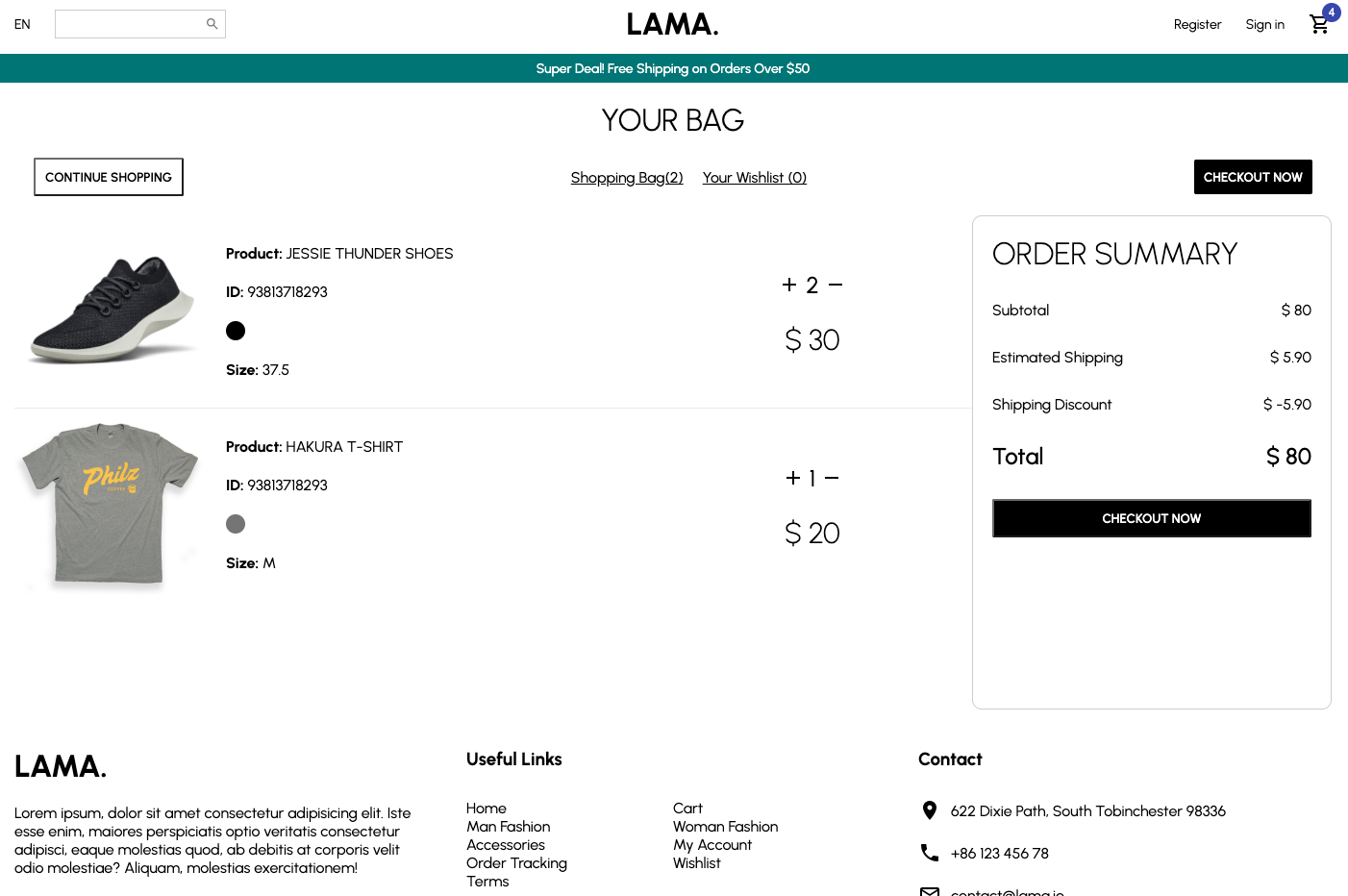
移动端适配
src文件夹下新建responsive.js:
import { css } from "styled-components";export const mobile = (props) => {return css`@media only screen and (max-width: 380px) {${props}}`;};// export const tablet = (props) =>{// return css`// @media only screen and (max-width: 380px) {// ${props}// }// `// }
然后对各个页面进行适配
...import { mobile } from "../responsive";...const Product = styled.div`display: flex;justify-content: space-between;${mobile({ flexDirection: "column" })}`;...
至此,所有页面就都完成了。此时的目录结构:
.├── README.md├── package.json├── public│ └── index.html├── src│ ├── App.jsx│ ├── components│ │ ├── Announcement.jsx│ │ ├── Categories.jsx│ │ ├── CategoryItem.jsx│ │ ├── Footer.jsx│ │ ├── Navbar.jsx│ │ ├── Newsletter.jsx│ │ ├── Product.jsx│ │ ├── Products.jsx│ │ └── Slider.jsx│ ├── data.js│ ├── index.js│ ├── pages│ │ ├── Cart.jsx│ │ ├── Home.jsx│ │ ├── Login.jsx│ │ ├── Product.jsx│ │ ├── ProductList.jsx│ │ └── Register.jsx│ └── responsive.js└── yarn.lock

若有收获,就点个赞吧
0 人点赞


