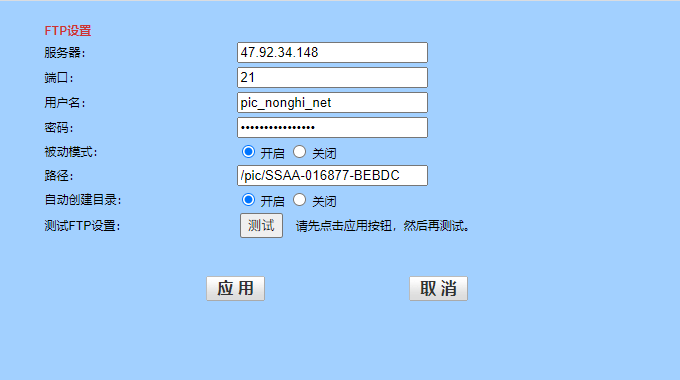
推流地址
文件目录:org.jeecg.modules.demo.apimanage.service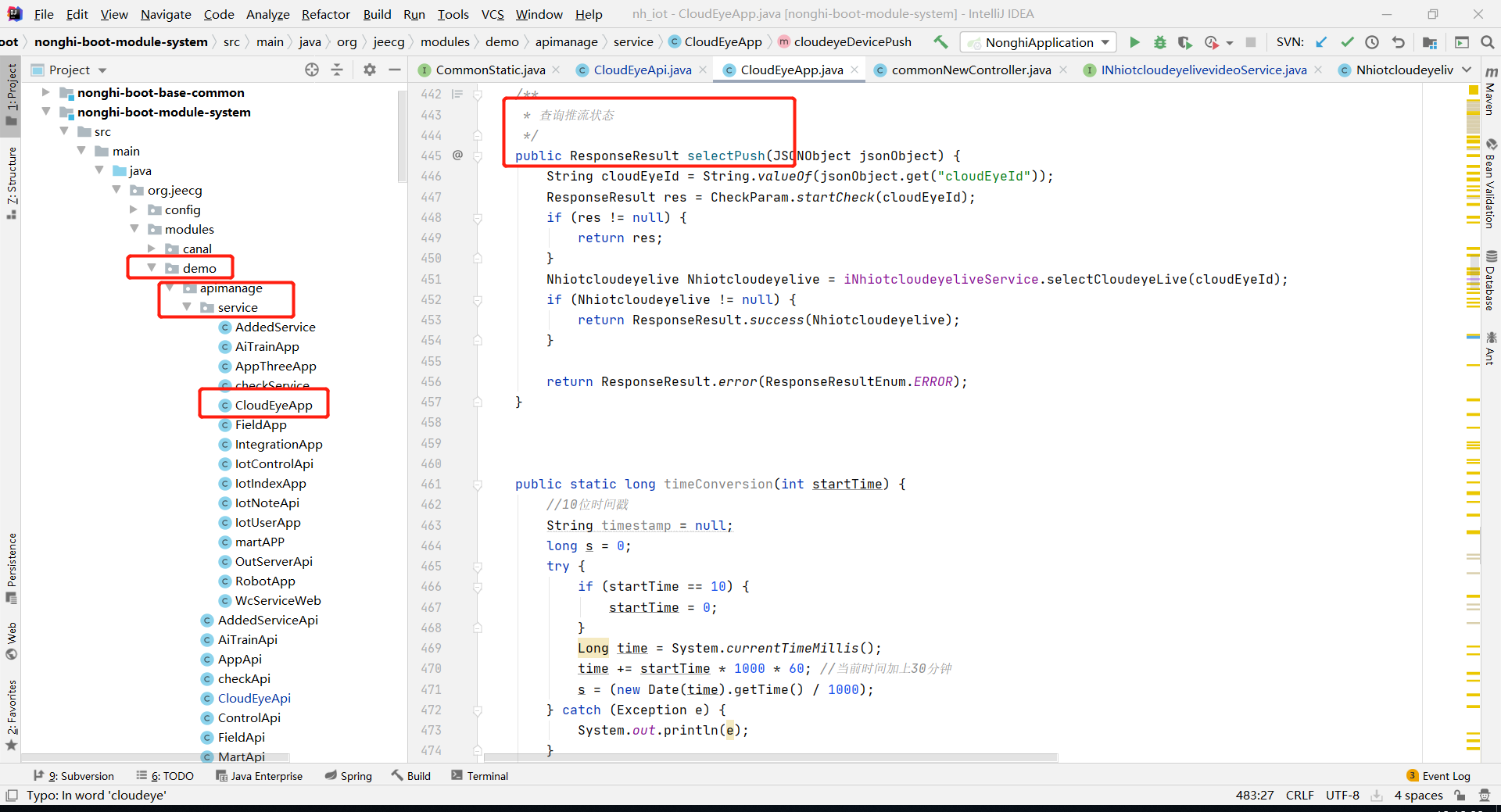
/*** 查询推流状态*/public ResponseResult selectPush(JSONObject jsonObject) {String cloudEyeId = String.valueOf(jsonObject.get("cloudEyeId"));ResponseResult res = CheckParam.startCheck(cloudEyeId);if (res != null) {return res;}Nhiotcloudeyelive Nhiotcloudeyelive = iNhiotcloudeyeliveService.selectCloudeyeLive(cloudEyeId);if (Nhiotcloudeyelive != null) {return ResponseResult.success(Nhiotcloudeyelive);}return ResponseResult.error(ResponseResultEnum.ERROR);}public static long timeConversion(int startTime) {//10位时间戳String timestamp = null;long s = 0;try {if (startTime == 10) {startTime = 0;}Long time = System.currentTimeMillis();time += startTime * 1000 * 60; //当前时间加上30分钟s = (new Date(time).getTime() / 1000);} catch (Exception e) {System.out.println(e);}return s;}/*** 0FA023H243JJ32J2BK* 推流拼接*/public ResponseResult cloudeyeDevicePush(JSONObject jsonObject) {String cloudEyeId = String.valueOf(jsonObject.get("cloudEyeId"));/*String starTime = String.valueOf(jsonObject.get("starTime"));*//*int lapseTime = Integer.valueOf(starTime);*/// push 时间戳String pushTime = "4093676538";// 时间戳/*long time = timeConversion(lapseTime);*/long time=4102316538L;// APP名称String appName = "nhyy";// 摄像头编号名称String streamName = cloudEyeId;// 播流域名String playHost = "p.nonghi.net";// 推流域名String pushHost = "t.nonghi.net";// 鉴权主keyString pushKye = "PKNZ5ZQVSA";// 鉴权主keyString playKye = "lcWY04vIoI";// 随机数不要有下划线String rand = UUIDGenerator.generate();// 加密String strPlay = "/" + appName + "/" + streamName + "-" + time + "-0-0-" + playKye;String m3u8s = "/" + appName + "/" + streamName + ".m3u8" + "-" + time + "-0-0-" + playKye;String strPush = "/" + appName + "/" + streamName + "-" + pushTime + "-0-0-" + pushKye;// 播放流拼接rtmpString playUrl = "rtmp://" + playHost + "/" + appName + "/" + streamName + "?auth_key=" + time + "-0-0-" + DigestUtils.md5Hex(strPlay);String m3u8Url = "http://" + playHost + "/" + appName + "/" + streamName+ ".m3u8" + "?auth_key=" + time + "-0-0-" + DigestUtils.md5Hex(m3u8s);// 推流拼接rtmpString pushUrl = "rtmp://" + pushHost + "/" + appName + "/" + streamName + "?auth_key=" + pushTime + "-0-0-" + DigestUtils.md5Hex(strPush);String m3u8 = "http://" + playHost + "/" + "video/record/live/SSSS-515778-DAAEC/2020-03-17-19-03-27_2020-03-17-19-18-27.m3u8" + "?auth_key=" + time + "-0-0-" + DigestUtils.md5Hex(m3u8s);System.out.println(">>>>>>>>>>>>>>>播流地址RTMP" + playUrl);System.out.println(">>>>>>>>>>>>>>>播流地址M3U8" + m3u8Url);System.out.println(">>>>>>>>>>>>>>>推流地址RTMP" + pushUrl);return ResponseResult.success(playUrl);}/*** 推流生成** @param* @return*/public String setPushUrl(String uid) {// 时间戳String pushTime = "1767252141";// APP名称String appName = "nhyy";// 摄像头编号名称String streamName = uid;// 推流域名String pushHost = "t.nonghi.net";// 鉴权主keyString pushKye = "PKNZ5ZQVSA";// 加密String strPush = "/" + appName + "/" + streamName + "-" + pushTime + "-0-0-" + pushKye;// 推流拼接rtmpString pushUrl = "rtmp://" + pushHost + "/" + appName + "/" + streamName + "?auth_key=" + pushTime + "-0-0-" + DigestUtils.md5Hex(strPush);return pushUrl;}
FTP设置
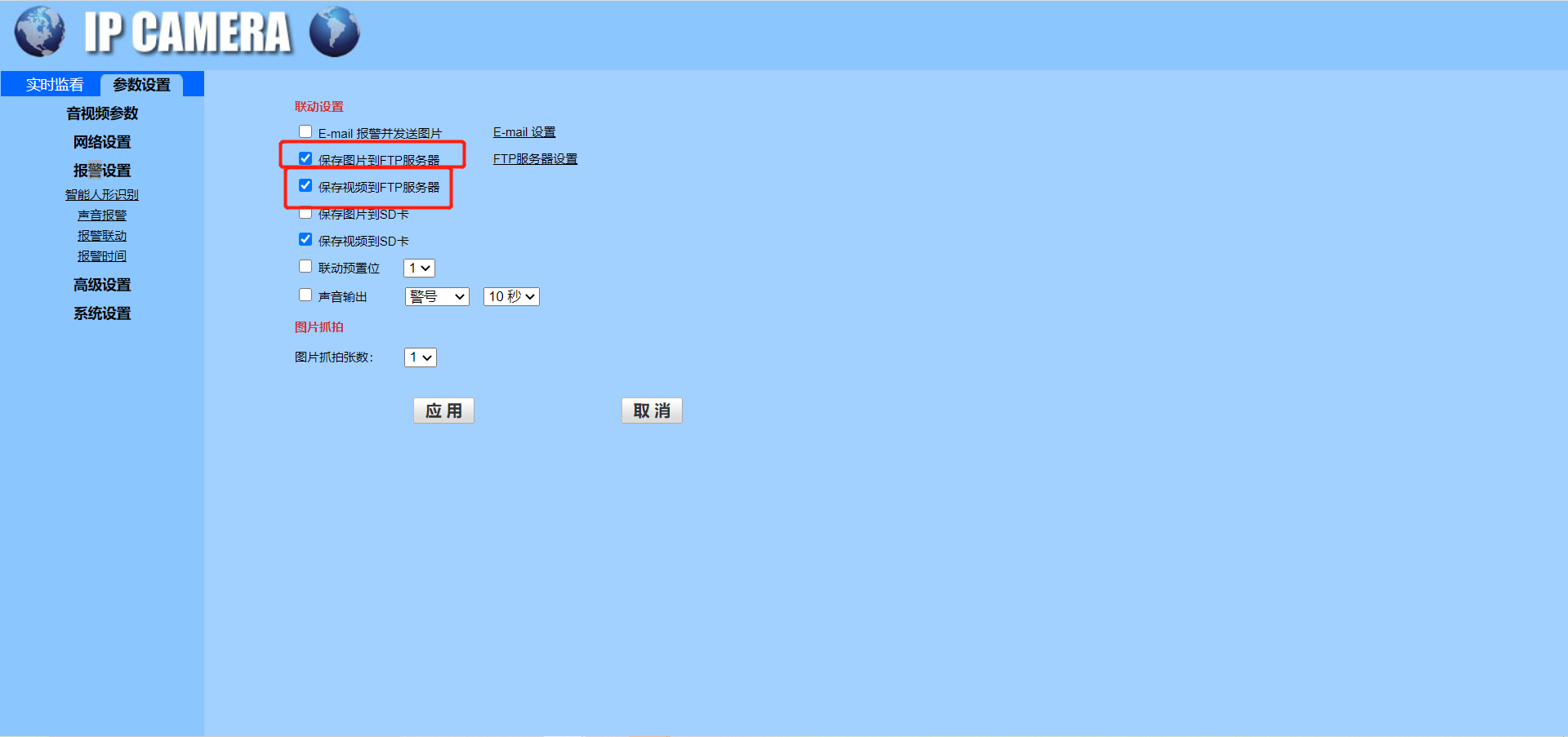
摄像头配置报警设置上传图片和视频到FTP:
配置FTP:
上传的FTP目录
地址:47.92.34.148
账号:pic_nonghi_net
密码:aRYWzNsSW6sxLyNa
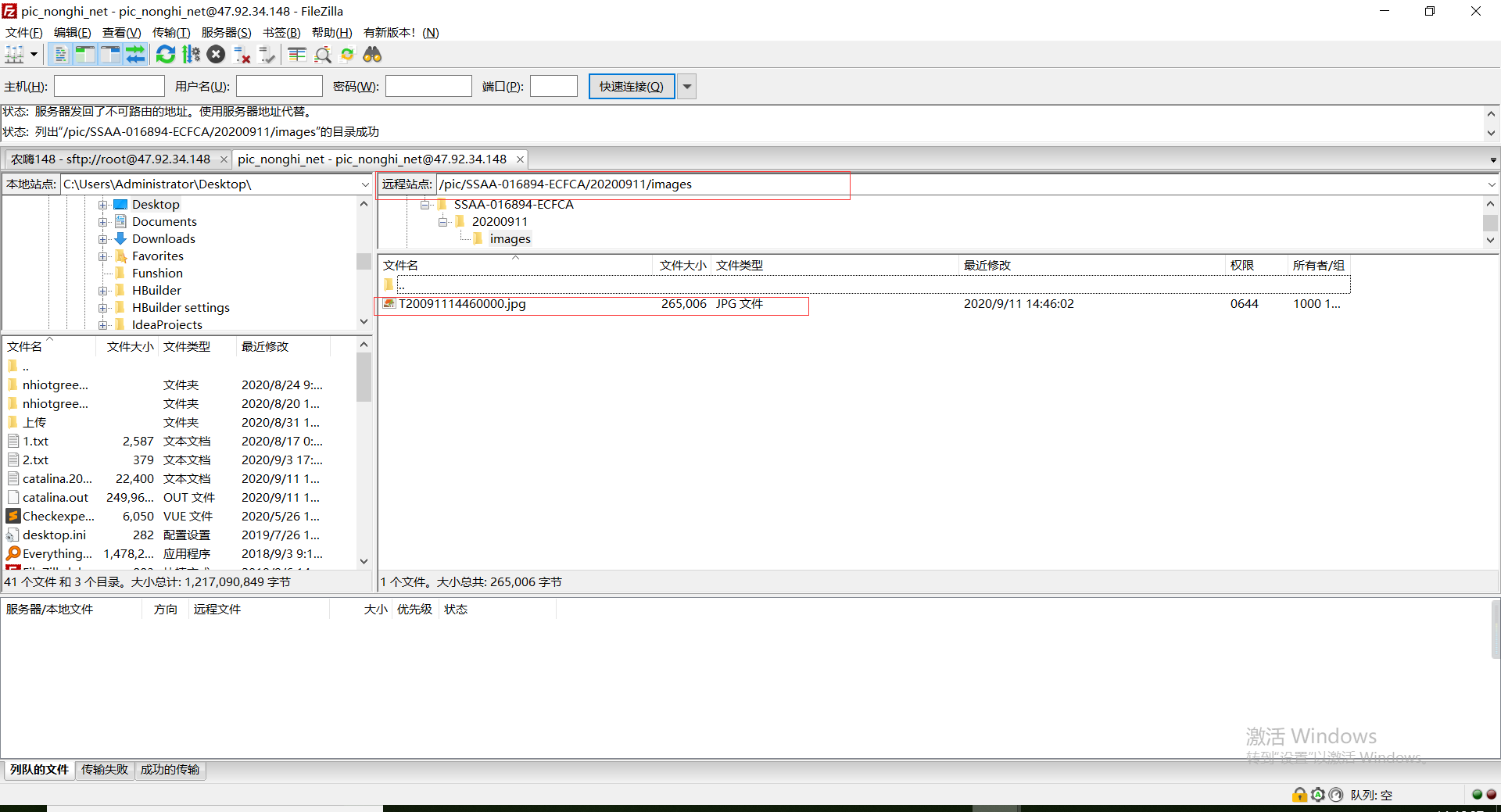
上传的目录:/pic/SSAA-016894-ECFCA 重点(用pic_nonghi_net账号登录以后找到PIC目录 摄像头名称不用手动创建只需要配置后自动创建)
查看配置是否成功:
如果配置成功后进入FTP目录会看到该文件夹下出现的images文件夹然后该文件夹会生成T开头的文件,该文件是测试文件
直播
获取直播拉流
简要描述:
- 获取直播拉流
请求URL:
[https://wlw.nonghi.net/nonghi-boot/a/common/iotCloudEye/api](https://wlw.nonghi.net/nonghi-boot/a/common/iotCloudEye/api)
请求方式:
- POST
参数:
| 参数名 | 必选 | 类型 | 说明 |
|---|---|---|---|
| key | 是 | int | 4018 |
| cloudEyeId | 是 | string | 摄像头id |
| starTime | 否 | string | 失效时间 列如10分钟传10 该参数暂时没有作用 |
返回示例
{"result": "rtmp://p.nonghi.net/live/SSSS-515776-CBAAD?auth_key=1583906017-0-0-c83210e70667572ca8ce9508a75caa34","code": 1,"msg": "请求成功"}
返回参数说明
| 参数名 | 类型 | 说明 |
|---|---|---|
| result | String | 播流地址 |
备注
- 更多返回错误代码请看首页的错误代码描述
阿里云OSS维护
阿里云OSS存储运维

若有收获,就点个赞吧
0 人点赞


