下载
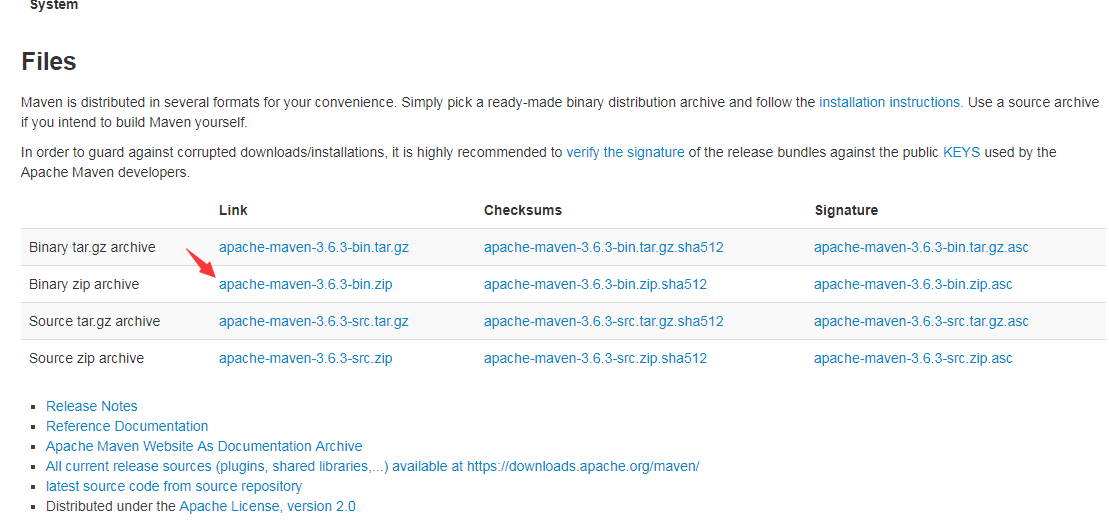
- 前往官网下载压缩包下载地址
安装
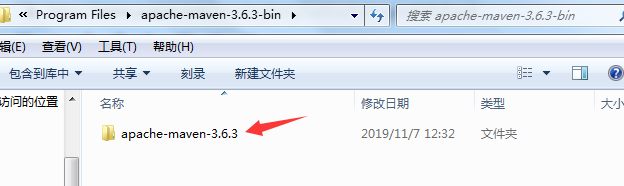
- 压缩包解压后,再往里一层的位置才是maven安装的路径
配置环境变量
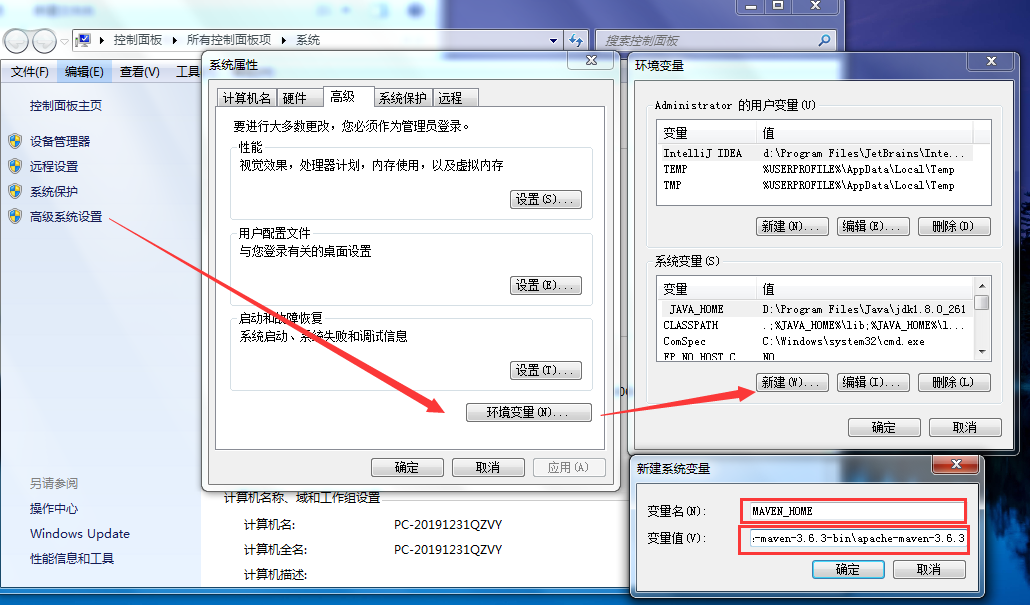
- 配置环境变量
MAVEN_HOME,路径即为maven的根路径 - (例:
D:\Program Files\apache-maven-3.6.3-bin\apache-maven-3.6.3)
- 添加
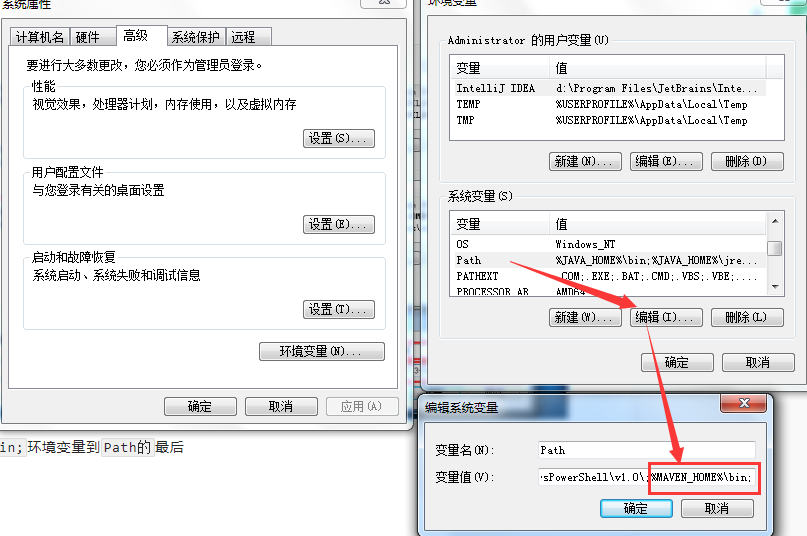
%MAVEN_HOME%\bin;环境变量到Path的最后
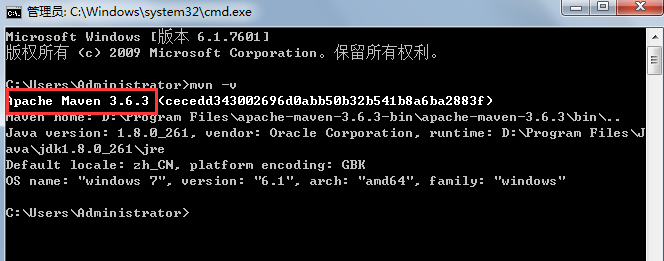
- 控制台输入mvn -v查看maven是否配置成功
修改配置文件
- 编辑
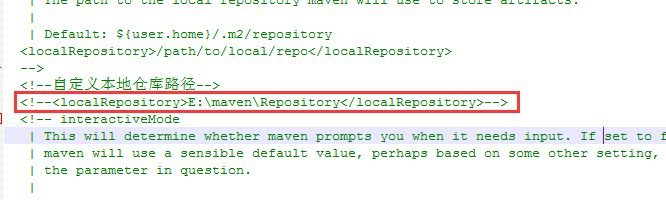
D:\Program Files\apache-maven-3.6.3-bin\apache-maven-3.6.3\conf\settings.xml - maven默认会把依赖包存在C盘,打开此处的注释修改成自己创建的文件夹
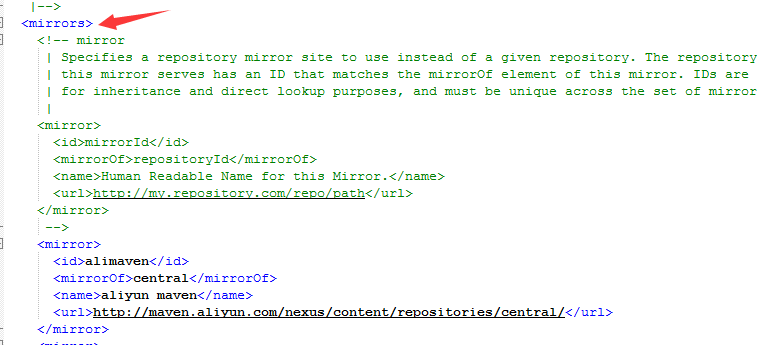
- maven默认会从国外的镜像库下载依赖文件,非常慢,在
mirrors节点中添加下面列出来的国内镜像节点注:我已经把镜像节点添加到提供的安装文件压缩包里了
<mirror><id>alimaven</id><mirrorOf>central</mirrorOf><name>aliyun maven</name><url>http://maven.aliyun.com/nexus/content/repositories/central/</url></mirror><mirror><id>alimaven</id><name>aliyun maven</name><url>http://maven.aliyun.com/nexus/content/groups/public/</url><mirrorOf>central</mirrorOf></mirror><mirror><id>ibiblio</id><mirrorOf>central</mirrorOf><name>Human Readable Name for this Mirror.</name><url>http://mirrors.ibiblio.org/pub/mirrors/maven2/</url></mirror><mirror><id>jboss-public-repository-group</id><mirrorOf>central</mirrorOf><name>JBoss Public Repository Group</name><url>http://repository.jboss.org/nexus/content/groups/public</url></mirror><mirror><id>central</id><name>Maven Repository Switchboard</name><url>http://repo1.maven.org/maven2/</url><mirrorOf>central</mirrorOf></mirror><mirror><id>repo2</id><mirrorOf>central</mirrorOf><name>Human Readable Name for this Mirror.</name><url>http://repo2.maven.org/maven2/</url></mirror>

若有收获,就点个赞吧
0 人点赞


