组件功能点
name

props

mounted 、 created 作为vue组件的生命周期,其他的(watch / computed)方法以对象形式
props: {info: {type: Object,defalut: {},},tagName: {type: String,defalut: "",},},
watch

watch: {isEdit(newVal) {if (newVal == true) {this.getDetail()} else {this.ruleConfigDataSource()}},},
computed

computed: {typeName() {if (this.info.effectType &&this.info.effectType != null &&this.info.effectType != "") {if (this.info.effectType == 1) {return this.effectPic == "" ? "复原后情况" : "复原后照片";} else if (this.info.effectType == 2) {return this.effectPic == "" ? "复绿后情况" : "复绿后照片";} else if (this.info.effectType == 3) {return this.effectPic == "" ? "复原或复绿后情况" : "复原或复绿后照片";}} else {return this.effectPic == "" ? "复原后情况" : "复原后照片";}},},
mounted

mounted() {this.getDataSource()},
created
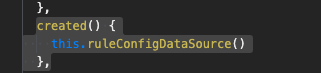
created() {this.ruleConfigDataSource()},
组件书写规则

注释规范
/*** empty 内容为空* @description 该组件用于需要加载内容,但是加载的第一页数据就为空,提示一个"没有内容"的场景, 我们精心挑选了十几个场景的图标,方便您使用。* @tutorial https://www.uviewui.com/components/empty.html* @property {String} color 文字颜色(默认#c0c4cc)* @property {String} text 文字提示(默认“无内容”)* @property {String} src 自定义图标路径,如定义,mode参数会失效* @property {String Number} font-size 提示文字的大小,单位rpx(默认28)* @property {String} mode 内置的图标,见官网说明(默认data)* @property {String Number} img-width 图标的宽度,单位rpx(默认240)* @property {String} img-height 图标的高度,单位rpx(默认auto)* @property {String Number} margin-top 组件距离上一个元素之间的距离(默认0)* @property {Boolean} show 是否显示组件(默认true)* @event {Function} click 点击组件时触发* @event {Function} close 点击关闭按钮时触发* @example <u-empty text="所谓伊人,在水一方" mode="list"></u-empty>*/
命名规范
尽量模仿使用小写加横线的模式定义组件

若有收获,就点个赞吧
0 人点赞


