title: Ubuntu-18-0-4-SonarQube-6-7-x-安装教程
date: 2018-07-01 16:01:33
categories:
- Linux
- Linux
tags: [linux,linux]
安装环境及版本:
- 系统:Ubuntu 18.04 LTS
- JDK: OpenJDK 1.8.0
- MySql : 5.7
- SonarQube: SonarQube 6.7.7
一 下载sonar
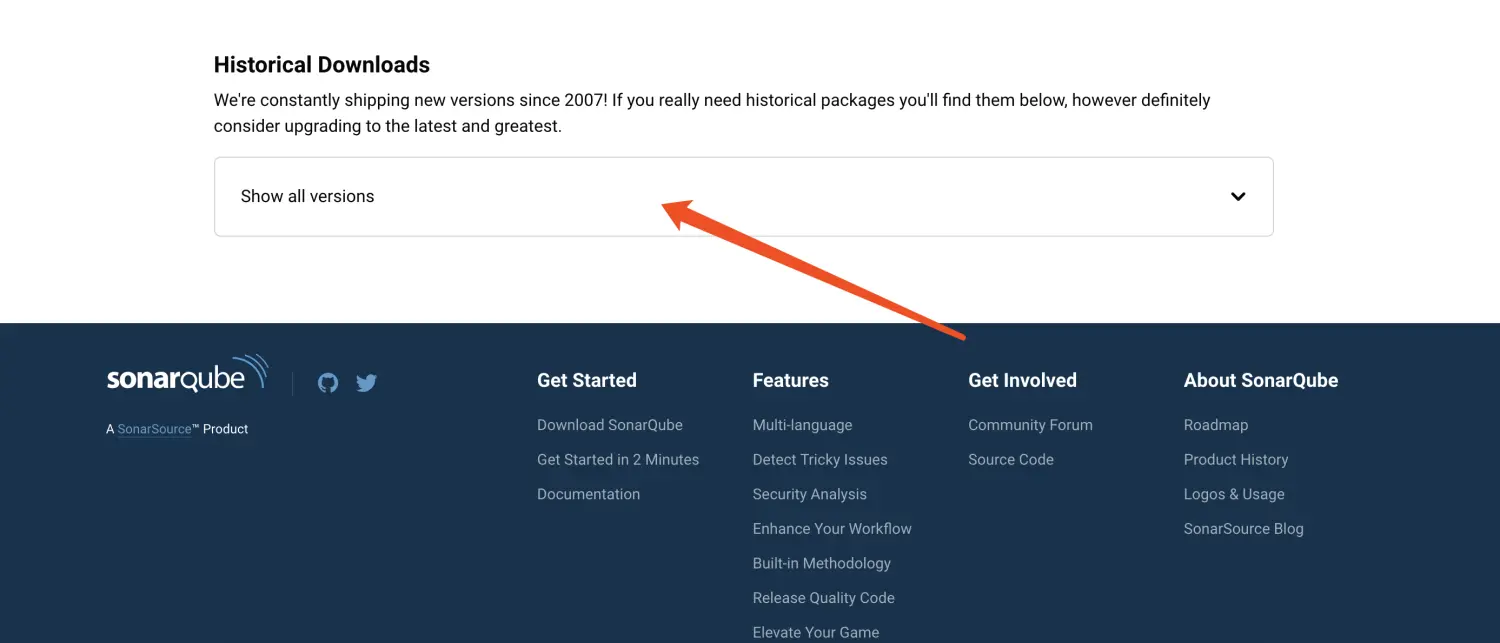
- 拉到最下面,选择Show all versions,可选择历史版本
二 上传至Ubuntu
//解压unzip sonarqube-6.7.7.zip//移动目录mv sonarqube-6.7.7 /usr/local/sonar
三 数据库配置
- 必须新建一个数据库 :sonar
mysql> CREATE DATABASE sonar CHARACTER SET utf8 COLLATE utf8_general_ci;
Query OK, 1 row affected (0.00 sec)
- 不能使用root数据库用户,新建个数据库用户
mysql> CREATE USER 'sonar' IDENTIFIED BY '123456';
Query OK, 0 rows affected (0.00 sec)

mysql> GRANT ALL ON sonar.* TO 'sonar'@'%' IDENTIFIED BY '123456';
Query OK, 0 rows affected, 1 warning (0.01 sec)

mysql> GRANT ALL ON sonar.* TO 'sonar'@'localhost' IDENTIFIED BY '123456';
Query OK, 0 rows affected, 1 warning (0.00 sec)

mysql> flush privileges;
Query OK, 0 rows affected (0.00 sec)
- 配置sonar的数据库信息(vim conf/sonar.properties)
sonar.jdbc.url=jdbc:mysql://localhost:3306/sonar?useUnicode=true&characterEncoding=utf8&rewriteBatchedStatements=true&useConfigs=maxPerformance&useSSL=false
sonar.jdbc.username=sonar
sonar.jdbc.password=123456
四 启动
- 不能使用root用户启动,新建个用户
//新建用户
useradd sonar
//赋权
chown -R sonar.sonar /usr/local/sonar
//修改密码
passwd sonar
//切换到sonar用户
su sonar
- 启动
./bin/linux-x86-64/sonar.sh console
五 登录系统
- http://ip:9000 用户名密码:admin
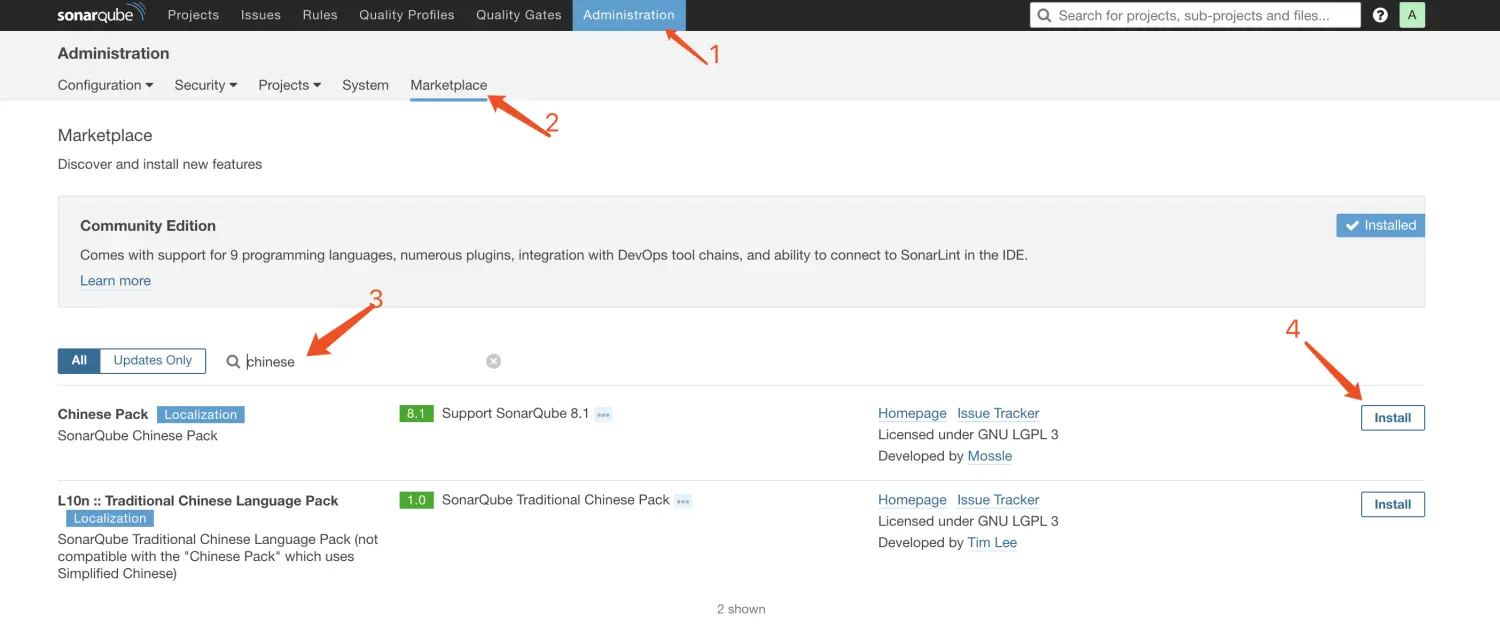
- 汉化,重启服务即可
参考:
https://blog.csdn.net/weixin_43931358/article/details/102666710
https://blog.csdn.net/ToFate_/article/details/86007770

若有收获,就点个赞吧
0 人点赞


