14.1从文本文件中读取 数据(导入)
序言:当把大量的数据输入到表中时。如果打开mysql用手动输入则会非常慢,我们可以使用csv(逗号分隔值) 的格式文本文件进行输入。
1.1CSV文件
在CSV文件中,数据都是用逗号隔开的,文件内容仅包含文本。
1.2导入和导出的准备
如果没有配置mysql的配置文件,那么就无法导入导出。通过我们会在mysql的配置文件my.ini中设置<br /> **secure-file-priv**的值,secure-file-priv值是用来限制LOAD DATA, SELECT ... OUTFILE, and LOAD_FILE()传到哪个指定目录的。
- ure-file-priv的值为null ,表示限制mysqld 不允许导入|导出
- 当secure-file-riv的值为/tmp/ ,表示限制mysqld 的导入|导出只能发生在/tmp/目录下
当secure-file-priv的值没有具体值时,表示不对mysqld 的导入|导出做限制
如果配置成功之后,我们可以通过命令select @@global.secure_file_priv来查看值
1.3导入文件
我们可以使用load data infile命令从文件中导入数据
语法:load data infile ‘文件路径+文件名’ into table 表名 选项的描述
此外我们 还可以指定文件读取的数据格式 ,比如:指定数据之间的分隔符、换行符,及从第几行开始读取。

同时:
示列:导入外部文件t.csv到表tb1k中
因为文件使用的分隔符是‘,’,所以我们只要通过fields terminated by ‘,’ 进行指定即可,同时在指定读取文件的路径时,要使用‘/’; ```sql /t.csv的内容 存放路径D:\data\t.csv; N551,佐佐木,37 N552,伊藤,41 N553,齐藤,31 N554,井上,43 N555,阿倍,31 / mysql> load data infile ‘d:/data/t.csv’ into table tb1k fields terminated by ‘,’; Query OK, 5 rows affected (0.00 sec) Records: 5 Deleted: 0 Skipped: 0 Warnings: 0
mysql> select* from tb1k; +———-+————+———+ | empid | name | age | +———-+————+———+ | N551 | 佐佐木 | 37 | | N552 | 伊藤 | 41 | | N553 | 齐藤 | 31 | | N554 | 井上 | 43 | | N555 | 阿倍 | 31 | +———-+————+———+ 5 rows in set (0.00 sec)
mysql>
<a name="vAgjq"></a>
#### 1.4导出文件
    我们也可以将表中的数据提前到csv文件等文本文件中,吧这种方式 称为导出,导出的文件可以在其他的数据库和系统中使用,也可以作为在紧急情况下的备份使用。<br />   语法:
> select *from outfile  '导出文件的路径+文件名'  选项的描述 from 表名;

   这里选项的描述和导入文件中是一样的<br />示列:把数据库tb1中的记录导出到文件out.csv中
```sql
mysql> select * from tb1;
+-------+------+------+
| empid | name | age  |
+-------+------+------+
| A101  | 佐藤 |   40 |
| A102  | 高桥 |   28 |
| A103  | 中川 |   20 |
| A104  | 渡边 |   23 |
| A105  | 西泽 |   35 |
+-------+------+------+
5 rows in set (0.02 sec)
mysql> select * into outfile 'd:/data/out.csv' fields terminated by ','from tb1;
Query OK, 5 rows affected (0.00 sec)


14.2从文件中读取并执行sql命令
1.1通过mysql监听器执行编写在文件中的sql语句
我们可以在记事本等文本编辑器中事先准备好sql语句,然后在mysql监听器上执行source命令<br /> 语法:
source 读取的文件(不用加单引号)
注意:这里source不是sql命令所以不用加;
示列:读取运行sql.sql文件中的sql命令
sql.sql文件:

mysql> source d:/data/sql.sql
Database changed
+-------+-------+-------+
| empid | sales | month |
+-------+-------+-------+
| A103  |   101 |     4 |
| A103  |   101 |     4 |
| A104  |   181 |     5 |
| A101  |   184 |     4 |
| A103  |    17 |     5 |
| A101  |   300 |     5 |
| A102  |   205 |     6 |
| A104  |    93 |     5 |
| A103  |    12 |     6 |
| A107  |    87 |     6 |
+-------+-------+-------+
10 rows in set (0.00 sec)

+-------+------+------+
| empid | name | age  |
+-------+------+------+
| A101  | 佐藤 |   40 |
| A102  | 高桥 |   28 |
| A103  | 中川 |   20 |
| A104  | 渡边 |   23 |
| A105  | 西泽 |   35 |
+-------+------+------+
5 rows in set (0.00 sec)

mysql>
1.2不通过sql监听器来执行文件中的sql指令
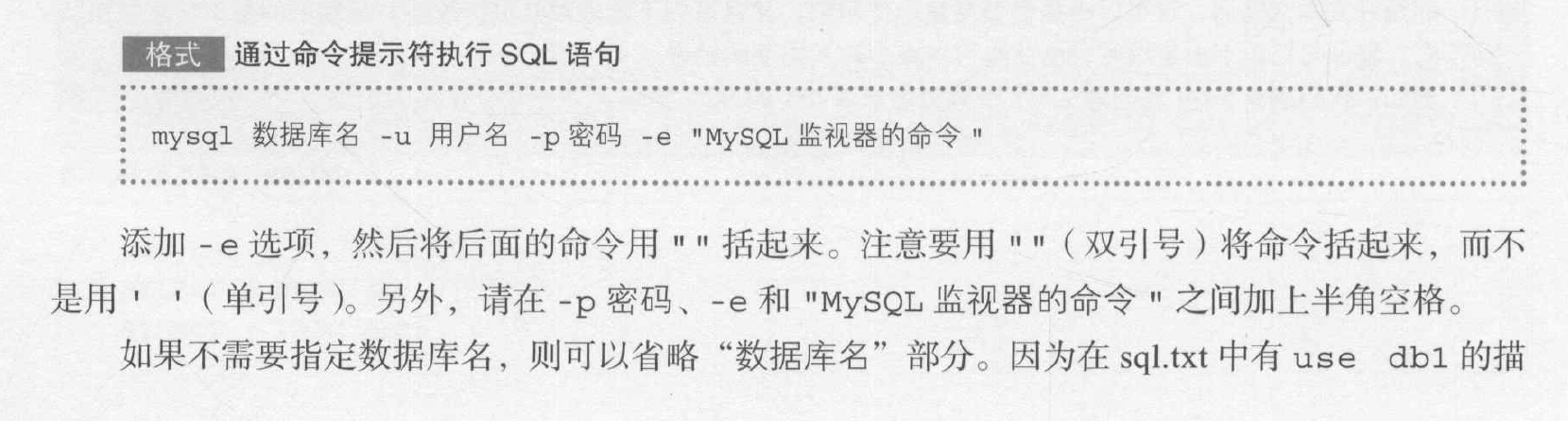
示列:
C:\Users\ASUS>mysql -u root -p8120 -e "source  d:/data/sql.sql"
mysql: [Warning] Using a password on the command line interface can be insecure.
+-------+-------+-------+
| empid | sales | month |
+-------+-------+-------+
| A103  |   101 |     4 |
| A103  |   101 |     4 |
| A104  |   181 |     5 |
| A101  |   184 |     4 |
| A103  |    17 |     5 |
| A101  |   300 |     5 |
| A102  |   205 |     6 |
| A104  |    93 |     5 |
| A103  |    12 |     6 |
| A107  |    87 |     6 |
+-------+-------+-------+
+-------+------+------+
| empid | name | age  |
+-------+------+------+
| A101  | 佐藤 |   40 |
| A102  | 高桥 |   28 |
| A103  | 中川 |   20 |
| A104  | 渡边 |   23 |
| A105  | 西泽 |   35 |
+-------+------+------+

C:\Users\ASUS>
14.3将sql语句的执行保存在文件中
如何将sql的执行结果保存到文件中呢?<br /> 1.在mysql监视器上执行tee命令<br /> 2.使用重定向将结果输出到标准输出中
1.1通过重定向将sql语句的执行结果输出到文本文件中
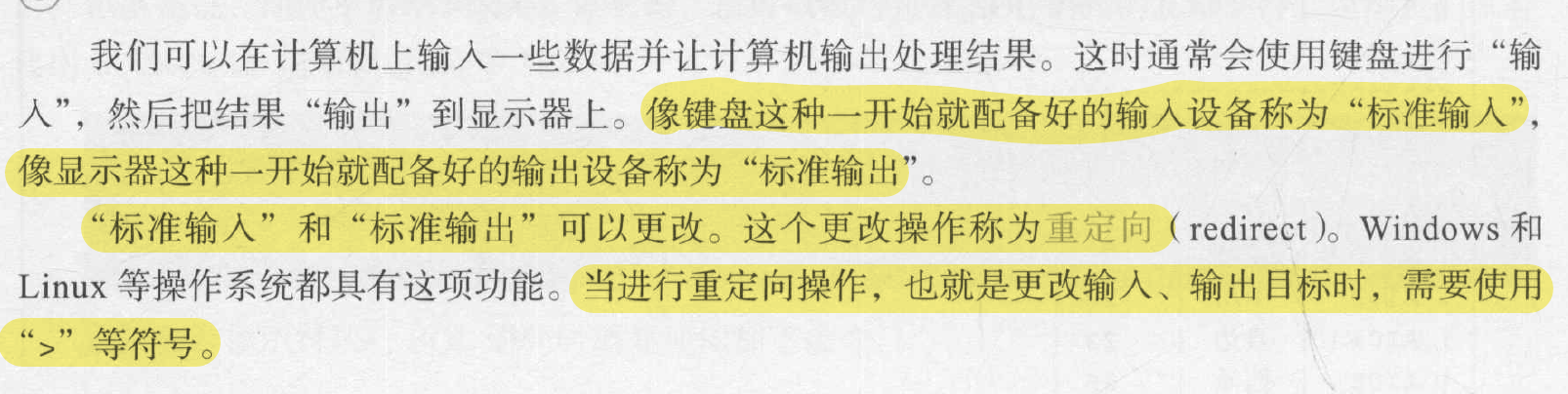
通过命令提示符进行重定向
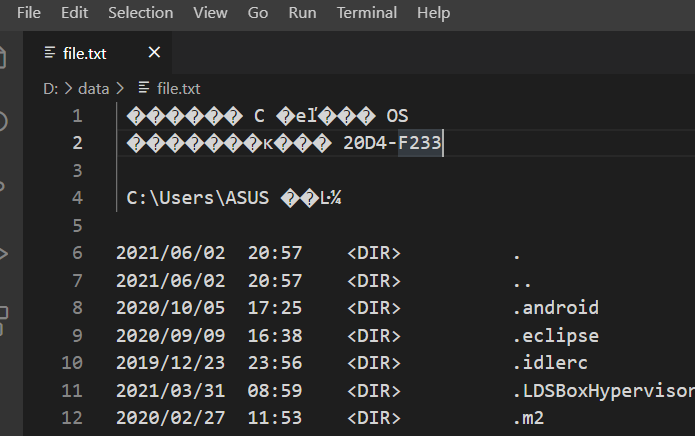
在Windows终端下输入dir会显示文件和文件夹的信息,我们可以利用>将这些信息输出到文件中去
示列一:
C:\Users\ASUS>dir >d:\data\file.txt

C:\Users\ASUS>
执行结果: 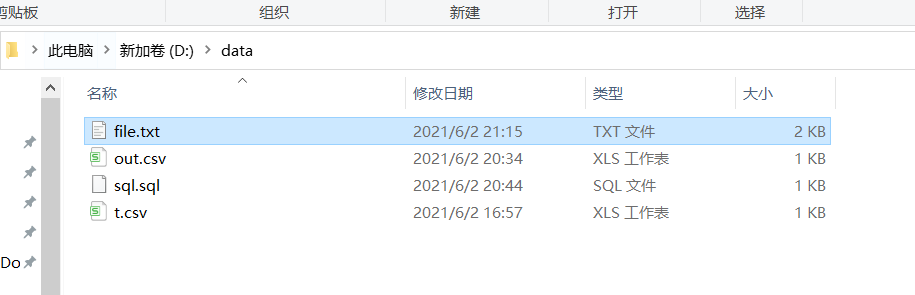
通过mysql命令使用重定向
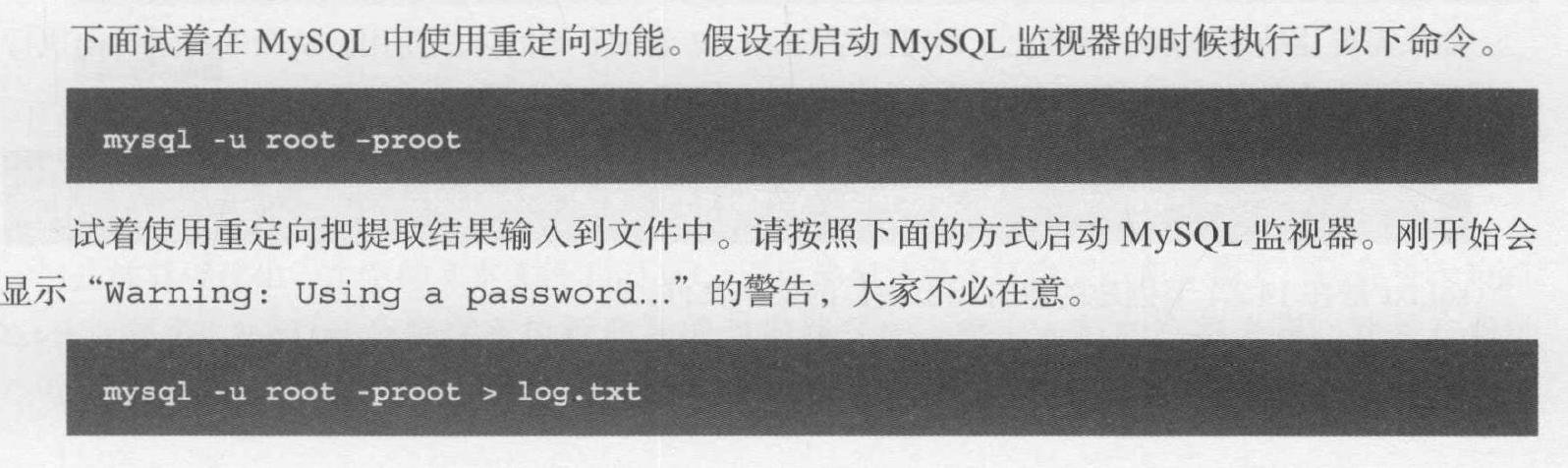
示列二:
C:\Users\ASUS>mysql -u root -p8120 >d:\log.txt
mysql: [Warning] Using a password on the command line interface can be insecure.
use db1;
select * from tb1;
exit;
ERROR 1064 (42000) at line 3: You have an error in your SQL syntax; check the manual that corresponds to your MySQL server version for the right syntax to use near 'exit' at line 1

C:\Users\ASUS>

1.2通过tee命令将sql语句的执行结果保存到文件中
语法:
tee 输出文件的名称 ……. notee 终止输出
示列:
mysql> tee d:a.txt;
Logging to file 'd:a.txt'
mysql> use db1;
Database changed
mysql> select * from tb1;
+-------+------+------+
| empid | name | age  |
+-------+------+------+
| A101  | 佐藤 |   40 |
| A102  | 高桥 |   28 |
| A103  | 中川 |   20 |
| A104  | 渡边 |   23 |
| A105  | 西泽 |   35 |
+-------+------+------+
5 rows in set (0.00 sec)

mysql> notee;
Outfile disabled.
mysql>
结果会想以前一样显示出来,但是内容却会写入a.txt;<br />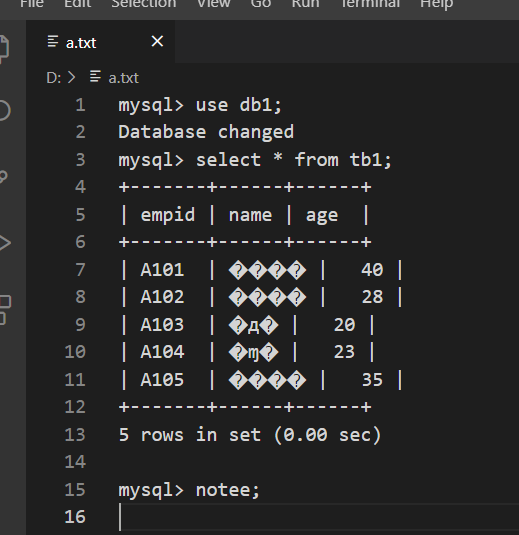
14.4备份和恢复数据库
1.1备份和恢复的方法
我们可以将数据库的设置、表和列的定义、数据等数据空的所有信息作为文件导出<br /> 转储:对数据库的所有内容执行导出的操作称为转储,我们可以在命令行里执行mysqldump来导出数据库<br /> 恢复:把导出的数据还原到数据库中的操作称为恢复,就是将包含sql语句的集合用mysql重定向
1.2使用mysqldump导出
**语法:**
mysqldump -u 用户名 -p密码 数据库名 >输出文件名称
** 示列:将db1数据库的信息转移到db1_out,txt中**
C:\Users\ASUS>mysqldump -u root -p8120 db1 >d:db1_out.txt
mysqldump: [Warning] Using a password on the command line interface can be insecure.

C:\Users\ASUS>
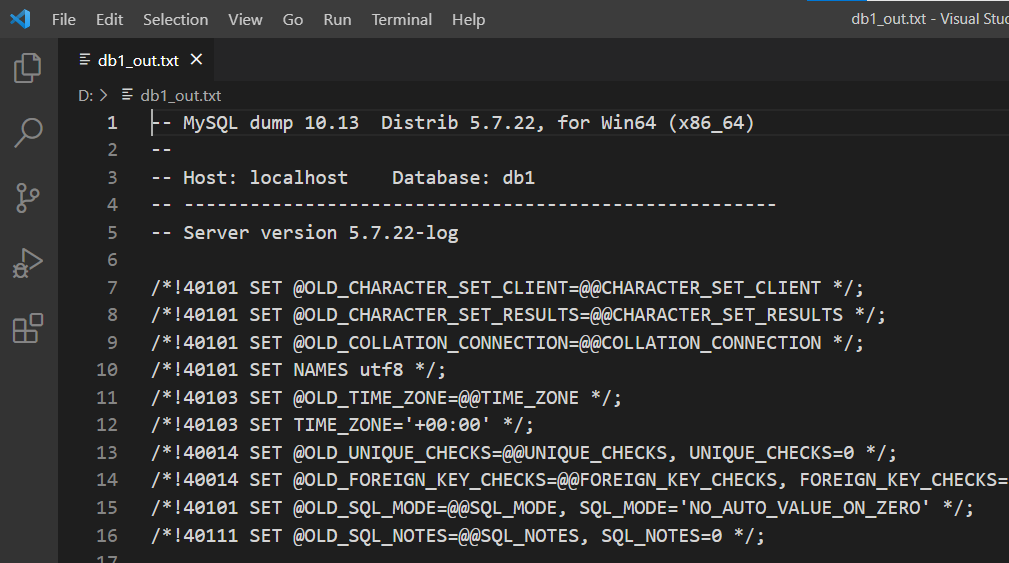
1.3恢复导出数据库文件
当恢复数据库时,要先有一个用于填充的数据库<br />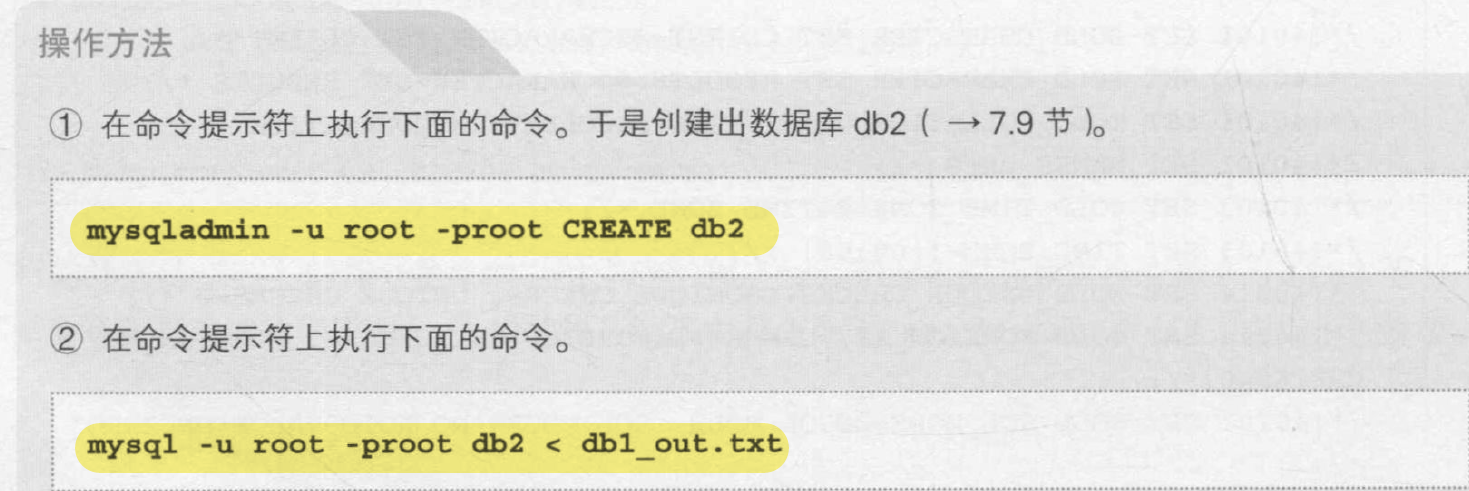<br />示列;
C:\Users\ASUS>mysqladmin -u root -p8120 create db2
mysqladmin: [Warning] Using a password on the command line interface can be insecure.

C:\Users\ASUS>mysql -u root -p8120 db2<d:db1_out.txt
mysql: [Warning] Using a password on the command line interface can be insecure
1.4字符编码问题


扩展:锁表
可以通过给表加锁 ,来限制表的操作<br />** 锁表语法:**
lock tables 表名 锁的类型
锁定类型有↓: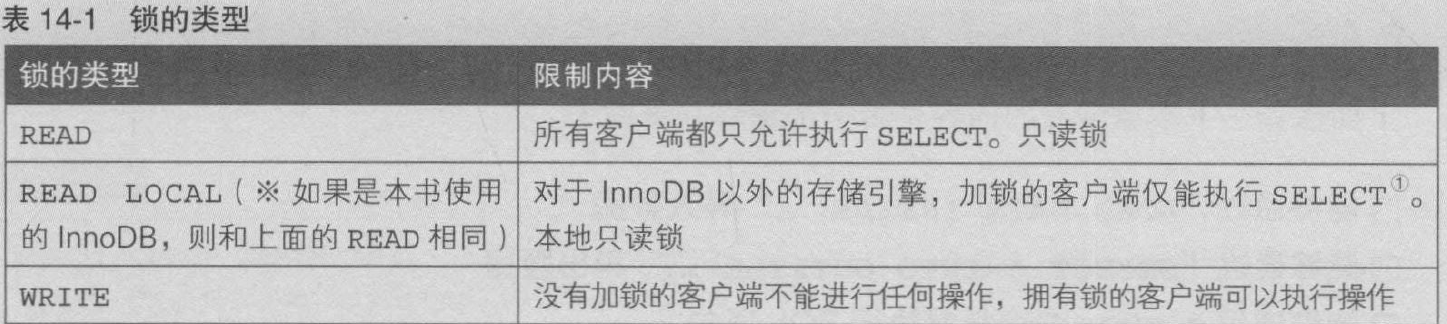
解锁语法:
unlock tables;//也会解锁全部的表

若有收获,就点个赞吧
0 人点赞


