教程
如何通俗地理解 Gradle?
官方文档为主,翻译,可能版本较低,有些可借鉴
安装
国内镜像下载
安装参考官方文档(选择installing manually):installing Gradle
升级
官方文档指引:Upgrading your build from Gradle
Gradle搭建SpringBoot
- gradle官方文档关于搭建
Spring官方文档关于搭建 (较复杂)
plugin
Spring Boot Gradle Plugin java -jar方式运行Springboot项目
init.gradle
allprojects {ext.ALIYUN_REPO_URL = 'https://maven.aliyun.com/nexus/content/groups/public/'ext.DEEPDRAW_REPO_URL = 'http://116.62.122.39:8088/repository/maven-releases/'ext.DEEPDRAW_REPO_ACCOUNT = 'lidebing'ext.DEEPDRAW_REPO_PWD = 'e%TF5Z&vifh$WPuN'repositories {all { ArtifactRepository repo ->if (repo instanceof MavenArtifactRepository) {def url = repo.url.toString()if (url.startsWith('https://repo1.maven.org/maven2') || url.startsWith('https://jcenter.bintray.com/')) {project.logger.lifecycle "Repository ${repo.url} replaced by $ALIYUN_REPO_URL."remove repo}}}maven {url ALIYUN_REPO_URL}maven {allowInsecureProtocol = trueurl DEEPDRAW_REPO_URLcredentials {username DEEPDRAW_REPO_ACCOUNTpassword DEEPDRAW_REPO_PWD}}}}
jar和bootJar
jar和bootJar,bootJar可以
java -jar执行gradle cache
gradlew
build.gradle
管理依赖 dependency management
A-B-C在全部远程依赖模式下,无论是api还是implemention都起不到依赖隔离的作用
- A-B是本地依赖,使用implemention,A访问不到C的API
- 如果你是一个lib库的维护者,对于所有需要公开的 API 你应该使用 api 依赖配置,测试依赖或不让最终用户使用的依赖使用 implementation 依赖配置。
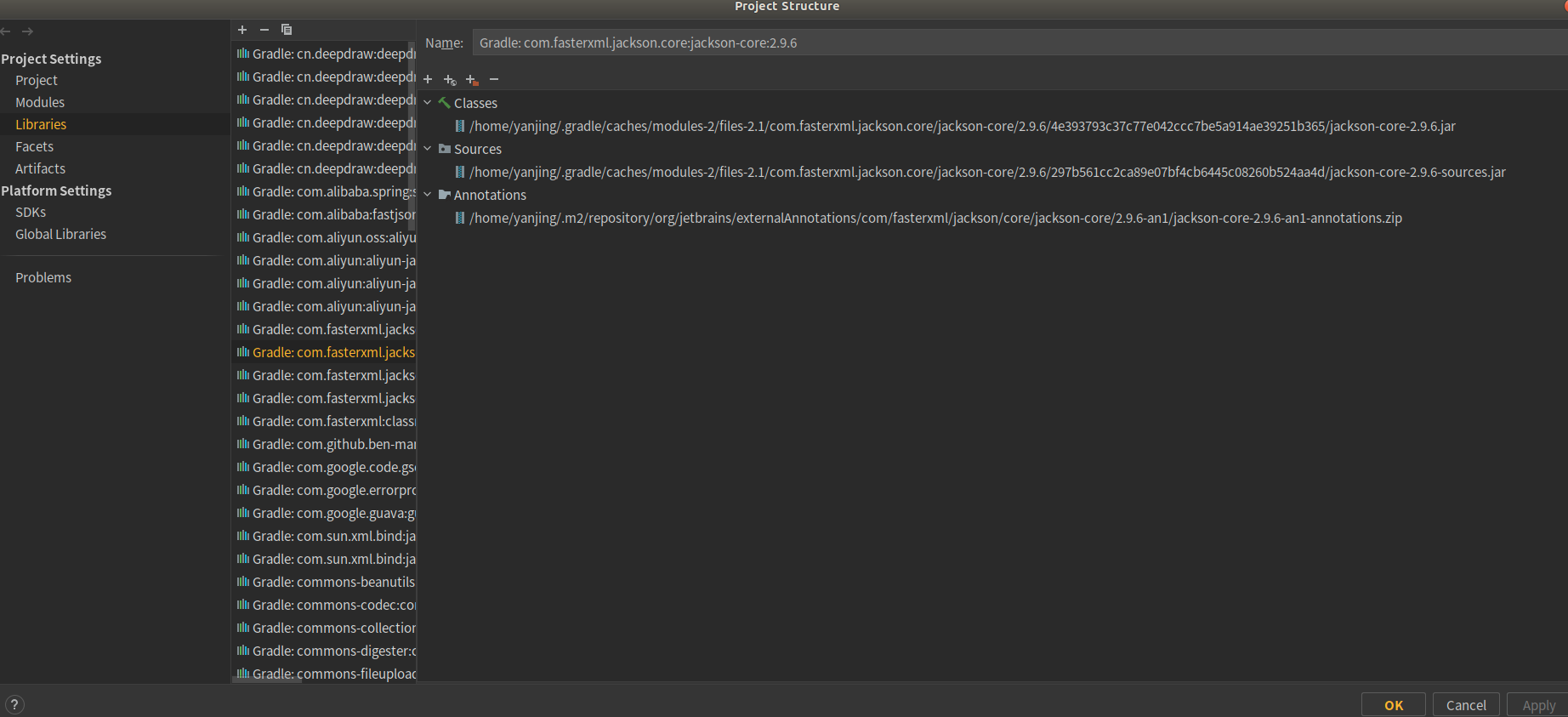
Java project
- compileOnly (supersedes provided) — for dependencies that are necessary to compile your production code but shouldn’t be part of the runtime classpath
- implementation (supersedes compile) — used for compilation and runtime (maven )
- runtimeOnly (supersedes runtime) — only used at runtime, not for compilation
- testCompileOnly — same as compileOnly except it’s for the tests
- testImplementation — test equivalent of implementation
- testRuntimeOnly — test equivalent of runtimeOnly
Java plugin
- implementation
The dependencies required to compile the production source of the project which are not part of the API exposed by the project. For example the project uses Hibernate for its internal persistence layer implementation.
- api
The dependencies required to compile the production source of the project which are part of the API exposed by the project. For example the project uses Guava and exposes public interfaces with Guava classes in their method signatures.
- testImplementation
The dependencies required to compile and run the test source of the project. For example the project decided to write test code with the test framework JUnit.
War plugin
- providedCompile
This configuration should be used for dependencies required at compilation but which are provided by the environment in which the WAR is deployed. Dependencies declared here are thus visible to the main and test compilation classpaths.
- providedRuntime
This configuration should be used for dependencies required at runtime but which are provided by the environment in which the WAR is deployed. Dependencies declared here are only visible to the main and test runtime classpaths.
排除依赖
// dubbo和io.lettuce引入的netty依赖冲突,故排除all*.exclude group: 'io.netty', module: 'netty-all'
导入本地jar包
implementation fileTree('webapp/WEB-INF/lib').include('*.jar')
问题解决
多模块设置gradle location
每个模块都要设置一下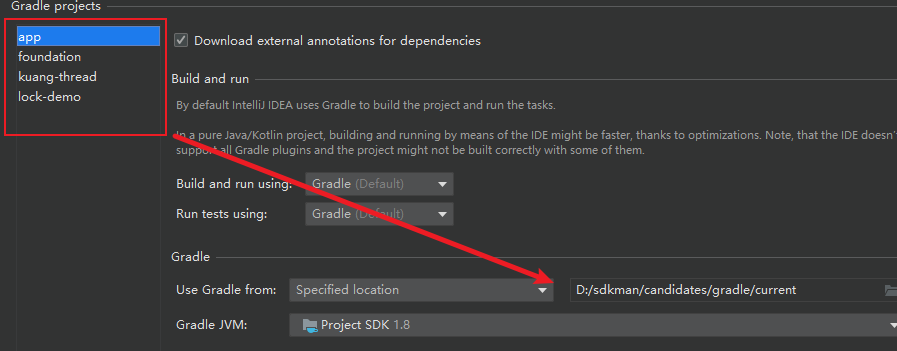

若有收获,就点个赞吧
0 人点赞


