固件库安装
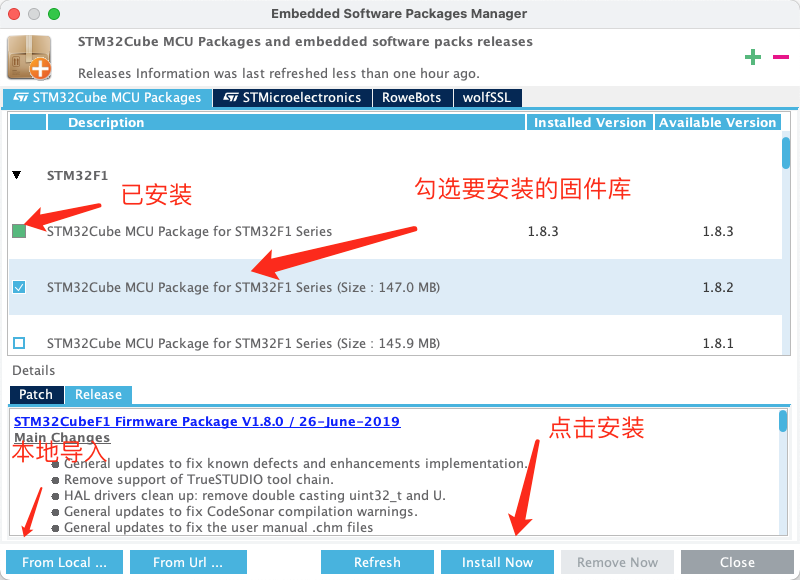
- 点击顶部菜单栏 “Help” -> “Manage embedded software package”

- 安装需要的固件库
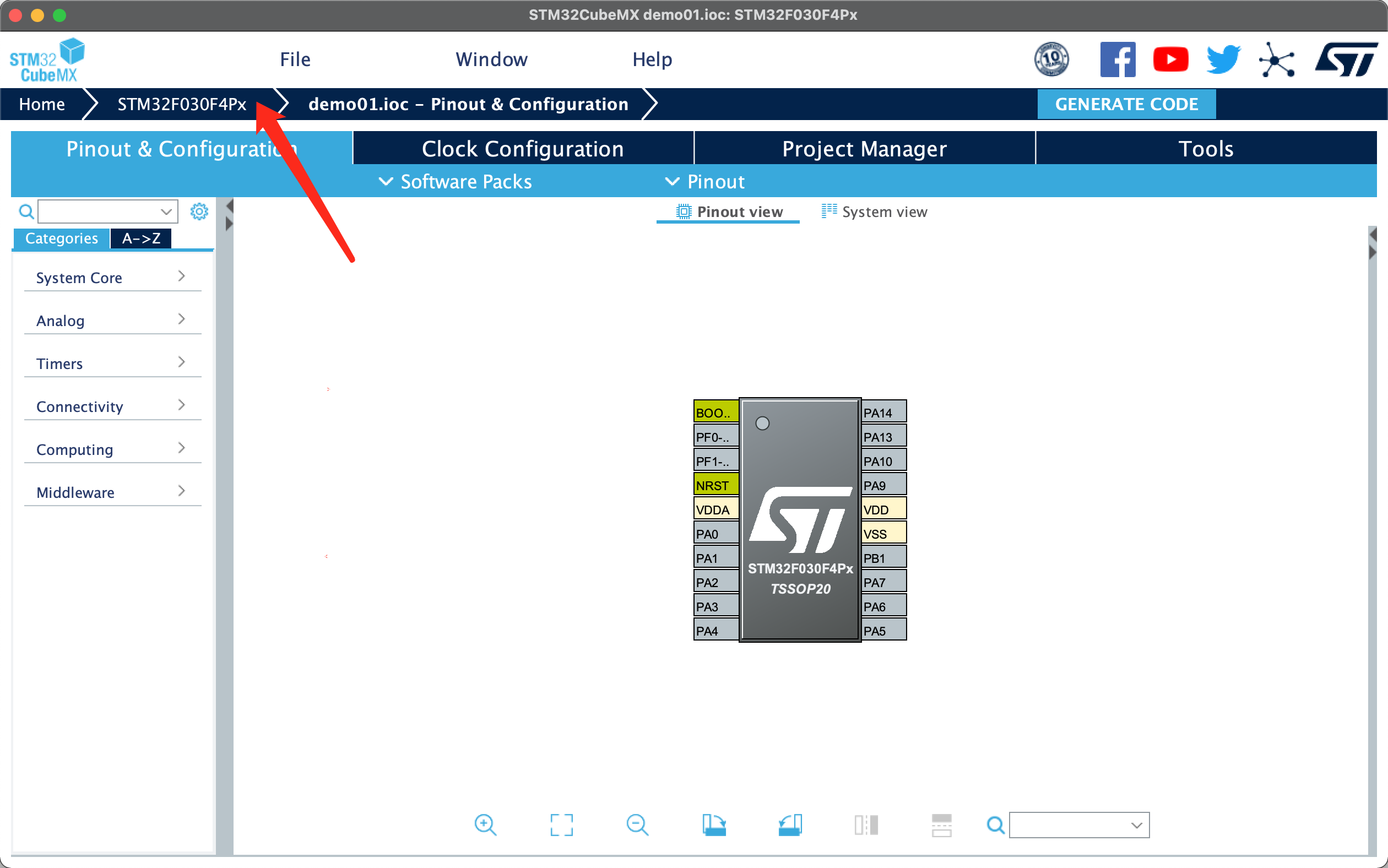
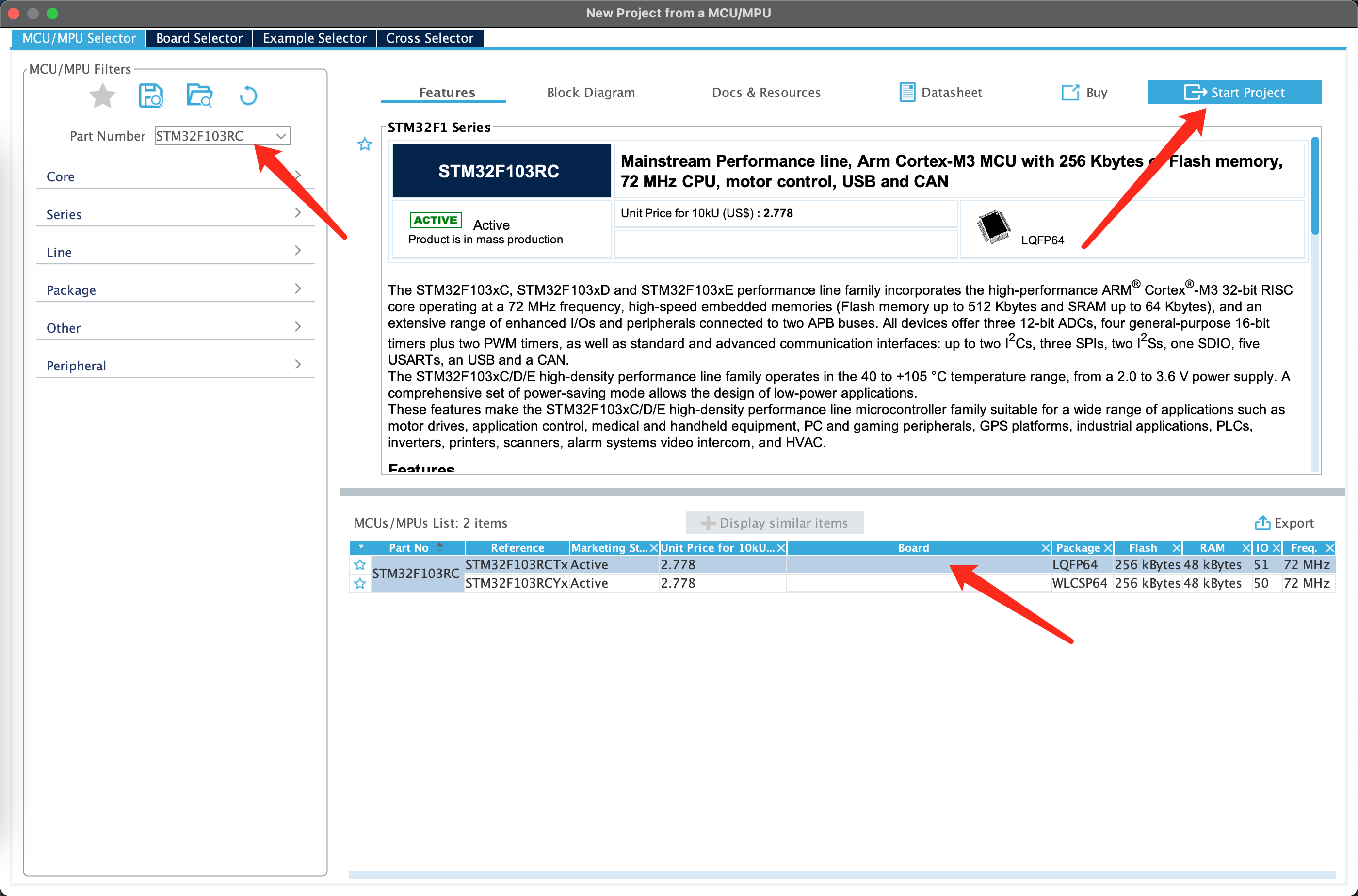
芯片选择
- 打开STM32CubeMX,点击选择芯片
Pinout & Configuration 引脚和配置
System Core配置
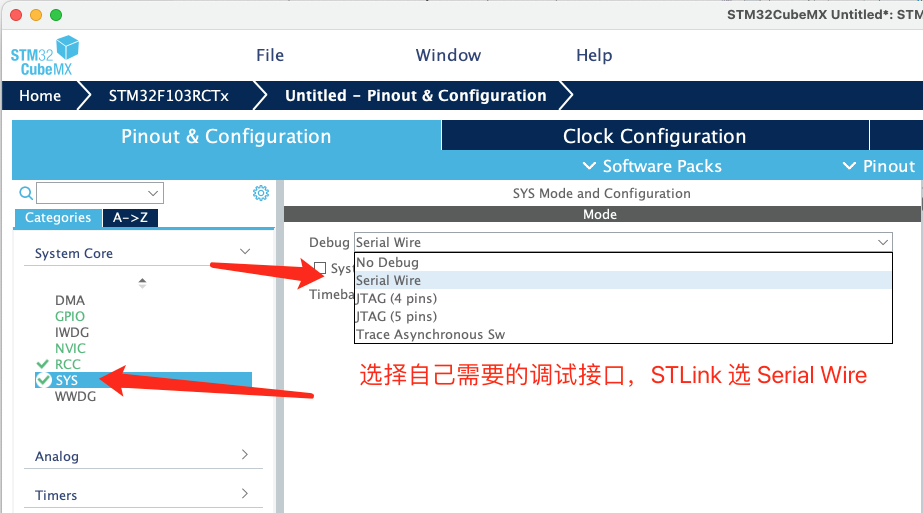
Debug配置
- 点击System Core -> SYS,
- Debug 选择对应的调试方式, STLink 选择 Serial Wire
时钟配置
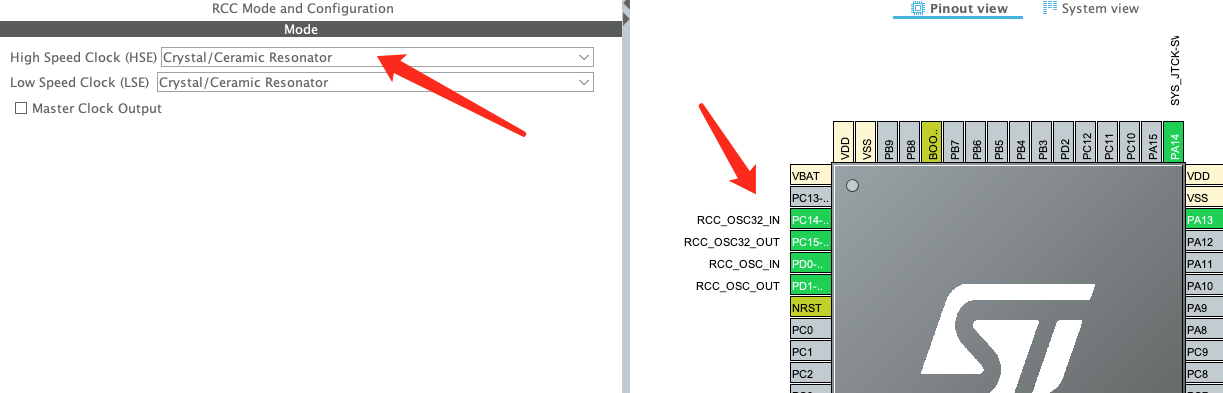
- System Core -> RCC
可配置 High Speed Clock (HSE) 外部高速时钟信号 和 Low Speed Clock (LSE) 外部低速时钟信号, 更具自己板子情况选择
Timers
定时器配置
Connectivity
接口配置,如:CAN、IC、SDIO、SPI、UART、USART、USB等
Multimedia
多媒体:IS 接口
Clock Configuration 时钟配置
一旦配置错误,会自动出现紫色提示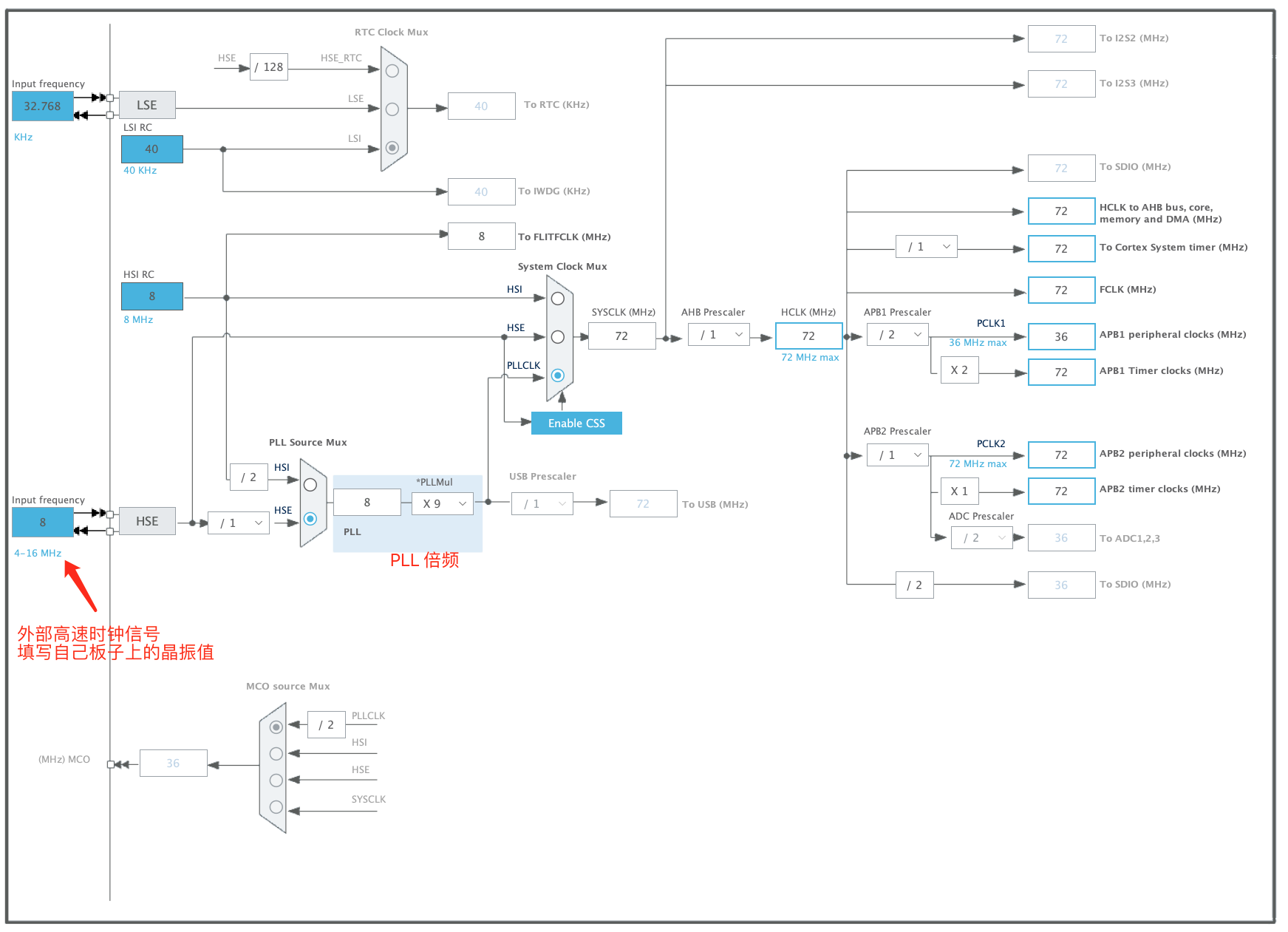

若有收获,就点个赞吧
0 人点赞


