
一、Excel模板
1、编辑Excel模板
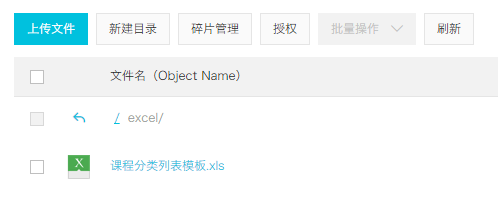
2、将文件上传至阿里云OSS
二、配置路由
1、添加路由
// 课程分类管理{path: '/edu/subject',component: Layout,redirect: '/edu/subject/list',name: 'Subject',meta: { title: '课程分类管理', icon: 'nested' },children: [{path: 'list',name: 'EduSubjectList',component: () => import('@/views/edu/subject/list'),meta: { title: '课程分类列表' }},{path: 'import',name: 'EduSubjectImport',component: () => import('@/views/edu/subject/import'),meta: { title: '导入课程分类' }}]},
2、添加vue组件
三、表单组件import.vue
1、js定义数据
<script>export default {data() {return {BASE_API: process.env.BASE_API, // 接口API地址OSS_PATH: process.env.OSS_PATH, // 阿里云OSS地址fileUploadBtnText: '上传到服务器', // 按钮文字importBtnDisabled: false, // 按钮是否禁用,loading: false}}}</script>
2、template
<template><div class="app-container"><el-form label-width="120px"><el-form-item label="信息描述"><el-tag type="info">excel模版说明</el-tag><el-tag><i class="el-icon-download"/><a :href="OSS_PATH + '/excel/%E8%AF%BE%E7%A8%8B%E5%88%86%E7%B1%BB%E5%88%97%E8%A1%A8%E6%A8%A1%E6%9D%BF.xls'">点击下载模版</a></el-tag></el-form-item><el-form-item label="选择Excel"><el-uploadref="upload":auto-upload="false":on-success="fileUploadSuccess":on-error="fileUploadError":disabled="importBtnDisabled":limit="1":action="BASE_API+'/admin/edu/subject/import'"name="file"accept="application/vnd.ms-excel"><el-button slot="trigger" size="small" type="primary">选取文件</el-button><el-button:loading="loading"style="margin-left: 10px;"size="small"type="success"@click="submitUpload">{{ fileUploadBtnText }}</el-button></el-upload></el-form-item></el-form></div></template>
3、js上传方法
methods: {submitUpload() {this.fileUploadBtnText = '正在上传'this.importBtnDisabled = truethis.loading = truethis.$refs.upload.submit()},fileUploadSuccess(response) {},fileUploadError(response) {}}
4、回调函数
fileUploadSuccess(response) {if (response.success === true) {this.fileUploadBtnText = '导入成功'this.loading = falsethis.$message({type: 'success',message: response.message})}},fileUploadError(response) {this.fileUploadBtnText = '导入失败'this.loading = falsethis.$message({type: 'error',message: '导入失败'})}

若有收获,就点个赞吧
0 人点赞


