下拉选择框 (OptionMenu)
# 创建组件def createWidget(self):# 接收选择值的变量, 选中的值会在这里self.v = tk.StringVar()self.v.set('请选择')self.om = tk.OptionMenu(self, self.v, 'A', 'B', 'C')self.om['width'] = 10self.om.pack()
ttk 中的下拉选择框
from tkinter import ttkttk.Combobox(master)
| value | 插入下拉选项 |
|---|---|
| .current() | 默认显示的下拉选项框 |
| .get() | 获取下拉选项框中的值 |
| .insert() | 下拉框中插入文本 |
| .delete() | 删除下拉框中的文本 |
| state | 下拉框的状态,分别包含DISABLED/NORMAL/ACTIVE |
| width | 下拉框高度 |
| foreground | 前景色 |
| selectbackground | 选择后的背景颜色 |
| fieldbackground | 下拉框颜色 |
| background | 下拉按钮颜色 |
滑块
# 创建组件def createWidget(self):self.s1 = tk.Scale(self, {# 最小值'from_': 10,# 最大值'to': 50,'length': 200,# 显示区间(每隔多少显示)'tickinterval': 5,# 方向横向, 默认纵向'orient': 'horizontal','command': self.val}).pack()def val(self, value):print('滑块的值' + value)
颜色选择框
# 创建组件def createWidget(self):tk.Button(self, {'text': '选择颜色','command': self.color}).pack()def color(self):# 调出颜色选择器self.s = tk_color.askcolor(color='red', title='选择颜色')# 颜色选择结果print(self.s)
文件选择
# 创建组件def createWidget(self):tk.Button(self, {'text': '选择文件','command': self.selectFile}).pack()def selectFile(self):# 打开文件选择器self.f = tk_file.askopenfilename(title='上传文件', initialdir='~/', filetypes=[('PNG图片', '.png')])# 路径print(self.f)
对话框
简单数字对话框
# 创建组件def createWidget(self):tk.Button(self, {'text': '数字对话','command': self.selectFile}).pack()def selectFile(self):self.a = tk_sim.askinteger('数字输入对话框', prompt='请输入一个数字', initialvalue=18, minvalue=1, maxvalue=150)print(self.a)
其他输入对话框

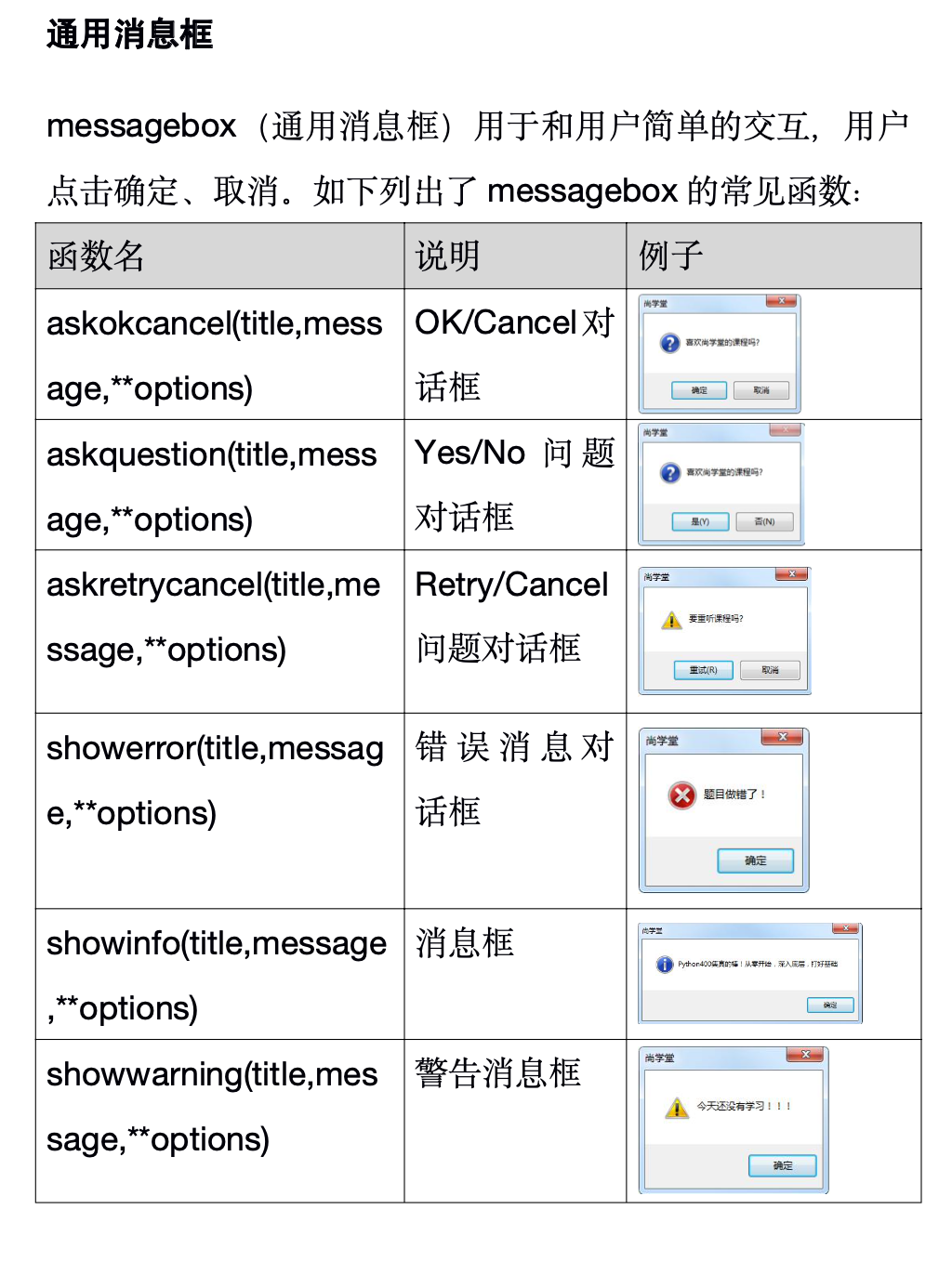
其他消息对话框

若有收获,就点个赞吧
0 人点赞


