Docker测试
nginx安装
#1.搜索镜像 docker search nginx#2.下载镜像 docker pull nginx#3.运行测试#创建容器,启动容器,进入容器[root@localhost ~]# docker run -d --name nginx1 -p 3344:80 nginxf36f024f1d8e28f7836e67f43a225a0a788a62a3b857987e8215a9e7ddfe0120#查看已经创建容器[root@localhost ~]# docker psCONTAINER ID IMAGE COMMAND CREATED STATUS PORTS NAMESf36f024f1d8e nginx "/docker-entrypoint.…" 17 seconds ago Up 16 seconds 0.0.0.0:3344->80/tcp, :::3344->80/tcp nginx1#测试容器[root@localhost ~]# curl localhost:3344<!DOCTYPE html><html><head><title>Welcome to nginx!</title><style>html { color-scheme: light dark; }body { width: 35em; margin: 0 auto;font-family: Tahoma, Verdana, Arial, sans-serif; }</style></head><body><h1>Welcome to nginx!</h1><p>If you see this page, the nginx web server is successfully installed andworking. Further configuration is required.</p><p>For online documentation and support please refer to<a href="http://nginx.org/">nginx.org</a>.<br/>Commercial support is available at<a href="http://nginx.com/">nginx.com</a>.</p><p><em>Thank you for using nginx.</em></p></body></html>
tomcat 安装
## 下载镜像[root@localhost ~]# docker pull tomcat:9.09.0: Pulling from library/tomcat6aefca2dc61d: Pull complete967757d56527: Pull completec357e2c68cb3: Pull completec766e27afb21: Pull completea747e81e6111: Pull complete2859d18181fd: Pull complete9706c6a496b8: Pull complete1fcc3b6a96c1: Pull complete0fa1c1ea9c77: Pull complete3e7ac5f29e53: Pull completeDigest: sha256:0c7b2b413e72aa5cb23240379317c7aa244edff61fd07663d0fa5aec04839644Status: Downloaded newer image for tomcat:9.0docker.io/library/tomcat:9.0## 查看镜像[root@localhost ~]# docker imagesREPOSITORY TAG IMAGE ID CREATED SIZEtomcat 9.0 6705ea17274a 8 days ago 680MBnginx latest fa5269854a5e 13 days ago 142MBhello-world latest feb5d9fea6a5 7 months ago 13.3kB## 下载镜像[root@localhost ~]# docker pull tomcatUsing default tag: latestlatest: Pulling from library/tomcat6aefca2dc61d: Already exists967757d56527: Already existsc357e2c68cb3: Already existsc766e27afb21: Already existsa747e81e6111: Already exists2859d18181fd: Already exists9706c6a496b8: Already exists1fcc3b6a96c1: Already exists21609621b8c4: Pull completed000f8b4b3ce: Pull completeDigest: sha256:3a407bd33b2e42f8e7ba8f736765cda37cea1cdf40a97262169f18e3edcb9acbStatus: Downloaded newer image for tomcat:latestdocker.io/library/tomcat:latest##查看镜像[root@localhost ~]# docker imagesREPOSITORY TAG IMAGE ID CREATED SIZEtomcat 9.0 6705ea17274a 8 days ago 680MBtomcat latest 0183eb12bb0c 8 days ago 680MBnginx latest fa5269854a5e 13 days ago 142MBhello-world latest feb5d9fea6a5 7 months ago 13.3kB##启动docker 进入容器[root@localhost ~]# docker run -d --name tomcat01 -p 3355:8080 tomcat:9.086181ae05bae1687109ddf144115966f3d88fcb64f911e1d8722c61557b8b92f[root@localhost ~]# docker psCONTAINER ID IMAGE COMMAND CREATED STATUS PORTS NAMES86181ae05bae tomcat:9.0 "catalina.sh run" 12 seconds ago Up 11 seconds 0.0.0.0:3355->8080/tcp, :::3355->8080/tcp tomcat01# 发现问题:#1.linux命令变少了.#2.没有webapp内容#原因:阿里云镜像的原因,默认是最小的镜像,所有不必要的都剔除掉
部署es+kibana
#es 暴露端口很多#es 十分耗内存#es 的数据一般需要防止到安全目录,!挂载#--net somenetwork ? 网络配置#启动 elasticsearchdocker run -d --name elasticsearch -p 9200:9200 -p 9300:9300 -e "discovery.type=single-node" elasticsearch:8.1.3#启动linux 就卡住了#docker stats 容器id 查看cpu的状态# es十分耗内存#增加内存限制 修改配置文件 -e环境配置修改docker run -d --name elasticsearch -p 9200:9200 -p 9300:9300 -e "discovery.type=single-node" -e ES_JAVA_OPTS="-Xms64m -Xmx512m" elasticsearch:8.1.3#测试es#启动下载[root@localhost ~]# docker run -d --name elasticsearch -p 9200:9200 -p 9300:9300 -e "discovery.type=single-node" -e ES_JAVA_OPTS="-Xms64m -Xmx512m" elasticsearch:7.6.2Unable to find image 'elasticsearch:7.6.2' locally7.6.2: Pulling from library/elasticsearchab5ef0e58194: Pull completec4d1ca5c8a25: Pull complete941a3cc8e7b8: Pull complete43ec483d9618: Pull completec486fd200684: Pull complete1b960df074b2: Pull complete1719d48d6823: Pull completeDigest: sha256:1b09dbd93085a1e7bca34830e77d2981521a7210e11f11eda997add1c12711faStatus: Downloaded newer image for elasticsearch:7.6.22ee09072591298053963519837645cd1dab59d666b98ccd50ca3de869d8ff489#查看正在运行容器[root@localhost ~]# docker psCONTAINER ID IMAGE COMMAND CREATED STATUS PORTS NAMES2ee090725912 elasticsearch:7.6.2 "/usr/local/bin/dock…" 10 seconds ago Up 9 seconds 0.0.0.0:9200->9200/tcp, :::9200->9200/tcp, 0.0.0.0:9300->9300/tcp, :::9300->9300/tcp elasticsearch#测试,是否启动成功[root@localhost ~]# curl localhost:9200{"name" : "2ee090725912","cluster_name" : "docker-cluster","cluster_uuid" : "7Jh05HcdTL2mlc6NCPinDw","version" : {"number" : "7.6.2","build_flavor" : "default","build_type" : "docker","build_hash" : "ef48eb35cf30adf4db14086e8aabd07ef6fb113f","build_date" : "2020-03-26T06:34:37.794943Z","build_snapshot" : false,"lucene_version" : "8.4.0","minimum_wire_compatibility_version" : "6.8.0","minimum_index_compatibility_version" : "6.0.0-beta1"},"tagline" : "You Know, for Search"}
可视化
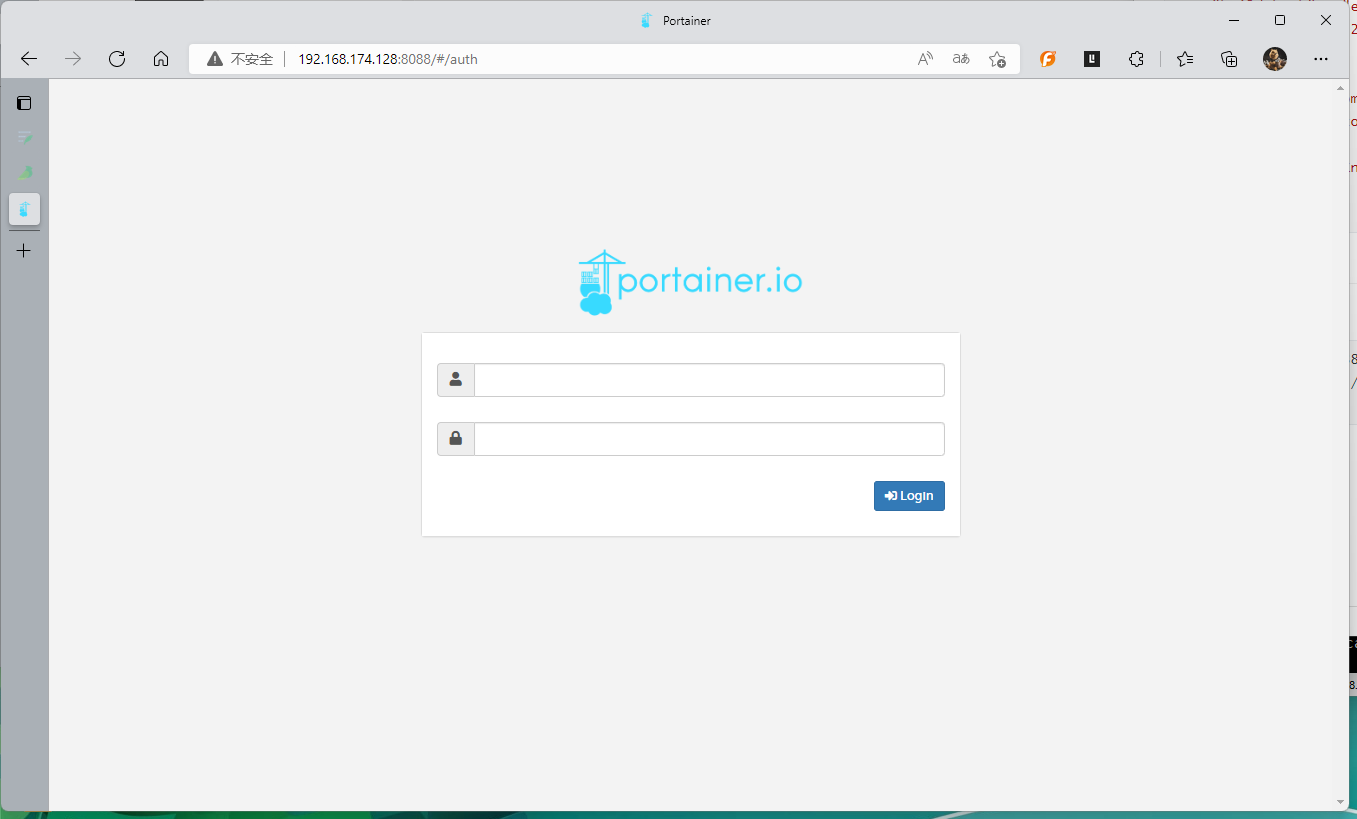
- portainer
docker run -d -p 8088:9000 \--restart=always -v /var/run/docker.sock:/var/run/docker.sock --privileged=true portainer/portainer
- Rancher

若有收获,就点个赞吧
0 人点赞


