title: LightPorxy 的非官方文档description: LightProxy 是一款基于 whistle 的本地代理抓包软件
redirect: 2020-09-09-lightproxy-unofficial-document
description: LightProxy 是一款基于 whistle 的本地代理抓包软件
PS: 复制官方文档 [:doge:]
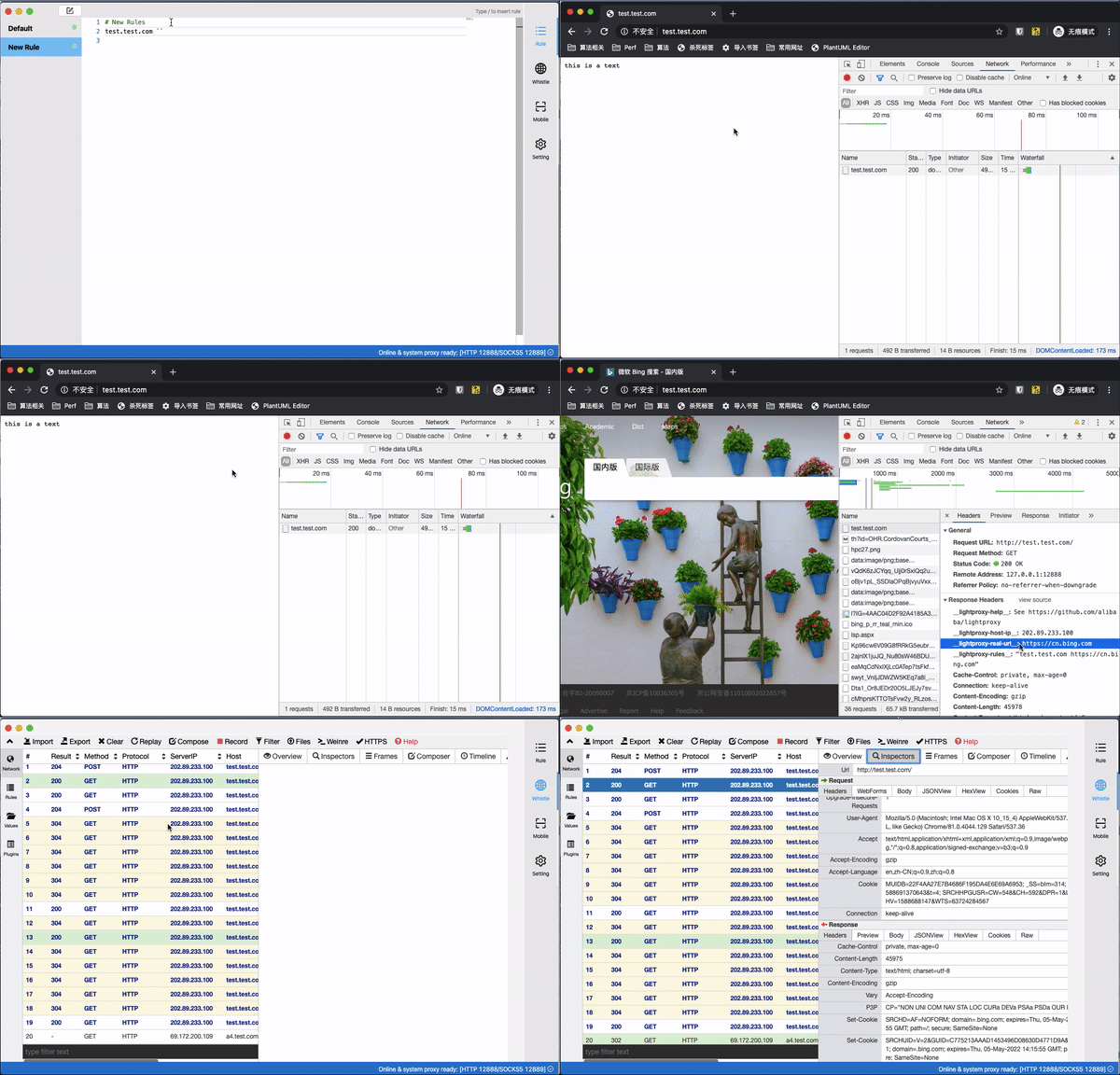
1. 安装
windwos
- Windows 用户的 Chrome 如果代理不生效,尝试重启下 Chrome
- Windows 用户如果出现证书错误,你可能需要右键 => 属性 => 以
管理员身份运行,然后在 LightProxy 的菜单中使用 Help => Install Certificate & Helper - 检查右下角是否启用了 LightProxy 系统代理
- 检查 window 代理服务器是否启用了
127.0.0.1:12888设置2. 如何和其他代理应用一起使用
将其它代理设置为非系统代理后,将LightProxy 设置为系统代理
配置一条规则/xxx/ socks5://127.0.0.1:1080
这样的方式指定满足匹配条件的页面通过socks5://127.0.0.1:1080的代理进行转发。
或者通过/.*/ socks5://127.0.0.1:1080
的方式设置一个前置代理。
对于 HTTP 代理,使用/.*/ proxy://127.0.0.1:10803. 规则
3.1 JS Console 调试控制台(eruda)
``
github.com/alibaba/lightproxy htmlPrepend://
}`
### 3.2 响应静态内容(可用于 mock)
github.com/alibaba/lightproxy resposne content
multiple line
### 3.3 Mock 模拟 JSON
github.com/alibaba/lightproxy {
"test": "value",
"key": 5
} resHeaders://{
"Content-type": "application/json"
}
### 3.4 增加 CORS 跨域头
github.com/alibaba/lightproxy resCors://
### 3.5 通过通配符映射 URL
^github.com/alibaba/lightproxy https://g.alicdn.com/another-path/github.com/alibaba/lightproxy
### 3.6 延迟请求(resDelay)
github.com/alibaba/lightproxy resDelay://
### 3.7 用 Node.js 书写规则
行内的写法,注意 **`** 符号
github.com/alibaba/lightproxy scriptfile://exports.handleRequest = async (ctx, next) => {
// do sth
// ctx.fullUrl 可以获取请求url
// ctx.headers 可以获取请求头
// ctx.options 里面包含一些特殊的请求头字段,分别可以获取一些额外信息,如请设置的规则等
// ctx.method 获取和设置请求方法
// const reqBody = await ctx.getReqBody(); 获取请求 body 的 Buffer 数据,如果没有数据返回 null
// const reqText = await ctx.getReqText(); 获取请求 body 的文本,如果没有返回''
// const formData = await ctx.getReqForm(); 获取表单对象,如果不是表单,返回空对象{}
// ctx.req.body = String| Buffer | Stream | null,修改请求的内容
// next 方法可以设置 next({ host, port });
// 只有执行next方法后才可以把正常的请求发送出去
const { statusCode, headers } = await next();
// do sth
// const resBody = yield ctx.getResBody();
// const resText = yield ctx.getResText();
// ctx.status = 404; 修改响应状态码
// ctx.set(headers); 批量修改响应头
// ctx.set('x-test', 'abc'); 修改响应头
// ctx.body = String| Buffer | Stream | null; 修改响应内容
ctx.body = 'test';
};
也可以直接指向一个文件<br />`github.com/alibaba/lightproxy scriptfile:/path/to/file.js`
## 4. 在命令行中使用
export https_proxy=http://127.0.0.1:12888 http_proxy=http://127.0.0.1:12888 all_proxy=socks5://127.0.0.1:12889
curl https://baidu.com -I
Response
HTTP/1.1 200 Connection Established Proxy-Agent: whistle HTTP/2 302 server: bfe/1.0.8.18 date: Fri, 19 Jun 2020 03:36:36 GMT content-type: text/html content-length: 161 location: http://www.baidu.com/ lightproxy-host-ip: 127.0.0.1 lightproxy-rules: none lightproxy-real-url: https://baidu.com/ lightproxy-help: See https://github.com/alibaba/lightproxy
## 5. 匹配规则
### 5.1 域名匹配
上述匹配也可以限定域名的端口号
www.test.com:8888 operatorURI # 8888端口 www.test.com/ operatorURI # http为80端口,其它443端口
```
6. 参考

若有收获,就点个赞吧
0 人点赞


