1.用命令yum install git 命令进行安装
yum install git
然后用命令 git version 查看git 版本
git version
对git进行初始化设置
git config —global user.name “tomatocc” (tomatocc是git的用户名) 然后回车即可
git config —global user.email “tomatocc@sina.com“ (tomatocc@sina.com是git的用户名邮箱) 然后回车即可
- 生成授权证书
ssh-keygen -t rsa -C “tomatocc@sina.com”
Git的授权证书是基于公钥和私钥的证书体系,所以需要证书体系
输入命令 ssh-keygen -t rsa -C "tomatocc@sina.com"生成证书。(1:表示文件名,2:表示生成证书的密码,3:表示确认密码),然后回车即可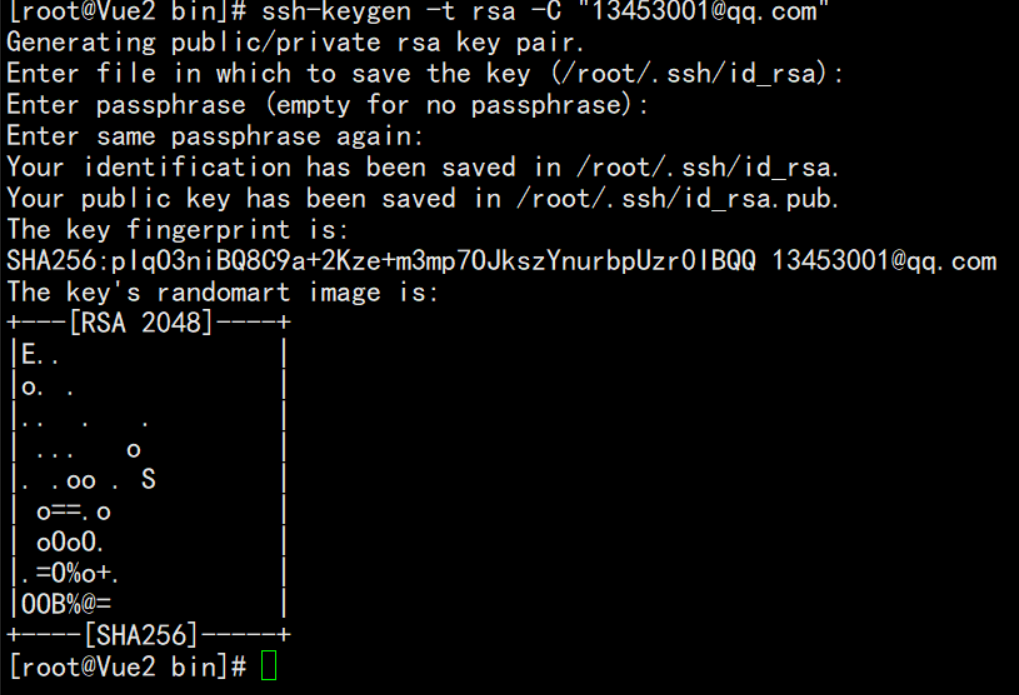
- 切换到ssh目录下 cd ~/.ssh/ 查看证书是否生成
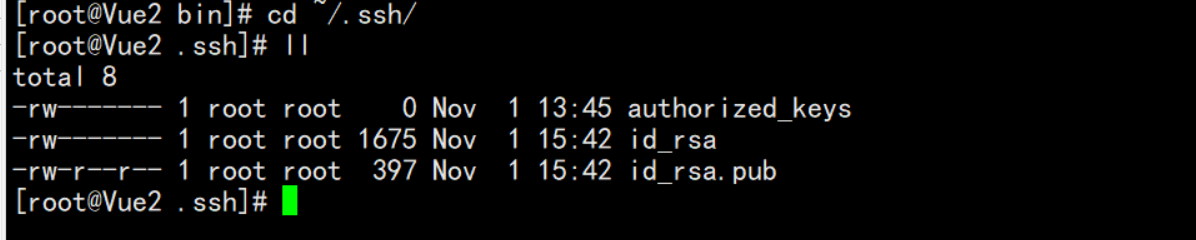
这里的id_rsa 是私钥,id_rsa.pub表示公钥
基本已经安装好了git 后续写下搭建git服务器仓库

若有收获,就点个赞吧
0 人点赞


