分词器是将一段文本,按照一定逻辑,拆分成多个词语的一种工具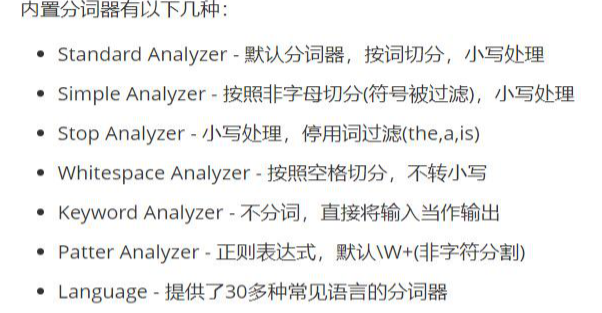
#分词效果验证GET _analyze{"text": "我爱黑马程序员","analyzer": "standard"}
分词结果:
ElasticSearch 内置分词器对中文很不友好,处理方式为:一个字一个词。
IK分词器
词条查询: term:
词条查询不会对查询条件进行分词,只有当查询字符串和倒排索引中的词条完全匹配时才匹配搜索
全文查询:match
全文查询会对查询条件进行分词,然后将分出的词分别取倒排索引中进行词条的匹配,求结果并集
PUT person/_doc/1{"name": "张三","age": 20,"address": "广东天河区"}PUT person/_doc/2{"name": "李四","age": 19,"address": "广东黄浦区"}PUT person/_doc/3{"name": "王五","age": 19,"address": "广东越秀区"}PUT person/_doc/4{"name": "王五","age": 19,"address": "华为5G手机"}
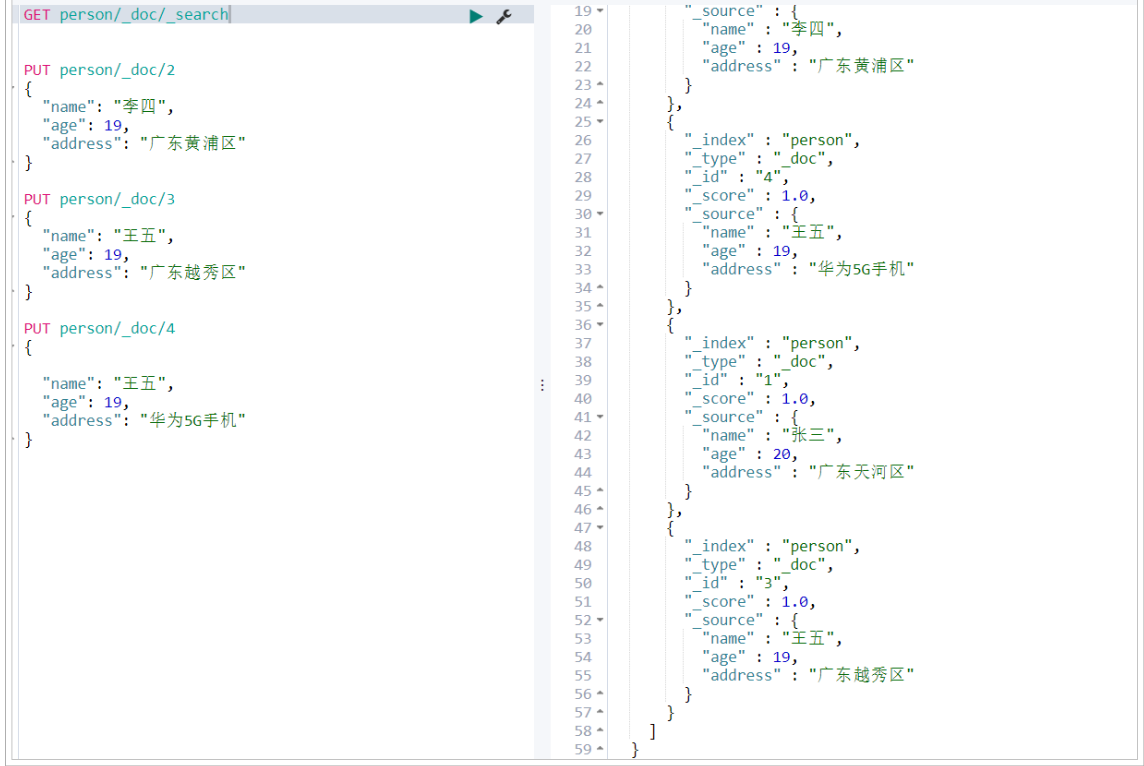
1.执行term搜索:
#term查询,查询的关键字必须和词条完全匹配GET person/_search{"query": {"term": {"address": {"value": "广东"}}}}
查询结果如下
可以发现查询结果为空,因为我们之前在添加文档时,并没有指定字段使用哪种分词器,它会默认使用standard单字分词器,将address的内容分成一个个字来和文档建立倒排索引。因此如果我们查询的关键字如果是“广”、“东”这样一个个字就可以查询到结果,如下所示::::
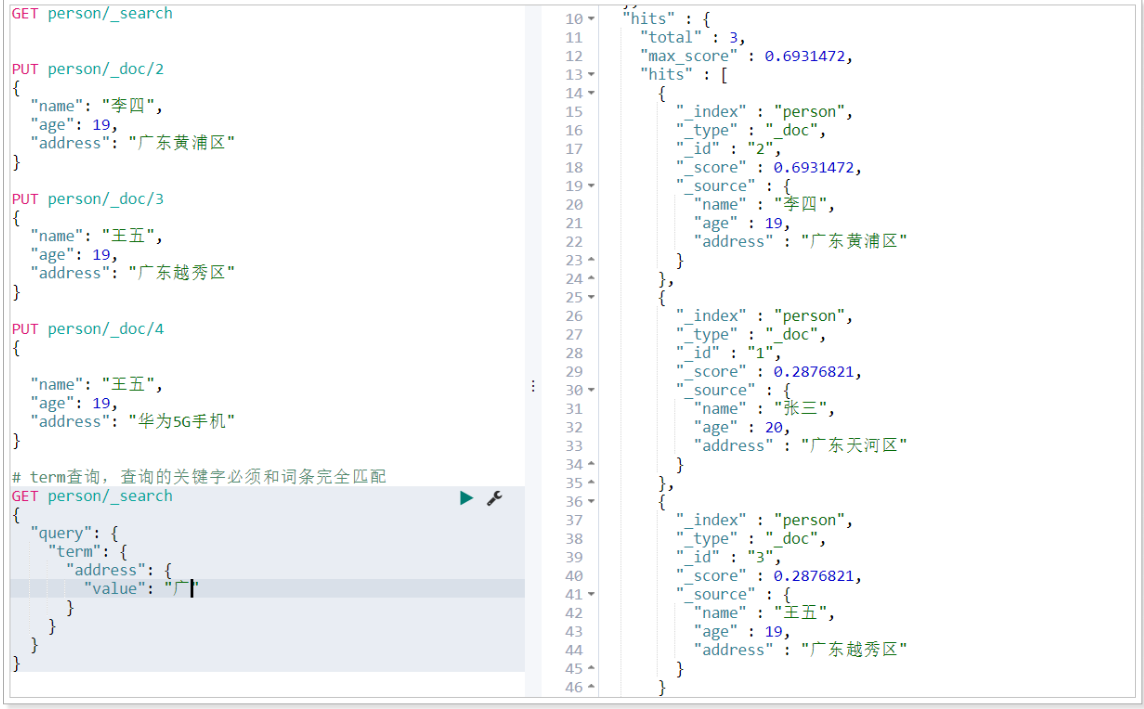
实际项目中,我们查询一般是按照一个个词来进行查询,所以如果使用standard分词器,查询效果并不好,因此我们在创建索引之初一般会指定需要分词的字段的分词器是ik分词器,我们删除person索引库并进行重建,脚本如下:
#删除索引库DELETE person#创建索引库并指定映射PUT person{"mappings": {"_doc":{"properties": {"age": {"type": "integer"},"name": {"type": "keyword"},"address": {"type": "text","analyzer": "ik_max_word"}}}}}# 再重新添加文档PUT person/_doc/1{"name": "张三","age": 20,"address": "广东天河区"}PUT person/_doc/2{"name": "李四","age": 19,"address": "广东黄浦区"}PUT person/_doc/3{"name": "王五","age": 19,"address": "广东越秀区"}PUT person/_doc/4{"name": "王五","age": 19,"address": "华为5G手机"}
这时候我们再来搜索关键字“广东”就搜索到结果了,我们可以根据ES提供的分词验证接口,验证广东天河区的分出了哪些词,如下所示: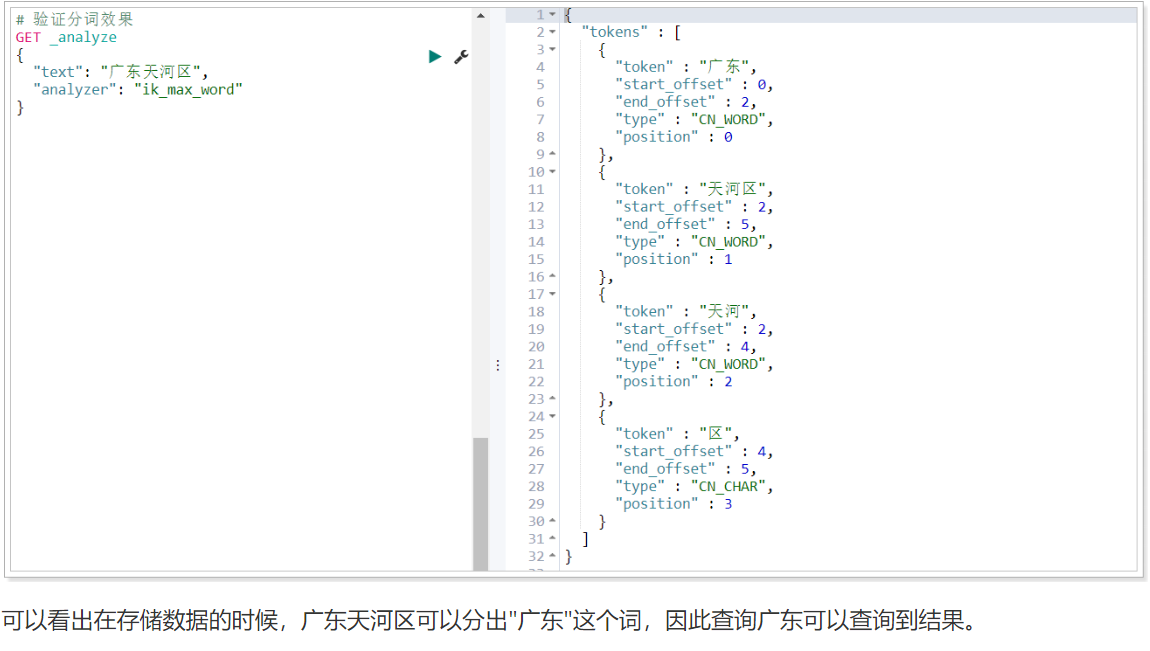
2.执行match搜索
GET person/_search{"query": {"match": {"address": "广东天河"}}}
查询结果如下: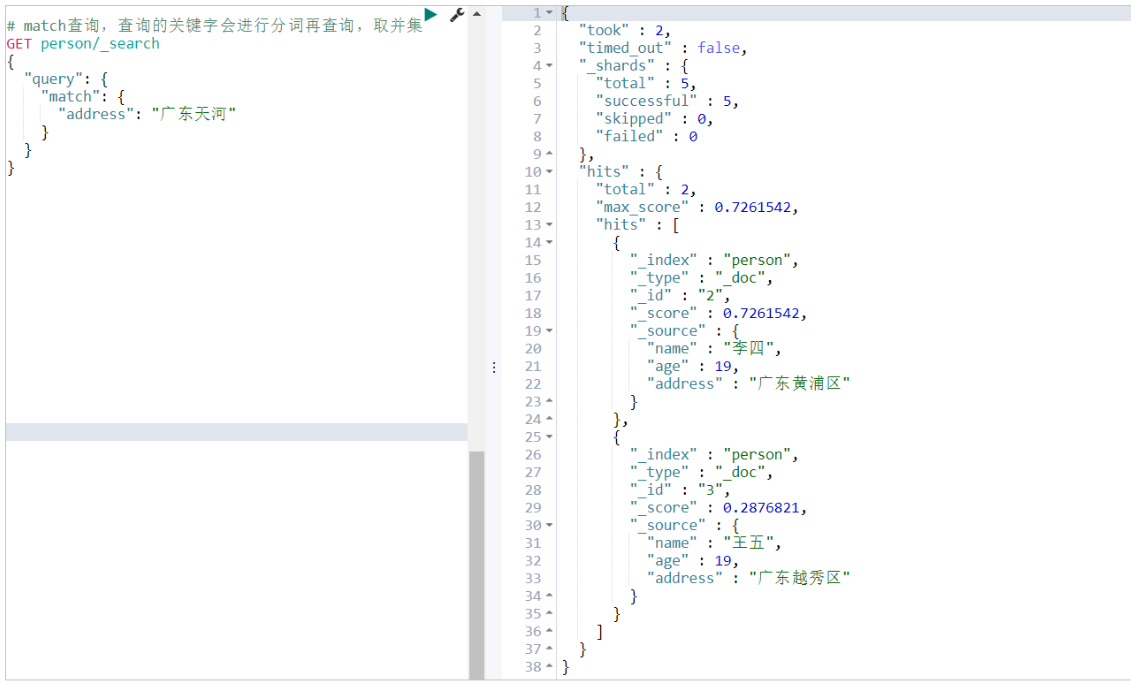
为什么可以查询出来呢?虽然索引库里并没有”广东天河”这个词,但是match搜索会将查询条件,也就是”广东天河”先分词,分词算法同样是使用ik_max_word,我们来验证一下看看分词效果:

若有收获,就点个赞吧
0 人点赞


