What is an automatic response?
The automatic response function is like having an automated sales assistant who takes care of the initial conversation with a potential buyer. You can set a welcome message, provide several common responses to questions about quotes, and program FAQs for the buyer to review. These messages help you gather information about the buyer and their inquiry before spending time talking to them. It is useful to select or create questions in the automatic response that help you screen inquiries based on how you prioritize quotes.
.
Please note: the automatic response function will NOT help you achieve a higher response rate. To achieve and maintain a high response rate, always personally respond to a message within 24 hours.
Why do you need an automatic response?
The automatic response function helps optimize your sales process, and may help you convert leads. There are several reasons this is beneficial to you:
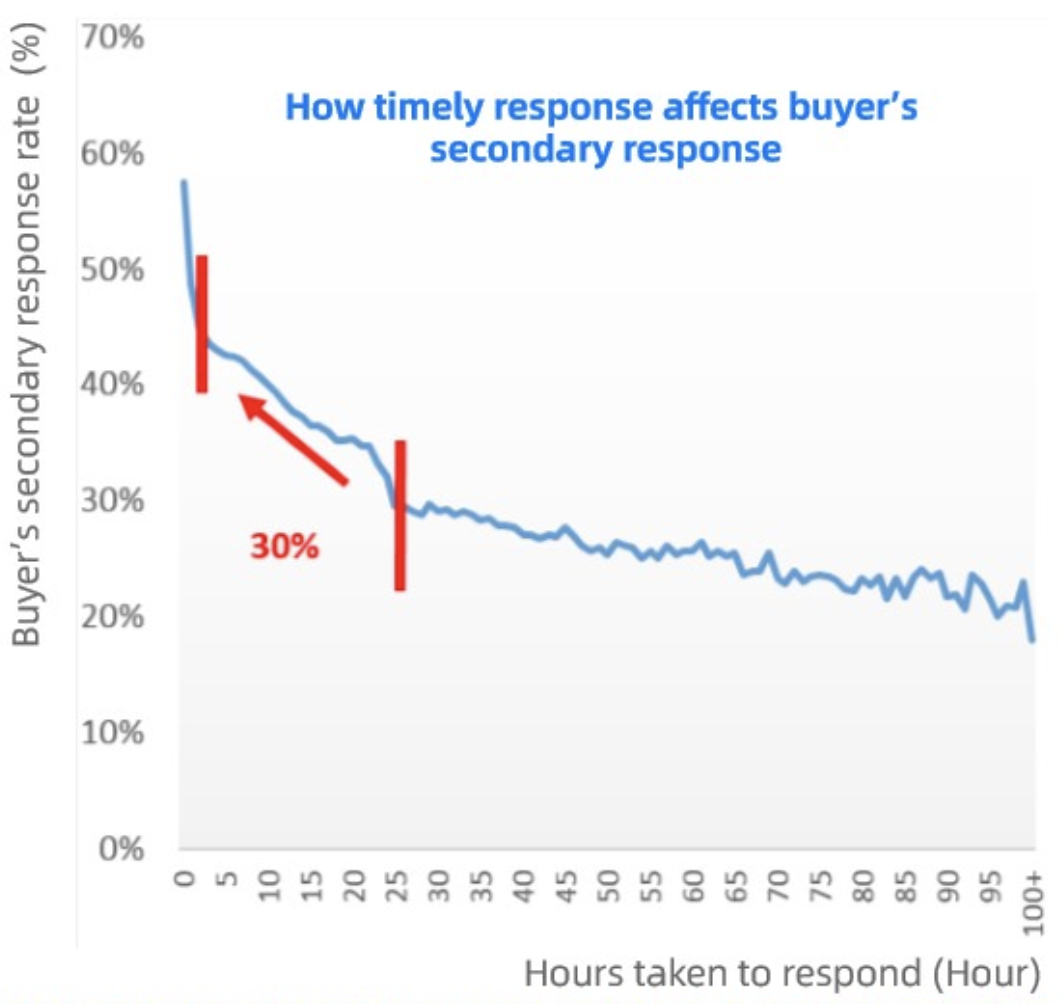
1. Start interacting fast.
According to Alibaba.com data, sellers who respond to buyer inquiries within four hours have a significantly higher chance of converting leads. This is true for several reasons: first, the buyer may have sent inquiries to multiple sellers. If you don’t respond fast, someone else could provide a more interesting offer. Second, buyers associate fast responses with the seller being a good, professional business to partner with. Finally, the buyer may lose interest in the product entirely if they have to wait too long.
Save time.
The automatic response function was designed to help you gather basic information upfront, before even talking to the potential buyer. This means you spend less time understanding their request, and can spend your time making the sale.Screen buyers.
You probably have a good idea of the types of buyers you want inquiries from. The automatic response function gathers basic information about buyers based on the questions you program into it. This helps you understand how to assign leads to employees, or you can spend the most time talking to the high-potential buyers.
How to set up your automatic response messages
To set up automatic responses, go to My Alibaba, navigate to“Messages” under“Communication”in the left menu, and the automatic response function is located within“Inquiries.”
Step 1 - Time settings
You can choose to turn the automatic responder on for the full day, or just a designated time period.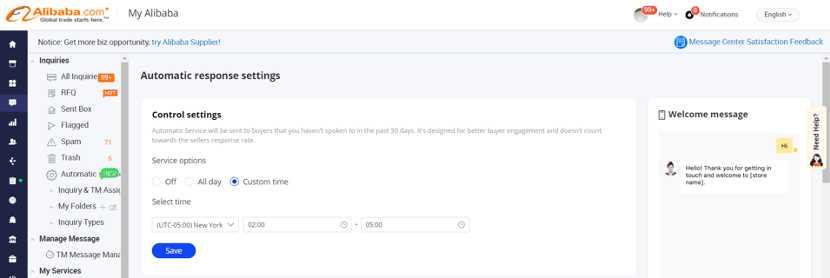
Step 2 - Welcome message
Set up a welcome message that will automatically greet the buyer if you have not interacted with them in the past 30 days. To make this process more efficient, you can also leverage this section to communicate who your target customer is. For example, if you can only serve buyers from certain regions, you could set up a welcome message that states, “Thank you for your inquiry. To make this process more efficient, we would like you to know that we can only sell to businesses registered in the US. Please provide the following details so I can provide you with a quote.”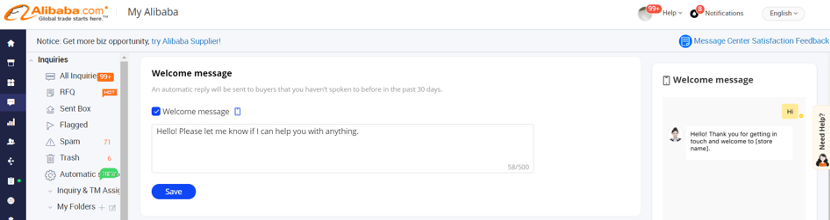
Note: Please do not include personal contact information in the welcome message. The system won’t save the message if it contains any personal contact information.
Step 3 - Automatic questions
This section allows you to set up questions that guide the buyer to provide structured purchasing information. Checking this box is useful if the buyer did not include specific information in their inquiry.
You can prioritize the questions by dragging and adjusting the order of how you want the questions to be sent out. The second question will not be sent to the buyer until they answer the first question.
For each question, you can set how you want the buyer to answer the questions. For example, you can collect their information by providing a text box for the buyer to write in, a number range, and more.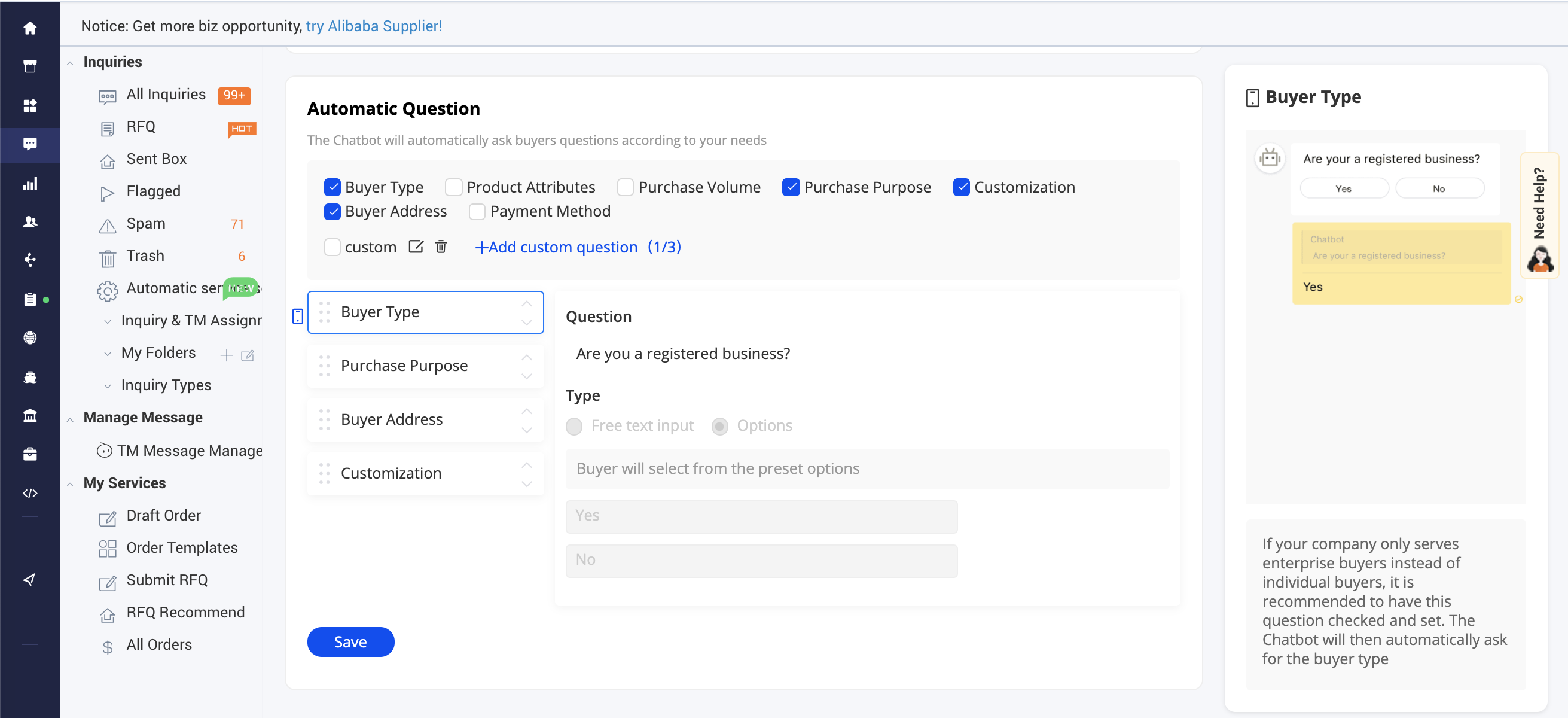
Step 4 - FAQ setting
If you hear the same questions regularly, you can create an automatic FAQ setting for your frequently asked questions. Just input your information, and upload images, videos, or files to provide a detailed answer to each question.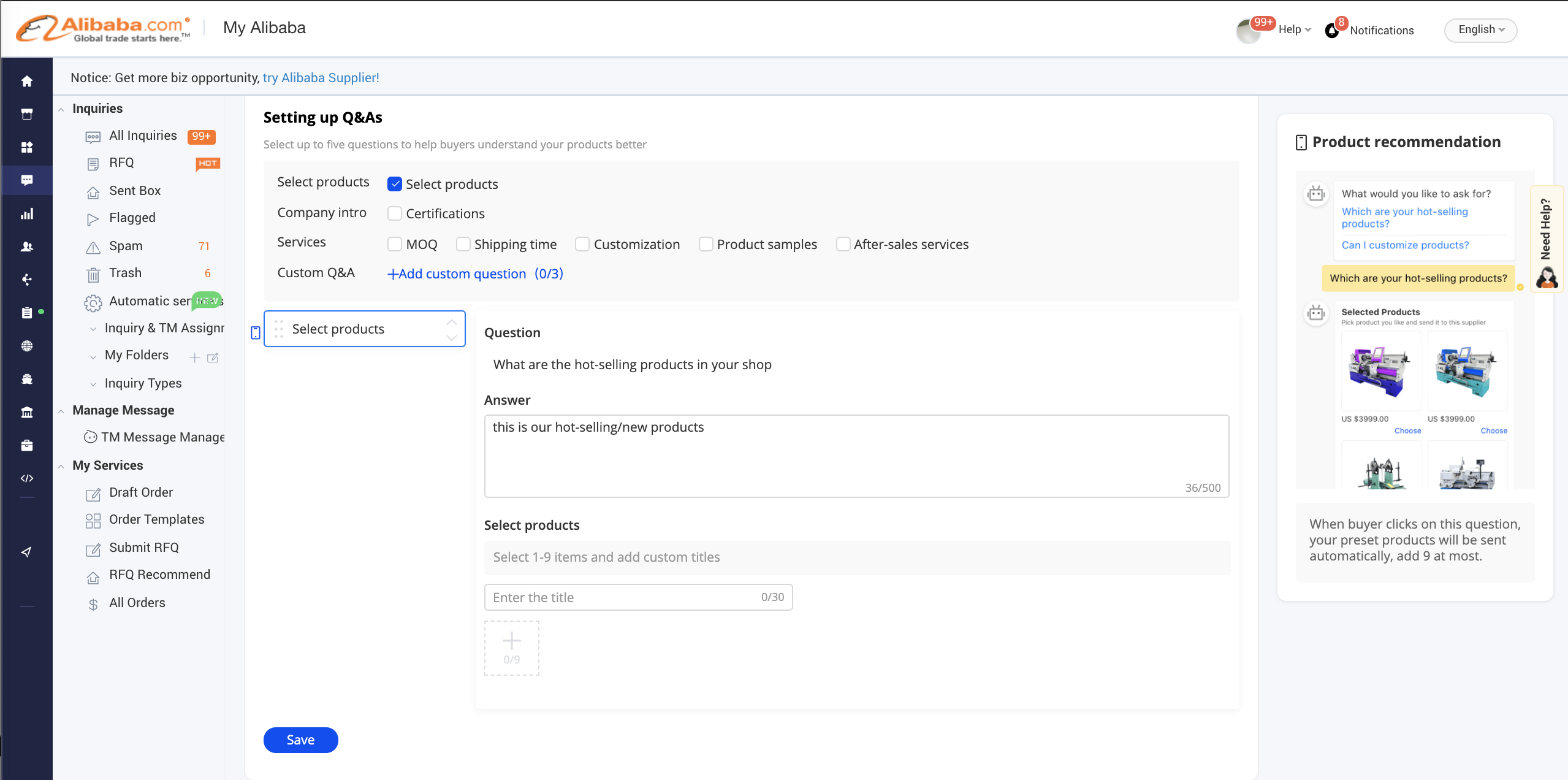
Buyer sees:
Automatic response FAQs
Q: I have completed my settings in the main account. Do I have to do the same for sub-accounts?
A: Yes, you need to set up automatic responses for the main account and sub-accounts.
Q: If I turn the automatic responses on, do I still need to reply to every inquiry?
A: Yes. The main goal of this function is to guide the buyer to provide their purchasing information when you are unavailable. Once this information has been provided, you need to follow up with more specific details.
Q: Does an automatic reply count as a response when calculating my quick response rate?
A: No, you still need to respond within 24 hours to maintain a high quick response rate.
Q: Where can I view the buyer’s responses for product Q&A?
A: All Q&A content can be seen in the chat that you have with the buyer.

若有收获,就点个赞吧
0 人点赞


