视频直播开启日志投递
- 进入视频直播控制台
- 在左侧导航栏找到日志管理
- 在日志管理面板选择实时日志推送,并单击创建实时日志推送服务
- 填写Project、Logstore、区域(内网VPC)后单击下一步
重要提示:如果您的Project和Logstore服务已存在,若您继续创建已存在的内容,创建的内容会覆盖您已有的索引和自定义报表;请谨慎创建您已有的服务,避免覆盖后影响您的线上服务。
日志投递后即可在日志服务中进行检索、查看
dataV配置源
| 参数 | 说明 |
|---|---|
| 名称 | 数据源的显示名称,您可以自由命名。 |
| AppKey | 拥有目标SLS访问权限的账号的AccessKey ID。 |
| AppSecret | 拥有目标SLS访问权限的账号的AccessKey Secret。 |
| EndPoint | 填写SLS服务的EndPoint。可参见日志服务入口文档,根据您SLS服务的网络类型和所在区域进行填写。例如VPC网络下,上海区域的EndPoint 填写为https://cn-shanghai-intranet.log.aliyuncs.com。 |
日志服务query出来的数据在DataV中做可视化展示,下文以类别数据记录坑点
DataV要求的数据格式为json数组
[{"fralychen":"fralychen","hello":"hello"}]
案例
pv/uv
## 查询码{"projectName": "livelog","logStoreName": "livelog","topic": "","from": "1589904000","to": "1590422400","query": "* | select time_series(__time__, '1d', '%d' ,'0') as Time, count(1) as PV, approx_distinct(client_ip) as UV group by Time order by Time","line": 100,"offset": 0}## 过滤器newdata = [];for (var i = 0; i <= 4; i++) {newdata.push(data[i])};return newdata## 响应结果[{"PV": "26328","Time": "22","UV": "177","__source__": "","__time__": "1590144338","x": "22","y": "177","z": "26328"},{"PV": "939114","Time": "23","UV": "3881","__source__": "","__time__": "1590144338","x": "23","y": "3881","z": "939114"},...]
飞线
## 查询码{"projectName": "livelog","logStoreName": "livelog","topic": "","from": "1589904000","to": "1590422400","query": "* | SELECT ip_to_geo(client_ip) as client,ip_to_geo('47.108.35.49') as server GROUP by client_ip","line": 100,"offset": 0}## 过滤器newdata = [];for (var i = 0; i <= 100; i++) {newdata.push(data[i])};return newdata.map(item => {if (!item) {return undefined} else {return ({...item,client: item.client.split(',').reverse().join(','),server: item.server.split(',').reverse().join(','),})}}).filter(item => item && item.client && item.server);## 响应结果[{"__source__": "","__time__": "1590143782","client": "116.388,39.9289","server": "120.,30.2936","to": "116.388,39.9289","from": "120.,30.2936"},{"__source__": "","__time__": "1590143782","client": "114.029440,32.9794","server": "120.,30.2936","to": "114.029440,32.9794","from": "120.,30.2936"},....]
环状计数
## 查询{"projectName": "livelog","logStoreName": "livelog","topic": "","from": "1589904000","to": "1590422400","query": "* | select ua as ua , sum(c) as count from (select case when strpos(ua , 'iphone') > 1 then 'iphone' when strpos(ua, 'ipad') > 1 then 'ipad' when strpos(ua, 'android') > 1 then 'android' when strpos(ua, 'windows') > 1 then 'windows' when strpos(ua , 'mac') > 1 then 'mac' when strpos(ua, 'linux') > 1 then 'linux' else ua end as ua , c from (select count(*) as c , lower(user_agent) as ua from log group by ua order by c desc limit 2000) ) group by ua order by count desc limit 100","line": 100,"offset": 0}## 过滤器data = data;newdata = [];for (var i = 0; i <= 4; i++) {newdata.push(data[i])};let countS = 0, iphone = 0;newdata.forEach(v => {countS += Number(v.count)iphone = Number(newdata[0].count)});s = [];value = {};value['aims'] = countS;value['actual'] = iphone;Object.keys(value).forEach(v => {let o = {};o[v] = value[v];s.push(o)})return s## 响应结果[{"aims": 1523995},{"actual": 733474}]
时间交互
- 添加一个时间
- 在右侧面板找到交互
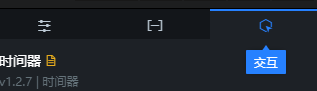
- 勾选启用交互功能并绑定变量
- 在SQL或API数据源中,通过
:变量名(如:x)使用已经配置的变量,示例如下:- sql
select :x as valueselect A from table where lng=x## X为配置的变量;value为自定义字段,用来接受回调ID的值;lng和A为数据库中的字段
源配置为SLS时,from和to写成:xxx 回调占位参数,绑定到时间上的:xxx变量以字符串的形式动态传参。
- sql
参考

若有收获,就点个赞吧
0 人点赞


