方法1:使用uni.request
uni.request({url:'https://woniu.h5project.cn/1.1/classes/Jobs',method:'GET',header:{"X-LC-Id": "自己的id","X-LC-Key": "自己的key","Content-Type": "application/json"},success: (res) => {console.log(res);}})
方法2:自行封装uni.request
// promise的三种状态: pendding处理中 resolve成功 reject失败let mode = 'dev' //通过开发模式变量,动态切换baseUrllet baseUrl = '' //预先定义基础域名if(mode=='dev'){baseUrl='https://woniu.h5project.cn' //必须换成自己的LeanCloud域名}else{baseUrl = 'http://vip.com'}function fetchData({url,method='get',data={}}={}){return new Promise((resolve,reject)=>{uni.showLoading({title: '拼命加载中...',})// 方法1uni.request({url: baseUrl+url,method,data,header:{"X-LC-Id": "自己的id","X-LC-Key": "自己的key","Content-Type": "application/json"},success:(res)=>{uni.hideLoading()resolve(res) //成功后,将数据交付给then},fail:(err)=>{reject(err) //失败后,将数据交付给catch}})})}function get(url,data){ //基于fetchData二次封装getreturn fetchData({url,method:'get',data})}function post(url,data){return fetchData({url,method:'post',data})}function del(url,data){ //return fetchData({url,method:'delete',data})}module.exports = {fetchData,get,post,del}
方法二中在自己的项目中创建一个utils文件,创建xx.js文件:
代码: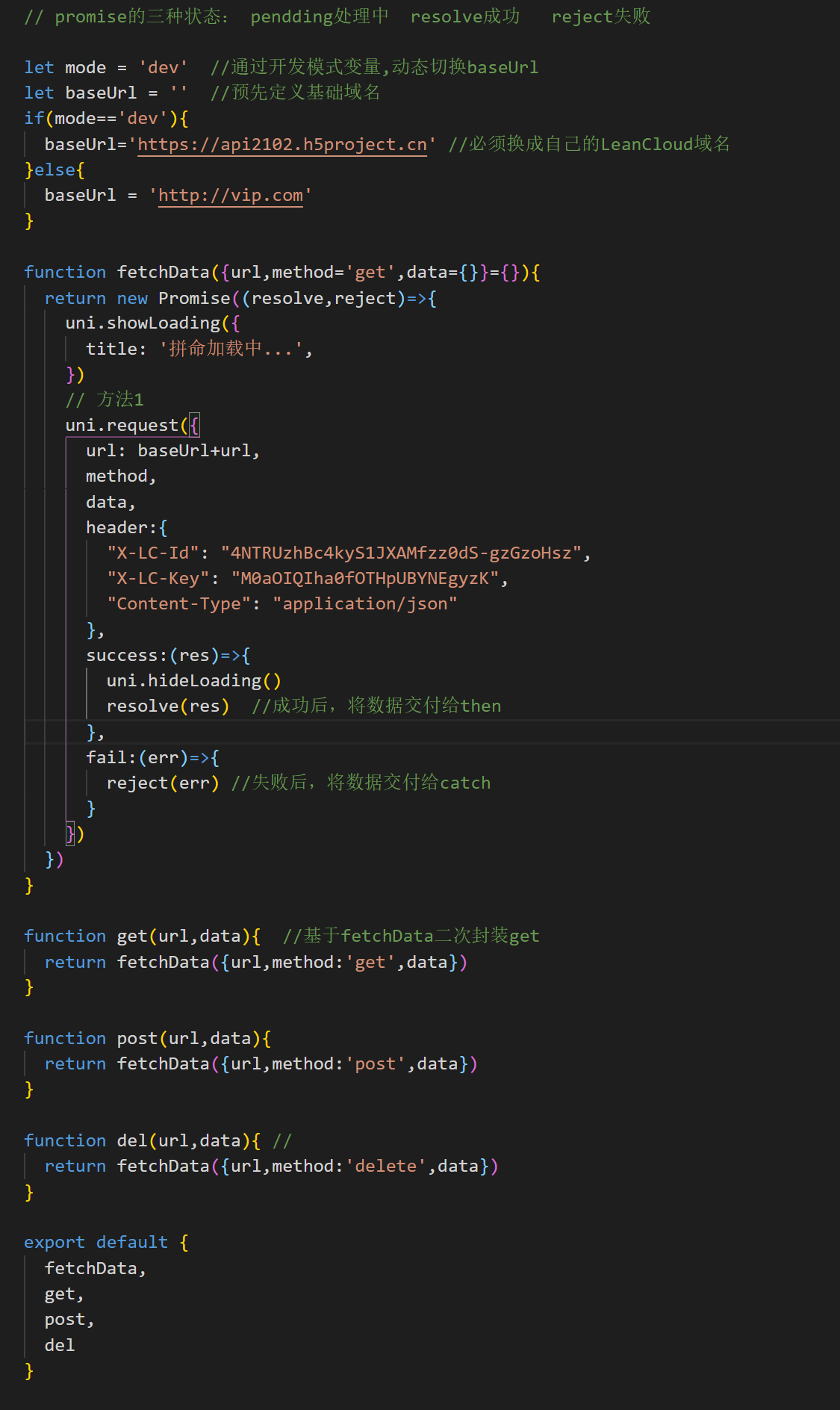
在main.js中全局挂载: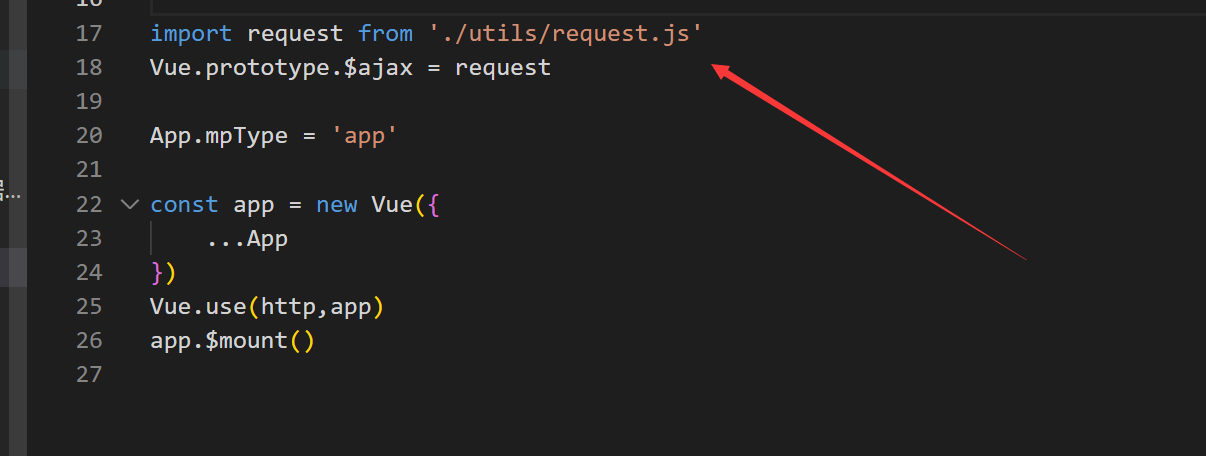
在自己需要的页面进行请求数据:
最后定义进行渲染: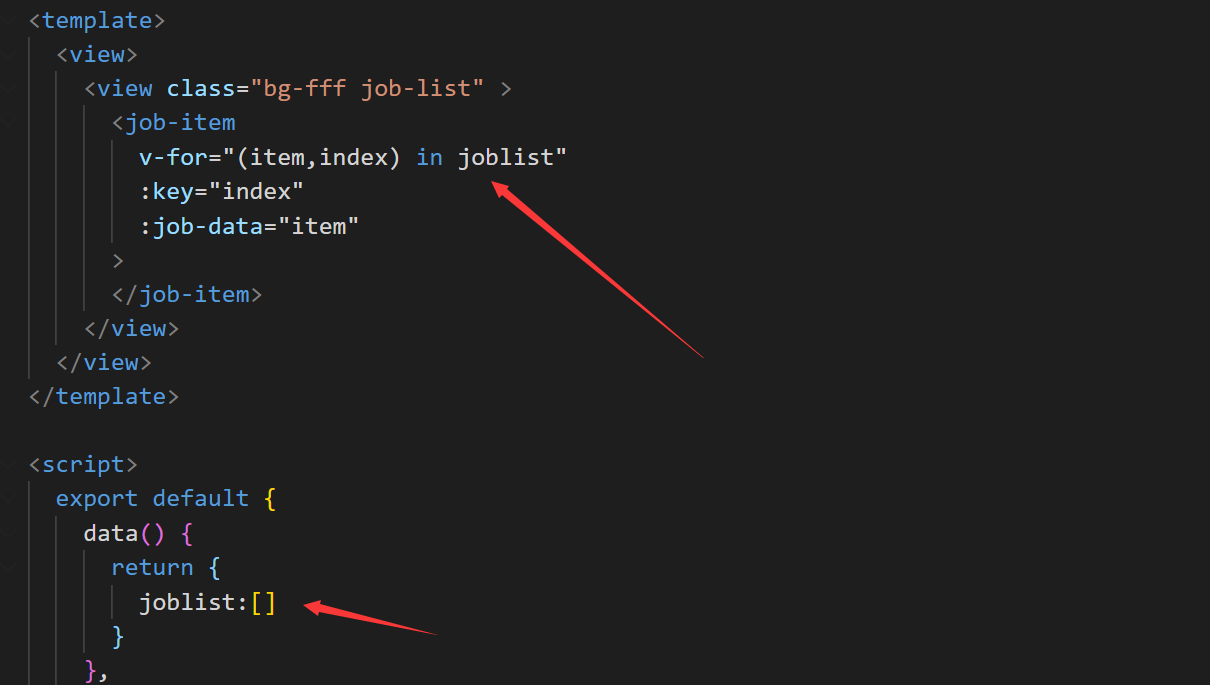
方法3:使用uView提供的方法
文档:【https://www.uviewui.com/js/http.html】
axios不兼容小程序
- 在utils中封装了一个http.intercepter.js
- 在main.js中引入并使用http.intercepter.js
- 在组件中,使用uview提供的方法,请求数据
代码:在utils中封装了一个http.intercepter.jsthis.$u.get('/1.1/classes/Jobs').then(res=>{console.log(res);})
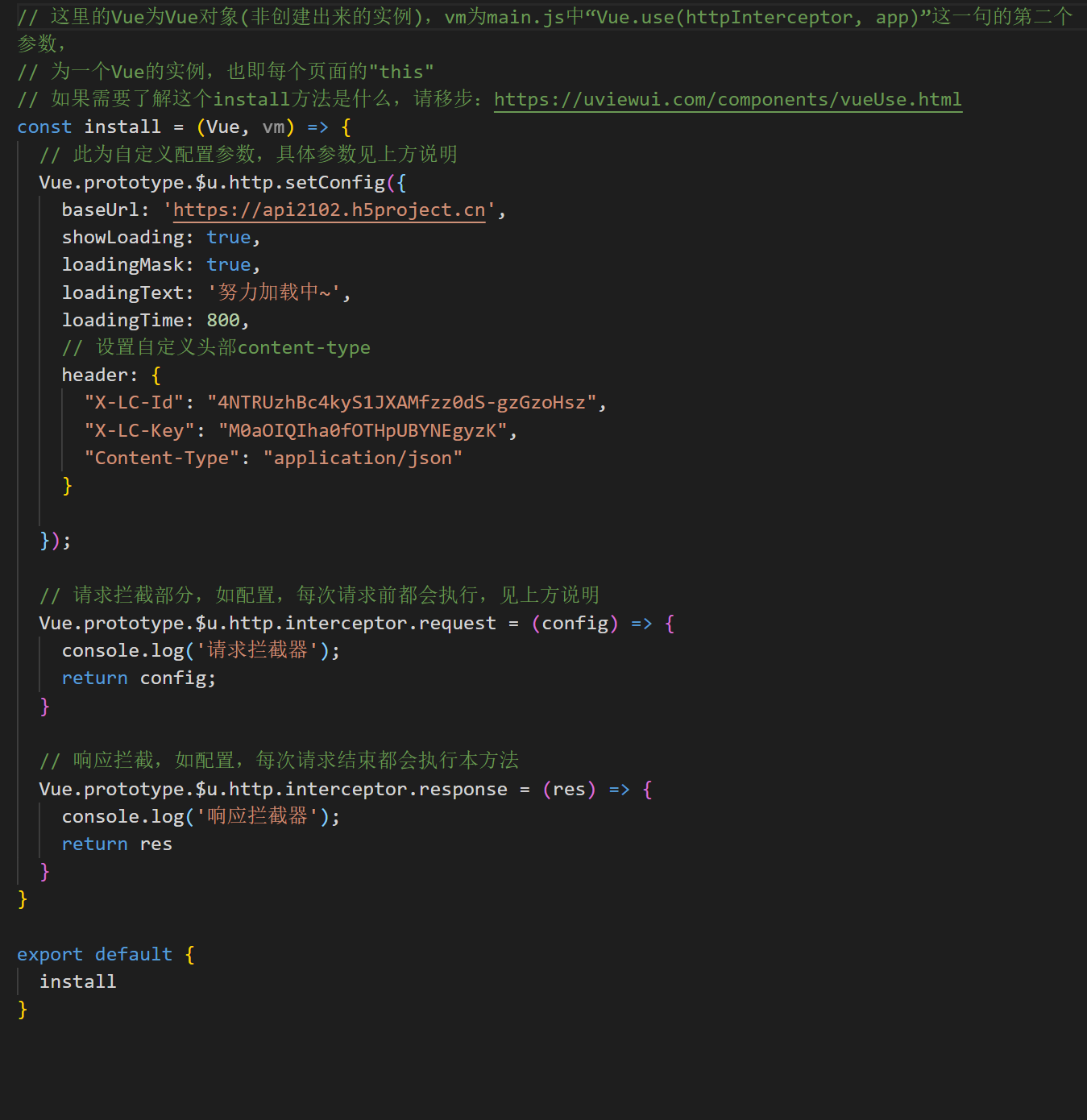
在main.js中引入并使用http.intercepter.js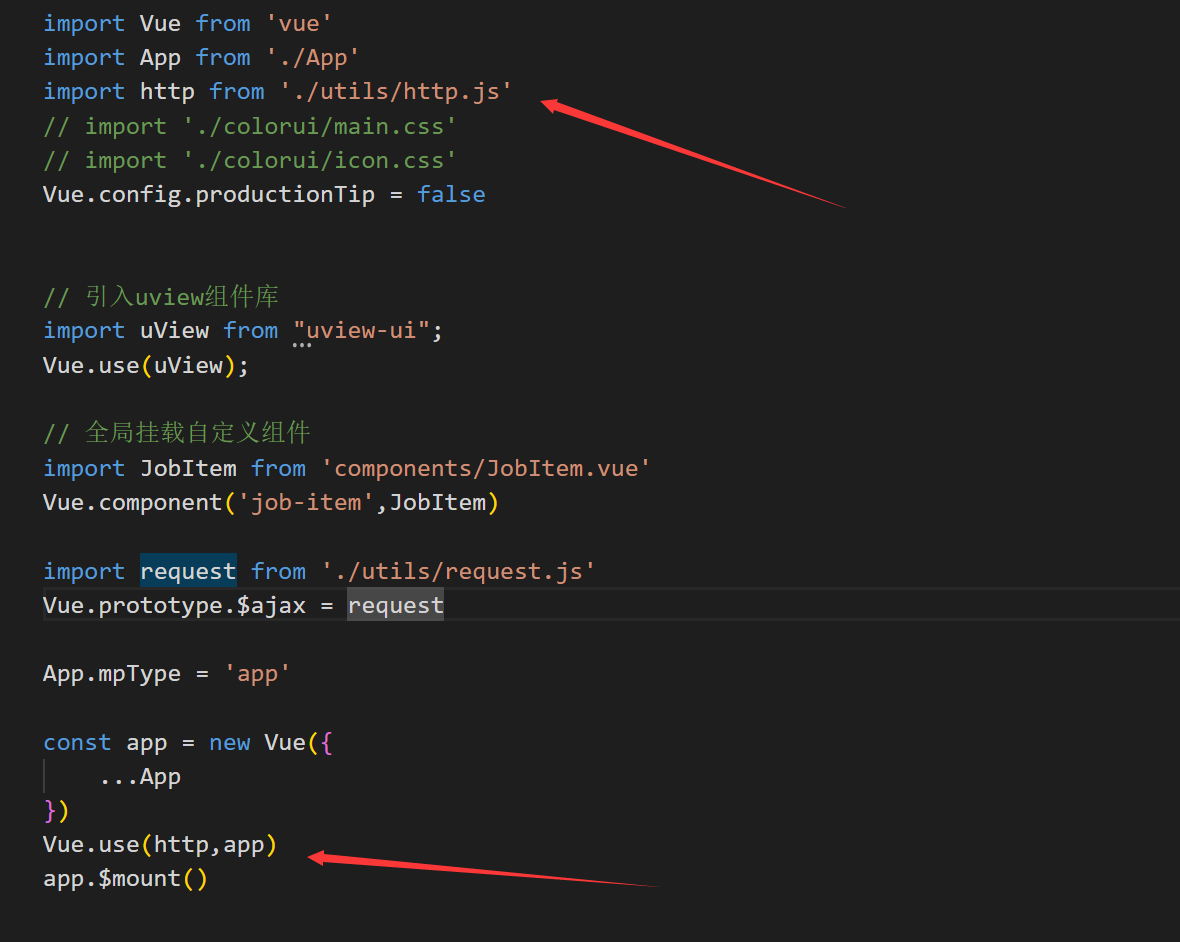
在组件中,使用uview提供的方法,请求数据 
最后同样的渲染

若有收获,就点个赞吧
0 人点赞


