13.0 表达式的定义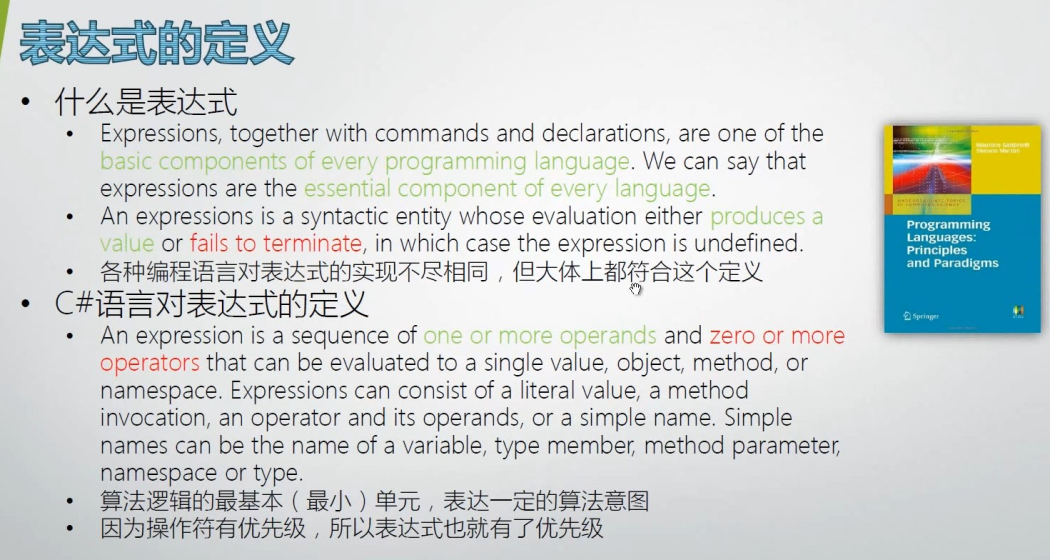
什么是表达式
- 广义定义:An expressions is a syntactic entity whose evaluation either
produces a valueorfails to terminate, in which case the expression is undefined. C#对表达式定义:…that can be evaluated to a single value, object, method, or namespace.
single value
int x = 100;x++;++x;
object
new Form() //new是操作符,form是操作数,括号()用于调用构造函数(new Form()).ShowDialog();
method
Console.WriteLine //“.”是操作符,console和writeline是操作数,得到的结果属于methodAction myActino = new Action(Console.WriteLine); //函数指针
namespace
System.Windows.Forms //名称空间访问表达式System.Windows.Forms.Form myForm = new Form();
…expressions can consist of a literal value, a method invocation, an operator and its operands, or a simple name.
literal value
int x;x = 100;string name;name = "hello";
method invocation
double x = Math.Pow(2, 3);
operator and its operands
- simple name
13.1 各类表达式概览int x = 100;int y;y = x; //"x" is the name of a variable
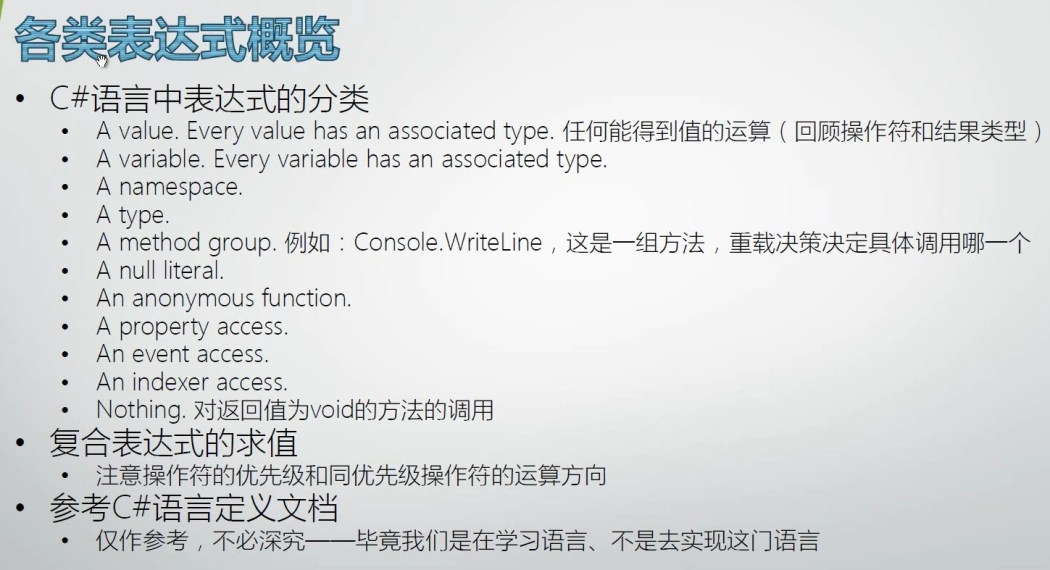
C# 语言中表达式的分类(表达式的返回值)
A value. Every value has an associated type
- 表达式产生的这个值的数据类型,也被称作表达式的数据类型
- 回顾上一节讲的操作符,并回忆由这些操作符组成的表达式所返回的类型
A variable. Every variable has an associated type
int x = 100;int y;y = x;
a namespace
System.Windows.Forms.Form myForm = new Form();
a type
var t = typeof(Int32);
a method group
Console.WriteLine,这是一组方法(19 种重载),重载决策决定具体调用那种方法
A null literal
- null 也是一个值
Form myForm = null;
- null 也是一个值
an anonymous function
A property access 属性访问
Form myForm = new Form();myForm.Text = "Hello";
An event access 访问某个对象的事件
- An indexer access 访问索引器
- Nothing.对返回值为 void 方法的调用
复合表达式的求值
- C#语言定义文档里面未明确定义复合表达式,但确实常用
- 注意操作符的优先级和同优先级操作符的运算方向(除了赋值操作符,基本都是从左向右)
参考C#语言定义文档
- 第七章专门讲表达式
- 对于初学者,仅作参考,不必深究 —— 毕竟我们是在学习语言、不是去实现这门语言
14.0 语句的定义
- 广义的定义

- 实例讲解高级语言与低级语言的差异
- 狭义的定义

- 实例演示控制流(flow of control)
- N.B. 语句一定出现在方法体里,并以分号结尾
14.1 语句详解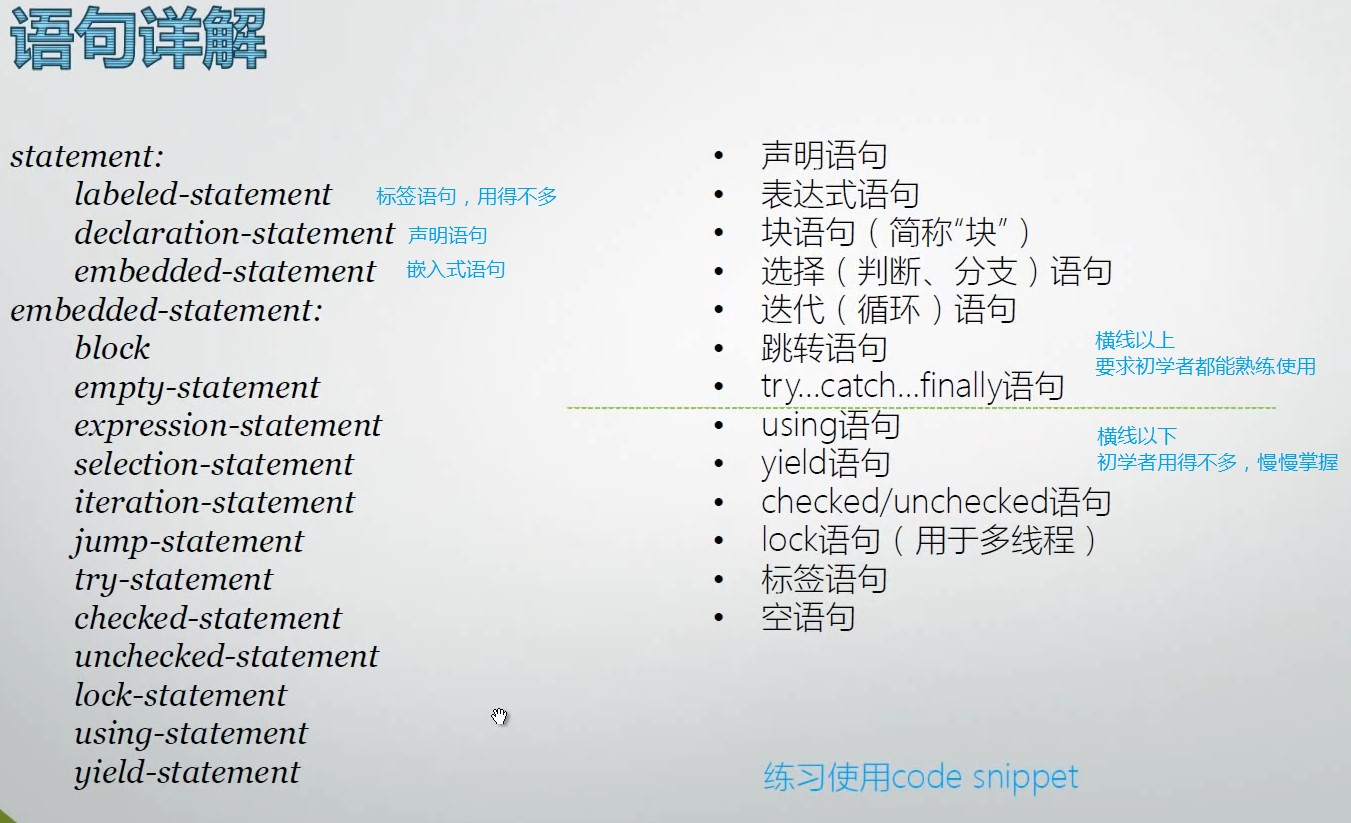
- embedded-statement 嵌入式语句
声明语句(C#语言定义文档8.5)(c#在线文档)(c#在线文档2)
- 局部变量声明
局部常量声明
const int x = 100; //常量必须在声明的同时赋值
表达式语句 expression-statement
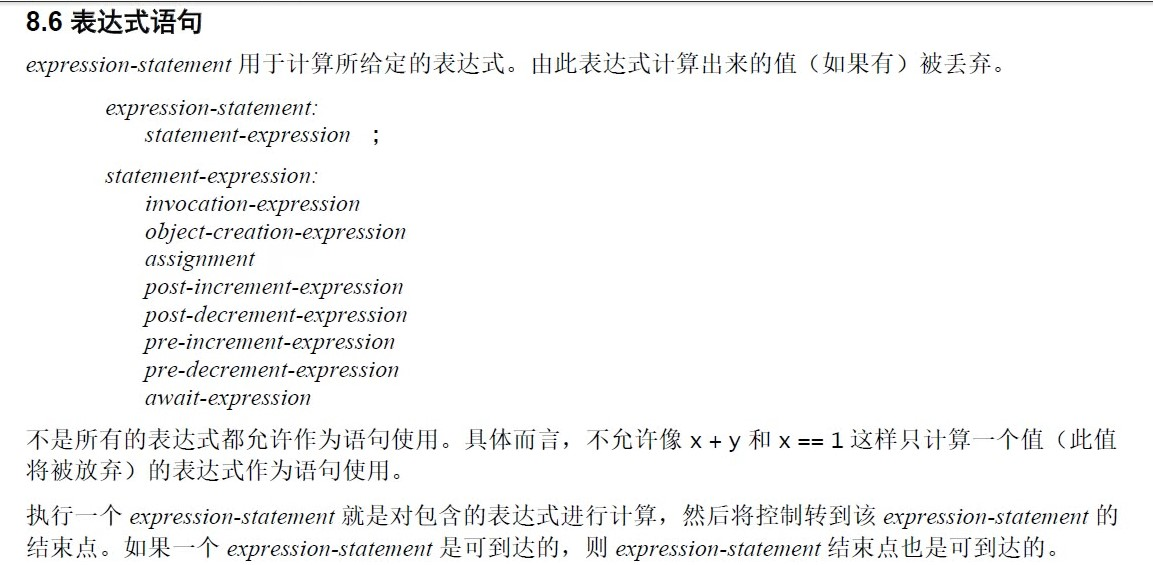
expression-statement 用于计算所给定的表达式。由此表达式计算出来的值(如果有)被丢弃 ```csharp static void Main(string[] args) { // Add 产生的 7.0,如果前面没有拿变量接收它,值被丢弃了 Add(3.0, 4.0); }
static double Add(double a,double b) { return a + b; }
- Single Responsibility 单一职责原则:一个方法尽量只做一件事情下面 `x+y` 这种语句在 C 语言里面是允许的,在 C# 里面不允许```csharpint x = 100;int y = 200;x+y; //这里会报错
块语句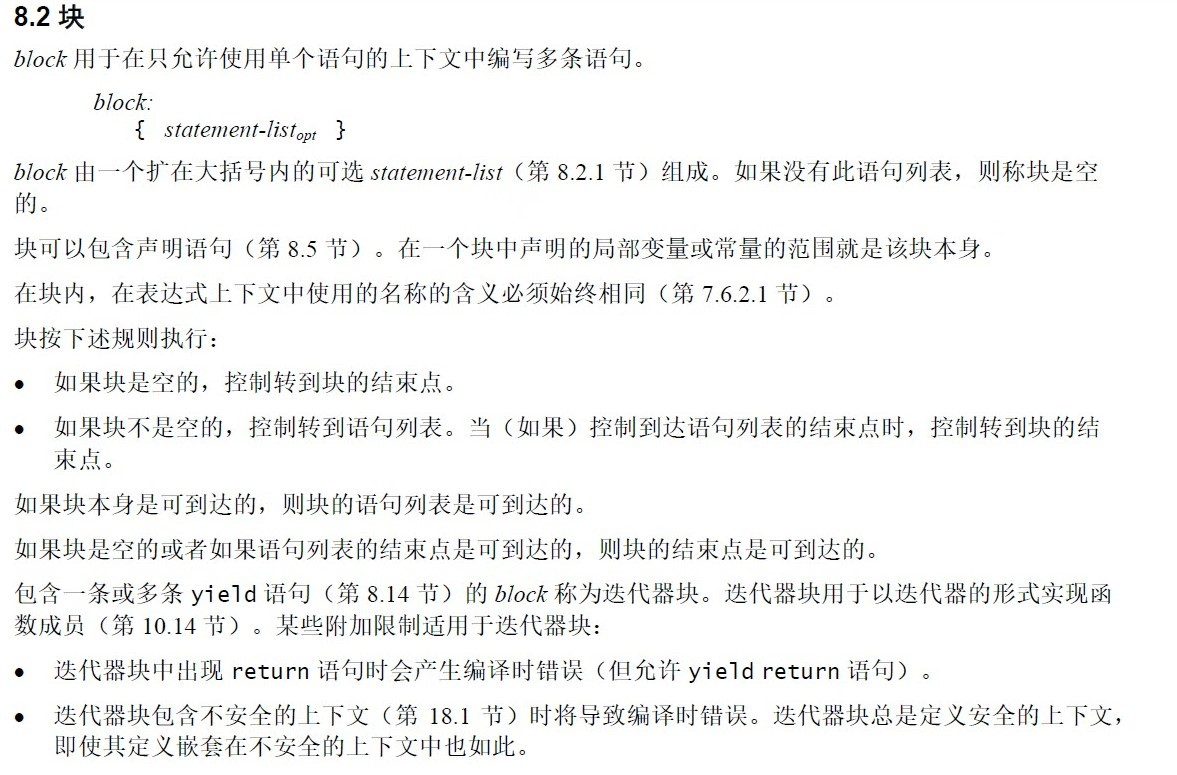
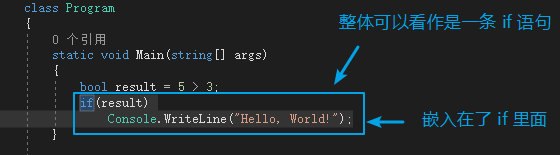
- 块语句无论什么时候都被编译器当做一条语句来看待
编译器认为块语句是一条完整的语句(即块语句最后不用加
;号)namespace OperatorsExample// 这对括号是名称空间的名称空间体{class Program// 这对括号是program类的类体{static void Main(string[] args)// 这对括号是main方法的方法体{// 方法体里的括号是块语句{int x = 100;}}}}
标签语句
hello: Console.WriteLine("hello");goto hello;
变量的作用域:块之内声明的变量,作用域仅在块内
static void Main(string[] args){int x = 100;{Console.WriteLine(x);int y = 200; //变量y作用域仅在这个块语句内Console.WriteLine(y);}// Error CS0103 当前上下文中不存在名称“y”Console.WriteLine(y);}
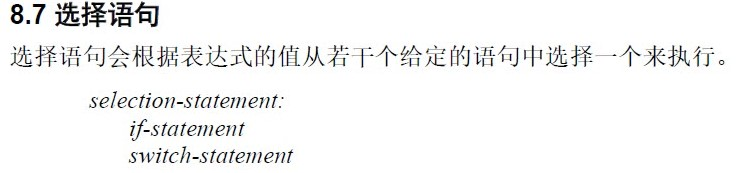
选择(判断、分支)语句
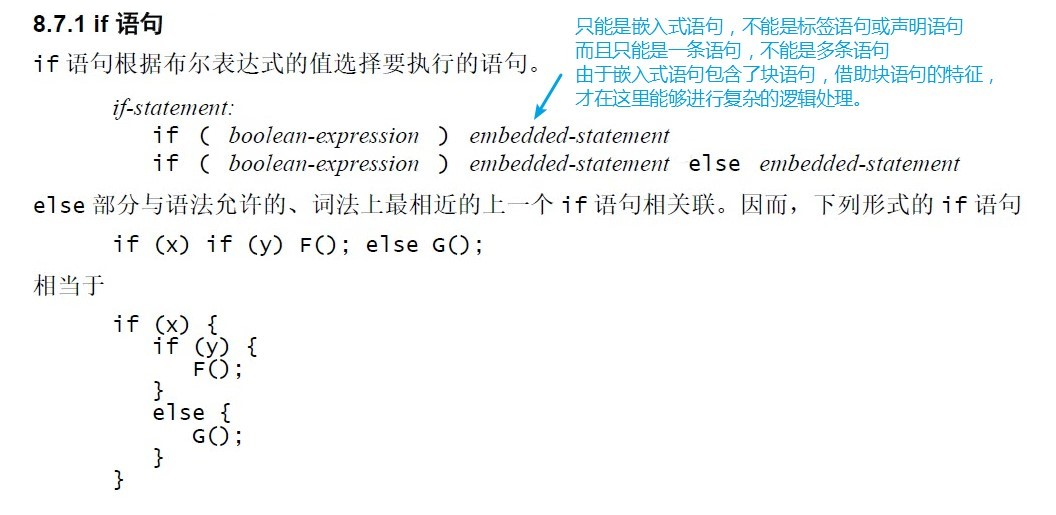
if 语句
- 编程规范推荐即使只有一条语句,也建议使用块语句
- 程序员经常修缮前人代码以满足新需求,但因为需求变化(需要实现新逻辑) + 业务逻辑复杂(不敢修改旧代码),导致写出来的代码很臃肿,还很容易陷入思维定式
- 无论多长的
if else,它都是一条语句。之所以能有else if{}这种结构,也是因为if{}是一条语句
- switch 语句
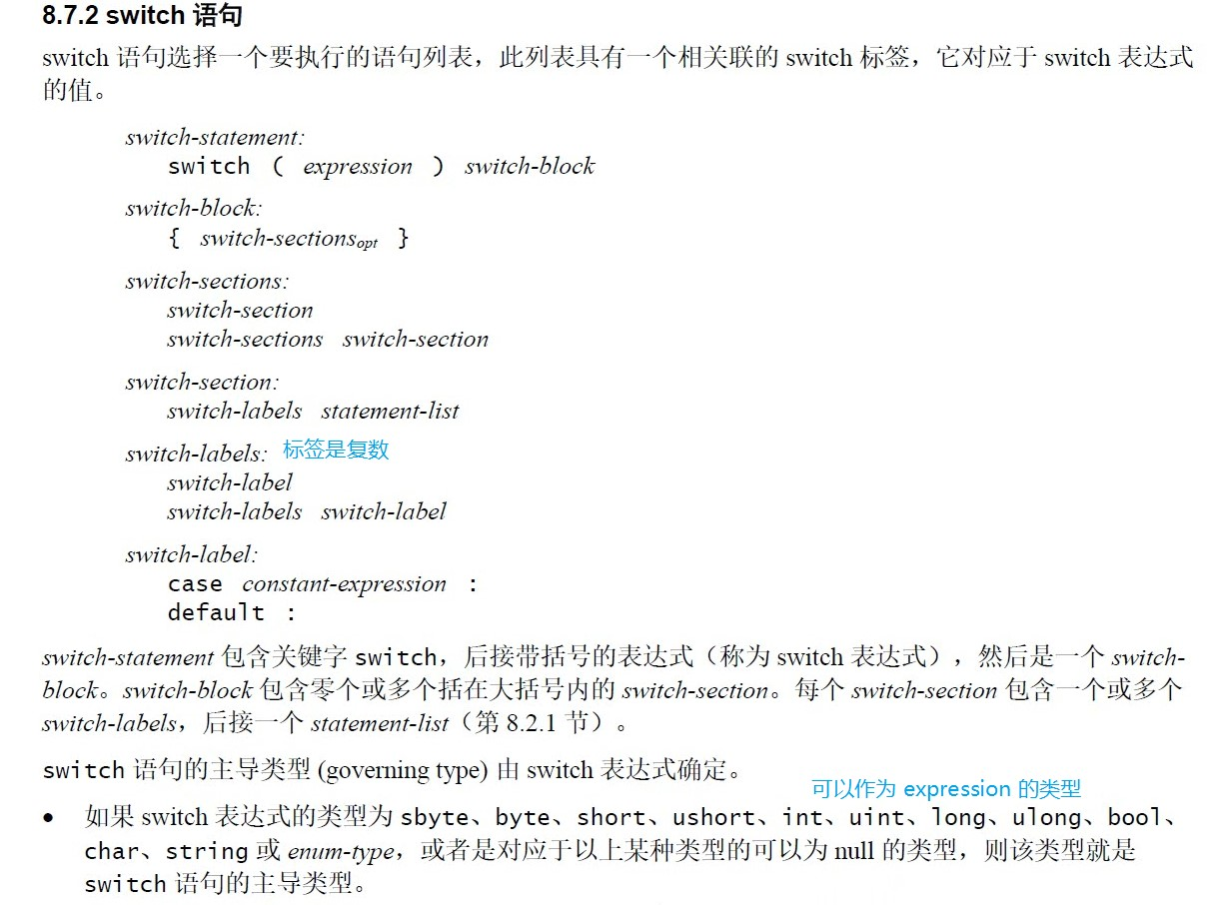
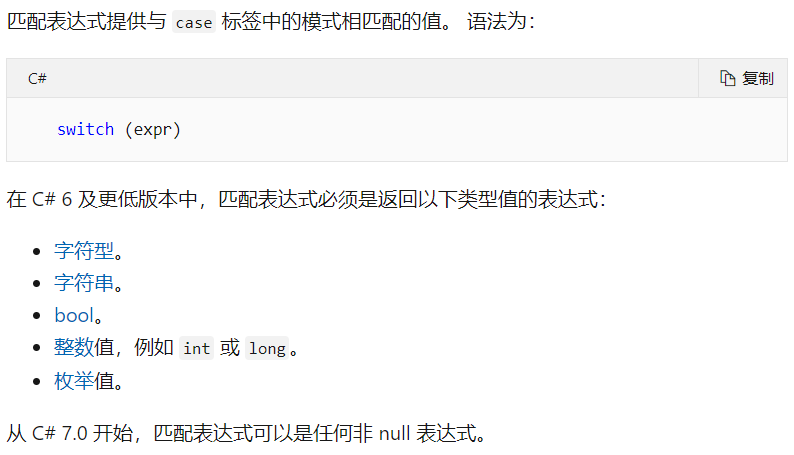
int score = 101;switch (score / 10){case 10:if (score == 100){goto case 8;}else{goto default;}// 只有单独的标签才能连起来写。case 8:case 9:// 一旦有了具体的 section,就必需配套 break。Console.WriteLine("A");break;//...后面以此类推default:Console.WriteLine("error");break;}
try 语句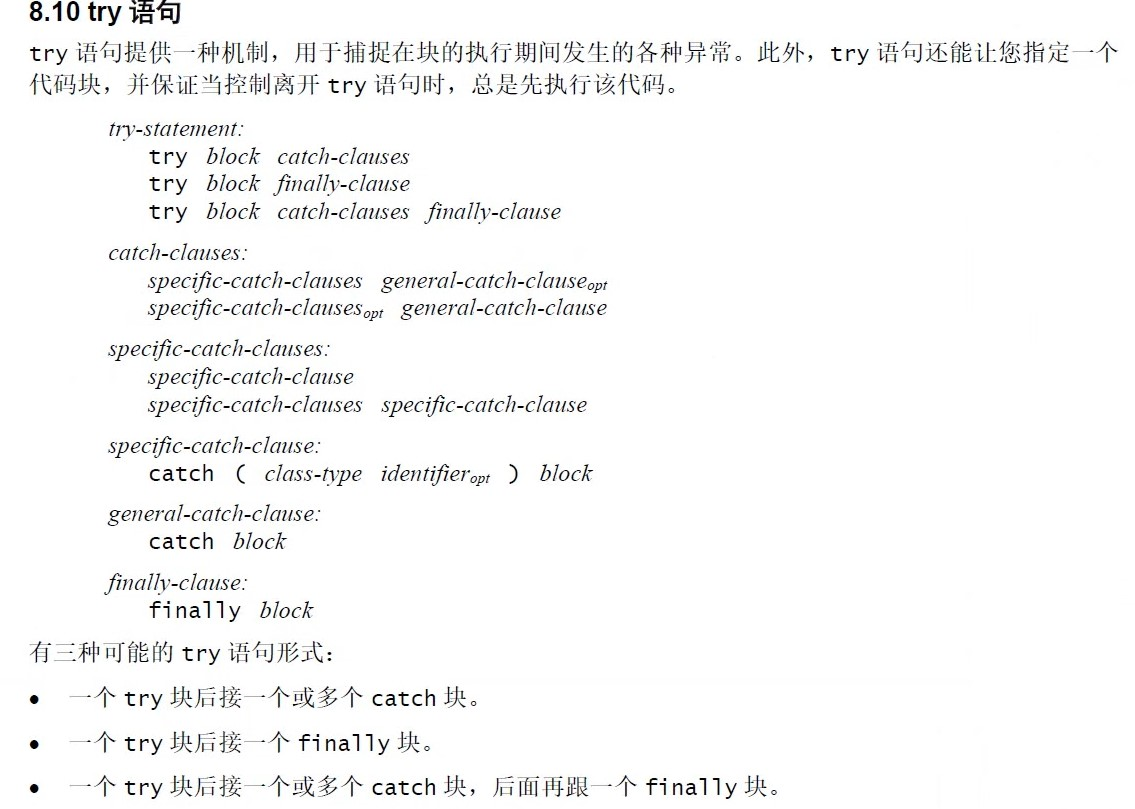
- 可以通过 MSDN 查方法相应的异常
- 如 Int32.Parse 方法 (String) 就有以下异常
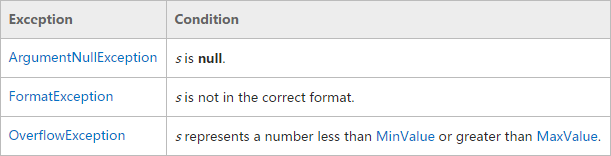
通用处理异常示例
class Program{static void Main(string[] args){Calculator c = new Calculator();int r = c.Add("abc", "200");Console.WriteLine(r);}}class Calculator{public int Add(string arg1, string arg2){int a = 0;int b = 0;try{a = int.Parse(arg1);b = int.Parse(arg2);}catch{Console.WriteLine("error");}int result = a + b;return result;}}
捕捉特定异常
catch (ArgumentNullException){Console.WriteLine("your argument(s) are null");}
另一种写法(在异常后面加上标识符)
catch (ArgumentNullException ane) //ane是个变量{Console.WriteLine(ane.Message);}
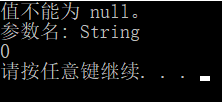
finally 子句
- 应该把释放系统资源的语句写在 finally block 里面
- 有时候也在 finally block 里面写 log
- 应该把释放系统资源的语句写在 finally block 里面
throw 子句
- throw 将异常抛给调用者
- throw 关键字的语法比较灵活
迭代(循环)语句 (添加了4个微软C#文档链接)catch(OverflowException){throw;}
while 语句按不同条件执行一个嵌入语句零次或多次
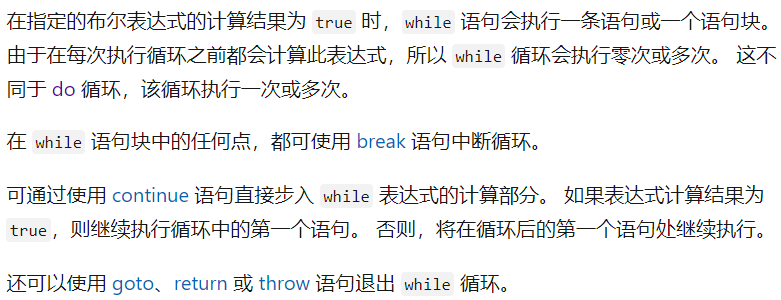
while 语句示例
int score = 0;bool canContinue = true;while (canContinue){Console.WriteLine("please input first number");string str1 = Console.ReadLine();int x = int.Parse(str1);Console.WriteLine("please input second number");string str2 = Console.ReadLine();int y = int.Parse(str2);int sum = x + y;if (sum == 100){score++;Console.WriteLine("correct {0}+{1}={2}", x, y, sum);}else{Console.WriteLine("error {0}+{1}={2}", x, y, sum);canContinue = false;}}Console.WriteLine("your scor is {0}", score);Console.WriteLine("game over");
do 语句按不同条件执行一个嵌入语句一次或多次
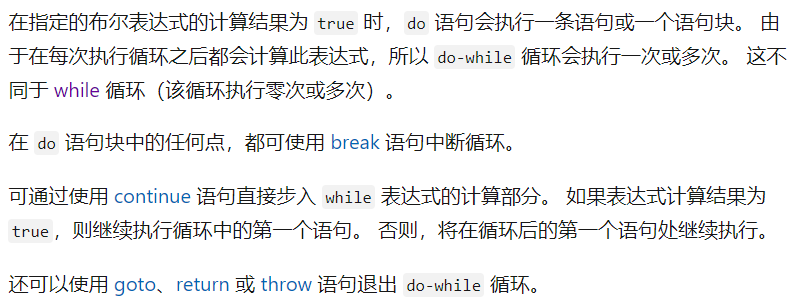
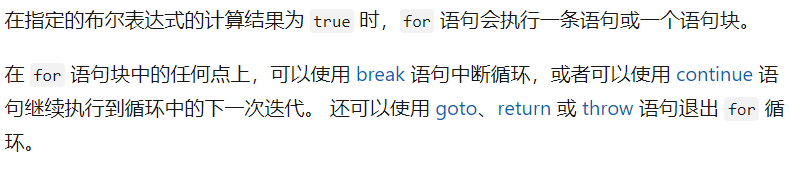
- for 语句计算一个初始化表达式序列,然后,当某个条件为真时,重复执行相关的嵌入语句并计算一个迭代表达式序列
- for 循环圆括号里面的的三部分都是 opt 可选的(两个分号不能省略),由此可以组成许多平时用不到的奇葩结构
示例1:打印十次hello
for (int counter = 0; counter < 10; counter++){Console.WriteLine("hello");}
示例2:99乘法表
for (int a = 1; a <= 9; a++){for (int b = 1; b <= a; b++){Console.Write("{0}x{1}={2}\t",a,b,a*b);}Console.WriteLine();}
foreach 语句用于枚举一个集合的元素,并对该集合中的每个元素执行一次相关的嵌入语句
- 遍历和迭代器
- Array 实现了 IEnumerable
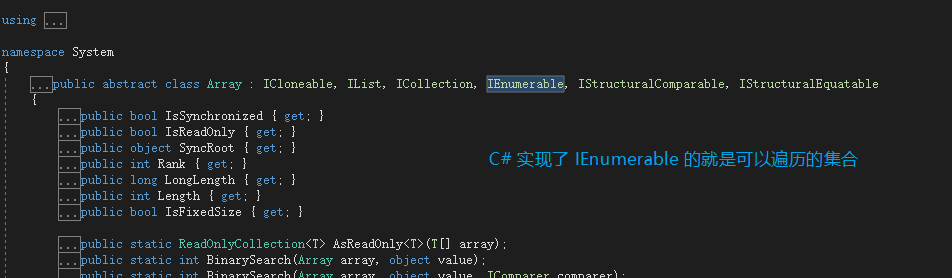
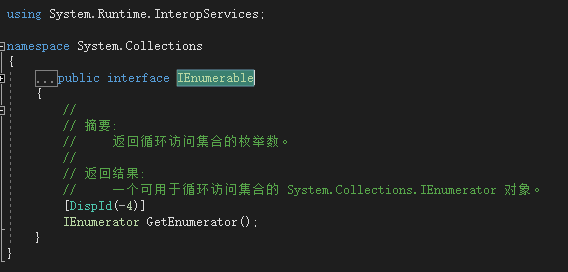
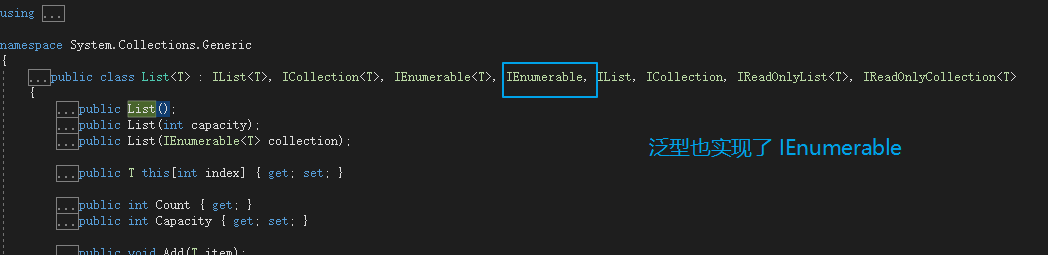
集合遍历的底层原理和迭代器,foreach 语句就是对集合遍历的简记法
迭代器示例
static void Main(string[] args){var intArray = new int[] { 1, 3, 5 ,7};IEnumerator enumerator = intArray.GetEnumerator();while (enumerator.MoveNext()){Console.WriteLine(enumerator.Current);}var intList = new List<int>() { 2, 4, 6, 8 };IEnumerator enumerator2 = intList.GetEnumerator();while (enumerator2.MoveNext()){Console.WriteLine(enumerator2.Current);}}
foreach 语句示例
List<int> intList = new List<int>() { 1, 2, 3, 4, 5, 6 };foreach (var current in intList){Console.WriteLine(current);}
跳转语句
- continue 语句将开始直接封闭它的 while、do、for 或 foreach 语句的一次新迭代
- continue 语句将终止当前语句的循环,开始一次新的循环
break 语句将退出直接封闭它的 switch、while、do、for 或 foreach 语句
- break 语句直接结束本次循环
if (str1.ToLower()=="end"){break;}
- break 语句直接结束本次循环
goto 语句将控制转到由标签标记的语句
- goto 语句基本被淘汰
- goto 语句基本被淘汰
- throw 语句将引发一个异常
- throw 语句语法比较灵活,它后面可以什么都不跟
- throw 语句语法比较灵活,它后面可以什么都不跟
return 语句会将控制返回到出现 return 语句的函数的当前调用方
提前 return 原则
- 通过提前 return 可以让代码阅读者立刻就鉴别出来程序将在什么情况下 return,同时减少 if else 嵌套,写出更优雅的代码
class Program{static void Main(string[] args){Greeting("Mr.okay");}static void Greeting(string name){if (string.IsNullOrEmpty(name)){// 通过尽早 return 可以让代码阅读者立刻就鉴别出来// name 参数在什么情况下是有问题的return;}Console.WriteLine("Hello, {0}!", name);}}
- 通过提前 return 可以让代码阅读者立刻就鉴别出来程序将在什么情况下 return,同时减少 if else 嵌套,写出更优雅的代码
方法的每个分支里面都需要有 return
- 必须要保证方法的每个分支一定能够return
未来会讲到的语句
- using 语句
- yield 语句
- lock 语句

若有收获,就点个赞吧
0 人点赞


