title: 适配器与MQTT集成 description: Octopus 提供了两种的方法与MQTT集成 keywords:
- Octopus中文文档
- Octopus 中文文档
- 边缘计算
- IOT
- edge computing
- Octopus中文
- Octopus 中文
- Octopus
- Octopus教程
- Octopus中国
- rancher
- Octopus 中文教程
- 适配器
- 适配器与MQTT集成
Octopus 提供了两种的方法与MQTT集成:
这篇文章主要概述了第一种方法的细节,如果您想了解更多关于 MQTT 适配器的信息,请查看MQTT 适配器。 如果以上开箱即用的方式无法满足您的要求,则可以按照CONTRIBUTING提出您的想法,或开发新的适配器。
说明: MQTT 集成目前仅支持write - [publish]的模板主题。
尽管 MQTT 的最新版本为 v5.0,但目前 Octopus 暂时不支持该修订版,主要原因是相应的开发库尚不支持paho.mqtt.golang/issues#347:
目前 Octopus 支持的 MQTT 版本如下:
设备与 MQTT 集成后,可以显示设备状态、赋予设备使用 MQTT 的能力,或扩展设备的使用场景,例如设备交互和设备监视。
MQTT
MQTT 是机器对机器(M2M)物联网连接协议。 它被设计为一种非常轻量级的消息传输协议。 对于与需要较小代码占用和网络带宽非常宝贵的远程位置的连接很有用。
尽管 MQTT 的名称包含MQ,但它不是用于定义消息队列的协议,实际上,MQ是指 IBM 的 MQseries 产品,与消息队列无关。。
MQTT 是一种轻量级的二进制协议,并且由于其最小的数据包开销,与 HTTP 之类的协议相比,MQTT 在通过网络传输数据时表现出色。 MQTT 提供了一种可以像消息队列一样发布和订阅的通信方式,同时,提供了许多功能来丰富通信场景,例如 QoS,最后遗嘱和遗嘱,保留的消息等。
要了解有关 MQTT 的更多信息,强烈推荐一系列文章:MQTT Essentials。
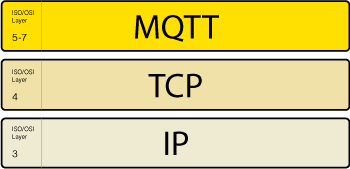
惯例
MQTT 使用基于主题的消息过滤。 每封邮件都包含一个主题(主题),代理可以使用该主题来确定订阅客户端是否收到该邮件。
在 MQTT 中,topic是可用于过滤和路由消息的层次结构字符串, 而payload数据不可知,这意味着发布者可以发送二进制数据,文本数据甚至是 完整的 XML 或 JSON,因此设计主题树和有效负载架构是任何 MQTT 部署的重要工作。
Octopus 建议您参考MQTT Essentials 中 MQTT 主题的最佳实践来构造 topic名称,并将 payload 数据编组为 JSON。
配置选项
octopus 重组了github.com/eclipse/paho.mqtt.golang的客户端参数,然后提供了一组配置选项。
目前官方的适配器如BLE、Modbus和opcua都支持 MQTT 协议扩展,使用相同的配置(参考以下spec.template.spec.extension.mqtt)。
apiVersion: edge.cattle.io/v1alpha1kind: DeviceLinkmetadata:name: living-room-fanspec:adaptor:node: edge-workername: adaptors.edge.cattle.io/dummymodel:apiVersion: "devices.edge.cattle.io/v1alpha1"kind: "DummySpecialDevice"template:metadata:labels:device: living-room-fanspec:extension:mqtt:client:server: tcp://test.mosquitto.org:1883maxReconnectInterval: 20smessage:topic: cattle.io/octopus/:namespace/:nameqos: 1protocol:location: "living_room"gear: slow"on": true
规范
MQTT 选项的规范在所有 MQTT 扩展适配器中均有效,它们用于连接 MQTT 代理,指导连接,指示要发布/订阅的主题以及有效载 payload 的编码。
MQTTOptions
| 参数 | 描述 | 类型 | 是否必填 |
|---|---|---|---|
| client | 指定客户端的设置 | MQTTClientOptions | 是 |
| message | 指定信息的设置 | MQTTMessageOptions | 是 |
MQTTClientOptions
| 参数 | 描述 | 类型 | 是否必填 |
|---|---|---|---|
| server | 指定 MQTT broker 的服务器 URI,格式为 “schema://host:port”。schema的可选值为:”ws”、”wss”、”tcp”、”unix”、”ssl”、”tls “或 “tcps “。 |
string | 是 |
| protocolVersion | 指定集群连接到 broker 时使用的 MQTT 协议版本。可选值是3—MQTT 3.1 和4—MQTT 3.1.1,默认值是0 |
*uint | 否 |
| basicAuth | 指定客户端连接到 MQTT broker 的用户名和密码 | *MQTTClientBasicAuth | 否 |
| tlsConfig | 指定客户端连接到 MQTT broker 的 TLS 配置 | *MQTTClientTLS | 否 |
| cleanSession | 指定在连接消息中设置 “clean session “标志,MQTT broker 不应该,默认为true |
*bool | 否 |
| store | 指定在 QoS 级别为 1 或 2 的情况下提供消息持久性,默认存储为 “Memory” | *MQTTClientStore | 否 |
| resumeSubs | 指定在连接但未重新连接时恢复存储的(未)订阅信息。只有当cleanSession为false时才有效。默认值是false |
bool | 否 |
| connectTimeout | 指定客户端在超时和出错前尝试打开与 MQTT 代理的连接的时间。持续时间为 0,则不会超时。默认值是30s |
*metav1.Duration | 否 |
| keepAlive | 指定客户端在向代理发送 PING 请求之前应该等待的时间。默认的 keep alive 是10s |
*metav1.Duration | 否 |
| pingTimeout | 指定客户端向 broker 发送 PING 请求后应该等待的时间长度默认值是10s |
*metav1.Duration | 否 |
| order | 指定消息路由以保证每个 QoS 级别内的顺序。默认值为 “true” | *bool | 否 |
| writeTimeout | 指定客户端成功发布消息后出现超时错误的时间,默认为 30s | *metav1.Duration | 否 |
| waitTimeout | 指定客户端订阅/发布消息后应超时的时间,持续时间为0永远不会超时。 |
*metav1.Duration | 否 |
| disconnectQuiesce | 指定客户端断开连接时的静止时间,默认为 “5s” | *metav1.Duration | 否 |
| autoReconnect | 配置使用自动重连逻辑,默认为 “true” | bool | 否 |
| maxReconnectInterval | 指定客户在重新连接到经纪商之前应该等待的时间,默认为10m |
*metav1.Duration | 否 |
| messageChannelDepth | 指定客户端暂时离线时保存消息的内部队列大小,默认为100。 |
*uint | 否 |
| httpHeaders | 指定客户端在 WebSocket 开启握手时发送的附加 HTTP 头信息。 | string | 否 |
MQTTClientBasicAuth
| 参数 | 描述 | 类型 | 是否必填 |
|---|---|---|---|
| username | 指定基本认证的用户名 | string | 否 |
| usernameRef | 指定 DeviceLink 的引用关系,将该值作为用户名引用 | *edgev1alpha1.DeviceLinkReferenceRelationship | 否 |
| password | 指定基本认证的密码 | string | 否 |
| passwordRef | 指定 DeviceLink 的引用关系,将该值作为密码引用 | *edgev1alpha1.DeviceLinkReferenceRelationship | 否 |
MQTTClientTLS
| 参数 | 描述 | 类型 | 是否必填 |
|---|---|---|---|
| caFilePEM | CA 证书的 PEM 格式内容,用于验证服务器证书 | string | 否 |
| caFilePEMRef | 指定 DeviceLink 的引用关系,以引用值作为 CA 文件的 PEM 内容 | *edgev1alpha1.DeviceLinkReferenceRelationship | 否 |
| certFilePEM | 证书的 PEM 格式内容,用于客户端对服务器的认证 | string | 否 |
| certFilePEMRef | 指定 DeviceLink 的引用关系,以引用值作为客户端证书文件的 PEM 内容 | *edgev1alpha1.DeviceLinkReferenceRelationship | 否 |
| keyFilePEM | 密钥的 PEM 格式内容,用于客户端对服务器的认证。 | string | 否 |
| keyFilePEMRef | 指定 DeviceLink 的引用关系,将该值作为客户端密钥文件 PEM 内容引用。 | *edgev1alpha1.DeviceLinkReferenceRelationship | 否 |
| serverName | 表示服务器的名称,参考http://tools.ietf.org/html/rfc4366#section-3.1 | string | 否 |
| insecureSkipVerify | 不验证服务器证书,默认值为false |
bool | 否 |
MQTTClientStore
| 参数 | 描述 | 类型 | 是否必填 |
|---|---|---|---|
| type | 指定存储的类型,可选值为”memory”和 “file”,默认值是 “memory”。 | string | 否 |
| direcotryPrefix | 如果使用 “文件 “存储,则指定存储的目录前缀,默认值是/var/run/octopus/mqtt。默认值是/var/run/octopus/mqtt |
string | 否 |
MQTTMessageOptions
| Field | Description | Schema | Required |
|---|---|---|---|
| topic | 指定主题 | 否 | true |
| will | 指定遗嘱信息 | *MQTTWillMessage | 否 |
| qos | 指定消息的 QoS,默认值为1 |
*MQTTMessageQoSLevel | 否 |
| retained | 指定是否保留最后发布的消息,默认为 “true” | bool | 否 |
| path | 指定渲染 topic 的:path关键字的路径。 |
string | 否 |
| operator | 指定用于渲染主题的:operator关键字的操作符。 |
*MQTTMessageTopicOperator | 否 |
MQTTWillMessage
| 参数 | 描述 | 类型 | 是否必填 |
|---|---|---|---|
| topic | 指定遗嘱消息的主题,如果没有设置,主题将在父字段指定的主题名称后附加$will作为主题名称。如果没有设置,主题将在父字段中指定的主题名称后附加”\$will “作为主题名称。 |
string | 否 |
| content | 指定 will 消息的内容。内容的序列化形式是 Base64 编码的字符串,在这里表示任意(可能是非字符串)的内容值 | string | 否 |
MQTTMessageQoSLevel
| 参数 | 描述 | 类型 |
|---|---|---|
| 0 | 最多发送一次 | byte |
| 1 | 最少发送一次 | byte |
| 2 | 只发送一次 | byte |
MQTTMessageTopicOperator
| 参数 | 描述 | 类型 | 是否必填 |
|---|---|---|---|
| read | 指定在订阅时渲染主题的:operator关键字的操作符 |
string | false |
| write | 指定在发布时渲染主题的:operator关键字的操作符 |
string | false |
YAML 配置文件示例
MQTT 选项的规范在所有 MQTT 扩展适配器中均有效,它们用于连接 MQTT 代理服务器,引导连接,指示要发布/订阅的主题以及有效 Payload 的编码等。REQUIRED 是必填字段。
# Specifies the client settings.client:# Specifies the server URI of MQTT broker, the format should be `schema://host:port`.# The "schema" is one of the "ws", "wss", "tcp", "unix", "ssl", "tls" or "tcps".# REQUIREDserver: <string># Specifies the MQTT protocol version that the cluster uses to connect to broker.# Legitimate values are currently 3 - MQTT 3.1 or 4 - MQTT 3.1.1.# The default value is 0, which means MQTT v3.1.1 identification is preferred.protocolVersion: <int, 0|3|4># Specifies the username and password that the client connects# to the MQTT broker. Without the use of `tlsConfig`,# the account information will be sent in plaintext across the wire.basicAuth:# Specifies the username for basic authentication.username: <string># Specifies the relationship of DeviceLink's references to# refer to the value as the username.usernameRef:# Specifies the name of reference.# REQUIREDname: <string># Specifies the item name of the referred reference.# REQUIREDitem: <string># Specifies the relationship of DeviceLink's references to refer to the value as the username.passsword: <string># Specifies the relationship of DeviceLink's references to# refer to the value as the password.passwordRef:# Specifies the name of reference.# REQUIREDname: <string># Specifies the item name of the referred reference.# REQUIREDitem: <string># Specifies the TLS configuration that the client connects to the MQTT broker.tlsConfig:# The PEM format content of the CA certificate,# which is used for validate the server certificate with.caFilePEM: <string># Specifies the relationship of DeviceLink's references to# refer to the value as the CA file PEM content.caFilePEMRef:# Specifies the name of reference.# REQUIREDname: <string># Specifies the item name of the referred reference.# REQUIREDitem: <string># The PEM format content of the certificate and key,# which is used for client authenticate to the server.certFilePEM: <string># Specifies the relationship of DeviceLink's references to# refer to the value as the client certificate file PEM content.certFilePEMRef:# Specifies the name of reference.# REQUIREDname: <string># Specifies the item name of the referred reference.# REQUIREDitem: <string># Specifies the PEM format content of the key(private key),# which is used for client authenticate to the server.keyFilePEM: <string># Specifies the relationship of DeviceLink's references to# refer to the value as the client key file PEM content.keyFilePEMRef:# Specifies the name of reference.# REQUIREDname: <string># Specifies the item name of the referred reference.# REQUIREDitem: <string># Indicates the name of the server, ref to http://tools.ietf.org/html/rfc4366#section-3.1.serverName: <string># Doesn't validate the server certificate.insecureSkipVerify: <bool># Specifies setting the "clean session" flag in the connect message that the MQTT broker should not# save it. Any messages that were going to be sent by this client before disconnecting previously but didn't send upon connecting to the broker.# The default value is "true".cleanSession: <bool># Specifies to provide message persistence in cases where QoS level is 1 or 2.# The default store is "memory".store:# Specifies the type of storage.# The default store is "Memory".type: <string, Memory|File># Specifies the directory prefix of the storage, if using file store.# The default value is "/var/run/octopus/mqtt".direcotryPrefix: <string># Specifies to enable resuming of stored (un)subscribe messages when connecting but not reconnecting.# This is only valid if `cleanSession` is false.# The default value is "false".resumeSubs: <bool># Specifies the amount of time that the client try to open a connection# to an MQTT broker before timing out and getting error.# A duration of 0 never times out.# The default value is "30s".connectionTime: <string># Specifies the amount of time that the client should wait# before sending a PING request to the broker. This will# allow the client to know that the connection has not been lost# with the server.# A duration of 0 never keeps alive.# The default keep alive is "30s".keepAlive: <string># Specifies the amount of time that the client should wait# after sending a PING request to the broker. This will# allow the client to know that the connection has been lost# with the server.# A duration of 0 may cause unnecessary timeout error.# The default value is "10s".pingTimeout: <string># Specifies the message routing to guarantee order within each QoS level. If set to false,# the message can be delivered asynchronously from the client to the application and# possibly arrive out of order.# The default value is "true".order: <bool># Specifies the amount of time that the client publish a message successfully before# getting a timeout error.# A duration of 0 never times out.# The default value is "30s".writeTimeout: <string># Specifies the amount of time that the client should timeout# after subscribed/published a message.# A duration of 0 never times out.waitTimeout: <string># Specifies the quiesce when the client disconnects.# The default value is "5s".disconnectQuiesce: <string># Configures using the automatic reconnection logic.# The default value is "true".autoReconnect: <bool># Specifies the amount of time that the client should wait# before reconnecting to the broker. The first reconnect interval is 1 second,# and then the interval is incremented by *2 until `MaxReconnectInterval` is reached.# This is only valid if `AutoReconnect` is true.# A duration of 0 may trigger the reconnection immediately.# The default value is "10m".maxReconnectInterval: <string># Specifies the size of the internal queue that holds messages# while the client is temporarily offline, allowing the application to publish# when the client is reconnected.# This is only valid if `autoReconnect` is true.# The default value is "100".messageChannelDepth: <int># Specifies the additional HTTP headers that the client sends in the WebSocket opening handshake.httpHeaders: <map[string][]string># Specifies the message settings.message:# Specifies the topic.# REQUIREDtopic: <string># Specifies the will message that the client gives it to the broker,# which can be published to any clients that are subscribed the provided topic.will:# Specifies the topic of will message.# if not set, the topic will append "$will" to the topic name specified# in parent field as its topic name.topic: <string># Specifies the content of will message. The serialized form of the content is a# base64 encoded string, representing the arbitrary (possibly non-string) content value here.content: <string, base64-encoded># Specifies the QoS of the will message.# 0: Send at most once.# 1: Send at least once.# 2: Send exactly once.# The default value is "1".qos: <int, 0|1|2># Specifies the will message to be retained.# The default value is "true".retained: <bool># Specifies the path for rendering the `:path` keyword of topic.path: <string># Specifies the operator for rendering the `:operator` keyword of topic.operator:# Specifies the operator for rendering the `:operator` keyword of topic during subscribing.read: <string># Specifies the operator for rendering the `:operator` keyword of topic during publishing.write: <string>
Templated Topic
Octopus 提供了一个templated topic,以适应不同的 MQTT 发布和订阅场景。templated topic 支持的关键词有五个。
:namespace,替换 DeviceLink 的命名空间。:name,替换为 DeviceLink 的名称。:uid,替换为 DeviceLink 的UID。:path,替换为自定义路径。:operator,基于操作(read- subscribe,write- publish)进行替换。值得注意的是,read操作在 MQTT 扩展中不支持,但在MQTT 适配器中运行良好。
模板化主题有以下两个特点:
- 容错的额外分隔符,
path. "a///b//c"将被视为path."。"a///b///c"将作为path: "a/b/c"。 - 自动忽略没有内容的关键词。
使用案例
给定主题
cattle.io/octopus/:namespace/device/:name,当 DeviceLink 命名为default/case1时apiVersion: edge.cattle.io/v1alpha1kind: DeviceLinkmetadata:namespace: defaultname: case1uid: fcd1eb1b-ea42-4cb9-afb0-0ec2d0830583spec:...template:...spec:extension:mqtt:...message:topic: "cattle.io/octopus/:namespace/device/:name"
- Publish Topic:
cattle.io/octopus/default/device/case1 - Subscribe Topic:
cattle.io/octopus/default/device/case1
给定主题
cattle.io/octopus/device/:uid,当 DeviceLink 命名为default/case2时:apiVersion: edge.cattle.io/v1alpha1kind: DeviceLinkmetadata:namespace: defaultname: case2uid: 41478d1e-c3f8-46e3-a3b5-ba251f285277spec:...template:...spec:extension:mqtt:...message:topic: "cattle.io/octopus/device/:uid"
- Publish Topic:
cattle.io/octopus/device/41478d1e-c3f8-46e3-a3b5-ba251f285277 - Subscribe Topic:
cattle.io/octopus/device/41478d1e-c3f8-46e3-a3b5-ba251f285277
UID 是 Kubernetes 提供的代表资源的唯一标识,对外没有太多的解读意义。因此,一般情况下不建议使用这个关键字。
给定主题
cattle.io/octopus/:operator/device/:namespace/:name,当 DeviceLink 命名为default/case3时:apiVersion: edge.cattle.io/v1alpha1kind: DeviceLinkmetadata:namespace: defaultname: case3uid: 835aea2e-5f80-4d14-88f5-40c4bda41aa3spec:...template:...spec:extension:mqtt:...message:topic: "cattle.io/octopus/:operator/device/:namespace/:name"operator:write: "set"
- Publish Topic:
cattle.io/octopus/set/device/default/case3 - Subscribe Topic:
cattle.io/octopus/device/default/case3
给定主题
cattle.io/octopus/:operator/device/:path/:uid,当 DeviceLink 命名为default/case4时。apiVersion: edge.cattle.io/v1alpha1kind: DeviceLinkmetadata:namespace: defaultname: case4uid: 014997f5-1f12-498b-8631-d2f22920e20aspec:...template:...spec:extension:mqtt:...message:topic: "cattle.io/octopus/:operator/device/:path/:uid"operator:read: "status"path: "region/ap"
- Publish Topic:
cattle.io/octopus/device/region/ap/014997f5-1f12-498b-8631-d2f22920e20a - Subscribe Topic:
cattle.io/octopus/status/device/region/ap/014997f5-1f12-498b-8631-d2f22920e20a
可用适配器列表

若有收获,就点个赞吧
0 人点赞


