一、介绍:
ELK是三款开源软件的缩写,即:ElasticSearch + Logstash + Kibana。
ElasticSearch:是一个分布式的RESTful风格的搜索和数据分析引擎,同时还提供了集中存储功能,它主要负责将logstash抓取来的日志数据进行检索、查询、分析等。
Logstash:日志处理工具,负责日志收集、转换、解析等,并将解析后的日志推送给ElasticSearch进行检索。
Kibana:Web前端,可以将ElasticSearch检索后的日志转化为各种图表,为用户提供数据可视化支持。
Filebeat:轻量型日志采集器,负责采集文件形式的日志,并将采集来的日志推送给logstash进行处理。
二、部署环境:
IP:10.0.0.43(ELK服务器,Centos7)
IP:10.0.0.82(filebeat服务器,Centos7)
三、安装配置ELK:
1、关闭selinux和防火墙firewalld
sed -i "s/SELINUX=enforcing/SELINUX=disabled/g" /etc/selinux/configsed -i 's/SELINUXTYPE=targeted/#&/' /etc/selinux/configsetenforce 0 # 可以设置配置文件永久关闭systemctl stop firewalld.service
2、安装java8并下载ELK所需软件包
yum -y install java java-develwget https://artifacts.elastic.co/downloads/elasticsearch/elasticsearch-6.2.4.rpmwget https://artifacts.elastic.co/downloads/kibana/kibana-6.2.4-x86_64.rpmwget https://artifacts.elastic.co/downloads/logstash/logstash-6.2.4.rpm
3、yum安装ELK
yum localinstall -y elasticsearch-6.2.4.rpmyum localinstall -y kibana-6.2.4-x86_64.rpmyum localinstall -y logstash-6.2.4.rpm
4、修改ELK配置文件
E:elasticsearchvim /etc/elasticsearch/elasticsearch.ymlpath.data: /var/lib/elasticsearch/path.logs: /var/log/elasticsearch/network.host: 0.0.0.0http.port: 9200
L:logstash#vim /etc/logstash/logstash.yml#path.data: /data/logstash/data#path.logs: /data/logstash/logs===========================================================vim /etc/logstash/conf.d/logstash.conf # 添加如下内容input {beats {port => 5044codec => plain {charset => "UTF-8"}}}output {elasticsearch {hosts => "127.0.0.1:9200"manage_template => falseindex => "%{[@metadata][beat]}-%{+YYYY.MM.dd}"document_type => "%{[@metadata][type]}"}}
K:kibanavim /etc/kibana/kibana.ymlserver.port: 5601server.host: "192.168.2.207"elasticsearch.url: "http://localhost:9200"
5、启动ELK
systemctl daemon-reload  # 重新加载所有配置文件
systemctl start elasticsearch logstash kibana  # 启动ELK
systemctl enable elasticsearch logstash kibana  # 将ELK加入开机启动
6、查看端口是否处于监听状态: ss -tnl
查看索引:curl ‘localhost:9200/_cat/indices?v’
删除索引:curl -XDELETE http://localhost:9200/索引名称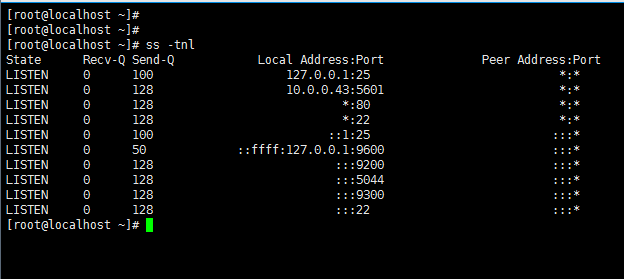
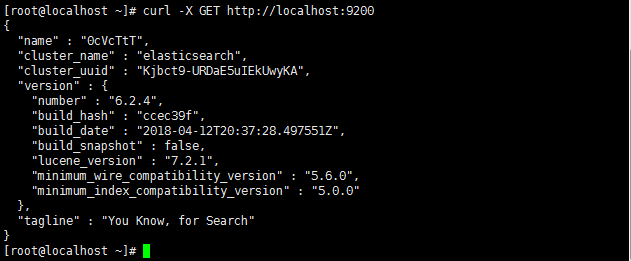
7、查看elasticsearch状态:curl -X GET http://localhost:9200
四、配置filebeat(IP:10.0.0.82)
1、安装nginx和httpd用户认证工具;下载filebeat软件包并安装
yum -y install epel-release
yum -y install nginx httpd-tools
wget https://artifacts.elastic.co/downloads/beats/filebeat/filebeat-6.2.4-x86_64.rpm
yum localinstall -y filebeat-6.2.4-x86_64.rpm
2、修改filebeat配置文件
vim /etc/filebeat/filebeat.yml
- type: log
  enabled: true
    - /var/log/*.log
    - /var/log/messages
filebeat.config.modules:
  path: ${path.config}/modules.d/*.yml
  reload.enabled: false
setup.template.settings:
  index.number_of_shards: 3
setup.kibana:
  host: "10.0.0.43:5601"
#output.elasticsearch:    //我们输出到logstash,把这行注释掉
  #hosts: ["localhost:9200"]   //这行也注释掉
output.logstash:
  hosts: ["10.0.0.43:5044"]
3、启动nginx模块,并修改nginx模块配置文件
filebeat modules enable nginx

vim /etc/filebeat/modules.d/nginx.yml #修改内容如下
- module: nginx
  access:
enabled: true
var.paths: ["/var/log/nginx/access.log*"]
  error:
enabled: true
var.paths: ["/var/log/nginx/error.log*"]
4、启动httpd模块,并修改httpd模块配置文件
filebeat modules enable apache2

vim /etc/filebeat/modules.d/apache2.yml
- module: apache2
  access:
enabled: true
var.paths: ["/var/log/httpd/access_log*"]
  error:
enabled: true
var.paths: ["/var/log/httpd/error_log*"]
5、启动filebeat:systemctl start filebeat

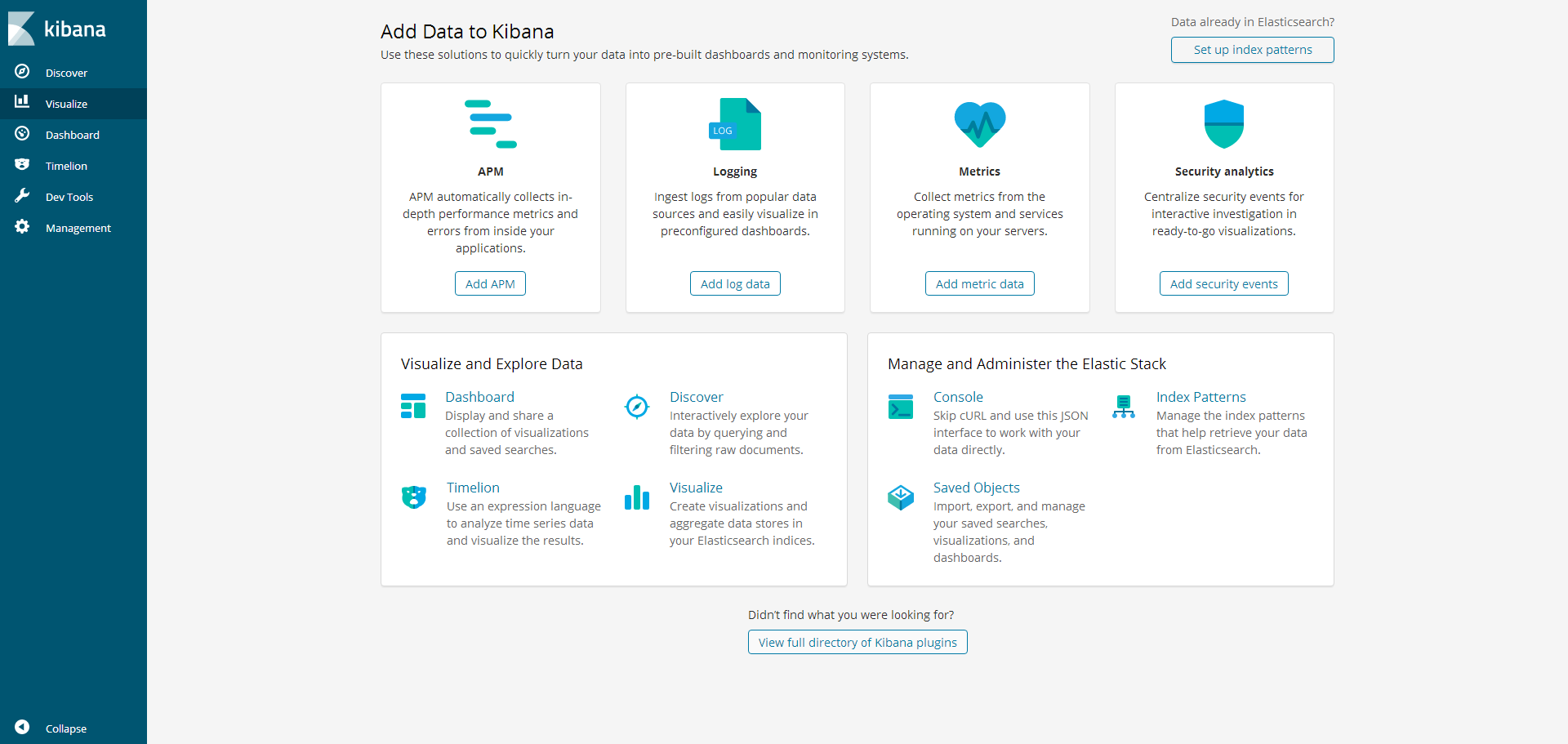
6、浏览器访问http://10.0.0.43:5601

若有收获,就点个赞吧
0 人点赞


