Step I: Add Pokket email as alias email in Gmail
a. Open the Gmail and click the ![settings_black_20dp[1].png](/uploads/projects/zhuzhengrong@kb/7b7a32b5e94b4a96c44a91ba9326747f.png) on the right top button. In the popup menu, click “Settings” to go to the “Settings” Page.
on the right top button. In the popup menu, click “Settings” to go to the “Settings” Page.
b. Click “Accounts and Import” tab and click “Add another email address” to add the Pokket email as alias.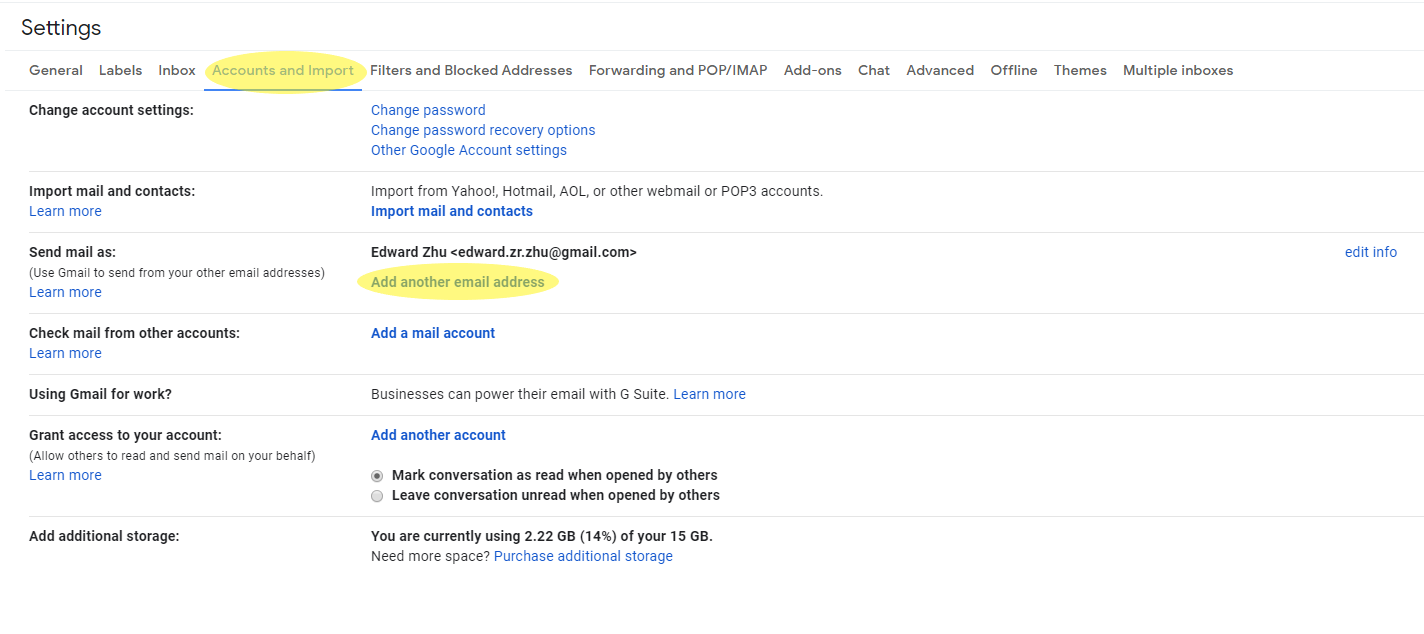
c. In the popup browser window, input the “Name” and “Email address” and check the “Treat as an alias” box. Then, click “Next Step >>”.
d. On the page, fill the following messages.
| SMTP | smtp.mail.us-east-1.awsapps.com |
|---|---|
| Port | 465 |
| Username | your pokket email (e.g., edward@pokket.com) |
| Password | your password |
Also, choose “Secured connection using TLS”. Then, click “Add Account”.
f. You will receive an email in your Pokket mailbox. And click the “confirmation link” or input the confirmation code to the popup windows.

g. After the request is confirmed, then the Pokket email is set.
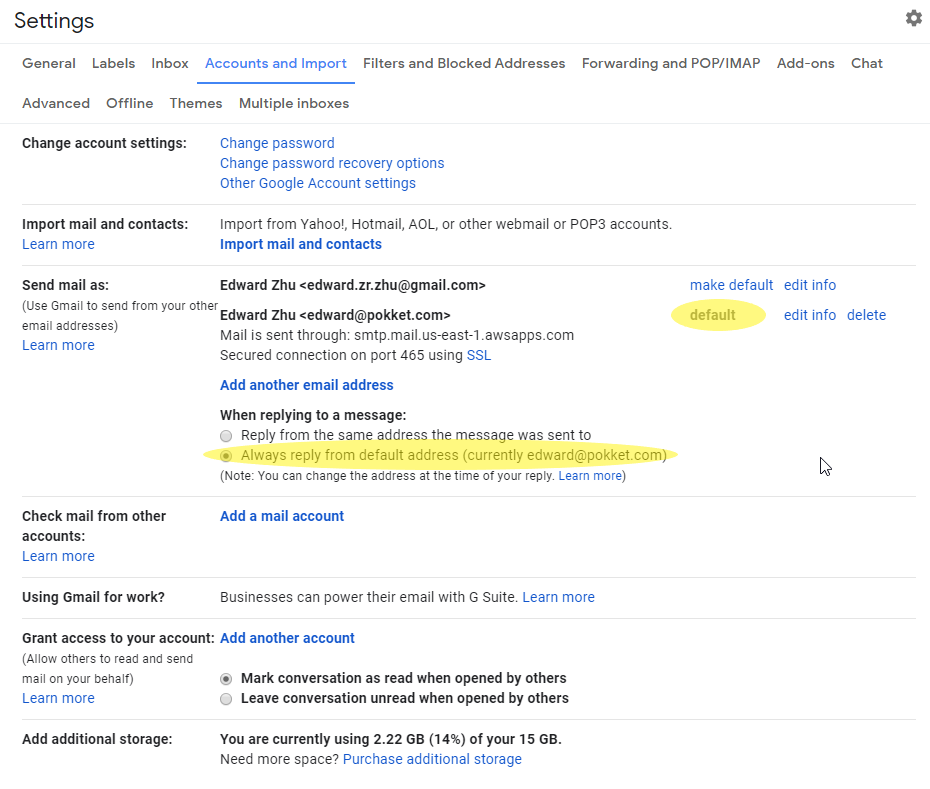
Step II: Set the Pokket address as default address.

若有收获,就点个赞吧
0 人点赞


