导入数据
- 使用2021微信大数据挑战赛的user_action,feed_info,test数据
- 准备工作
- mysql配置文件设置:在my.cnf的[mysqld]下添加
secure_file_priv=/usr/local/mysql/data/csv用来指定存放csv数据表的目录,并给它file权限 - 将相关csv文件放在该目录下
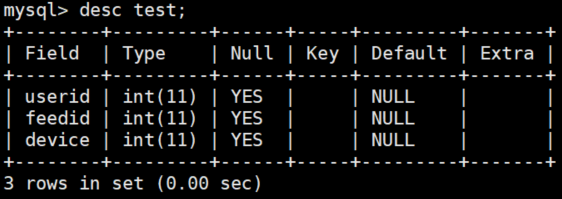
- 创建user_action,feed_info,test表,表中列名和类型与csv表中列名和类型一致
- mysql配置文件设置:在my.cnf的[mysqld]下添加
load data infile '/usr/local/mysql/data/csv/user_action.csv' into table user_action fields terminated by ',' enclosed by '"' lines terminated by '\n' ignore 1 rows;


load data infile '/usr/local/mysql/data/csv/feed_info2.csv' into table feed_info2 fields terminated by ',' enclosed by '"' lines terminated by '\n' ignore 1 rows;


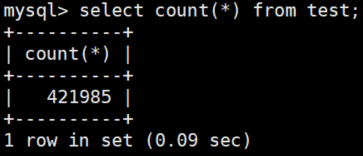
load data infile '/usr/local/mysql/data/csv/test.csv' into table test fields terminated by ',' enclosed by '"' lines terminated by '\n' ignore 1 rows;
建立索引并研究其效果
单键索引
建索引
create index idx_useraction_userid on user_action(userid);create index idx_useraction_feedid on user_action(feedid);create index idx_useraction_date on user_action(date_);create index idx_useraction_play on user_action(play);create index idx_useraction_stay on user_action(stay);
删索引
drop index idx_useraction_userid on user_action;drop index idx_useraction_feedid on user_action;drop index idx_useraction_date on user_action;drop index idx_useraction_play on user_action;drop index idx_useraction_stay on user_action;
查看索引
show index from user_action;

查询
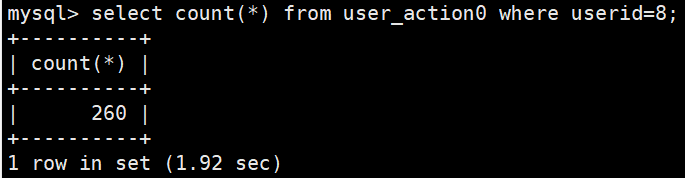
注:user_action0没有任何索引
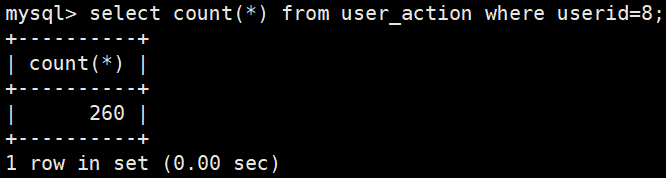
select count(*) from user_action where userid=8;
select count(*) from user_action where feedid=123;

``select count(*) from user_action where date_=9;

复合索引

若有收获,就点个赞吧
0 人点赞


