1. nginx 的安装与使用
windows 系统下 nginx 的安装非常简单,直接在 nginx 官网下载 windows 版本的 nginx ,解压即可
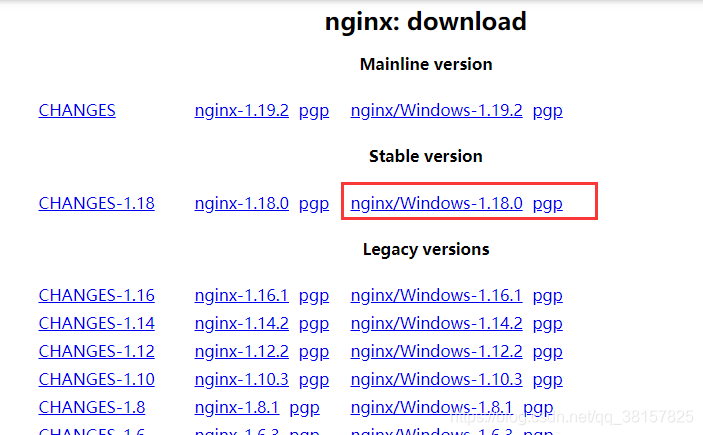
要注意解压到不含中文的路径中
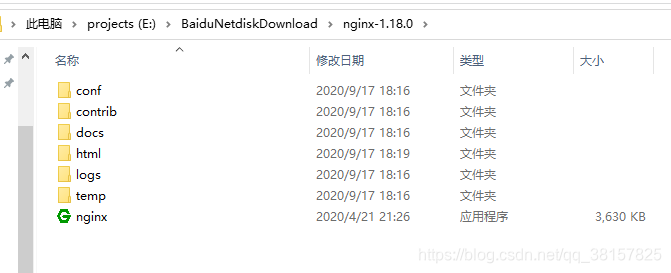
直接双击 nginx.exe 应用程序运行即可(会出现一闪而过的黑框)
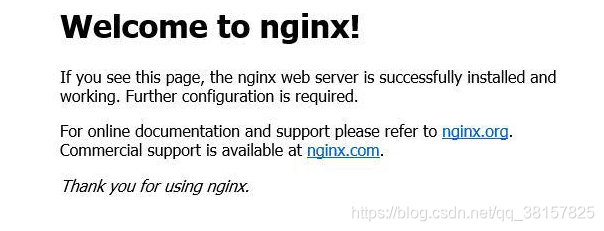
浏览器输入 localhost:80 ,出现下面的页面就说明 nginx 启动成功了
2. 部署 vue 项目
先将 vue 项目打包
npm run build
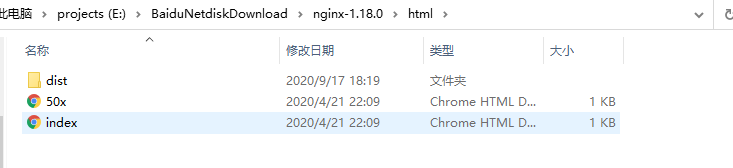
打包完成后生成 dist 文件夹,将 dist 文件夹移动到 nginx 文件夹下的 html 文件夹中
修改 nginx 的配置文件,找到 nginx/config/nginx.conf 文件
修改如下内容
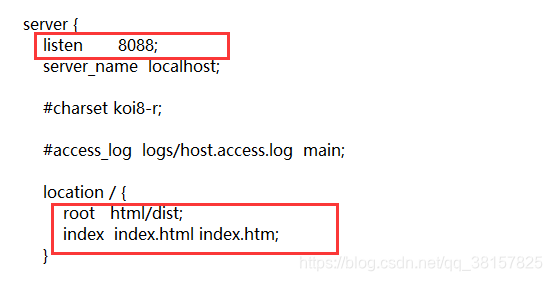
修改完成后,进入 nginx 的 cmd,重启 nginx
nginx -s reload
打开 localhost:8088/IP 地址: 8088
https://blog.csdn.net/qq_38157825/article/details/108662073

若有收获,就点个赞吧
0 人点赞


