本章节的内容使用的表依旧是第二章节的资源
数据分组
一、创建分组
分组是在select语句中的 group by 子句中建立的
直接举个例子就明白了:
select vend_id,count(*) as num_prods from products group by vend_id;
显示结果如下: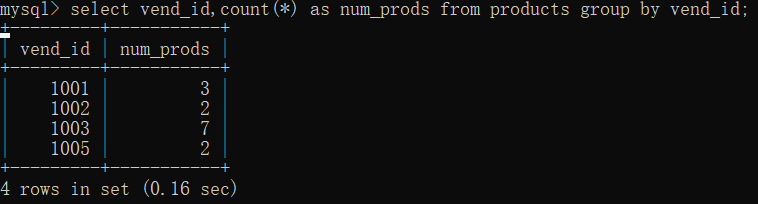
其中products表中的数据如下:
二、过滤分组
想对数据进行分组还要进行过滤,那么我们首先会想到where,但是在where只能对一行数据进行过滤而不能对分组的数据进行过滤,mysql提供了having来对分组数据进行过滤。并且到目前为止我们所有学习过的where子句都可以用having来代替
下面让我们先试试having代替where子句的效果吧。
select from products where vend_id > 1001;
显示结果如下:
select from products having vend_id >1001;
显示结果如下: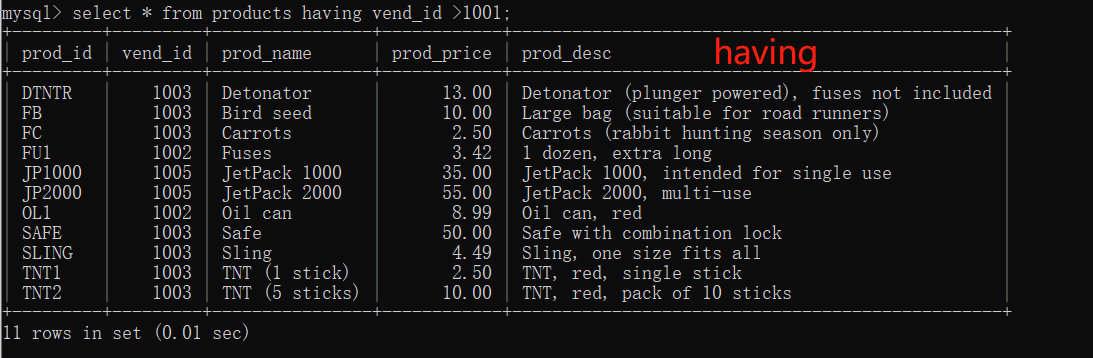
对比:
唯一的差别就是where是过滤行的,而having是过滤分组。
下面我们尝试使用having过滤分组:
select cust_id,count() as orders from orders group by cust_id having count() >=2;
显示结果如下:
三、分组和排序
虽然group by 和order by 经常完成相同的工作,但是他们是非常不同的,如下就是他们之间的差别: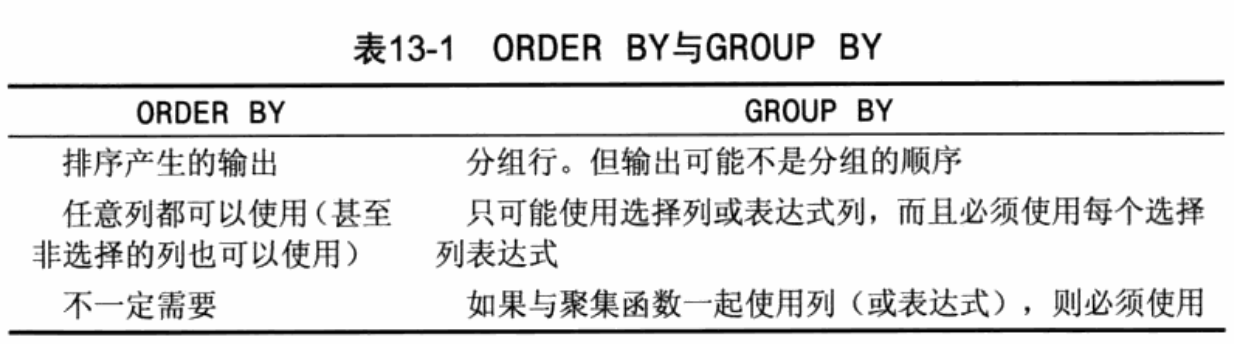
示例:
select order_num,sum(quantityitem_price) as ordertotal from orderitems group by order_num having sum(quantityitem_price) >=50;
显示结果如下:
使用order by来排序:
select order_num,sum(quantityitem_price) as ordertotal from orderitems group by order_num having sum(quantityitem_price) >=50 order by ordertotal ;
显示结果如下:
对比: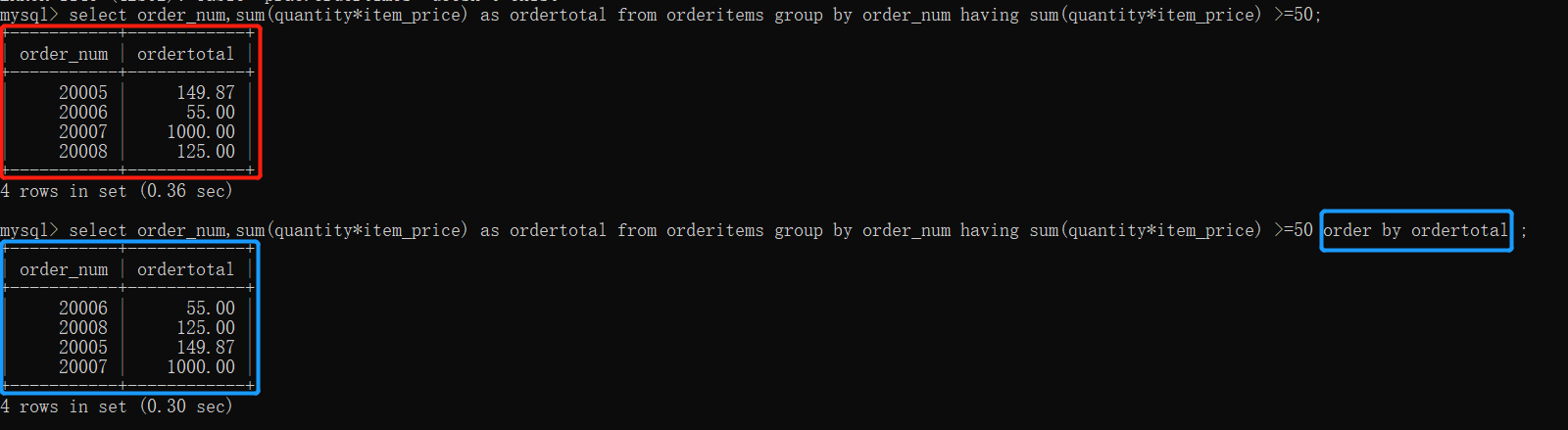
子查询
当前使用的数据库表:
所有表中的字段结构 信息分别如下:
table customers: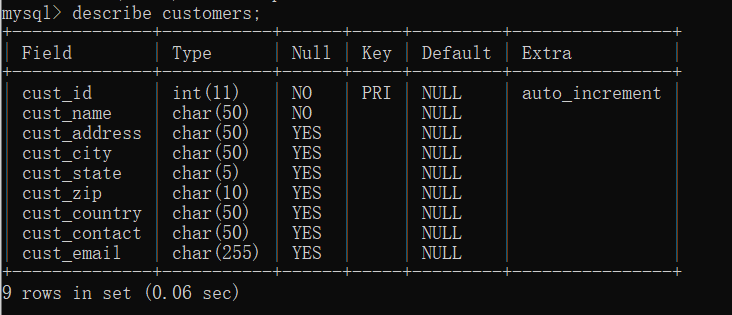
table orders: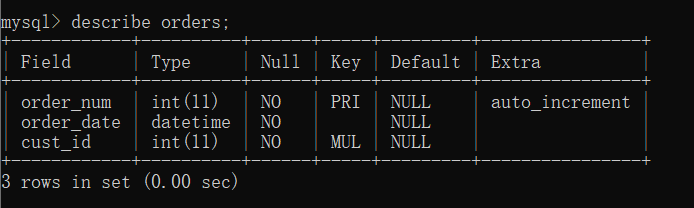
table orderitems:
table products: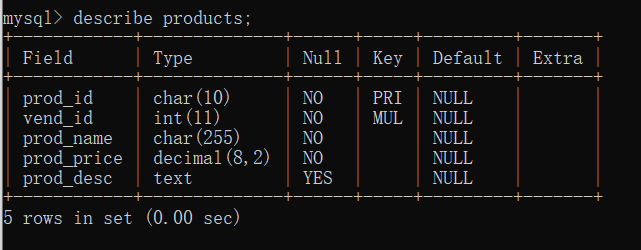
table vendors:
table productnotes: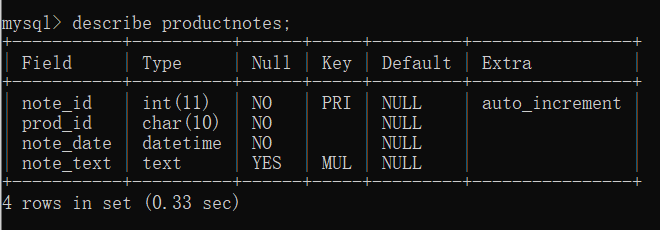
一、使用子查询,利用子查询进行过滤
select cust_id from orders where order_num in(select order_num from ordertimes where prod_id =’TNT2’);
显示结果如下:
所以什么是子查询呢?
子查询就是嵌套在其他查询里的查询子句就是子查询;
二、多层嵌套子查询
例子:
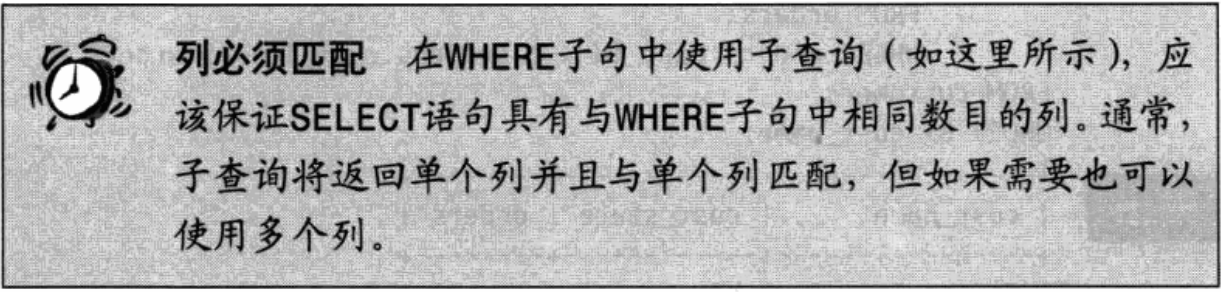
select cust_name,cust_contact from customers where cust_id in (select cust_id from orders where order_num in (select order_num from orderitems where prod_id = ‘TNT2’));
显示结果如下:
三、作为计算字段使用子查询
例子:
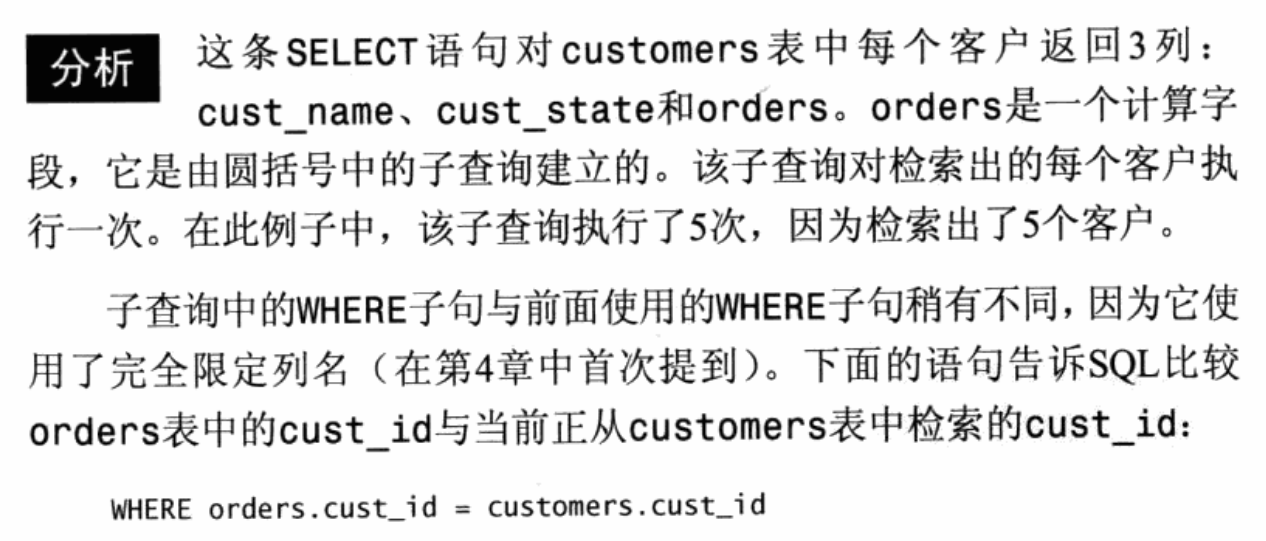
select cust_name,cust_state,(select count() from orders where orders.cust.id = customers.cust.id) as orders order by cust_name;
显示结果如下: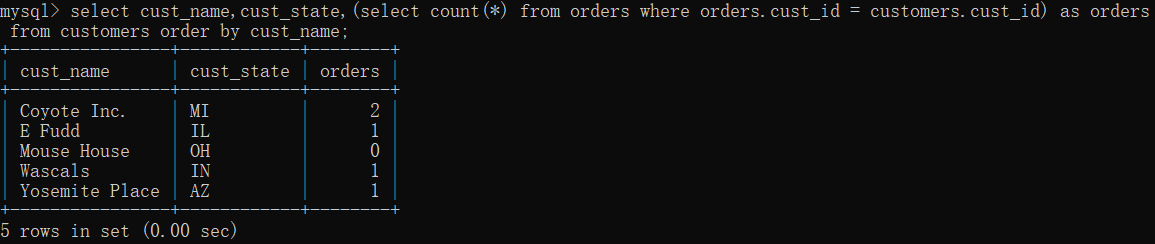
————————————————————————**感谢阅读*

若有收获,就点个赞吧
0 人点赞


