
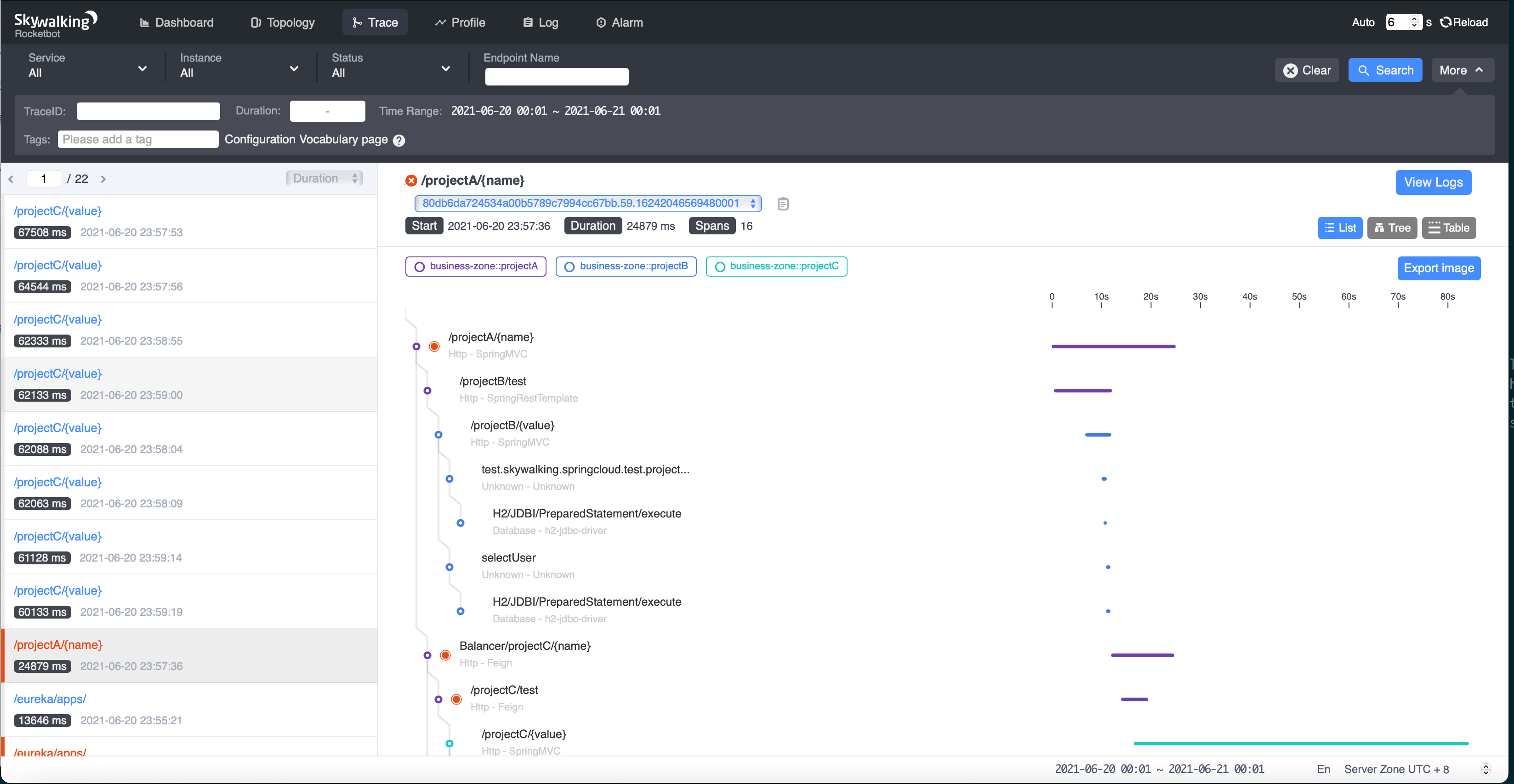
本地部署

启动live-demo项目
进入live-demo目录,直接运行:
./bin/startup.sh
遇到的问题记录
- 发现启动后容器内能够通过ip访问,但不能通过容器名访问
解决:升级docker,mac docker的网络坑比较多,一般升级能解决问题
- es启动失败,提示exited code为137
解决:
1. 发现是限制了内存大小,将其改为4G即可启动
es启动过程比较慢,因此需要等它完全启动完成再启动其他项目
提示:端口已申请
解决:发现是mac docker端口回收的问题,需要重启docker,一般可解决问题
如果不能,尝试手动断开网络,再重启docker
docker network disconnect -f docker_skywalking_networks es01
学习笔记
监控告警
目标
- 实现钉钉告警
- 实现自定义规则告警
- 实现指定服务名进行告警
- 实现指定端口进行告警
官方文档
https://skywalking.apache.org/docs/main/v8.6.0/en/setup/backend/backend-alarm/
告警文件格式
官网指出,告警的配置文件均在项目中的config/alarm-settings.yml,也就是文棋整合包的docker/oap/oap01/config/alarm-settings.yml
打开它,可以看到是如下的内容:
# Rule unique name, must be ended with `_rule`.service_resp_time_rule: # 规则名称,需要是唯一的,需要以`_rule`结尾metrics-name: service_resp_time # 指标名op: ">" # 操作符,标识大于还是小于还是等于等threshold: 1000 # 临界值period: 10 # 多长时间为一个时间窗口,单位为分钟count: 3 # 周期内如果出现多少次数就会触发告警silence-period: 5 # 告警间隔时间,防止短时间内多次告警include-names: serviceA # 指定实体名称进行告警。如果是service配 置,可以配置service的名称;如果是endpoint,则可以配置具体的 endpoint名称。message: Response time of service {name} is more than 1000ms in 3 minutes of last 10 minutes.service_resp_time_percentile_rule:# Metrics value need to be long, double or intmetrics-name: service_percentileop: ">"threshold: 1000,1000,1000,1000,1000period: 10count: 3silence-period: 5message: Percentile response time of service {name} alarm in 3 minutes of last 10 minutes, due to more than one condition of p50 > 1000, p75 > 1000, p90 > 1000, p95 > 1000, p99 > 1000
默认告警规则
打开默认的docker/oap/oap01/config/alarm-settings.yml,发现已有一些默认的告警规则:
| 告警名 | 告警配置 | 具体含义 |
|---|---|---|
| service_resp_time_rule | service_resp_time_rule: metrics-name: service_resp_time op: “>” threshold: 1000 period: 10 count: 3 silence-period: 5 message: Response time of service {name} is more than 1000ms in 3 minutes of last 10 minutes. |
最近10分钟内,应用平均响应时间超过1s次数达到3次 |
| service_sla_rule | service_sla_rule: metrics-name: service_sla op: “<” threshold: 8000 period: 10 count: 2 silence-period: 3 message: Successful rate of service {name} is lower than 80% in 2 minutes of last 10 minutes |
最近10分钟内,应用成功请求率小于80%达到2次 |
| service_resp_time_percentile_rule | service_resp_time_percentile_rule: metrics-name: service_percentile op: “>” threshold: 1000,1000,1000,1000,1000 period: 10 count: 3 silence-period: 5 message: Percentile response time of service {name} alarm in 3 minutes of last 10 minutes, due to more than one condition of p50 > 1000, p75 > 1000, p90 > 1000, p95 > 1000, p99 > 1000 |
最近10分钟内,90%的应用响应时间超过1秒达到3次 |
| service_instance_resp_time_rule | service_instance_resp_time_rule: metrics-name: service_instance_resp_time op: “>” threshold: 1000 period: 10 count: 2 silence-period: 5 message: Response time of service instance {name} is more than 1000ms in 2 minutes of last 10 minutes |
最近10分钟内,应用实例维度平均响应时间超过1秒达到2次 |
| database_access_resp_time_rule | database_access_resp_time_rule: metrics-name: database_access_resp_time threshold: 1000 op: “>” period: 10 count: 2 message: Response time of database access {name} is more than 1000ms in 2 minutes of last 10 minutes |
最近10分钟内,数据库实例维度平均响应时间超过1秒达到2次 |
| endpoint_relation_resp_time_rule | endpoint_relation_resp_time_rule: metrics-name: endpoint_relation_resp_time threshold: 1000 op: “>” period: 10 count: 2 message: Response time of endpoint relation {name} is more than 1000ms in 2 minutes of last 10 minutes |
最近10分钟内,某接口的平均响应时间超过1秒达到2次 |
问题? 默认的告警规则里的period和count究竟是什么意思 在message: Response time of service {name} is more than 1000ms in 3 minutes of last 10 minutes 但count 次数这个值是上面所说的3 minutes 通过源码我们了解到,十分钟内有三分钟,匹配就加+1
触发告警
当告警规则达到触发条件后,Skywalking将以HTTP POST的方式发送告警信息到指定的Webhook地址,告警信息的数据格式如下:
public class AlarmMessage {private int scopeId; // 类型Id,可以通过DefaultScopeDefine查询到不同 scopeId代表的不同含义private String name; // scope类型的具体名称,比如应用名称、endpoint名称 等。private int id0; // 与具体scope对应的实体id,与name在数据库中对应private int id1; // 目前暂未使用private String ruleName; // alarm-settings.yml 中定义的规则名称private String alarmMessage; // 告警的具体消息private long startTime; // 告警消息触发的毫秒值}
配置Webhook触发告警
钉钉添加小机器人

将webhook地址复制出来,粘贴到config/alarm-settings.yml的webhook下:
我是粘贴到配置的nacos里
dingtalkHooks:textTemplate: |-{"msgtype": "text","text": {"content": "告警Apache SkyWalking Alarm: \n %s."}}webhooks:# - http://127.0.0.1/notify/# - http://127.0.0.1/go-wechat/- url: https://oapi.dingtalk.com/robot/send?access_token=xxxsecret: xxx
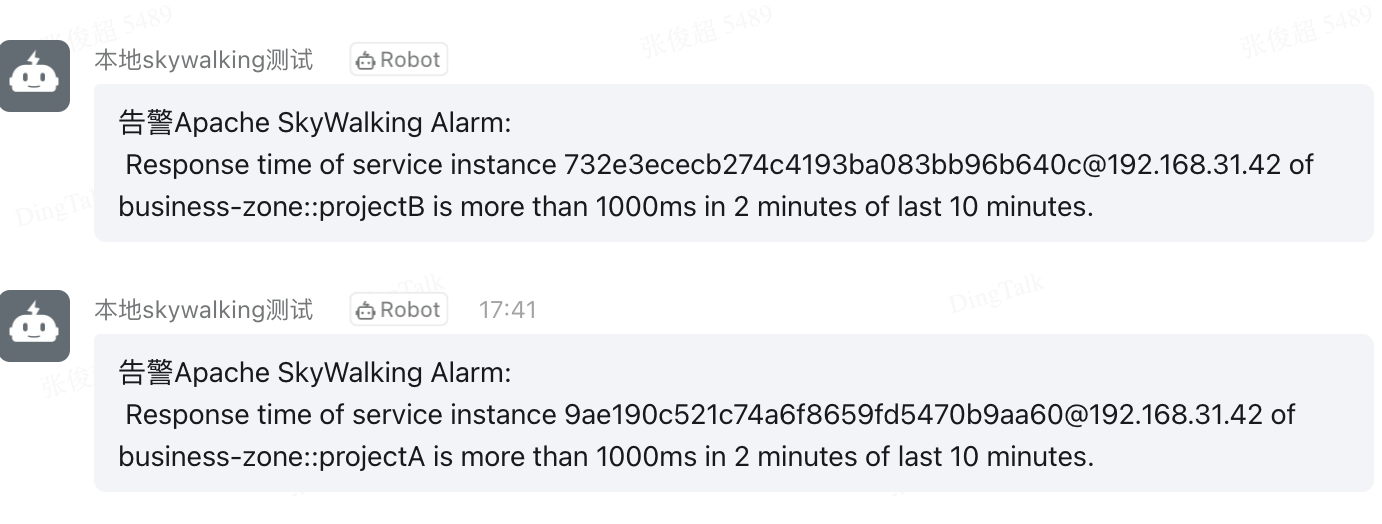
结果

若有收获,就点个赞吧
0 人点赞


