数据的基本操作,增,删,改,查
表结构

1.增加 create
- 普通增加
``sql
INSERT INTO
student` (name,age,sex,school,stuno,phone,classid) values (‘蓝瞳’,18,1,’牧业经济学院’,1001,17788132456,202201);
// 如果确保表里所有的字段,都有值,可以省略字段
INSERT INTO student values (‘蓝瞳’,18,1,’牧业经济学院’,1001,17788132456,202201);
- 使用默认值```sql// 使用默认值,设置了默认值的字段,会使用默认值作为字段值INSERT INTO `student` (name,age,sex,school,stuno,phone,classid) values ('蓝瞳',18,DEFAULT,'牧业经济学院',1001,17788132456,202201);// 有默认值字段,可以不设置值,有个问题就是自增列的值,也需要插入才行,不推荐这种写法INSERT INTO `student` (name,age,school,stuno,phone,classid) values (10,'蓝瞳',18,'牧业经济学院',1001,17788132456,202201);
- 一次增加多条数据
INSERT INTO `student` (name,age,school,stuno,phone,classid)values('蓝瞳-01',18,'牧业经济学院-01',1001,17788132456,202201),('蓝瞳-02',19,'牧业经济学院-02',1001,17788132456,202201),('蓝瞳-03',20,'牧业经济学院-03',1001,17788132456,202201);
2. 删除
把表DELETE FROM `student` where id=10;
student中,id是1的这条数据的name字段修改为’蓝火之瞳’,如果没有
where id=1,这个条件限制,会删除表中所有数据
3. 修改
UPDATE `student` SET name='蓝火之瞳' where id=1
把表student中,id是1的这条数据的name字段修改为’蓝火之瞳’,
如果没有
where id=1,这个条件限制,会把表中所有的数据的name字段都修改为’蓝火之瞳’

4. 查询

单表查询

查询一个字段
select id from `user`
从user表中,查出所有的id的数据
查询多个字段
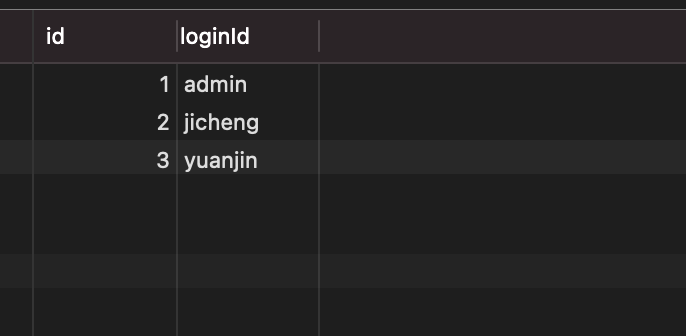
select id,loginId from `user`
每个字段名字之间用逗号隔开
- 查询所有字段

select * from `user`
查询user表中的所有字段
- 别名

select ismale as '性别' from employee
查询employee表中的ismale字段,别名修改为性别,as 可以省略
case
select id,name,case ismale when 1 then '男' else '女' end as sex,salary from employee
对查出来的某一列的值做单独的处理,上述代码,判断ismale的值,当值是1的时候,显示’男’,其他情况显示’女’,最后修改别名为sex

另一种写法select id,name,case ismale when 1 then '男' else '女' end as sex,casewhen salary >=10000 then '高'when salary >=5000 then '中'else '低'end as '薪资水平',salary from employee
当
salary >=10000显示为’高’,当salary >=5000显示为’中’,其他显示为’低’,别名为薪资水平where

=
select * FROM employee where ismale =1
条件查询,查询记录表
employee字段ismale=1的记录in
select * FROM department where companyId in(1,2)
条件查询,查询记录表
department字段companyId等于1,或者等于2,的记录
is
select * FROM employee where location is null
查询
employee表中location中字段的值是null的数据,mysql中不支持location=null这种写法
is not
select * FROM employee where location is not null
查询
employee表中location中字段的不是null的数据,mysql中不支持location!=null这种写法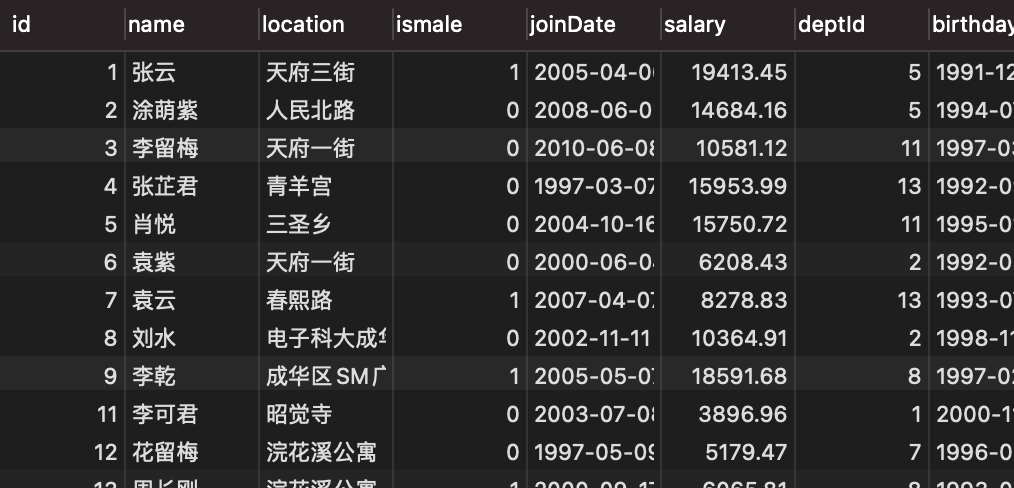
, <,>=,<=
select * FROM employee where salary > 5000
查询
employee表中salary字段的值大于5000的数据,其他的关系都一样,不一一列举
between and
select * FROM employee where salary between 10000 and 12000
查询
employee表中salary字段的值大于10000,并且小于12000的数据
like
select * FROM employee where name like '%袁%'
查询
employee表中name字段的值中包含’袁’字的数据,'%'表示匹配任意字符,可以'&袁'这样来表示袁在结尾的'袁&',袁在前面, 还可以用下划线表示一个字符'袁_'表示,两个字符,第一个是袁字and
select * FROM employee where name like '张%' and ismale=0 and salary>12000
多个条件并列,查询
employee表中,name字段开头是张字的,ismale字段是0的,salary字段大于12000的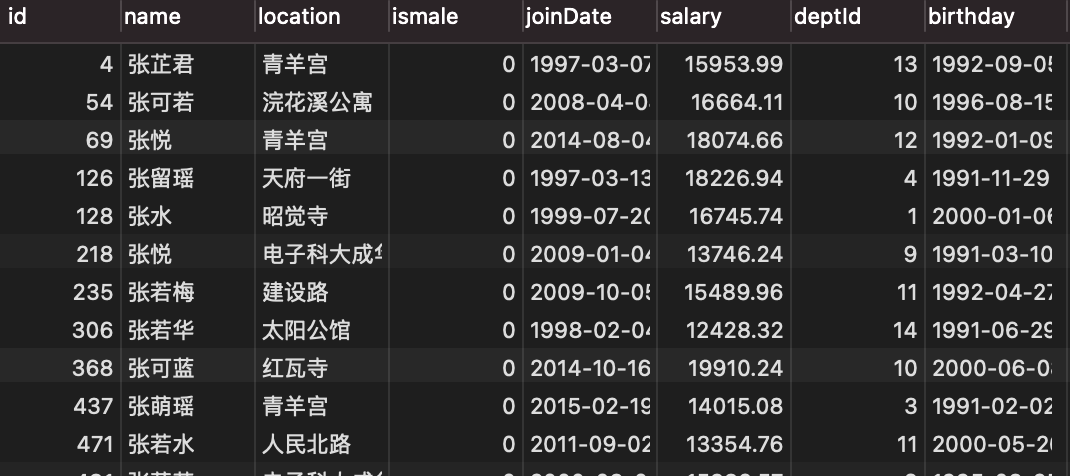
or
select * FROM employee where name like '张%' and ismale=0 and salary>1200orbirthday > '1998-01-02'
多个条件并列,查询
employee表中,name字段开头是张字的,ismale字段是0的,salary字段大于12000,或者birthday的值大于'1998-01-02'的值
order by
select * FROM employee where name like '张%' and ismale=0 and salary>12000orbirthday > '1998-01-02'order by salary asc
多个条件并列,查询
employee表中,name字段开头是张字的,ismale字段是0的,salary字段大于12000,或者birthday的值大于'1998-01-02'的值,最后,数据按照salary的asc升序排列
select * FROM employee where name like '张%' and ismale=0 and salary>12000orbirthday > '1998-01-02'order by salary desc
多个条件并列,查询
employee表中,name字段开头是张字的,ismale字段是0的,salary字段大于12000,或者birthday的值大于'1998-01-02'的值,最后,数据按照salary的desc降序排列
- 由于order by出现在select之后,所以可以使用创建的列或者别名排序
- order by 可以跟多个值,第一个值相等的情况下,使用第二个值进行比较
limit ```sql select * FROM employee where name like ‘张%’ and ismale=0 and salary>12000 or birthday > ‘1998-01-02’ order by salary desc limit 0,3
多个条件并列,查询`employee`表中,`name`字段开头是张字的,`ismale`字段是0的,`salary`字段大于12000,**或者** `birthday`的值大于`'1998-01-02'`的值,**然后**,数据按照`salary`的`desc`降序排列,最后从结果中第一个数据开始取,取三条数据<br />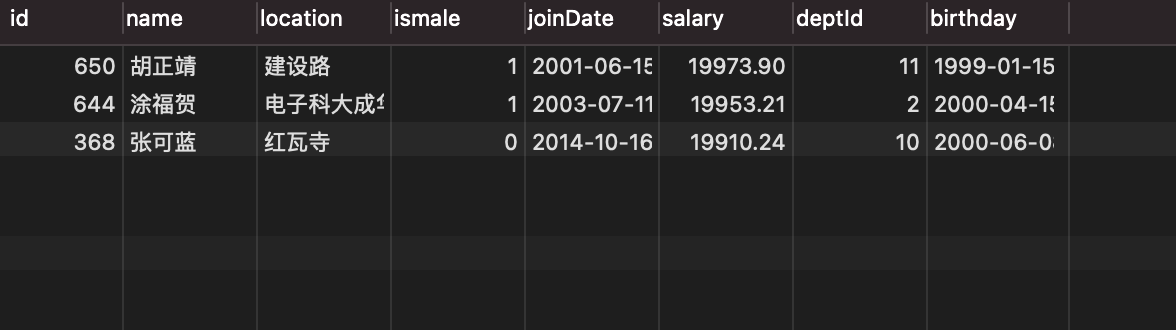11. DISTINCT```sqlselect DISTINCT location FROM employee order by location desc
查询表employee 中location中的不重复字段,一般用来的对某一个字段进行去重,多个字段的话,需要每一个字段的值都相同,才会去重
多表联合查询

全连接(笛卡尔积)
select * from user,company

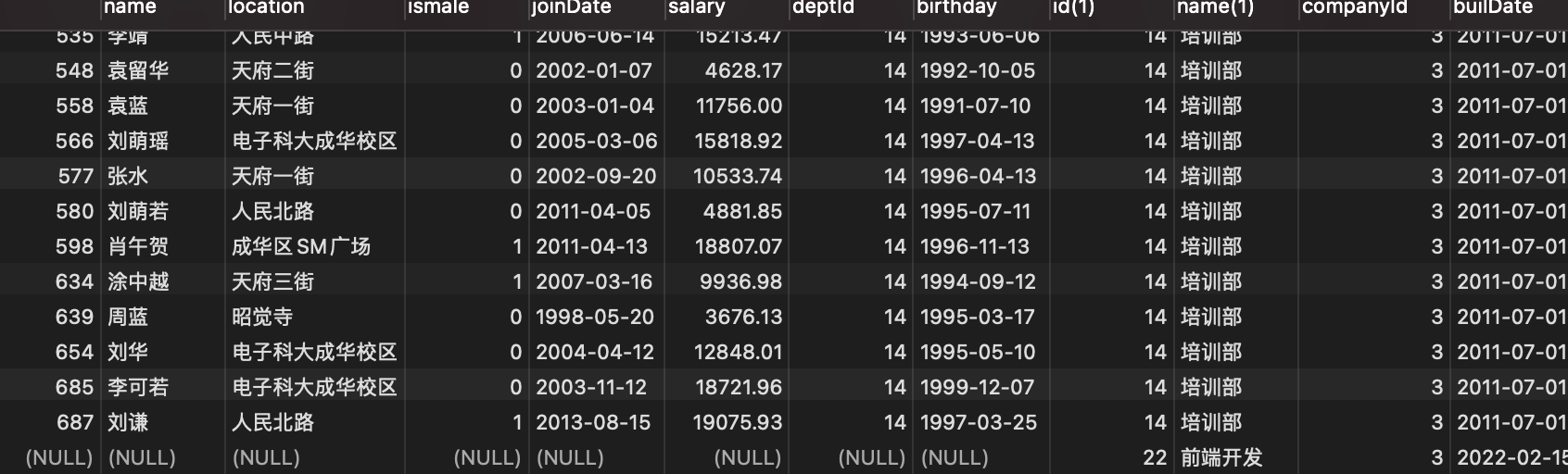
user表中的每一个行,跟company整个表做一个集合左链接,左外链接,left join
select * from department as d left join employee as e on d.id=e.deptId;

以左表为基准,表中的每一行,通过条件d.id=e.deptId,在右表中进行查询,匹配到的数据,拼接为一个表当左表的中的数据,在右边中匹配不到的数据时候,左表中至少有一条数据,右边的所有数据字段为null
右链接,右外链接,right join和左链接相反
select * from employee as e right join department as d on d.id=e.deptId;
- 内连接
select * from department as d inner join employee as e on d.id=e.deptId;
 当左表的数据和右边的数据完全满足条件
d.id=e.deptId时候,才会被匹配到
demo
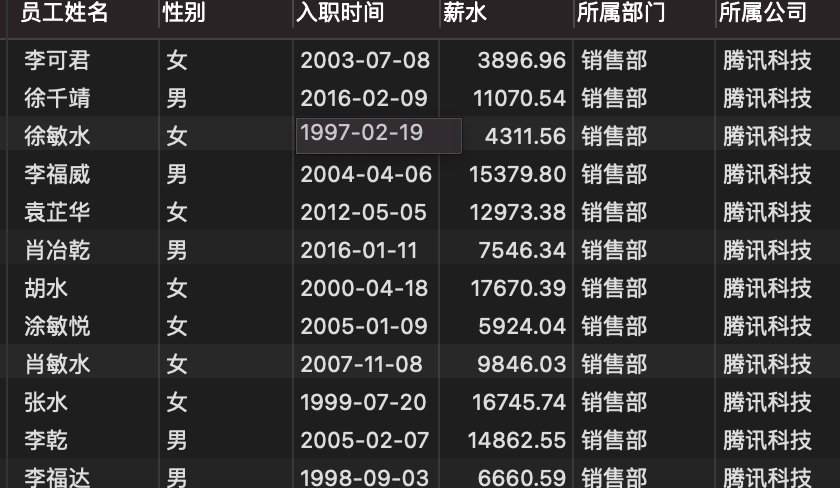
- 显示所有员工的姓名,性别(使用男或女显示),入职时间,薪水,所属部门(显示部门名称),所属公司(公司名称) ```sql select e.name as ‘员工姓名’, case e.ismale when 1 then ‘男’ else ‘女’ end as ‘性别’, e.joinDate as ‘入职时间’,e.salary as ‘薪水’,d.name as ‘所属部门’,c.name as ‘所属公司’ from employee as e inner join department as d on e.deptId=d.id inner join company as c on d.companyId=c.id
2. 查询腾讯和蚂蚁金服的所有员工的姓名,性别,入职事件,部门名,公司名```sqlselect e.name as '员工姓名',case e.ismalewhen 1 then '男'else '女'end as '性别',e.joinDate as '入职时间',e.salary as '薪水',d.name as '所属部门',c.name as '所属公司' from employee as e inner join department as don e.deptId=d.id inner join company as con d.companyId=c.idwhere c.`name` in('腾讯科技','蚂蚁金服')

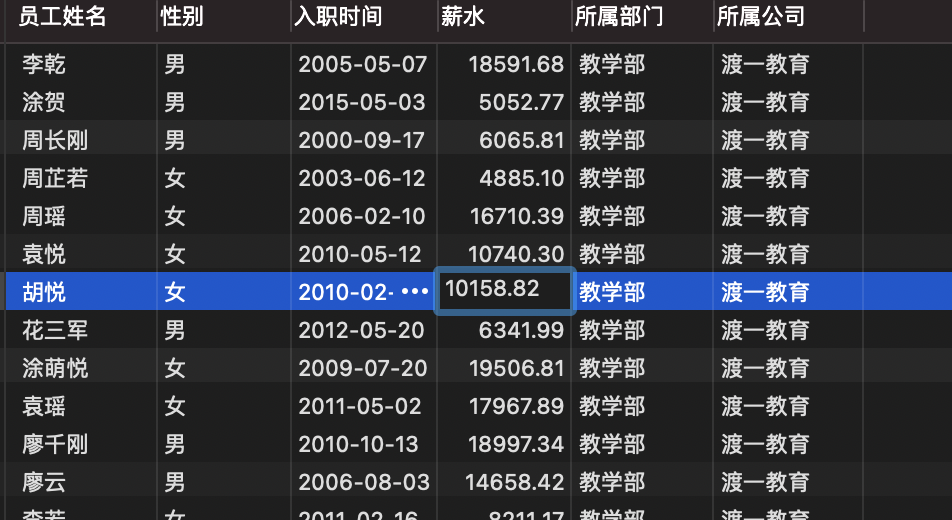
- 查询渡一教学部的,所有的员工姓名,性别,入职时间,部门名,公司名
``sql select e.name as '员工姓名', case e.ismale when 1 then '男' else '女' end as '性别', e.joinDate as '入职时间',e.salary as '薪水',d.name as '所属部门',c.name as '所属公司' from employee as e inner join department as d on e.deptId=d.id inner join company as c on d.companyId=c.id where d.name='教学部' and c.name` like ‘%渡一%’
```

若有收获,就点个赞吧
0 人点赞


