1.无序列表(ul)
各个列表项之间没有顺序之分,通常是并列的
语法:<ul><li></li></ul>功能:<ul> 标签定义无序列表。将 <ul> 标签与<li>标签一起使用,创建无序列表。
2.案例
<!DOCTYPE html><html><head><meta charset="utf-8" /><style type="text/css">ul{list-style-type:none;margin:0px auto;padding:0px;background-color:#000000;color:#ffffff;display:flex;justify-content:center;}li{width:200px;line-height:50px;text-align:center;background-size:100% 100%;}ul li:nth-of-type(6){background-image:url("http://www.yyfun001.com/res/htmlclassics/full/images/136.jpg");}ul li:not(#first){background-color:green;}</style></head><body><ul><li id="first">首页</li><li>国内新闻</li><li>国际新闻</li><li>体育新闻</li><li>财经新闻</li><li>娱乐新闻</li></ul></body></html>1 ·
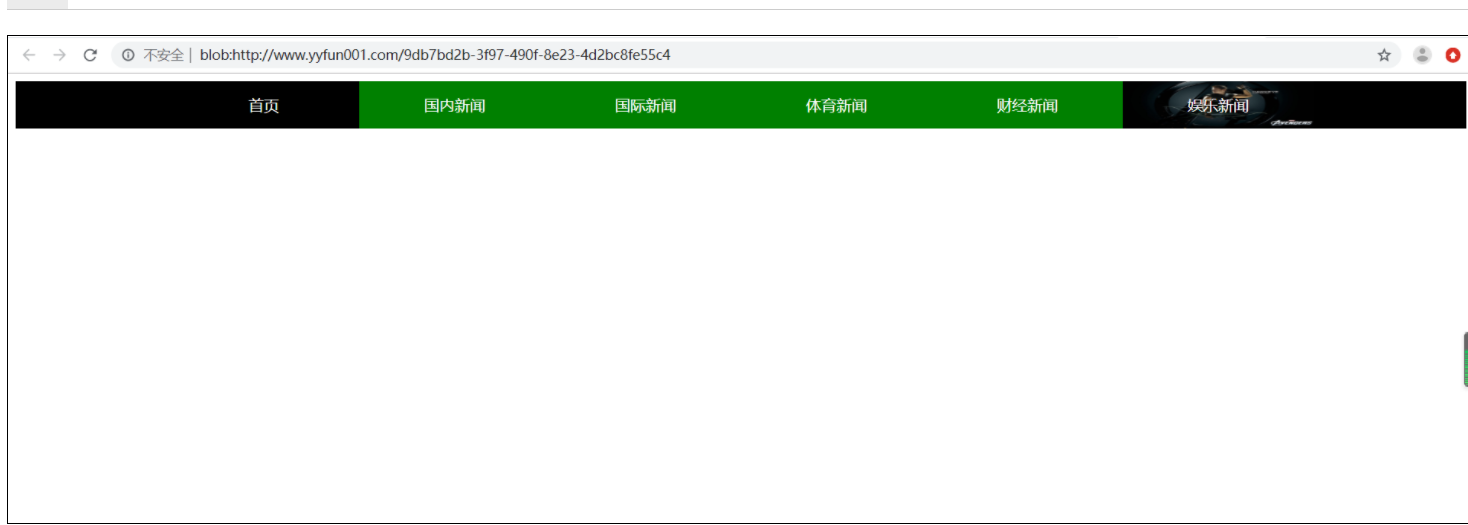
代码讲解:ul{list-style-type:none;margin:0px auto;padding:0px;background-color:#000000;color:#ffffff;display:flex;justify-content:center;}list-style-type:none; 设置列表样式类型无margin:0px auto; 设置上下外延边距为0,左右外延边距距中padding:0px; 设置内部边距为0background-color:#000000; 设置背景色为黑色color:#ffffff; 设置文字颜色为白色display:flex; 设置ul标签为弹性容器justify-content:center; 设置容器内容距中2、li标签样式li{width:200px;line-height:50px;text-align:center;background-size:100% 100%;}width:200px; 设置宽度为200像素line-height:50px; 设置行高为50像素text-align:center; 设置文本距中background-size:100% 100%; 设置背景图大小长100%、高100%显示3、:nth-of-type()ul li:nth-of-type(6){background-image:url("http://www.yyfun001.com/res/htmlclassics/full/images/136.jpg");}ul li:nth-of-type(6) 选择ul下第6个li元素background-image:url("http://www.yyfun001.com/res/htmlclassics/full/images/136.jpg"); 设置背景图4、:not(id)ul li:not(#first){background-color:green;}ul li:not(#first) 选择ul下除id为first的li标签以外的元素background-color:green; 设置背景颜色为绿色

若有收获,就点个赞吧
0 人点赞


