1.选择组件
uni-app分享组件:下载地址:https://ext.dcloud.net.cn/plugin?id=1938
文件目录
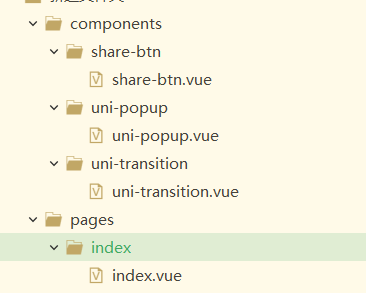
share-btn.vue主要就是分享功能的实现
uni-popup.vue是分享组件的弹窗
uni-transition.vue是弹出和关闭的过渡动画
index.vue文件
<template><view class="content"><button type="button" @click="shareOn">分享</button><!-- 分享弹窗 --><uni-popup ref="sharepopup" type="bottom"><share-btn :sharedataTemp="sharedata"></share-btn></uni-popup></view></template><script>import uniPopup from '../../components/uni-popup/uni-popup.vue';import shareBtn from '../../components/share-btn/share-btn.vue';export default {components: {uniPopup,shareBtn},data() {return {sharedata: {//分享文件的类型,具体见uin-app官网type: 1,//分享成功后打开的链接strShareUrl: "http://www.baidu.com",strShareTitle: "分享标题",strShareSummary: "分享总结",//图片strShareImageUrl: "http://www.xuelejia.com/xljapp/h5/static/aboutUsLogo.png"},}},methods: {//控制弹窗的显示与关闭shareOn(){this.$refs.sharepopup.open();}}}</script>
share-btn.vue文件
uni.share({provider: strProvider,scene: strScene,type: mytype,href: this.sharedataTemp.strShareUrl,title: this.sharedataTemp.strShareTitle,summary: this.sharedataTemp.strShareSummary,imageUrl: this.sharedataTemp.strShareImageUrl,success: function(res) {//可以在这里执行成功后的操作console.log("success:" + JSON.stringify(res));},fail: function(err) {//失败后的操作console.log("fail:" + JSON.stringify(err));}})
微信开发者平台填写
微信开发者平台:https://open.weixin.qq.com/
1、创建新应用

2、填写相关基础信息

3、填写平台信息

官网需要包含应用名称等文字信息(重要,不然审核不易通过)
4、iOS应用填写

第一个选项可以不填
第二个选项:苹果开发者账号打开,里面有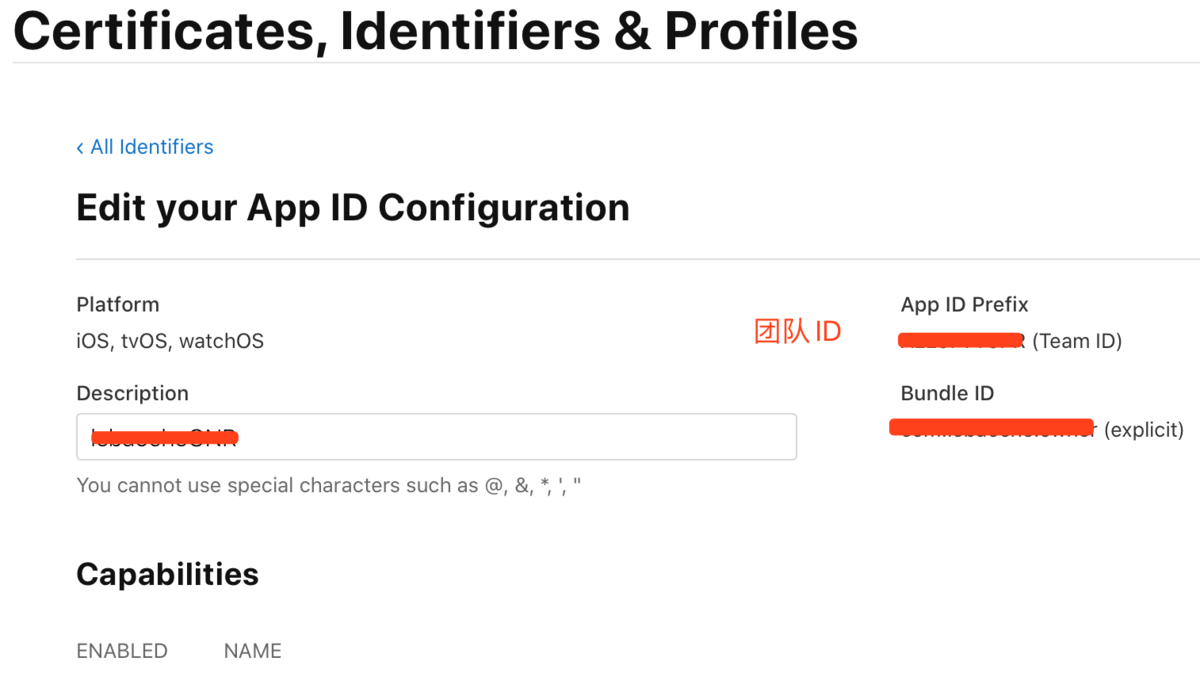
选择应用未上架,选择上架就会进行人工审核,可以等以后在更改
5、安卓应用填写
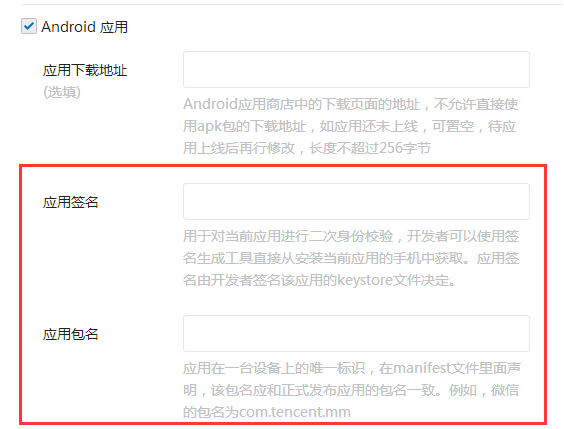
填写应用签名和应用包名
应用签名如果不知道可以安装微信开发者平台下的获取签名工具
下载地址:https://developers.weixin.qq.com/doc/oplatform/Downloads/Android_Resource.html
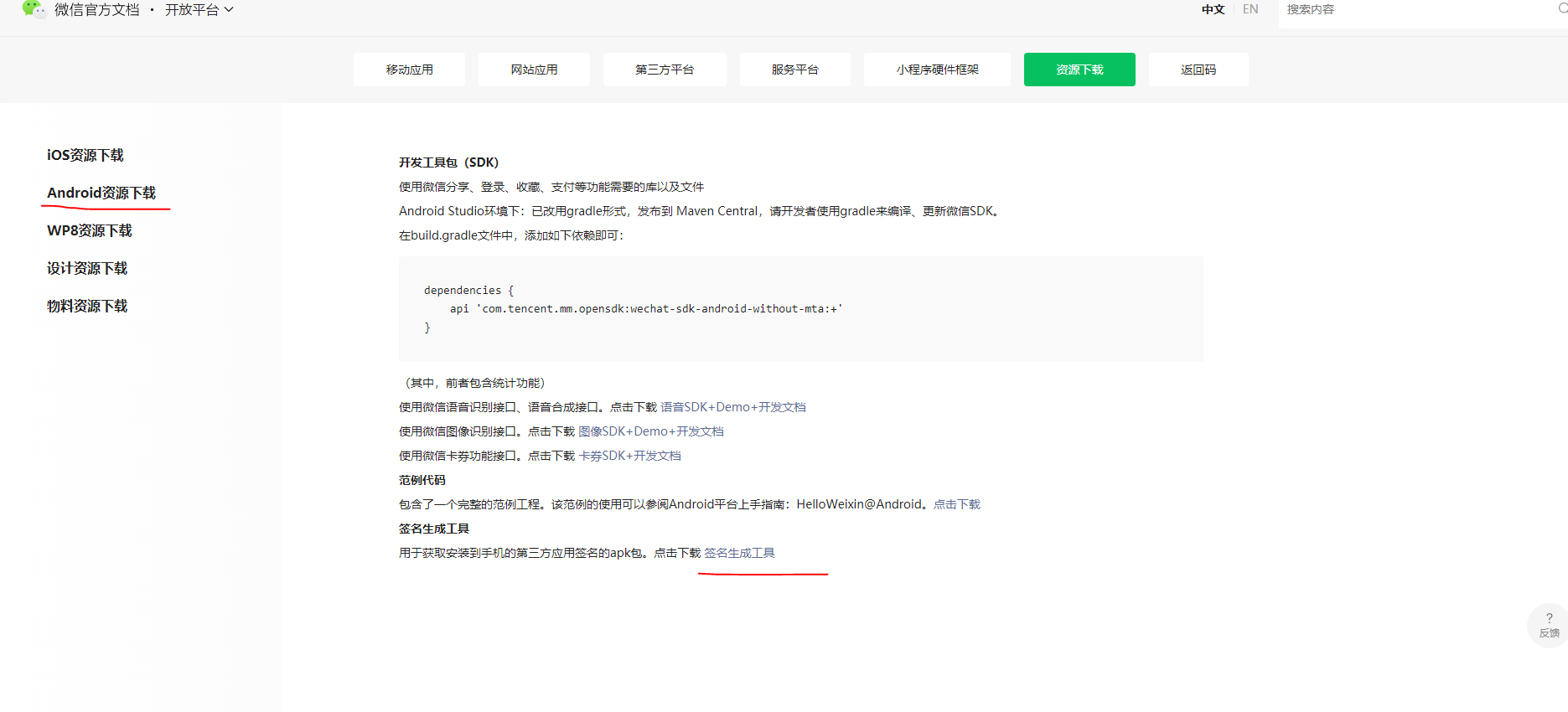
打开工具,输入包名,如图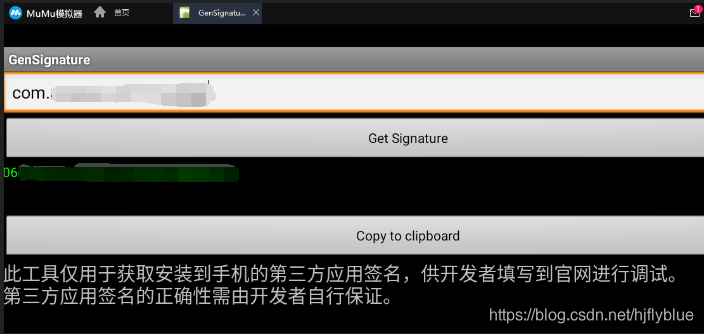
6、提交审核,先审核通过再说,只要审核通过,其他的信息是可以不审核就修改
安卓分享配置
1、拿到获取到的微信开发者平台获取的AppID
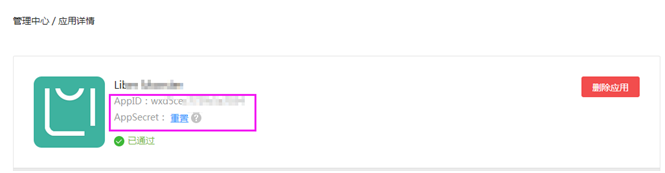
2、放到uni-app
manifest.json—》AppSDK配置—》分享,添加进去

3、打包测试
ios获取通用链接
1、配置
苹果开发者账号打开
打开这个选项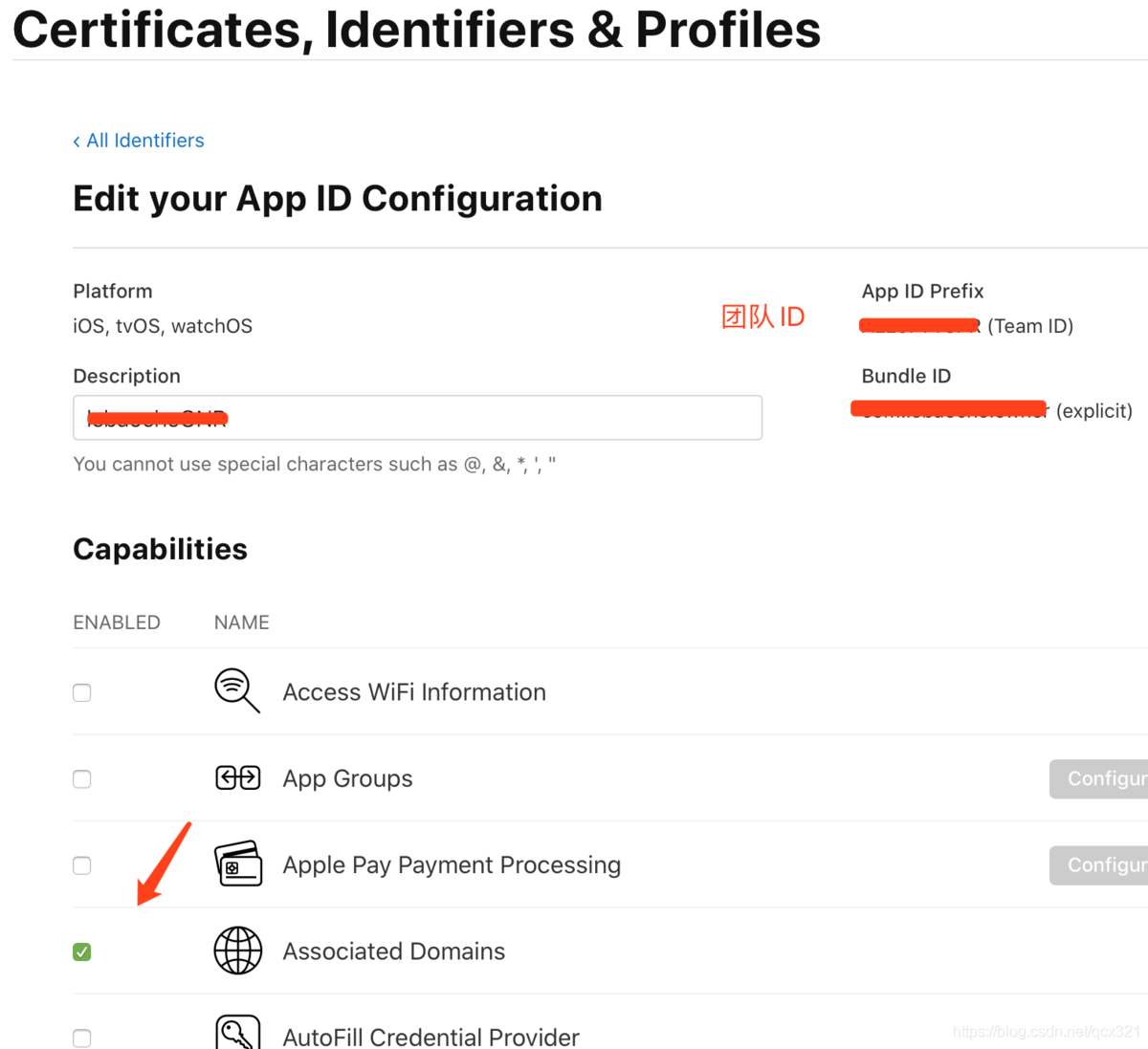
1、生成ios通用链接
2、放到服务器官网的指定目录下
3、测试通用链接只要title 通过就行
4、在微信上填写ios通用链接,地址只需要到官网就行
4、填写到uni-app上
5、打包测试

若有收获,就点个赞吧
0 人点赞


