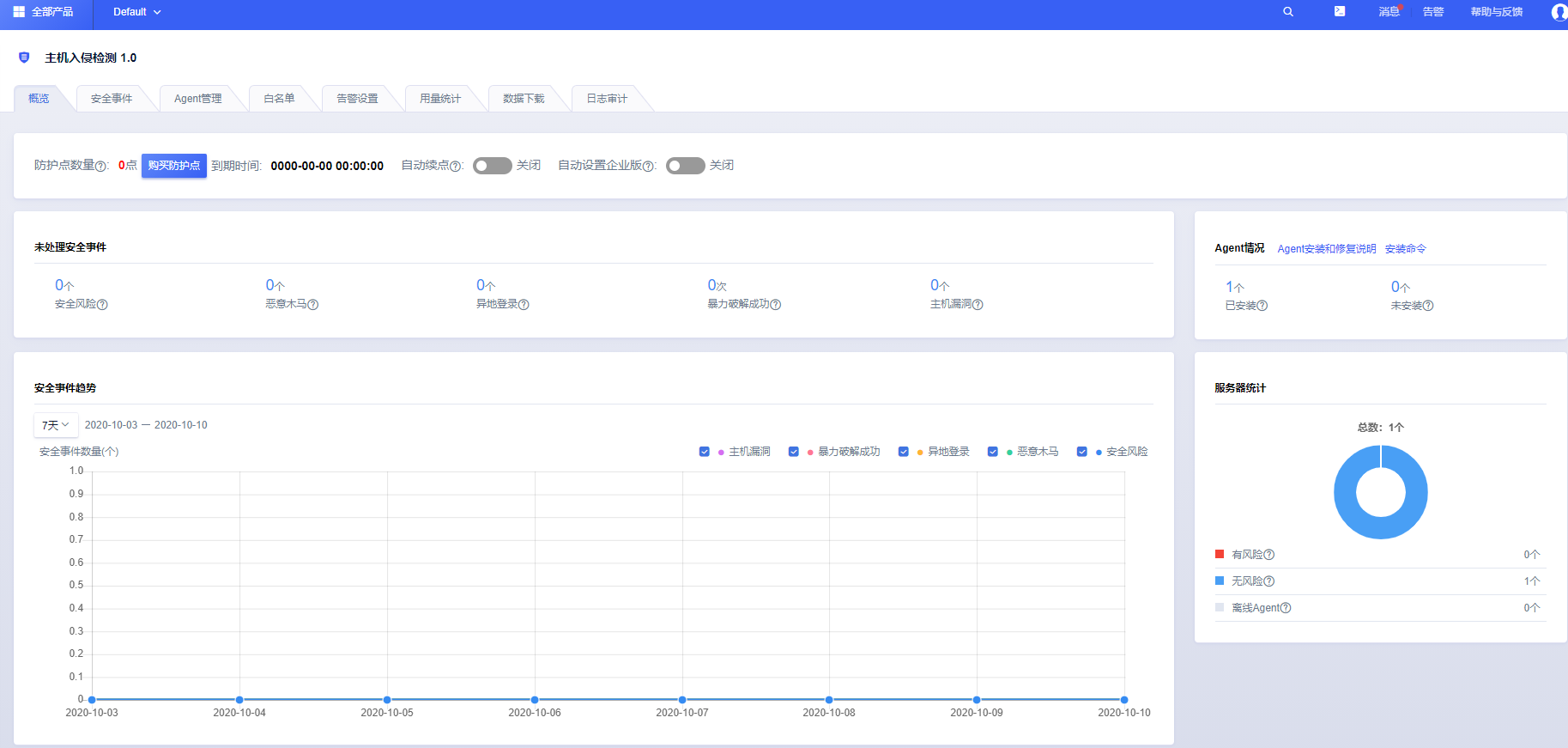
安装UHIDS页面在这里:
https://console.ucloud.cn/uhids/uhids
[root@liabio ~]# wget --timeout 3 -t 2 http://download.uhostsec.service.ucloud.cn:8090/ucloud-secagent-install.sh -O ucloud-secagent-install.sh && chmod +x ucloud-secagent-install.sh && ./ucloud-secagent-install.sh 3c72285 && rm -f ucloud-secagent-install.sh--2020-10-10 11:06:27-- http://download.uhostsec.service.ucloud.cn:8090/ucloud-secagent-install.shResolving download.uhostsec.service.ucloud.cn (download.uhostsec.service.ucloud.cn)... 10.7.255.86, 10.8.255.117Connecting to download.uhostsec.service.ucloud.cn (download.uhostsec.service.ucloud.cn)|10.7.255.86|:8090... failed: Connection timed out.Connecting to download.uhostsec.service.ucloud.cn (download.uhostsec.service.ucloud.cn)|10.8.255.117|:8090... failed: Connection timed out.Retrying.--2020-10-10 11:06:34-- (try: 2) http://download.uhostsec.service.ucloud.cn:8090/ucloud-secagent-install.shConnecting to download.uhostsec.service.ucloud.cn (download.uhostsec.service.ucloud.cn)|10.7.255.86|:8090... failed: Connection timed out.Connecting to download.uhostsec.service.ucloud.cn (download.uhostsec.service.ucloud.cn)|10.8.255.117|:8090... connected.HTTP request sent, awaiting response... 200 OKLength: 506 [text/plain]Saving to: ‘ucloud-secagent-install.sh’ucloud-secagent-install.sh 100%[===================================================================>] 506 --.-KB/s in 0s2020-10-10 11:06:37 (102 MB/s) - ‘ucloud-secagent-install.sh’ saved [506/506]--2020-10-10 11:06:37-- http://download.uhostsec.service.ucloud.cn:8090/ucloud-secagent-linux-release.tar.gzResolving download.uhostsec.service.ucloud.cn (download.uhostsec.service.ucloud.cn)... 10.8.255.117, 10.7.255.86Connecting to download.uhostsec.service.ucloud.cn (download.uhostsec.service.ucloud.cn)|10.8.255.117|:8090... connected.HTTP request sent, awaiting response... 200 OKLength: 6915436 (6.6M) [text/plain]Saving to: ‘ucloud-secagent-linux-release.tar.gz’ucloud-secagent-linux-release.tar.gz 100%[===================================================================>] 6.59M --.-KB/s in 0.02s2020-10-10 11:06:37 (438 MB/s) - ‘ucloud-secagent-linux-release.tar.gz’ saved [6915436/6915436]ucloud_agent_tmp/ucloud_agent_tmp/uagent_uninstall.shucloud_agent_tmp/uca_filectl_32ucloud_agent_tmp/uca_dpconf.json.rawucloud_agent_tmp/uagent_log.conf.rawucloud_agent_tmp/gentoo_start.shucloud_agent_tmp/uca_base_32ucloud_agent_tmp/uagent_control.shucloud_agent_tmp/uca_dataproxy_32ucloud_agent_tmp/uagent_base.conf.rawucloud_agent_tmp/uca_dataproxy_64ucloud_agent_tmp/uca_base_64ucloud_agent_tmp/uca_filectl_64ucloud_agent_tmp/install.shucloud_agent_tmp/uca_dplog.conf.rawucloud_agent_tmp/uca_filectl.log.raw############## uagent install ##############CentOS Linux release 8.0.1905 (Core)- check os type complete/usr/local disk Available space ok- check disk space complete- copy file completefile /usr/local/uagent/bin/uca_base okfile /usr/local/uagent/bin/uca_filectl okfile /usr/local/uagent/bin/uca_dataproxy okfile /etc/init.d/uagent okfile /etc/rc.d/rc2.d/S59uagent okfile /etc/rc.d/rc3.d/S59uagent okfile /etc/rc.d/rc4.d/S59uagent okfile /etc/rc.d/rc5.d/S59uagent ok- file check completestart self testParse the config file /usr/local/uagent/conf/uagent_base.conf okserver agent1.uhostsec.service.ucloud.cn[ip=10.7.255.86]:9090 connect failureserver agent2.uhostsec.service.ucloud.cn[ip=10.8.255.117]:9090 connect successserver 106.75.83.62[ip=106.75.83.62]:9090 connect successserver 106.75.0.46[ip=106.75.0.46]:9090 connect successserver connect success 3 failure 1- self test completeParse the config file /usr/local/uagent/conf/uagent_base.conf ok- run uagent completeuagent running ok- check uagent running status complete################## end #####################[root@liabio ~]#
命令执行完查看agent是否正常启动:ps uax|grep uca
能够检索到uca字样的文件即为成功。
安装成功后,需要等10分钟,页面上才能看到已安装。

若有收获,就点个赞吧
0 人点赞


