背景
boot版本具体是:2.3.5.RELEASE
cloud版本具体是: Hoxton.SR9
alibaba版本具体是:2.2.1.RELEASE
注意:
导致了依赖的sentinel版本默认是:1.7.1。所以我们在用sentinel dashboard的时候版本必须跟项目中引入的版本一致,我们最好是按照项目中默认依赖版本进行适配。(由于前期sentinel dasborad笔记是用的1.8.0,但不影响后期解耦更改,它自身可独立配置)
这个地方一定要注意好,版本不一致一直提示报错,坑有点大。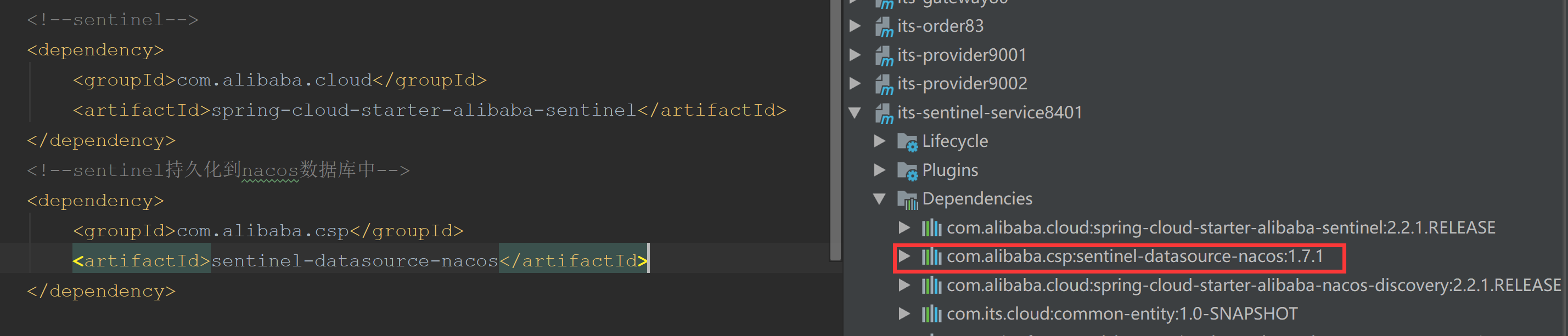
一、项目中的配置
项目中再引入支持nacos持久化的依赖包。
官方帮助参考文档地址:
https://github.com/alibaba/Sentinel/tree/master/sentinel-extension/sentinel-datasource-nacos
<!--sentinel持久化到nacos数据库中--><dependency><groupId>com.alibaba.csp</groupId><artifactId>sentinel-datasource-nacos</artifactId></dependency>
只是案例,只关注sentinel的nacos持久化配置即可。
spring:
  application:
    name: its-sentinel-service

  #mysql
  datasource:
    url: jdbc:mysql://127.0.0.1:3305/cloud2021_study?serverTimezone=UTC
    username: root
    password: 123456
    driver-class-name: com.mysql.cj.jdbc.Driver

  cloud:
    nacos:
      discovery:
        # 配置nacos服务中心地址
        server-addr: localhost:8848
        # 服务的名称,默认是取${spring.application.name},但在nacos单机测试版中似乎存在缓存问题,故显式声明。
        service: its-sentinel-service
        group: TEST_GROUP
    #sentinel的配置
    sentinel:
      transport:
        #配置sentinel的 dashboard地址
        dashboard: localhost:8080
        #默认端口8719,假如端口被占用会自动从8719开始依次+1扫描,直到找到未被占用的端口
        port: 8719

      #持久化到nacos中去,必须和sentinel-dashboard版本一致
      datasource:
        #名称随意
        ds1:
          nacos:
            #默认此地址
            server-addr: localhost:8848
            #not empty
            dataId: its-sentinel-service.json
            groupId: TEST_GROUP
            #默认json
            data-type: json
            rule-type: flow
二、Nacos上的配置
新增配置,DataId保持一致,Group也保持一致。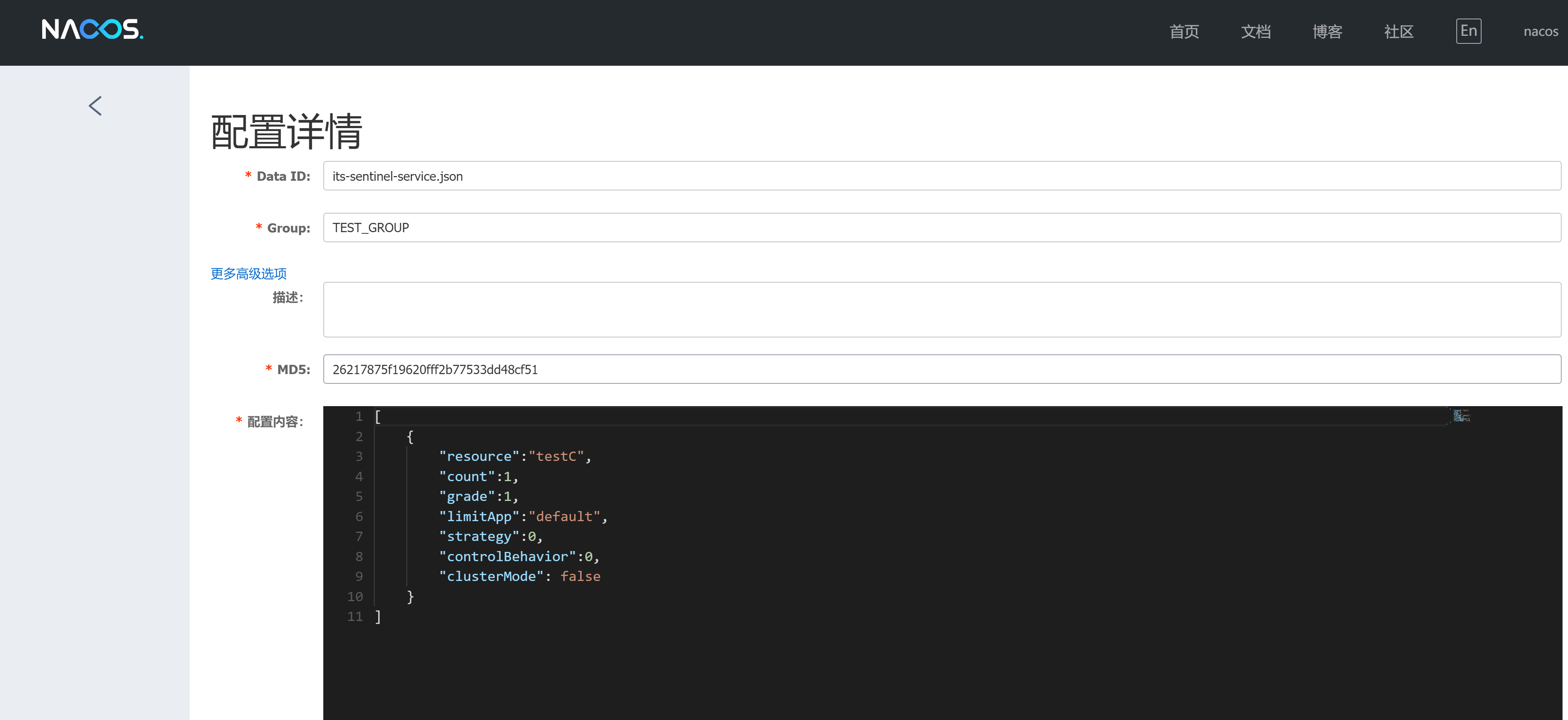
三、Sentinel Dashboard上的变化
启动后(默认端口:8080,默认用户名/密码:sentinel/sentinel),会发现流控规则持久化到控制台上了,再也不是以前重启后就消失的情况了。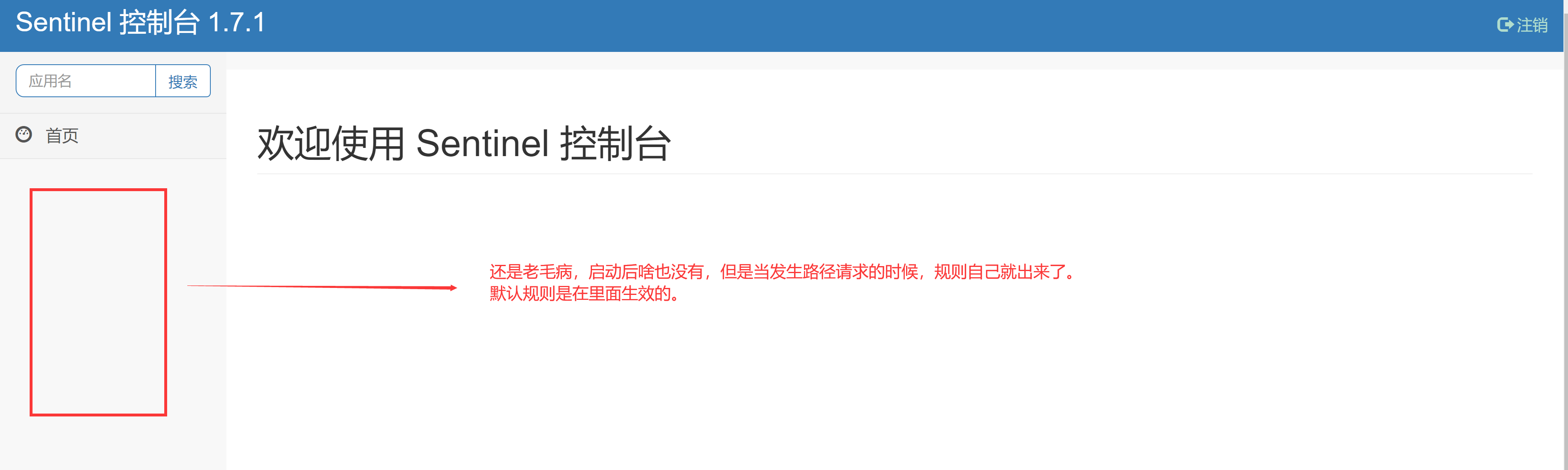
但发生一次请求后(自身规则已经生效)就会自动出来了。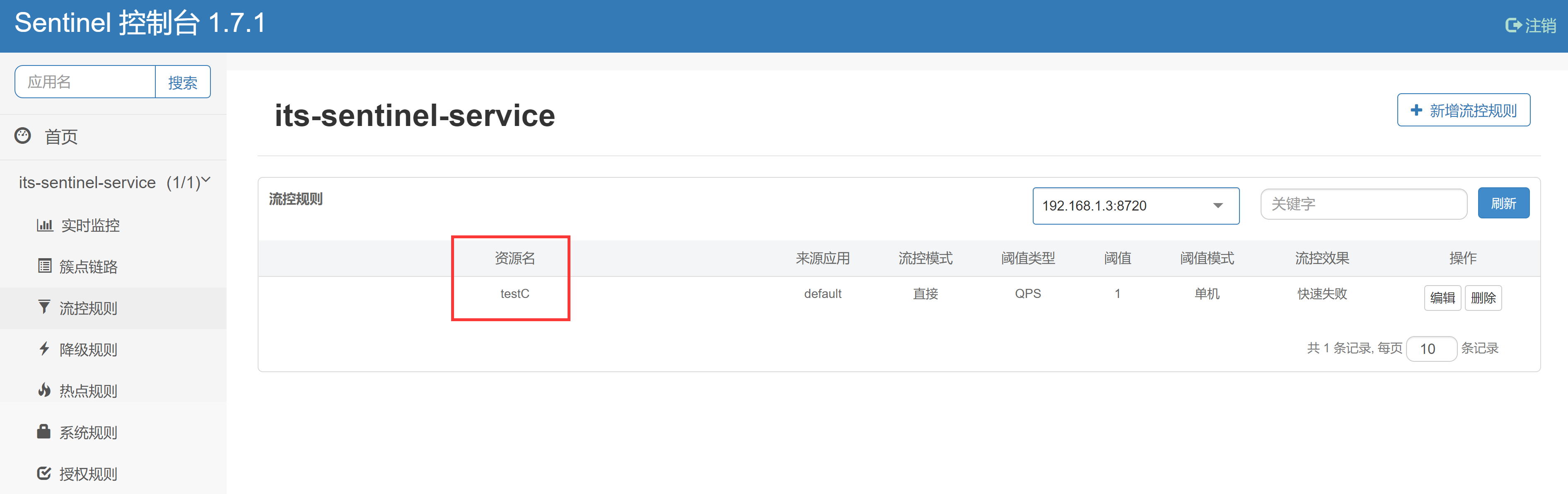

若有收获,就点个赞吧
0 人点赞


