1、前言
在正在做的后台项目中,有一个需求要求如下
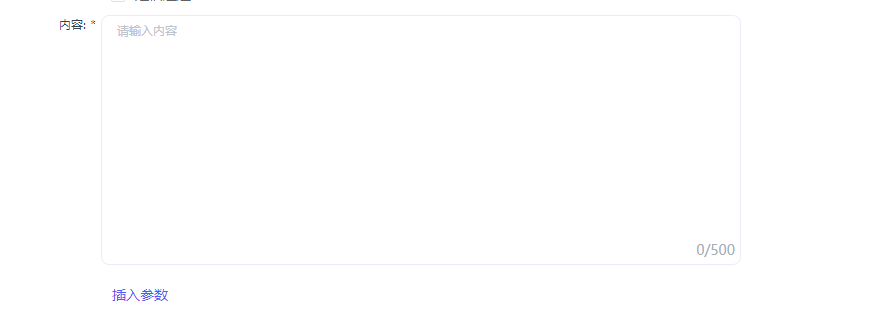
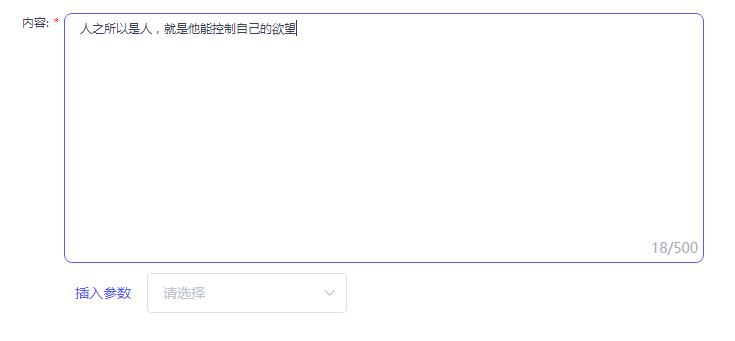
- 输入文本内容
- 支持插入参数,参数系统提供
- 限定500字符,超过则输入无效,限制不让输入
2、分解思考
- 从布局来看,
3、问题
1、回车只想产生 br 不想产生默认的 div 和 p 标签 怎么办?
谷歌: 给
contenteditable元素设置inner-block就可以IE :需要写一个获取内部文本的
2、富文本 placeholder 使用 css 如何实现
答:可以使用 CSS3 的 attr 函数拿到由父级组件传进来的 placeholder
代码:
// 父组件引用<template><div><TextContent placeholder="请输入内容" /></div></template>// 子组件<template><div class="textContent"><labelclass="textContent_label":class="[isRequire&&'common_require']"v-if="label">{{ label }}</label><div class="textContent_box" :style="{width,height}"><preclass="textContent_box_edit":placeholder="placeholder":contenteditable="!isReadonly"ref="TextContent"@click="editClick"@keydown="keyDown"@keyup="setLastRange"@paste="paste"></pre><span class="textContent_box_tips">{{ model.length}} / {{ maxlength}}</span></div></div></template>// 部分的样式<style lang="less">....textContent_box{&_edit{width: 100%;height: 100%;outline: none;border-radius: 5px;overflow-y: auto;word-break: break-all;white-space: pre-wrap;display: inline-block;&:empty {// 之所以使用 :not(:focus) 选择器,是因为在 IE 浏览器上,鼠标选中的时候,光标会在// placeholder后面,并且不会消失&:not(:focus) {&::before {content: attr(placeholder);color: #C0C4CC;}}}}}</style>
3、遇到复制粘贴怎么处理?
由于复制的内容千奇百怪,可我们只想对应的文字,那么可以使用 粘贴事件
clipboardData
- 粘贴事件有一个
clipboardData的属性,提供了对剪贴板的访问 clipboardData的getData(fomat)从剪贴板获取指定格式的数据fomat在谷歌浏览器中是text/plain、text,但是IE只支持textevent.originalEvent指向原始的事件对象IE中clipboardData对象是在window对象中,并不是在event事件对象中paste(event) {const clipboardData =(event.originalEvent || event).clipboardData ||window.clipboardData;let text = clipboardData.getData("text") || '';}

若有收获,就点个赞吧
0 人点赞


