Redux 说自己是一个可预测的状态容器
我们先从「状态」开始,从零开始构建一个库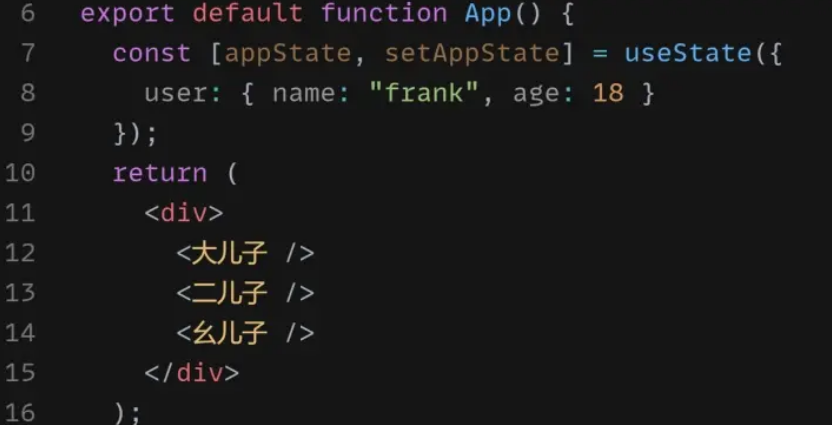
app三个子组件,和appState,现在要把appState分享给大儿子里的user组件
用context解决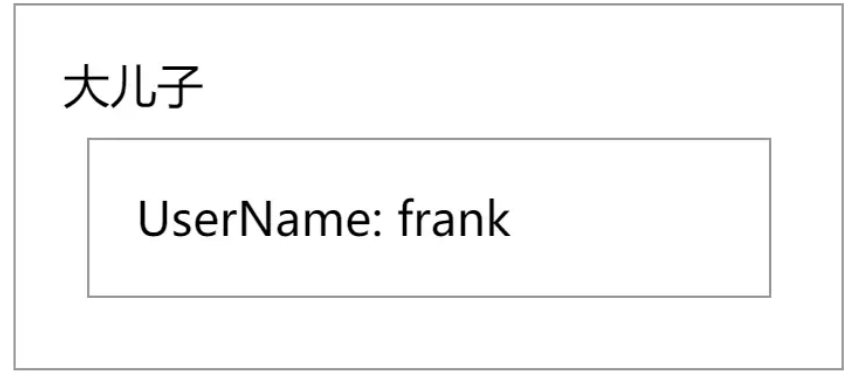
大儿子的user组件里显示appState.user.name
根据context写法,先用provider把app包起来
const appContext = React.createContext(null);export default function App() {const [appState, setAppState] = useState({user: { name: "frank", age : 19}})const contextValue = {appState, setAppstate}return (<appContext.Provider value = {contextValue}><大儿子/><二儿子><要儿子></appContext.Provider>)}
大儿子的子组件 User 使用consumer
const User = () => {return (<section><appContext.Consumer>{(contextValue) => (<div>UserName:{contextValue.appState.user.name}</div>)}</appContext.Consumer></section>)}
用useContext更简洁,
const User = () => {const contextValue = useContext(appContext);return (<section><div>UserName:{contextValue.appState.user.name}</div></section>)}
解决了appState 共享问题,
下一步更新 appState
二儿子新增 UserModifier 组件,里面有个 input 可以修改 appState.user.name

reducer是统一规范创建新State的流程的函数
const UserModifier = () => {const contextValue = useContext (appContext);const onChange = (e) => {const { appState, setAppState } = contextValue;contextValue.appState.user.name = e.target.value;setAppState(...appState);};return (<div><inputvalue = { contextValue.appState.user.name}onChange = {onChange} /></div>);}
修改了之前的 appState,然后为了骗过 setAppState,故意使用了 {… appState} 来创建新对象
把创建新 state 的过程封装成一个函数 createNewState() ,使用者只用传入参数就能得新State
const onChange = (e) => {const { appState, setAppState } = contextValue;const newAppState = createNewState(appState,'updateUser', {name: e.target.value})setAppState(newAppState);};
封装createNewState单独放到一个文件里
const createNewState = (state, actionType,actionData) => {if(actionType === "updateUser") {return {...state,user: {...state.user,...actionData}};} else {throw new Error (actionType错误)}}export { createNewState }
目前的createNewState跟reducer 两个区别
1.没有接收initialState
2.没有把actionType 和actionDate 合成 action 对象
改写成action对象
const createNewState = (state, {type,payload}) => {if(type === "updateUser") {return {...state,user: {...state.user,...payload}};
创建过程的规范
所有调用 createNewState 的地方也要改成 {type, payload} 的形式
const onChange = (e) => {const { appState, setAppState } = contextValue;const newAppState = createNewState(type:'updateUser',payload:{name: e.target.value})setAppState(newAppState);};
总结
这就是reducer和action来历,,reducer是统一规范创建新State的流程的函数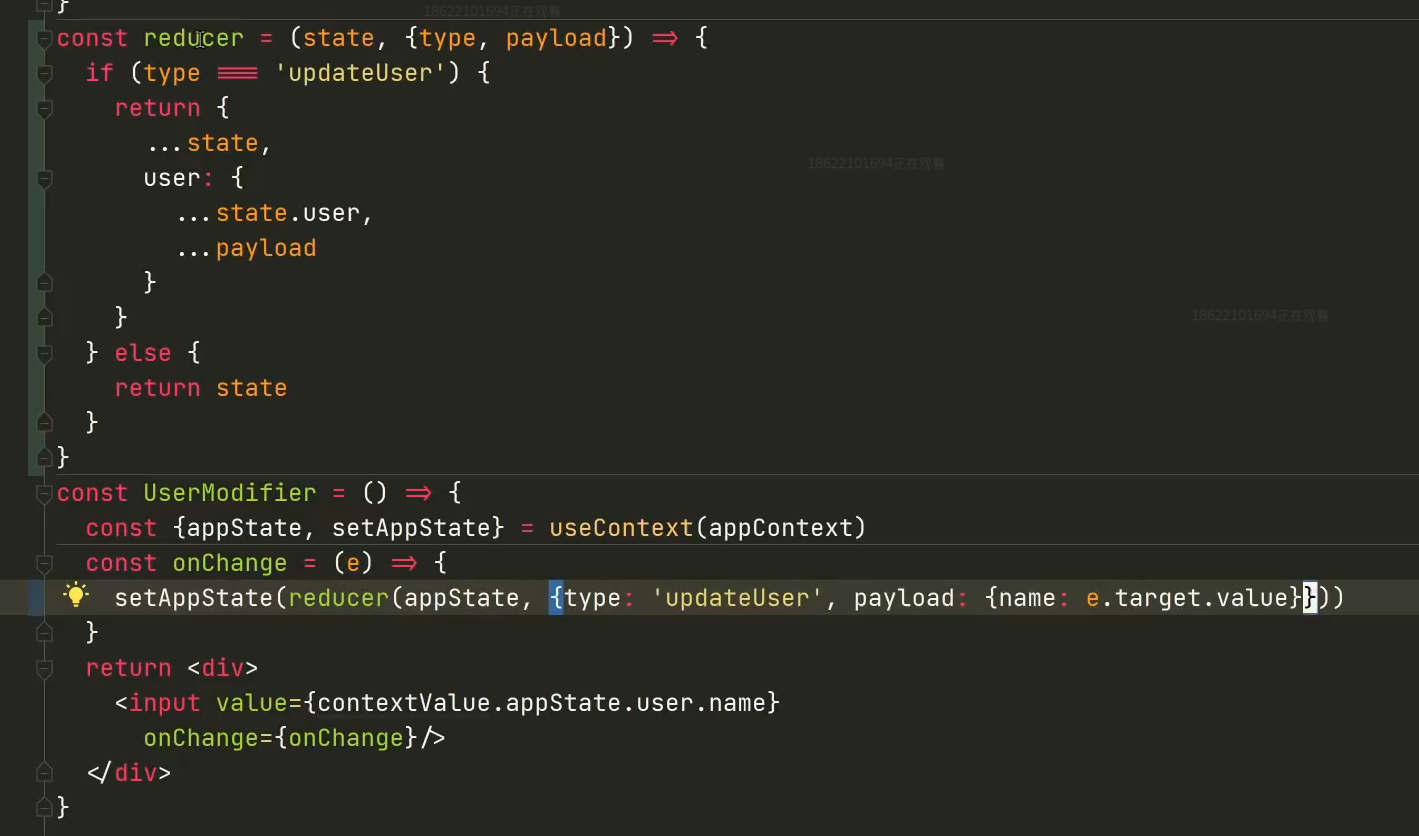
dispatch 规范setState流程
SetAppState(reducer(appState) 这三个单词每次都要写
雏形
把 setAppState(newAppState); 和const newAppState = createNewState合并
 const onChange = (e) => {
    const { appState, setAppState } = contextValue;

   setAppState(reducer(appState,{
        type:'updateUser',

      payload:{name: e.target.value}
   }

  };
如果要修改user.name user.age ,group.name 都要用到
setAppState(createNewState(appState,{
封装一下
写一个dispatch 接收
const  dispatch = ( action )=> {
    setAppState(reducer(appState, action));

};

const UserModifier =() => {
  const contextValue = useContext(appContext);
  const onChange = (e) => {
      dispatch({
        type: "updateUser",
      payload: {
          name:e.target.value
      }
    })
  }
初步实现了dispatch的功能,简化统一了setState的流程
但是有个问题:
dispatch无法读取 context,所以它也不能访问 appState 和 setAppState
React规定只能在组件内部使用hooks
不能把dispach放进 userModifier,因为dispatch要抽出来放到其他组件
造成窘境的原因是把state放进了context里面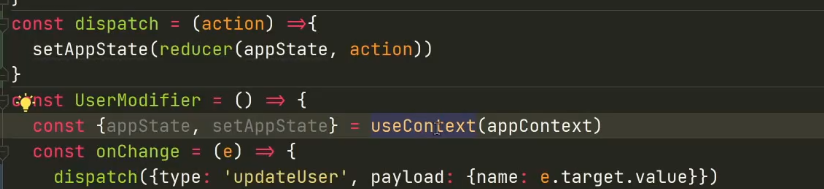
如何实现让dispatch访问到setSTATe和state
解决办法:
把 updateState 放在组件里,因为组件里可以读取 context;
- 准备一个空组件,专门用来把appState和setAppState 传给updateState()
const Wrapper =() => {
    const { appState, setAppState } = useContext(appContext)
  const dispatch = (action ) => {
      setAppState(createNewState(appState,action));

  }

}
- 这个Wrapper组件会把 updateState传给 UserModifier,,渲染UserModifier
const Wrapper =() => {
    const { appState, setAppState } = useContext(appContext)
  const dispatch = (action ) => {
      setAppState(createNewState(appState,action));

  }
    return <UserModifier dispatch ={ dispatch } / >
}
- UserModifier组件从props拿到能访问Context的 updateState了
const UserModifier = ({dispatch }) => {
    const contextValue = useContext (appContext);
  const onChange = (e) => {
       updateState ({
        type: "updateUser",
      payload: {
          name: e.target.value
      }
    })
  };
- 为了让updateState访问Context ,造空组件Wrapper ,让Wrapper渲染UserModifer
想要读数据,就从props里面拿数据,写数据,就从props拿dispatch
connect的来历
useModifier里面包装成了wrapper,要用wrapper得到dispatch 和state
任何一个组件想要读写全局变量,都需要封装warpper
需要封装组件,但是不能写死,需要接收组件component
- 但是每个组件都要套一个wrapper才能拿到”能访问Context 的updateState“
- 消除重复,声明一个createWrapper函数
const createWrapper = (component) => {
const Wrapper =() => {
    const { appState, setAppState } = useContext(appContext)
  const dispatch = (action ) => {
      setAppState(reducer(appState,action));

  }
    return React.createElement(
    component,
    {dispatch : dispatch}
      props.children
};
};
把UserModifier改写成createWrapper(原来的UserModifier)形式
const Wrapper = createWrapper(UserModifier)
const UserModifier = ({dispatch,state}) => {

const onChange = (e) => {
UserModifier 就是原来的Wrapper,直接使用UserModifier
const 二儿子 = () => {
 return (
   <section>
 二儿子
     <UserModifier/>
 </section>
)
}
9 这个createWrapper 就是connect函数
10,重构改名交connentconst UserModifier = connect(({updateState}) => { const contextValue = useContext (appContext); const onChange = (e) => {11,updateState改名叫dispatch ```typescript const UserModifier = connect ({dispatch,state,children}) => {
const onChange = (e) => {
dispatch ({
 type: "updateUser",
payload: {
name: e.target.value} }) } return
{children}})
12.同样dispatch还能接收state,在connect 注入dispatch,把appState注入<br />**connect将这个组件以全局状态连接起来**
```typescript
const connect = (component) => {
return (props) => {
    const { appState, setAppState } = useContext(appContext)
  const updateState = (action ) => {
      setAppState(createNewState(appState,action));

  }
    return <Component
    {...props}
       dispatch={dispatch} state={appState} />

};
};
13.user组件不需要自己从context里拿user,直接connect注入state、
const User = () => {
  const contextValue = useContext(appContext);
        return (
        <section>
                <div>
            UserName:
            {contextValue.appState.user.name}
                </div>
        </section>
    )
}


============>>>>>>>>>>>>>>>>>============

  const User = connect(({ state })) => {
  //const contextValue = useContext(appContext);
        return (
        <section>
                <div>
            UserName:
            //{contextValue.appState.user.name}
           {state.user.name}
                </div>
        </section>
    )
}
14 redux 提供connect 接收2次参数
connect (mapState, mapDispatch)(Counter)
15,假如要在组件上传值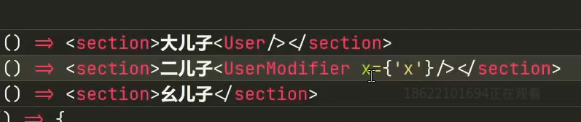
得把x透过connect传给真正的组件
需要接收props ,然后返回{…props}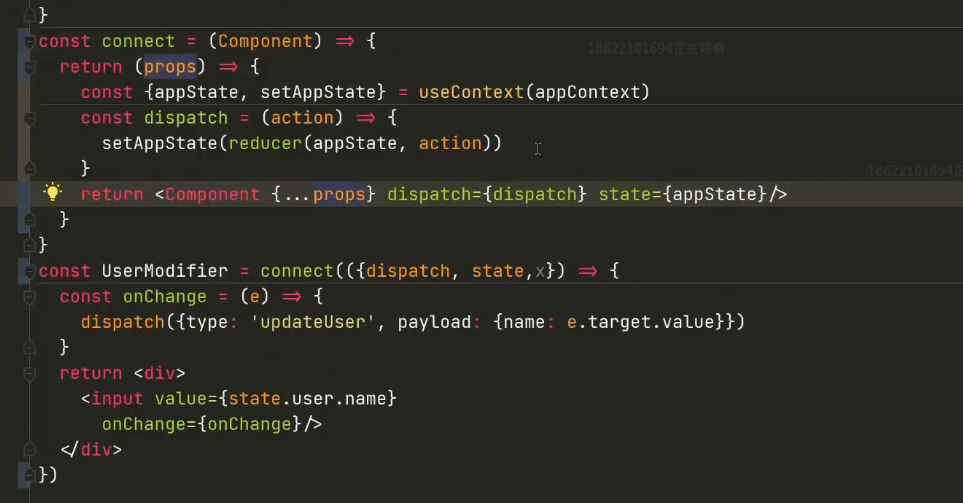
如果要显示组件的自定义内容,添加children,因为props透传
利用connect 减少render
问题:

这时候在二儿子表单打印一个1,5个组件全部执行】
只有一个组件用到了user,其他组件完全没状态
只修改一小点,全部组件都重新渲染
改变input值时候,会调用setAppState
根据react的规定,只要调用了组件的setState,组件就会再次执行
app 重新执行,全部子组件执行

解决办法
1.useMemo,空数组的意思是一旦缓存再也不更新
不靠谱
useMemo(() => {

  return <要儿子/>
}, [])
需要redux设计一个机制,用到user的地方,user变化的时候才重新执行
1, state代替appState,setState代替setAppState
state 默认存储初始信息,setState接收参数newState去修改store.state
const  store = {

     state: {
    user: {name: 'frank', age: 18}
  },
  setState(newState) {
    store.state = newState
  }
}

用store代替appState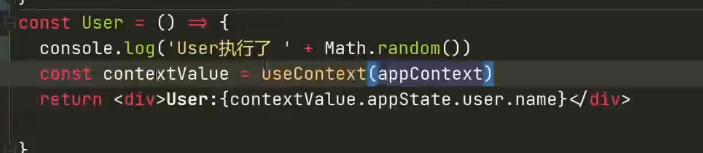
const User = () => {
  const {state} = useContext (appContext)
  return <div> User: {state.user.name}

const connect = (Component) => {
return (props) => {
    const { state, setState } = useContext(appContext)
  const updateState = (action ) => {
      setState(reducer(state,action));

  }
    return <Component
    {...props}
       dispatch={dispatch} state={state} />

};
};
但是修改不了,因为调用了 store.setState 但是没有调用 App 的 setState
给connect 添加一个刷新的声明update,不需要它的valueconst [, update ] = useState({})
想update,调用update,强制刷新dispatch,然后刷新connect
const connect = (Component) => {
return (props) => {
    const { state, setState } = useContext(appContext)
  const [, update ] = useState({})
  const dispatch = (action ) => {
      setState(reducer(state,action));
    update({})

  }
    return <Component
    {...props}
       dispatch={dispatch} state={state} />

};
};
 大儿子的没有刷新
目前的流程
为为什么输入6的时候显示123456
把最新的值setState到store上去,store的值就变了,再调用update,导致return
这一整块的组件重新渲染,从上下文拿到新的state,然后传给组件Component,二儿子组件的state变了
为什么大儿子的没有变,因为它的dispatch没有调用,每个组件封装了自己的dispatch
需要每一个组件的dispatch去知道state变化
订阅state变化
每个组件订阅变化,现在不调用fn,需要把函数fn放到队列里面listeners
还需要取消订阅的函数
什么时候执行订阅的内容?
一旦被setState,告诉订阅者,遍历订阅者,把最新的state给它
const store = {

  state: {
    user:{name: 'frank',age: 18}
  },
  setState(newState) {
      store.state = newState
    store.listeners.map(fn => fn(store.state))
  },

  listener: [],
  subscribe(fn ){
    store.listeners.push(fn)
    return ()=> {
        const index = store.listeners.indexOf(fn)
      store.listeners.splice(index,-1)
    }
}
组件里添加订阅
希望只订阅一次,添加到useEffect里面useEffect(() =>{},[])
useEffect(() => {
    store.subscribe(()=> {
      update({})
  })

},[]
  )

所有子组件订阅了store变化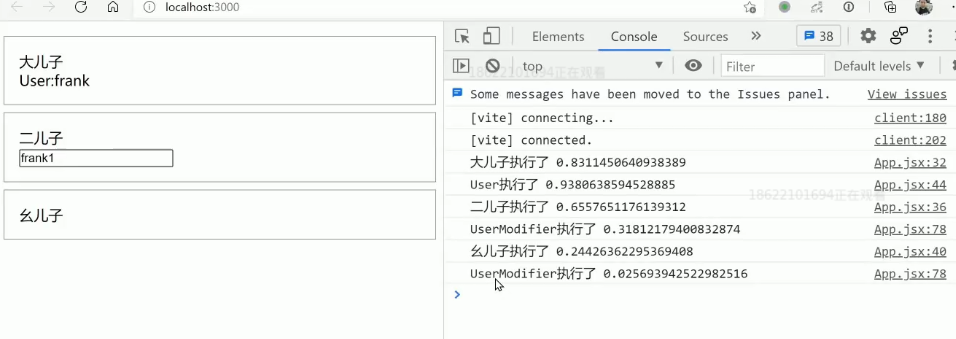
User组件添加connect
const User = connect (({ state, dispatch}) = {
  return <div> User:{state.user.name}</div>
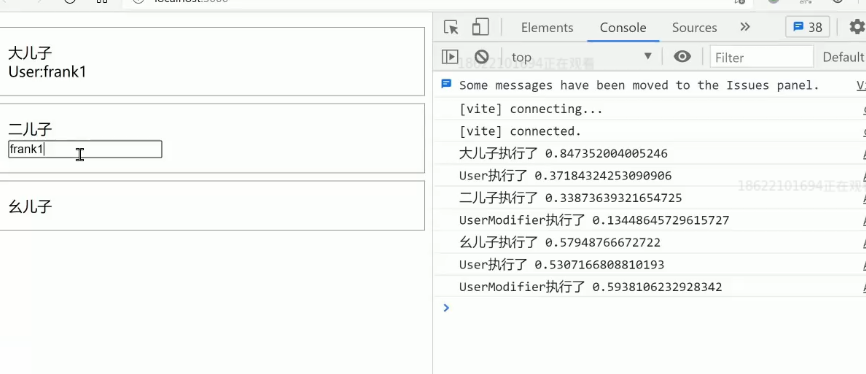
这样就实现精准的执行组件,已经实现redux的大部分功能
需要把redux有关的文件放到一起 redux.jsx
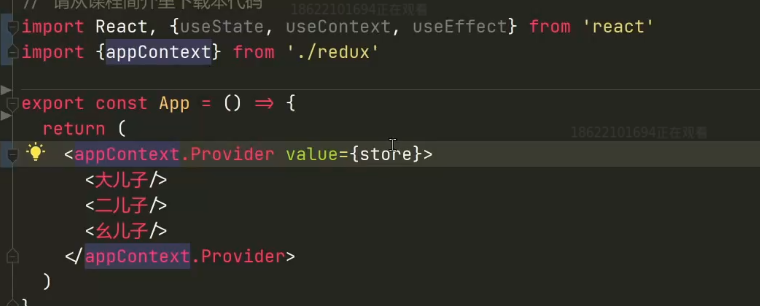
在app.jsx里只需要引入appContext,store,connect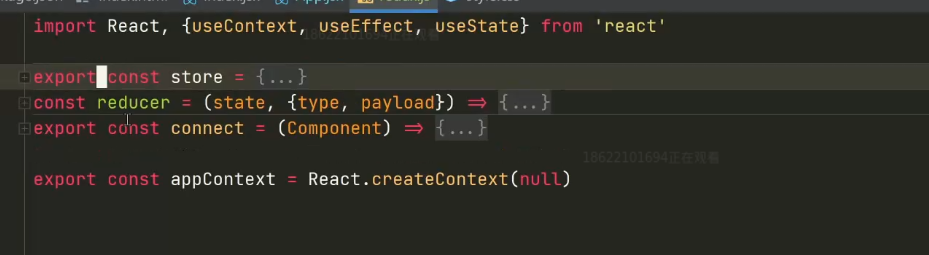

若有收获,就点个赞吧
0 人点赞


