series
series,系列列表。
每个系列通过type决定自己的图表类型。
type的值可以有:line,bar,pie,radar,map,gauge等。
legend
legend,图例组件
图例组件展现了不同系列的标记(symbol),颜色和名字。可以通过点击图例控制哪些系列不显示。
当图例数量过多时,可以使用滚动图例(垂直)或滚动图例(水平)
series与legend的关联
可以再看清楚legend的概念,legend是可以指导series的显示与否。
series.name 是与 legend.data.name对应的。
单个series里多个data与多个series
多个series与单个series多个data的配置是会产生差异性的
单个series里多个data
例如:
option = {title: {text: 'Awesome Chart'},xAxis: {data: ['Sun', 'Mon', 'Tue', 'Wed', 'Thu', 'Fri', 'Sat']},yAxis: {},series:{type: 'line',data:[220,{naem:'fang',value:564,itemStyle:{}},290, 330, 310]}};
单个series里面的data,会根据data数组的index对应x轴的刻度,如果data里有项是空的话,则跳过。
像上面的例子,我们就可以配置每一个line点的style,阴影圆角等。
甚至可以通过一个函数来返回data的数组配置,达到动态的变化,定制不同的item。
var colorSource = ['red', 'white', 'black']series:{type: 'line',data:function(){return colorSource.Object.keys().map( e => {...})}}
多个series
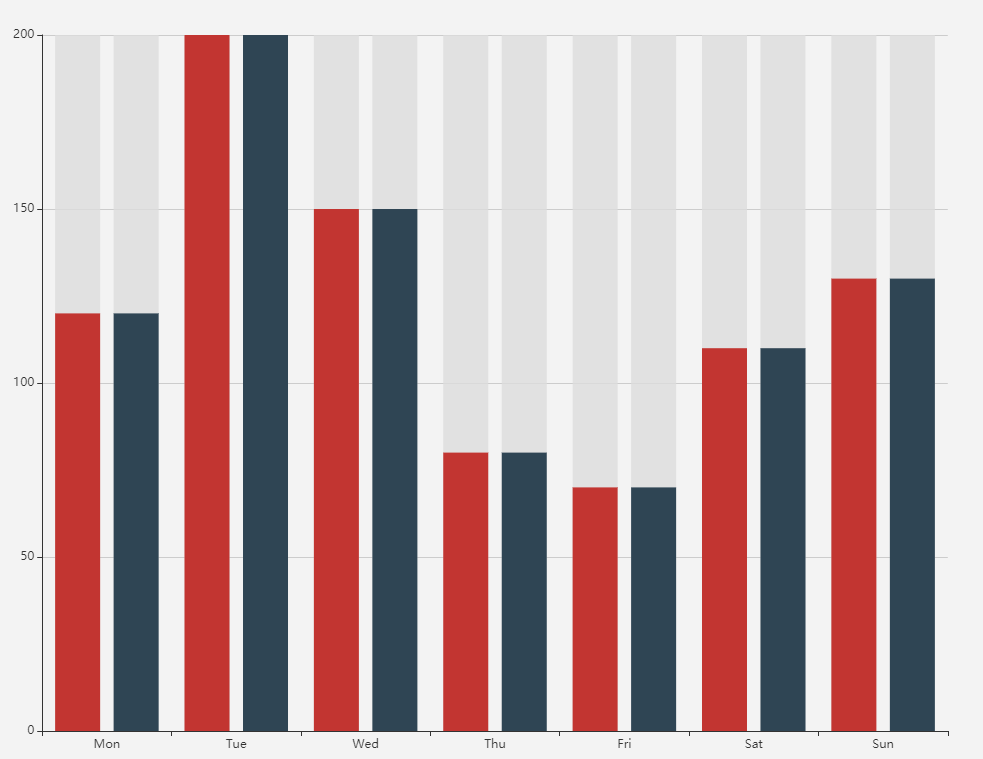
首先要明确一个问题,每个series都是会根据series的data跟着x轴渲染的,所以有多个series的时候,就会发生series的重叠。
这个重叠指的是x轴上的重叠,两个series根据x轴挤在一起了
series: [{data: [120, 200, 150, 80, 70, 110, 130],type: 'bar',showBackground: true,backgroundStyle: {color: 'rgba(220, 220, 220, 0.8)'}},{data: [120, 200, 150, 80, 70, 110, 130],type: 'bar',showBackground: true,backgroundStyle: {color: 'rgba(220, 220, 220, 0.8)'}},]
stack
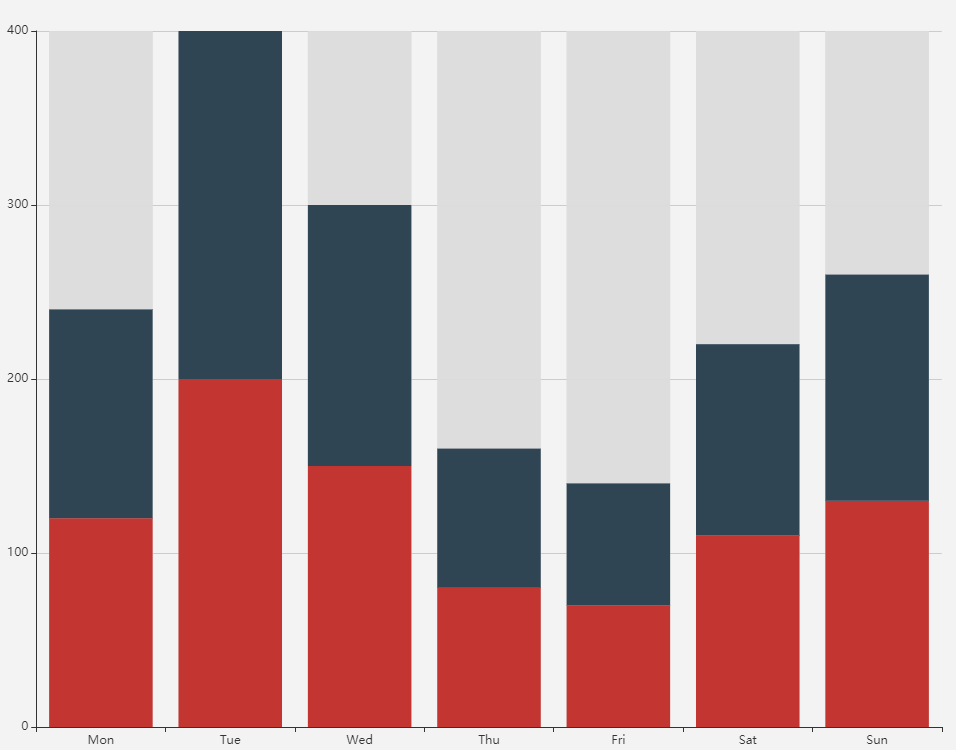
当series.stack相同的时候,图表就会上下叠在一起
设置series.stack:1
series: [{data: [120, 200, 150, 80, 70, 110, 130],type: 'bar',showBackground: true,backgroundStyle: {color: 'rgba(220, 220, 220, 0.8)'},stack:1},{data: [120, 200, 150, 80, 70, 110, 130],type: 'bar',showBackground: true,backgroundStyle: {color: 'rgba(220, 220, 220, 0.8)'},stack:1},]

若有收获,就点个赞吧
0 人点赞


